
Search Our Database
How to launch Cloud Instance by using Snapshot in Customer Portal
Introduction
Launching a cloud instance using a snapshot within the IP ServerOne Customer Portal is an essential process for restoring or replicating your virtual servers quickly and efficiently. This functionality allows system administrators and business users to provision a new environment on the Novacloud platform from a previously captured state of an existing volume, making it ideal for disaster recovery, migration, or cloning a known-good configuration. By utilizing snapshots, users can skip the manual setup of an operating system and deploy an instance that already contains their data and configurations. This guide outlines the straightforward procedure required to successfully spin up a new cloud instance from a snapshot through the portal interface.
Prerequisite
- Active account access to the IPServerOne Customer Portal with appropriate permissions
- Sufficient resource allocation (vCPU, RAM, and storage) within your Novacloud project
- Sufficient account cloud credit
- An existing snapshot you wish to launch the Cloud Instance
Before diving into the launching cloud instance, you may refer to the guidance below, as there are being used across this guidance.
- To register and login into our Customer Portal
-> [How to register and login to Customer Portal] - To configure Security Group for the cloud instance, you may consider as the simple firewall for the cloud instance
-> [Configure Security Group in IPServerOne Customer Portal] - If you wish to unify the Public Key for all cloud instance, you may generate a Public Key before launching the cloud instance
-> [How to Create Public Key for the Cloud Server in Customer Portal] - If you have existing Public Key, you may consider import the Public Key
-> [How to Import Public Key(s) for the Cloud Server in Customer Portal] - To create a Project for your cloud instance for easier managing, and you are having an option to assign the Project later
-> [Managing project and instance assignment in Customer Portal] - To login the cloud instance via SSH
-> [How to login to your Linux Server via SSH] - To retrieve the Windows Administrator password for RDP access
-> [How to Retrieve the Windows Administrator Password]
Step-by-step guide
Step 1: Access the Customer Portal
- Login to [IPServerOne Customer Portal].
Step 2: Navigate to the Snapshot Section
- In the Dashboard, click on the NovaCloud dropdown menu and select Snapshot.
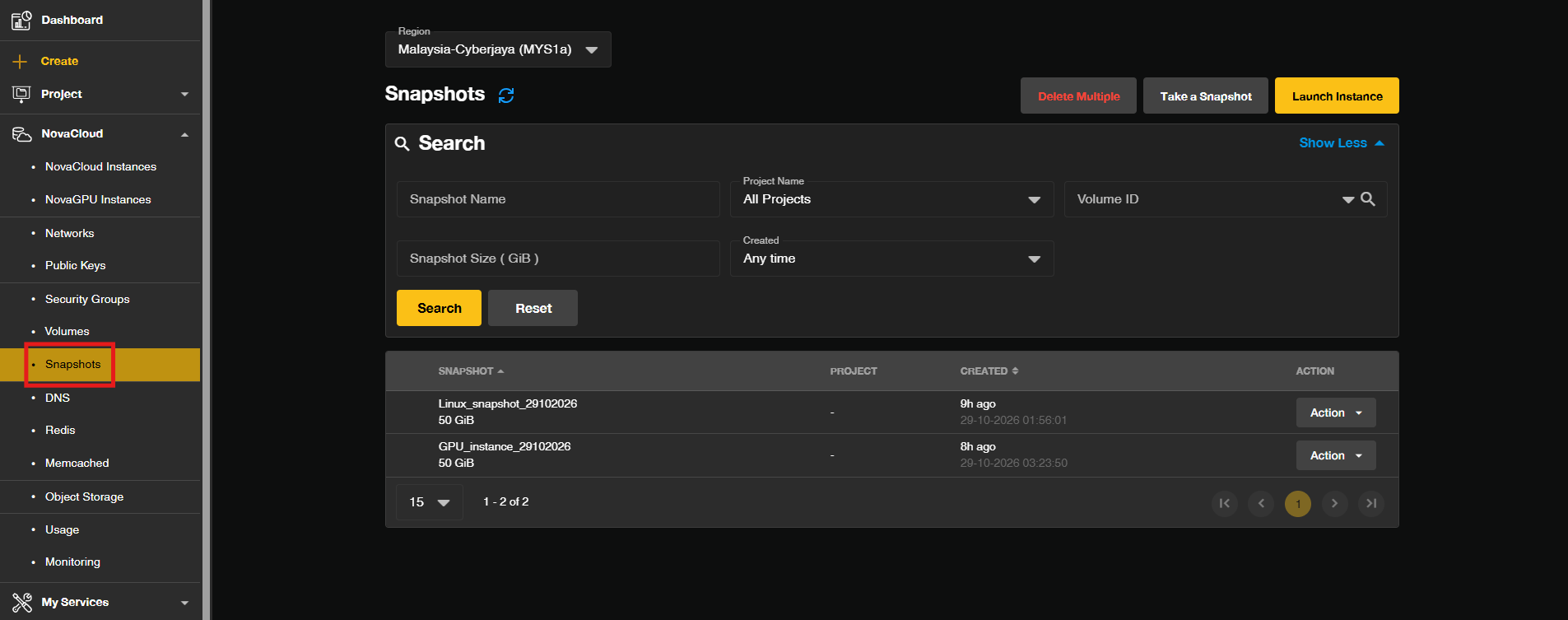
Step 3: Initiate Instance Launch from Snapshot
- Locate the snapshot you wish to launch the Cloud Instance. Click on the Action dropdown next to the snapshot to reveal a dropdown menu, then select Launch Instance.
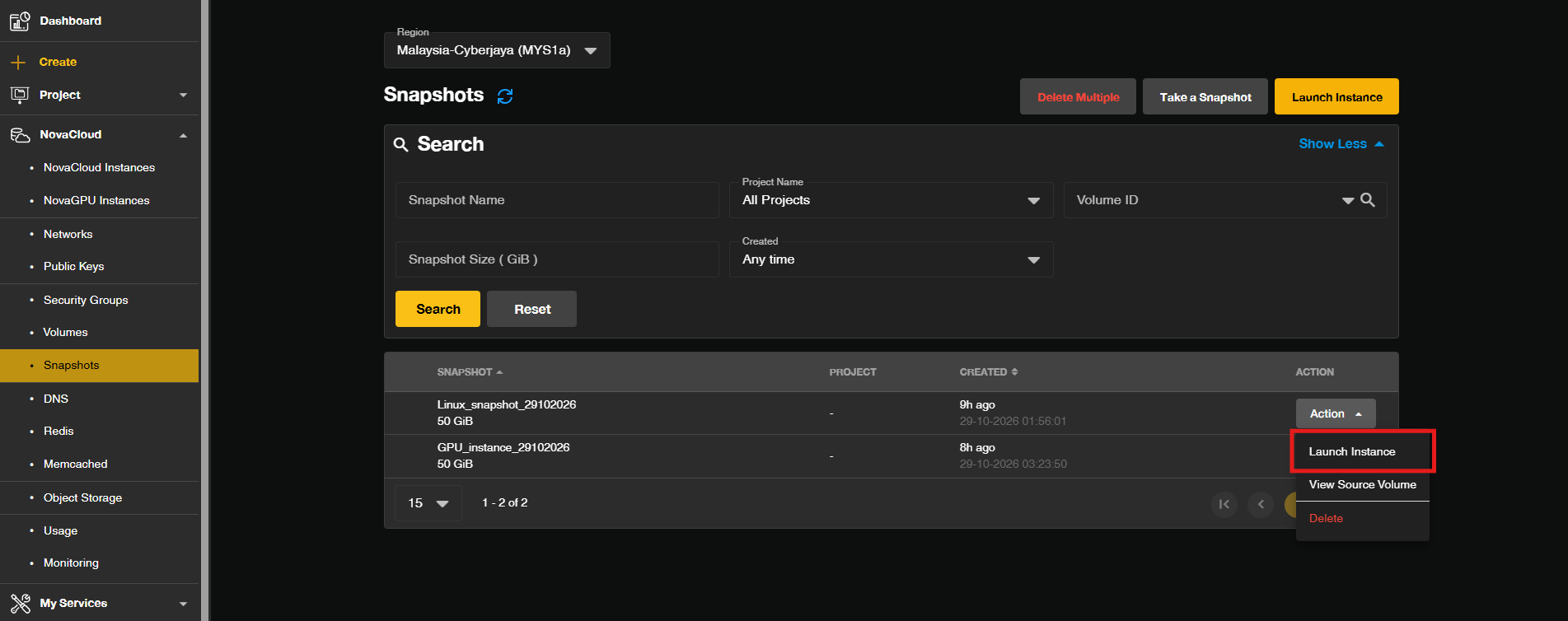
Step 4: Configure Resources and Network
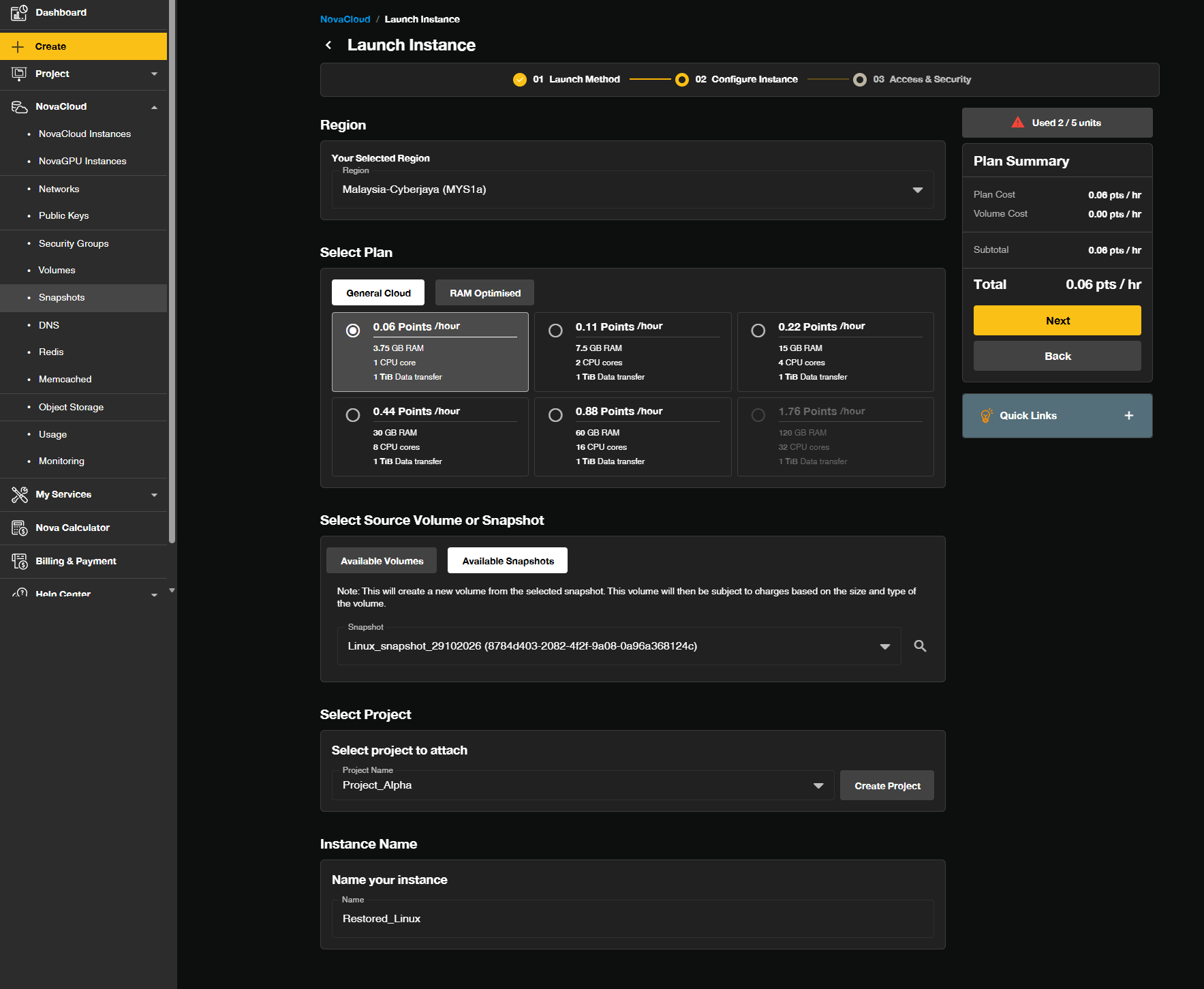
- Configure your desired Region, Plan, Project and Instance Name.
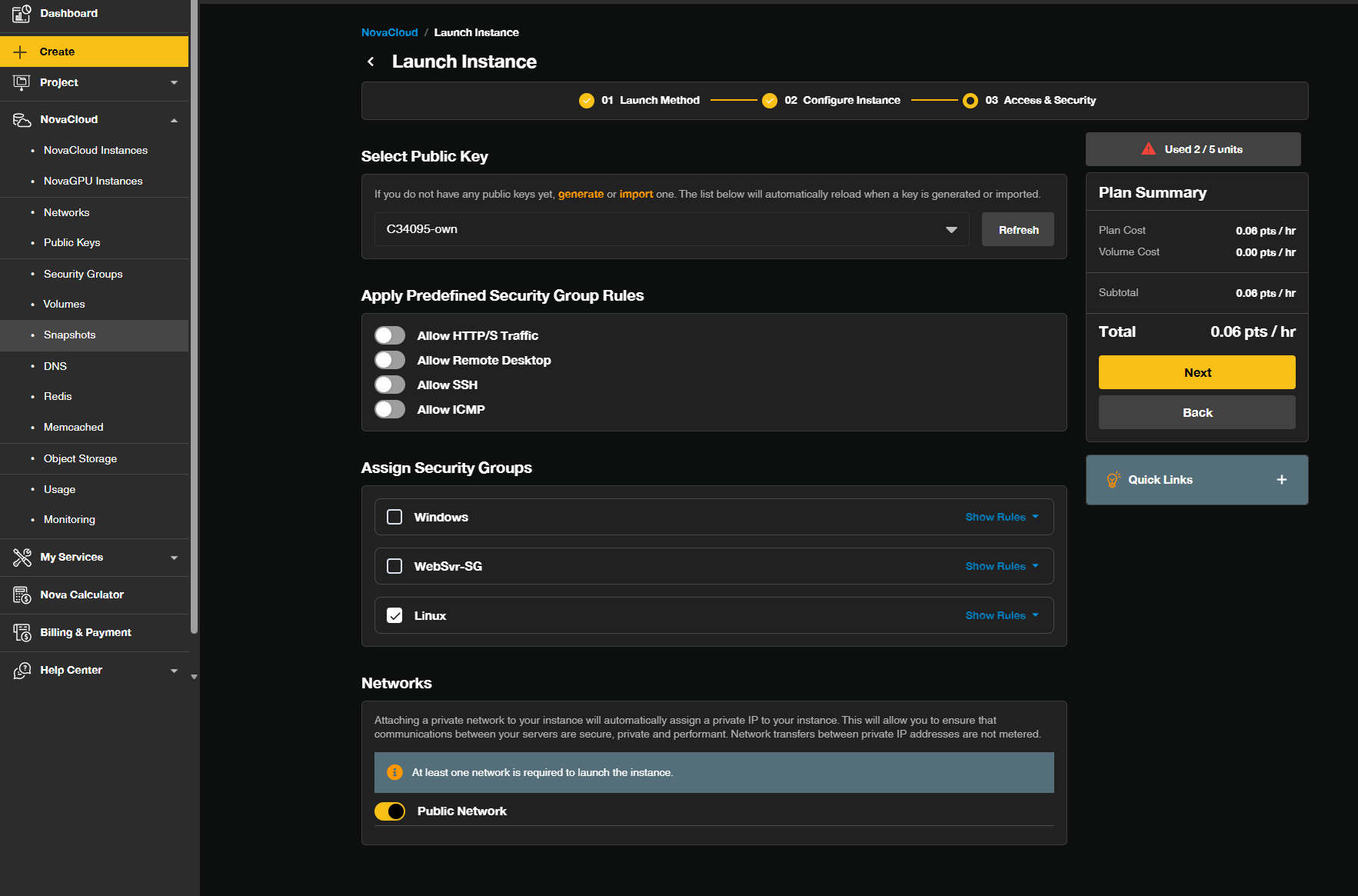
- Select your Public Key and using Security Group to assign which ports to be open.
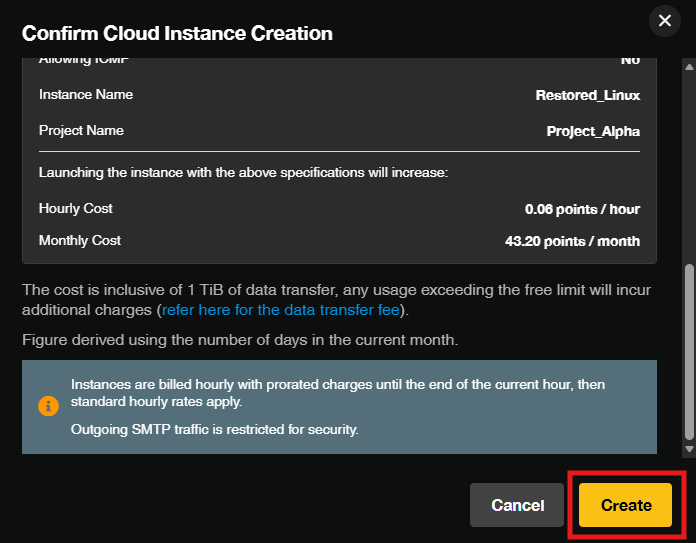
- In the pop-out windows, verify all the configured settings and resource allocations in the summary panel then click Create to initiate the instance creation process.
Conclusion
By following this guidance, you can successfully launch and deploy a new cloud instance using a snapshot on the Novacloud platform via the Customer Portal, enabling you to rapidly restore, replicate, and expand your infrastructure with your existing data and configurations.
If you encounter any issues or need further assistance, please contact our support team at support@ipserverone.com.
Article updated on 29 October 2026 by Johnny