
Search Our Database
How to manage GPU Instance in Customer Portal
Introduction
Managing your GPU instance effectively is essential for ensuring optimal performance, resource availability, and operational continuity when deploying workloads on the cloud. As a cloud administrator or user, you can easily execute essential control tasks—such as power operations, maintenance actions, and administrative adjustments—directly through the unified Customer Portal whenever required. This comprehensive guide outlines the step-by-step procedures to perform power controls, maintenance modifications, and administrative updates on your GPU instances, empowering you to maintain complete control over your cloud infrastructure efficiently and securely at any time.
Prerequisite
- Active account access to the IPServerOne Customer Portal.
- An active GPU instance already provisioned and visible within your dashboard.
- Basic understanding of GPU instance states and administrative management.
Step-by-Step Guide
Step 1: Accessing the GPU Instances Management Page
- Log in to the [IPServerOne Customer Portal].
- Go to the NovaCloud and select NovaGPU Instances to view your GPU instance management page.
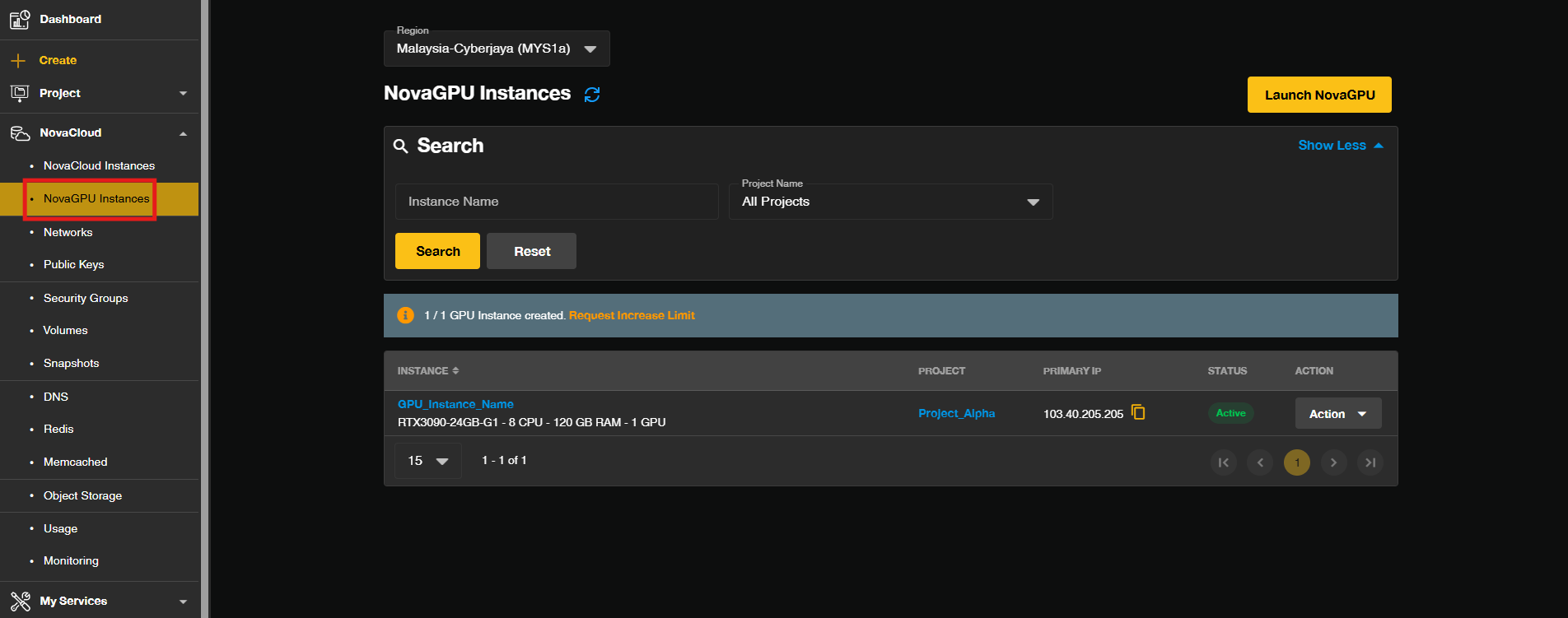
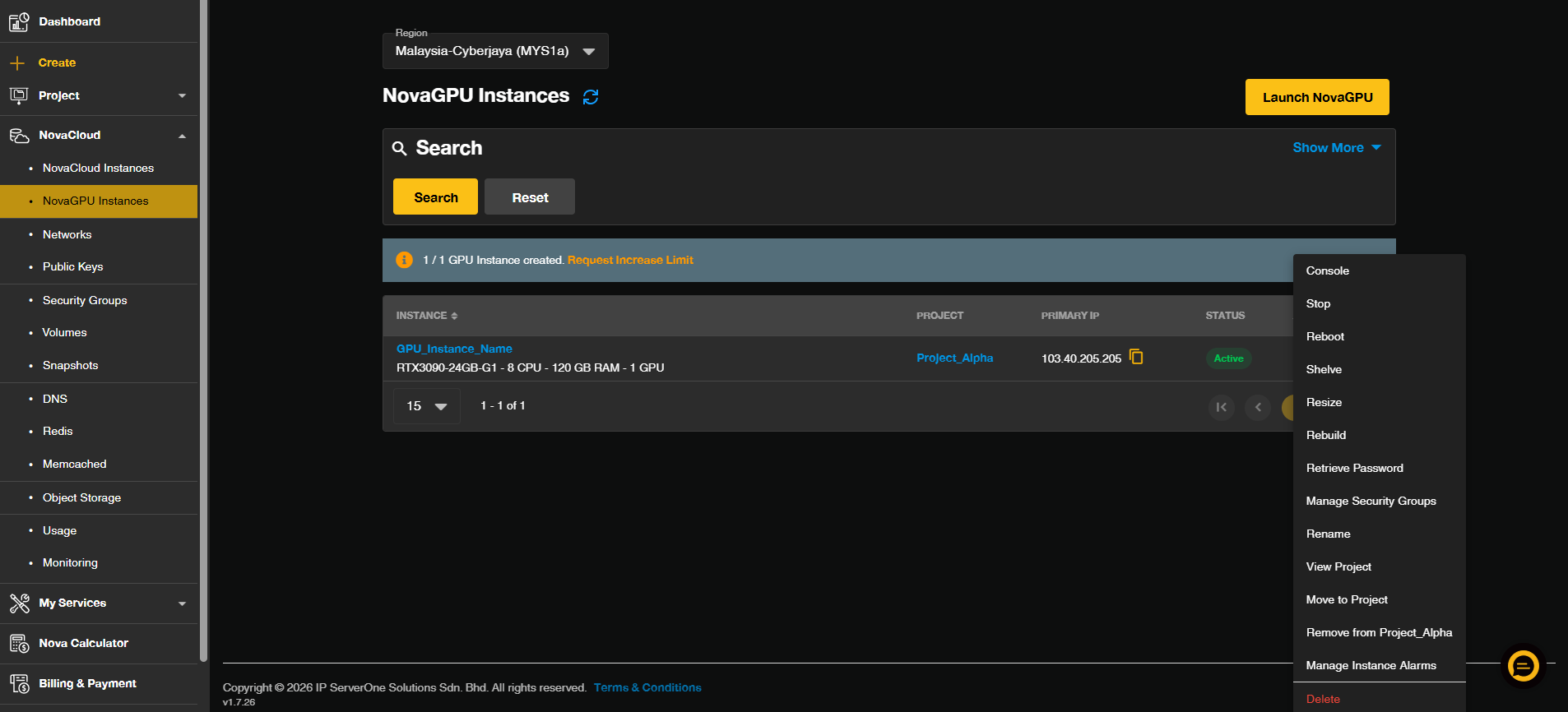
- Click on the Action drop-down to start managing the GPU instance.
Step 2: Maintenance Actions
Power Operations
Power operations allow you to control the running state of your virtual machine:
- Start: To boots up your instance.
- Stop: To shut down your instance safely.
- Reboot: To restart an unresponsive instance.
- Shelve: To hibernate your instance. (To free up active compute resources while retaining your storage)
- Unshelve: To restore your instance from hibernate.
Reset Operations
Maintenance actions handle deep configuration changes and lifecycle states:
- Rebuild: To reset your instance to a clean and fresh OS.
Important Note⚠️: Performing Rebuild will permanently erase all existing data on the instance disk. Ensure you back up all critical files and databases before proceeding with these operations.
Administrative Operations
Administrative actions handle basic metadata and instance lifecycle termination:
- Rename: To rename your instance name.
- Delete: To completely terminate your instance.
Important Note⚠️: Performing Delete will terminate the entire instance. Ensure you back up all critical files and databases before proceeding with these operations.
Conclusion
By following this guidance, you can successfully manage your GPU instances through the Customer Portal, ensuring seamless handling of power states, maintenance tasks, and administrative updates.
If you encounter any issues or require further assistance, please reach out to our support team at support@ipserverone.com.
Article updated on 21 October 2026 by Johnny