
Search Our Database
How to fix cPanel email error in WHM cPanel: has exceeded the max defers and failures per hour (5/5)
Introduction
This guide addresses the error where a domain exceeds the maximum allowed email defers and failures per hour in a cPanel server. This restriction is enforced to prevent excessive delivery attempts to invalid or unresponsive recipients, which can impact server reputation and deliverability.
When triggered, the server blocks further email sending for that domain until the defer counter resets. This issue commonly occurs when outgoing messages frequently bounce, such as due to incorrect recipient addresses or blacklisted destination mail servers.
A typical bounce-back error message is:
Domain example.com has exceeded the max defers and failures per hour (5/5 (100%)) allowed. Message discarded.
This article provides steps to clear the defer counters and restart Exim, allowing mail delivery to resume immediately. It also explains how to identify the root cause and prevent the block from recurring.
Prerequisites
- SSH access to the cPanel server
- Root privileges
- Affected domain name
Step-by-Step Guide
Step 1: Connect to the Server via SSH
Access the server as the root user:
Step 2: Navigate to the Email Send Limits Directory
Change to the directory tracking the domain’s email defer data:
To view the tracked files:
Step 3: Clear the Defer and Failure Files
Remove all files in the tracking directory to reset the counters:
rm -f *
Step 4: Restart the Exim Mail Service
Restart Exim to apply changes:
Step 5: Identify the Root Cause (Recommended)
Clearing the counter only buys time. Follow these methods to find out why the domain hit the limit.
- Common causes include:
- Incorrect or non-existent recipient addresses generating bounces
- A compromised email account sending spam
- A website contact form being abused to send mail
- The destination mail server being blacklisted or unreachable
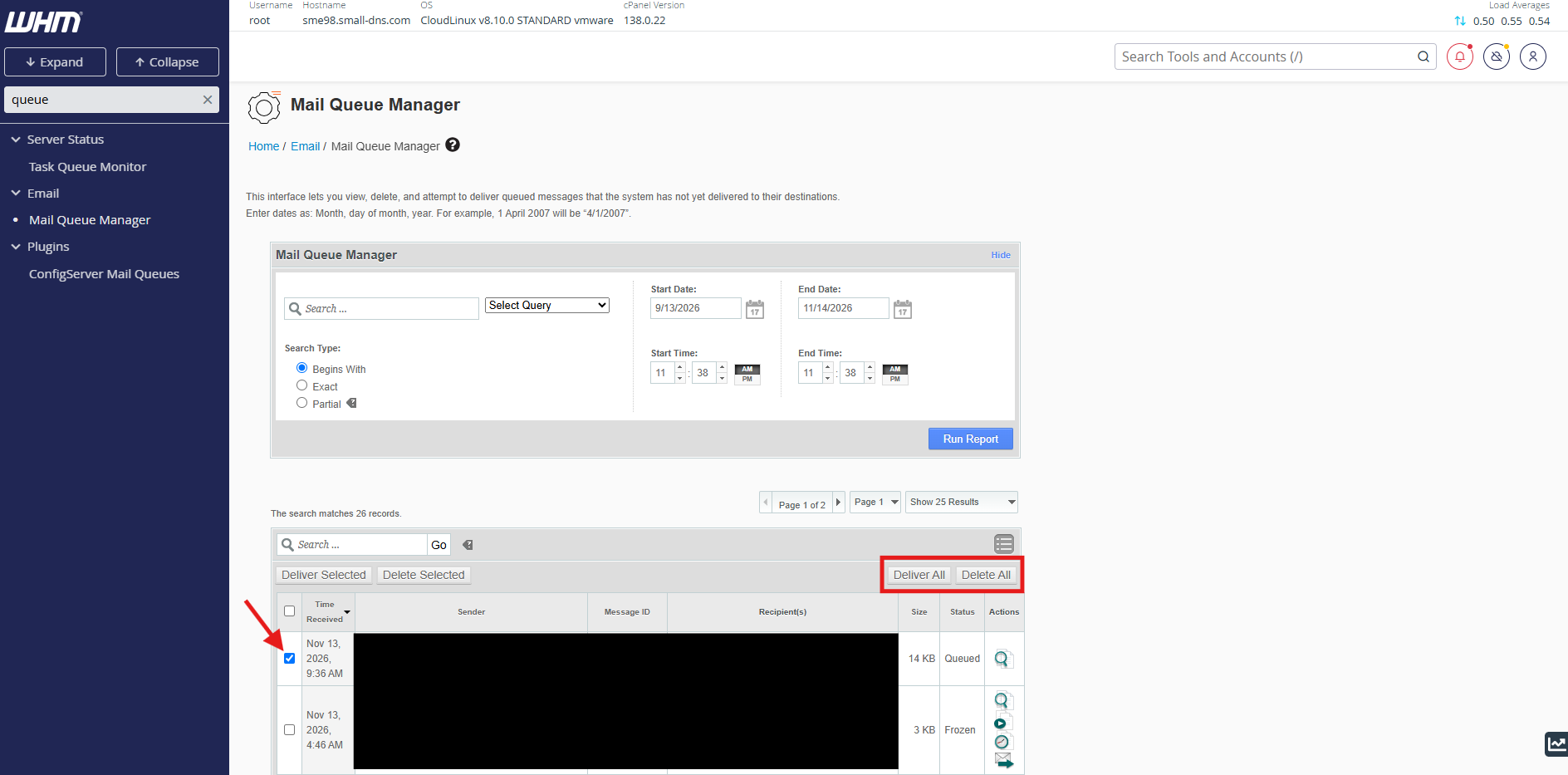
- In WHM, navigate to Home >> Email >> Mail Queue Manager to see which recipients are failing and which sender or account is generating the deferred mail.
Conclusion
By clearing the tracked defer files and restarting Exim, the domain’s email-sending ability is restored. However, the underlying cause of repeated failures—such as misconfigured email forms, invalid recipients, or blacklisted destinations—should be investigated to avoid future blocks.
Should you have any inquiries about the guidelines, please feel free to open a ticket through your portal account or contact us at support@ipserverone.com.
Article updated on 13 November 2026 by Johnny