
Search Our Database
How to deploy MySQL, MariaDB, or MSSQL using One-Click Applications in Customer Portal
Introduction
Deploying a robust database environment doesn’t have to involve complex command-line configurations or tedious manual setups. IP ServerOne’s Customer Portal features a One-Click Applications tool designed to streamline infrastructure deployment. By automating the entire installation and initial configuration process, this feature allows you to launch production-ready database engines—whether you need the open-source reliability of MySQL and MariaDB or the enterprise power of MSSQL—onto your Cloud Instance in just a few minutes.
Prerequisites
-
Access to the IPServerOne Customer Portal
-
Sufficient Cloud Credits in account
Before diving into the launching cloud instance, you may refer to the guidance below, as there are being used across this guidance.
- To register and login into our Customer Portal
-> [How to register and login to Customer Portal] - To configure Security Group for the cloud instance, you may consider as the simple firewall for the cloud instance
-> [Configure Security Group in IPServerOne Customer Portal] - If you wish to unify the Public Key for all cloud instance, you may generate a Public Key before launching the cloud instance
-> [How to Create Public Key for the Cloud Server in Customer Portal] - If you have existing Public Key, you may consider import the Public Key
-> [How to Import Public Key(s) for the Cloud Server in Customer Portal] - To create a Project for your cloud instance for easier managing, and you are having an option to assign the Project later
-> [How to Create Project(s) in Customer Portal]
-> [How to assign instance(s) to a project group in Customer Portal] - To login the cloud instance via SSH
-> [How to login to your Linux Server via SSH] - To retrieve the Windows Administrator password for RDP access
-> [How to Retrieve the Windows Administrator Password]
Step-by-step guide
Step 1: Launching new cloud instance
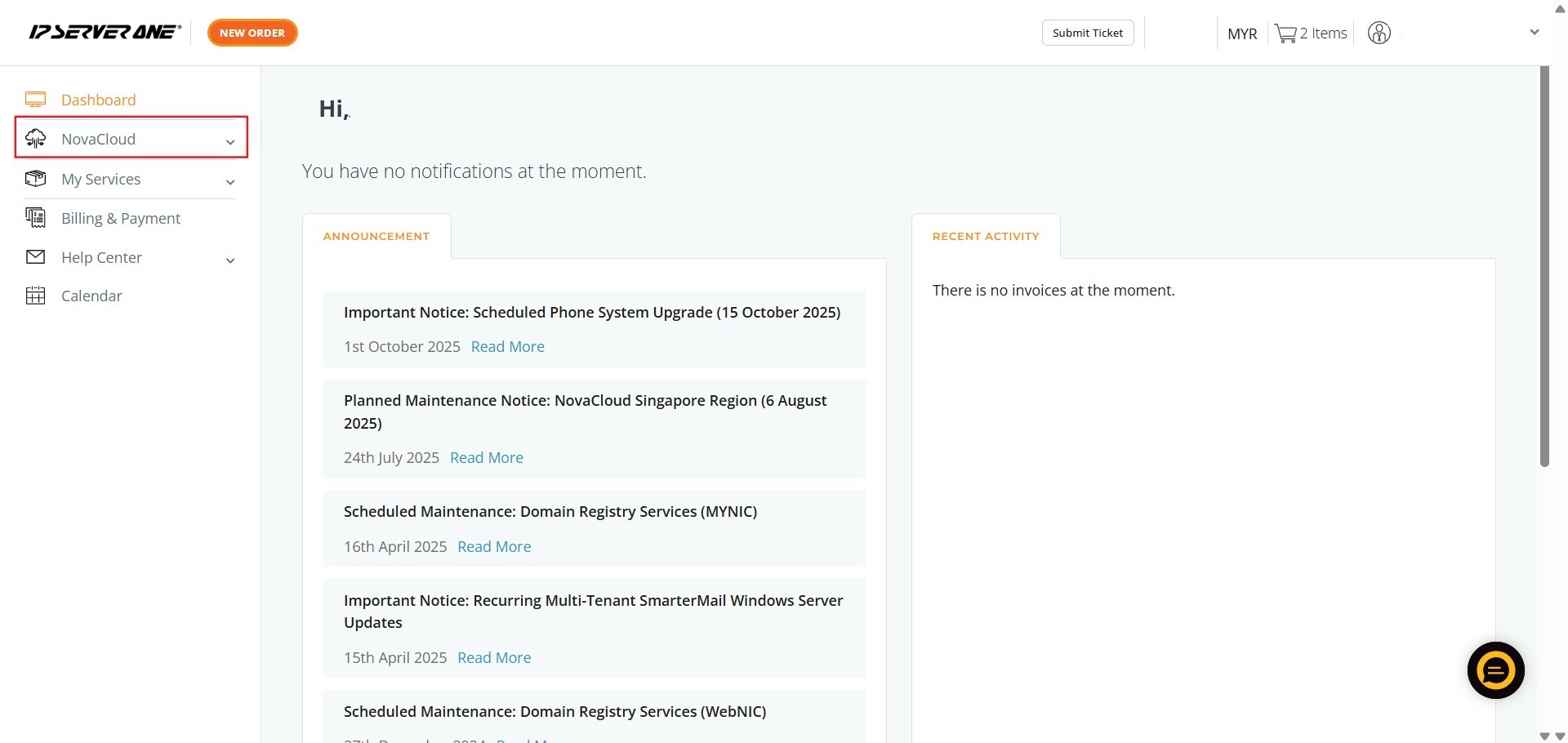
- Locate and click on the NovaCloud in the left-hand navigation menu to access NovaCloud resources page
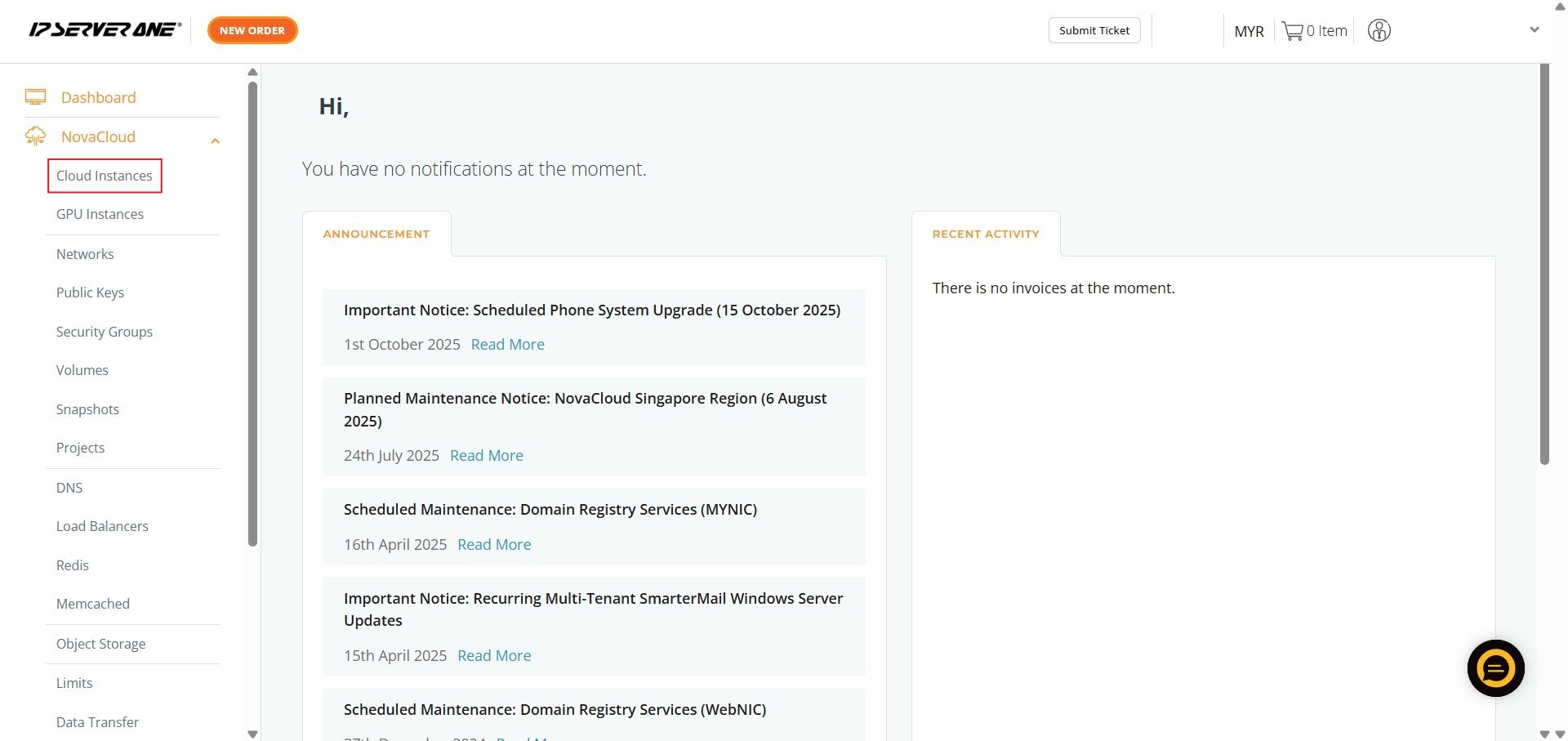
- Click on Cloud Instances to navigate to the cloud instance management page
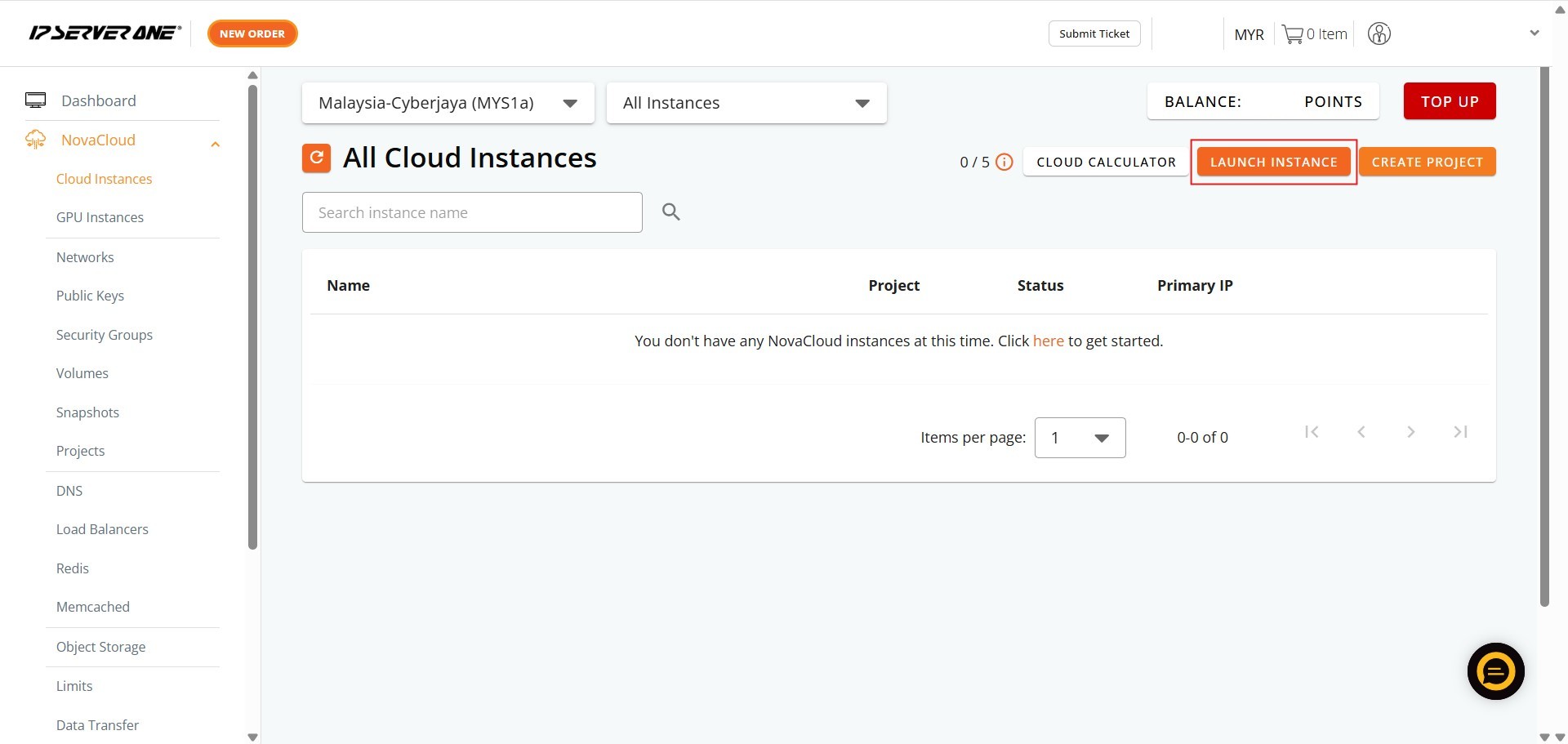
- Initiate the process for deploying a new cloud instance by clicking the Launch Instance
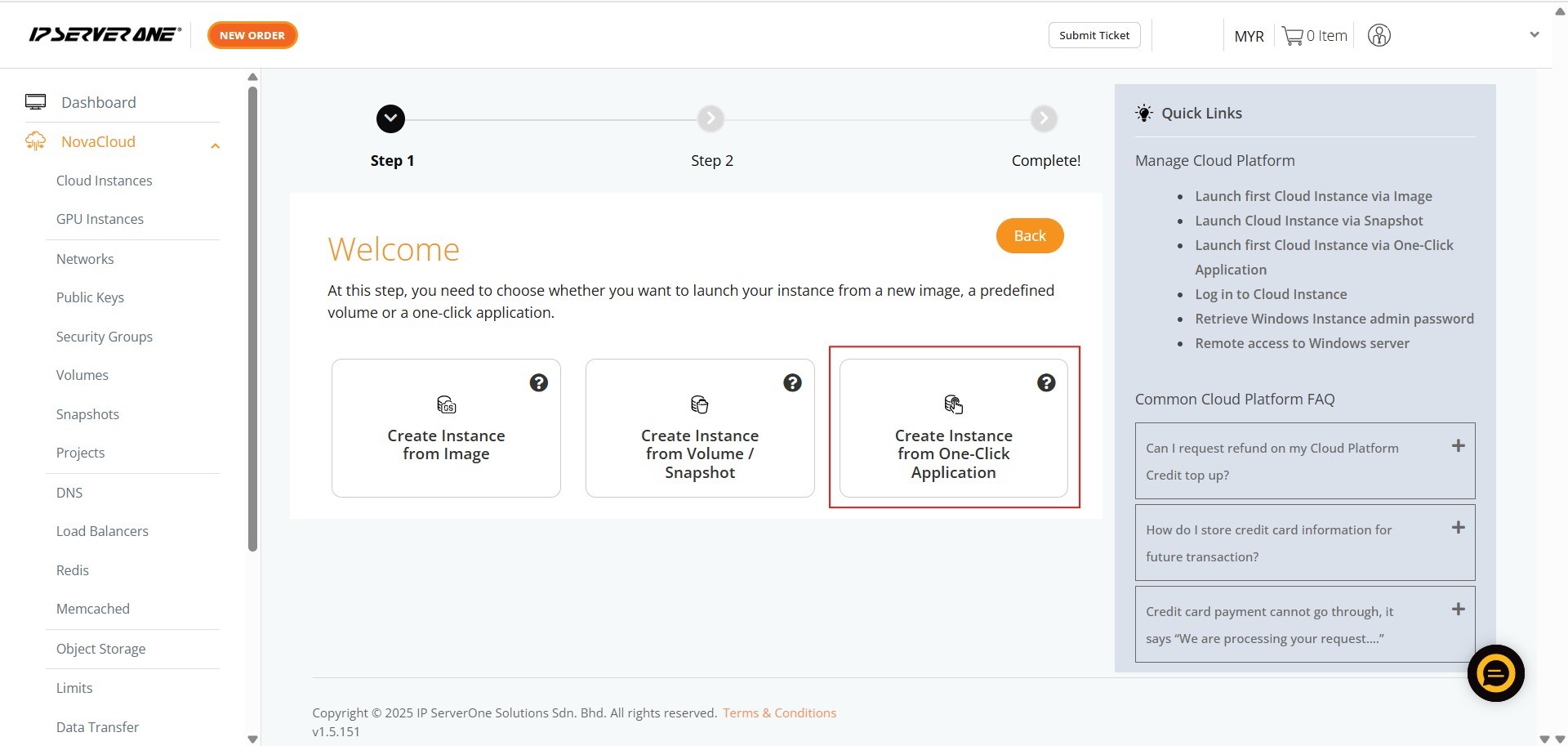
- Select Create Instance from One-Click Application for provisioning instances pre-installed with your chosen application or database
Step 2: Select application for the cloud instance
MySQL
MySQL is a free, open-source relational database management system (RDBMS) that organizes data into structured tables consisting of rows and columns. Developed and maintained by Oracle Corporation, it is the world’s most popular open-source database engine. It serves as the primary data storage backend for millions of web applications, content management systems, and enterprise platforms.
- Ensure the Category is selected as Database
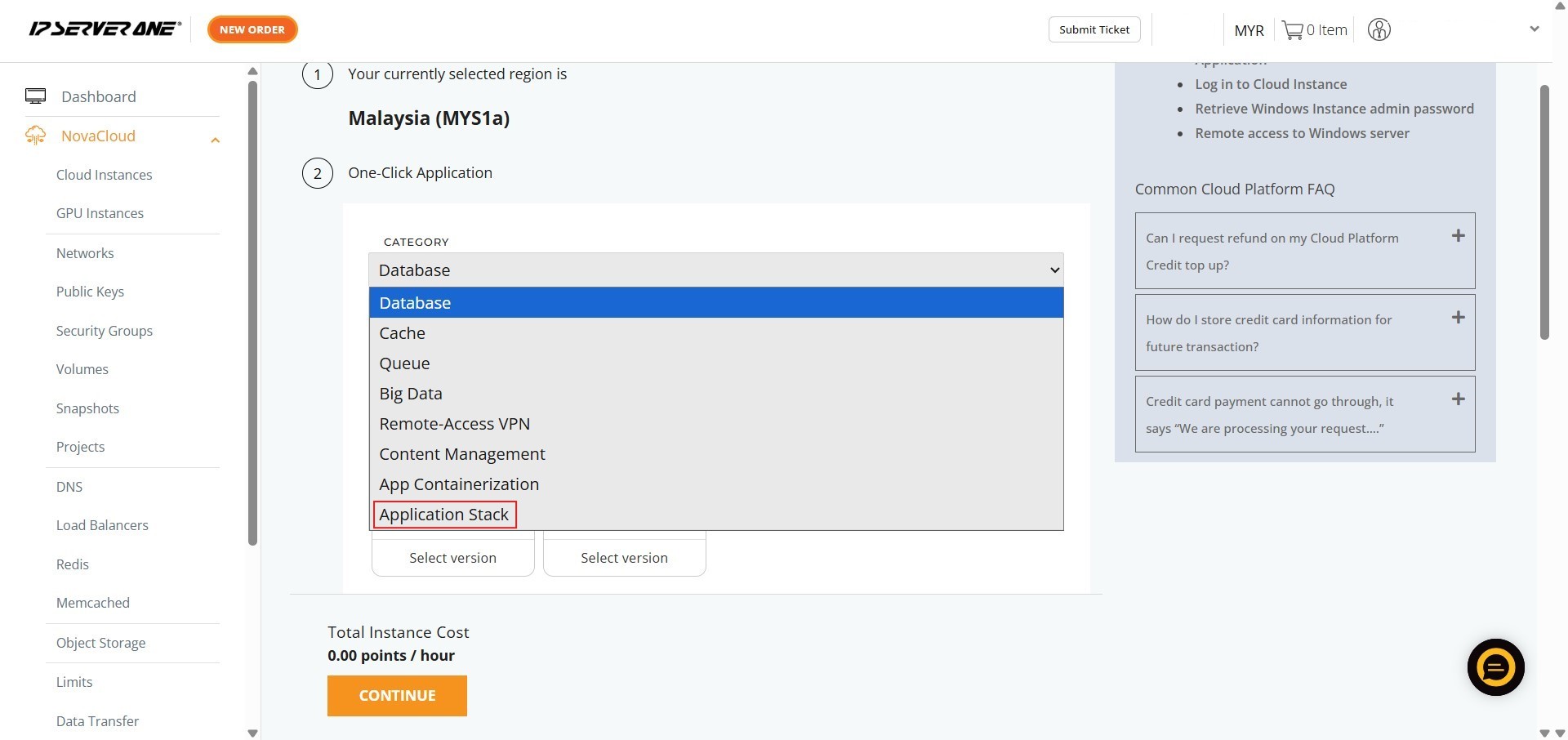
- Select the specific application – MySQL
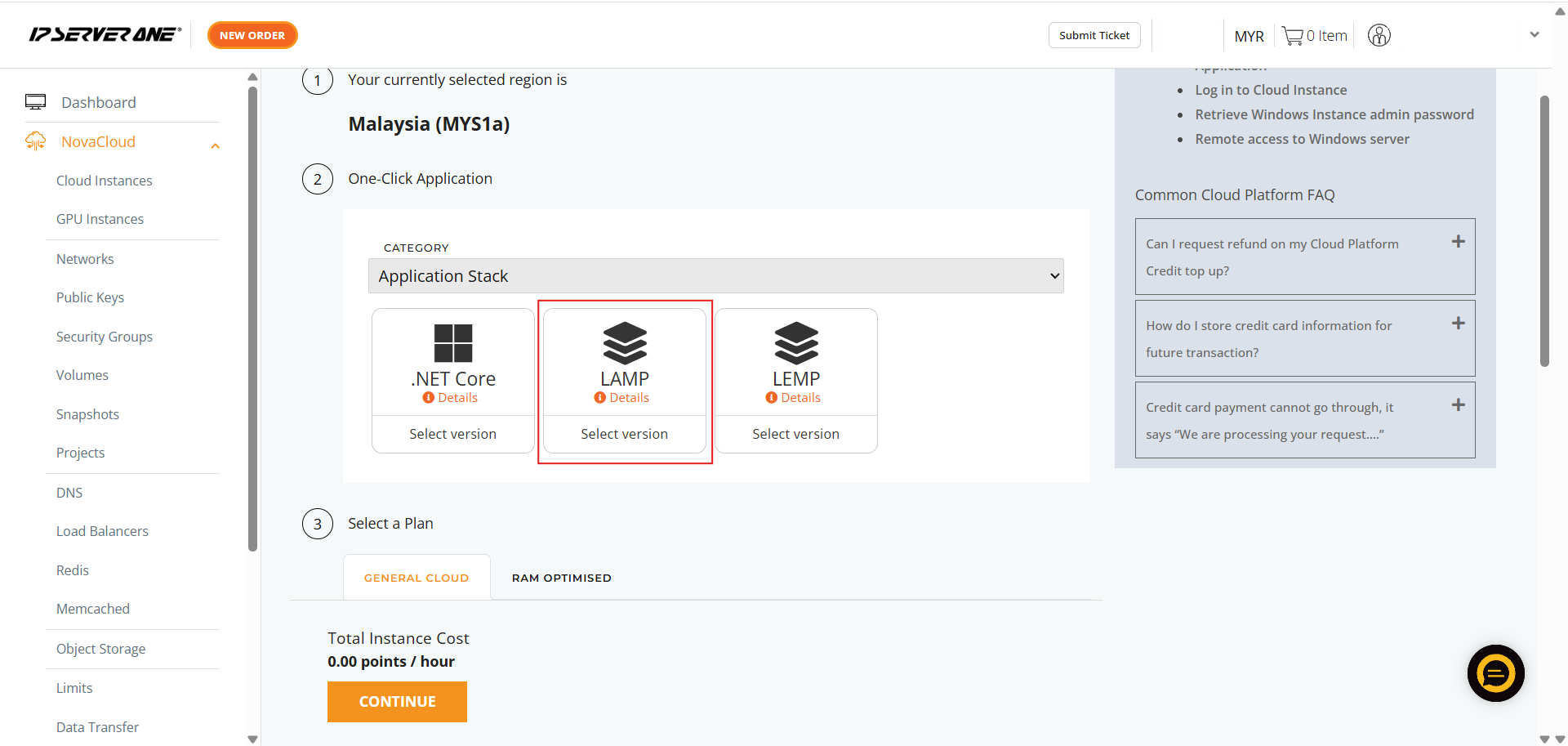
- Choose the required MySQL version you wish to deploy
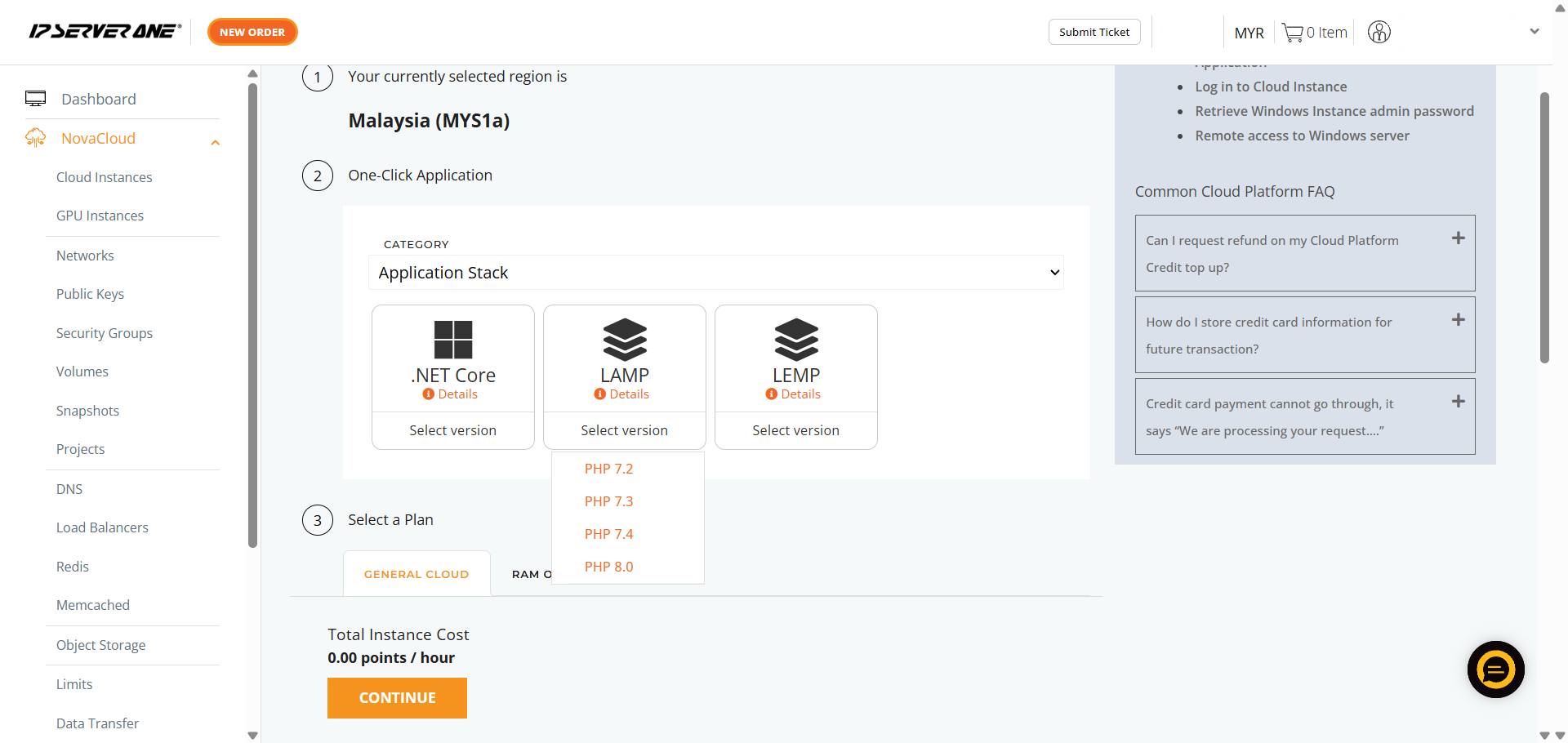
- Choose the appropriate resource plan (CPU, RAM, data transfer limits) for the cloud instance
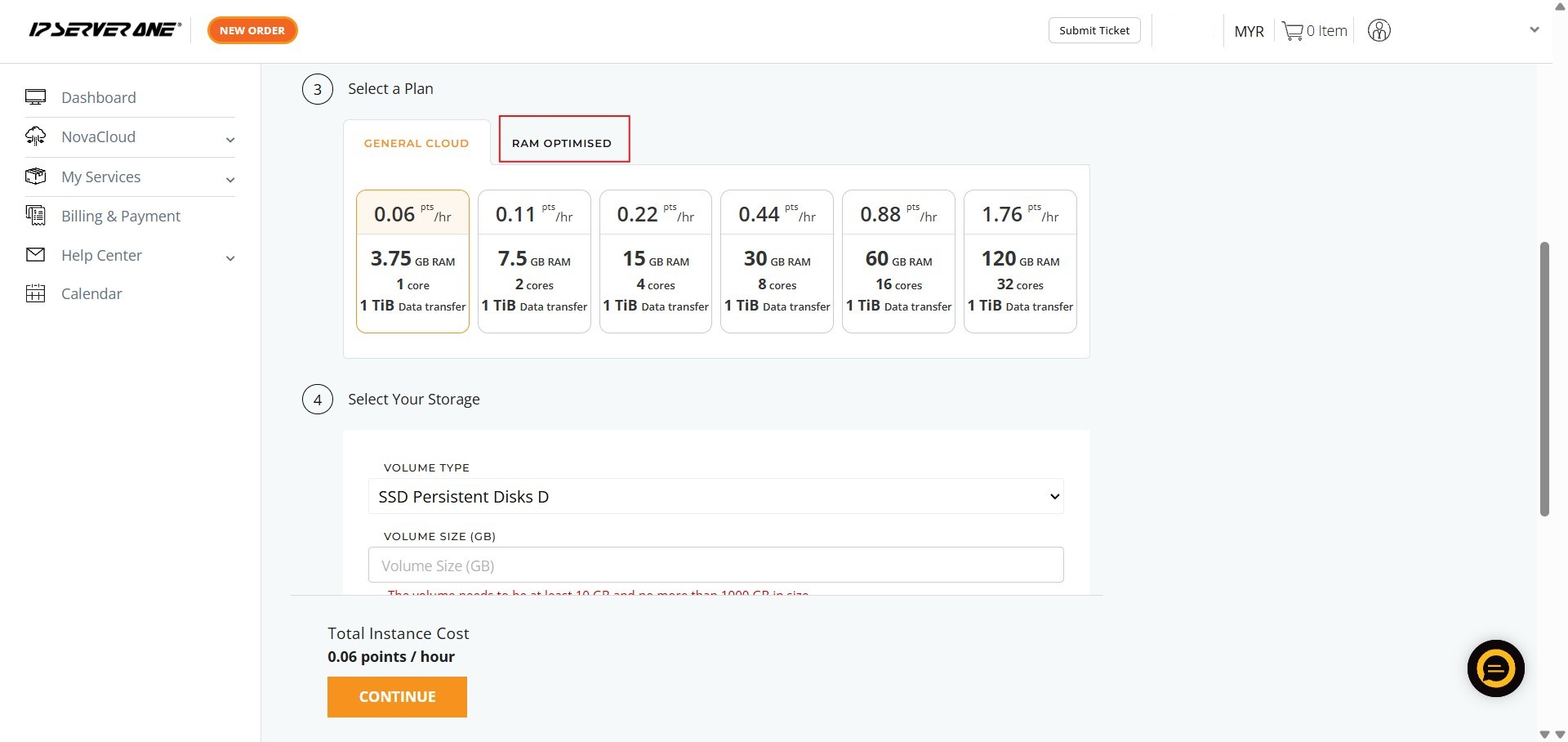
- Define the volume size for the cloud instance
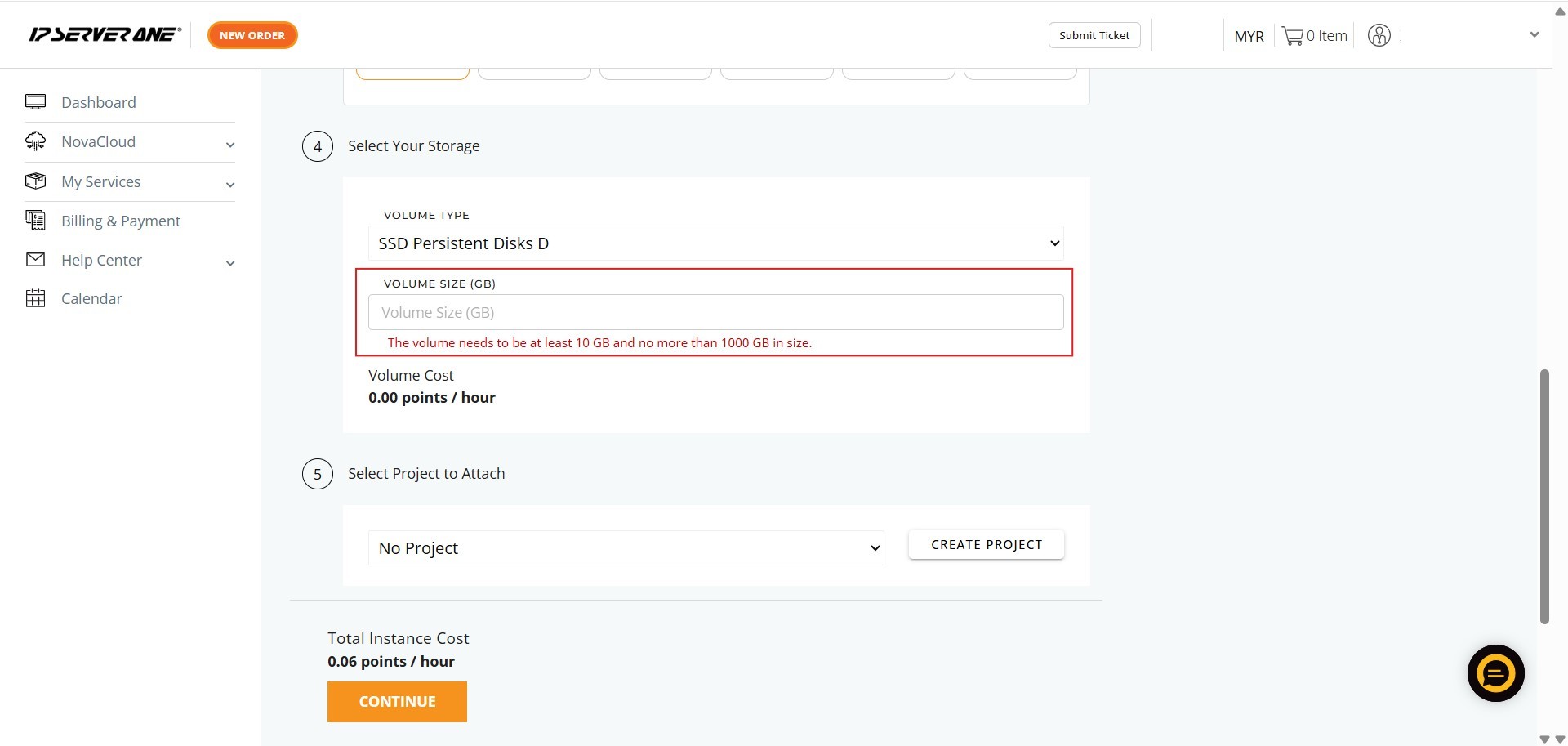
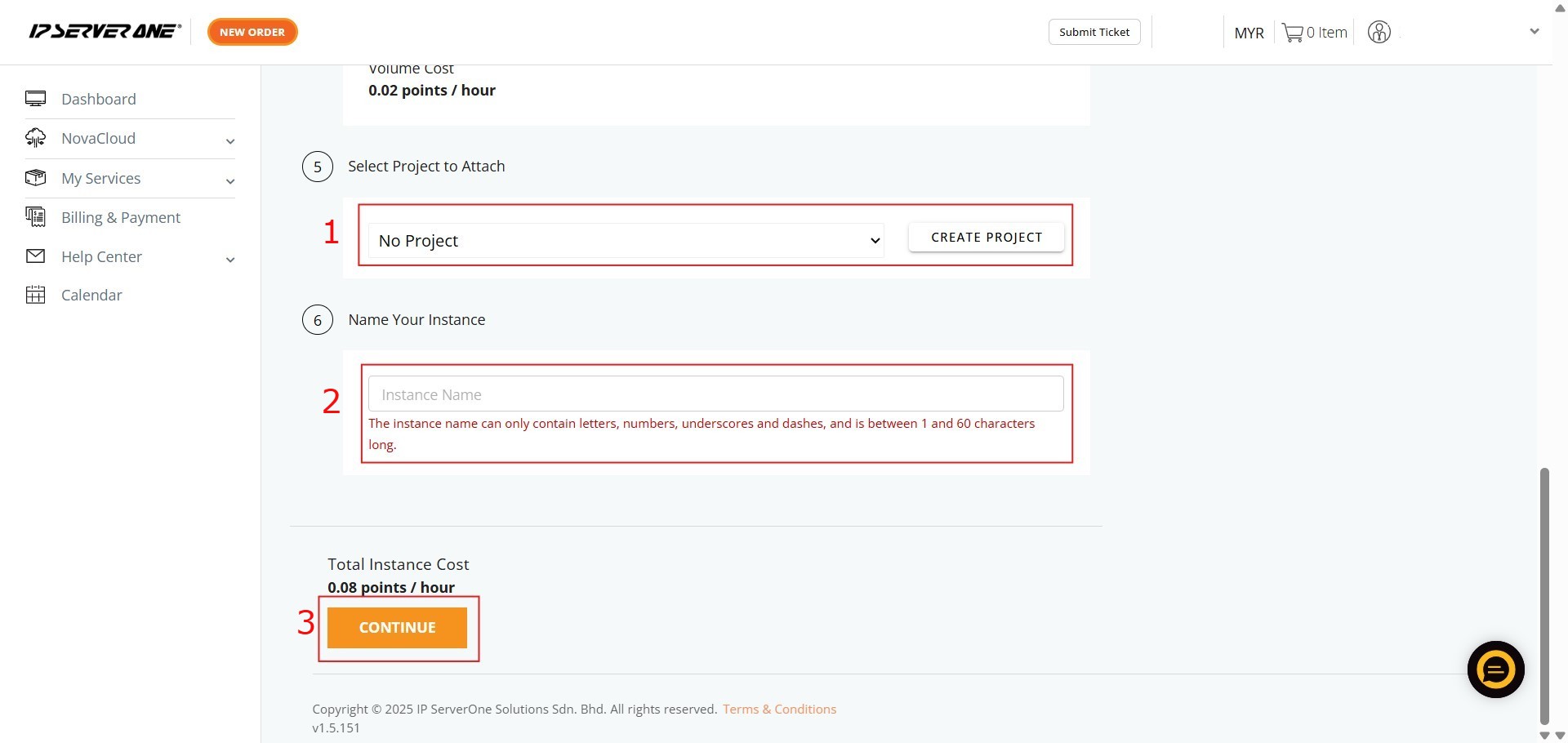
- Associate the instance with an existing project (if desired) and provide a unique name for the cloud instance
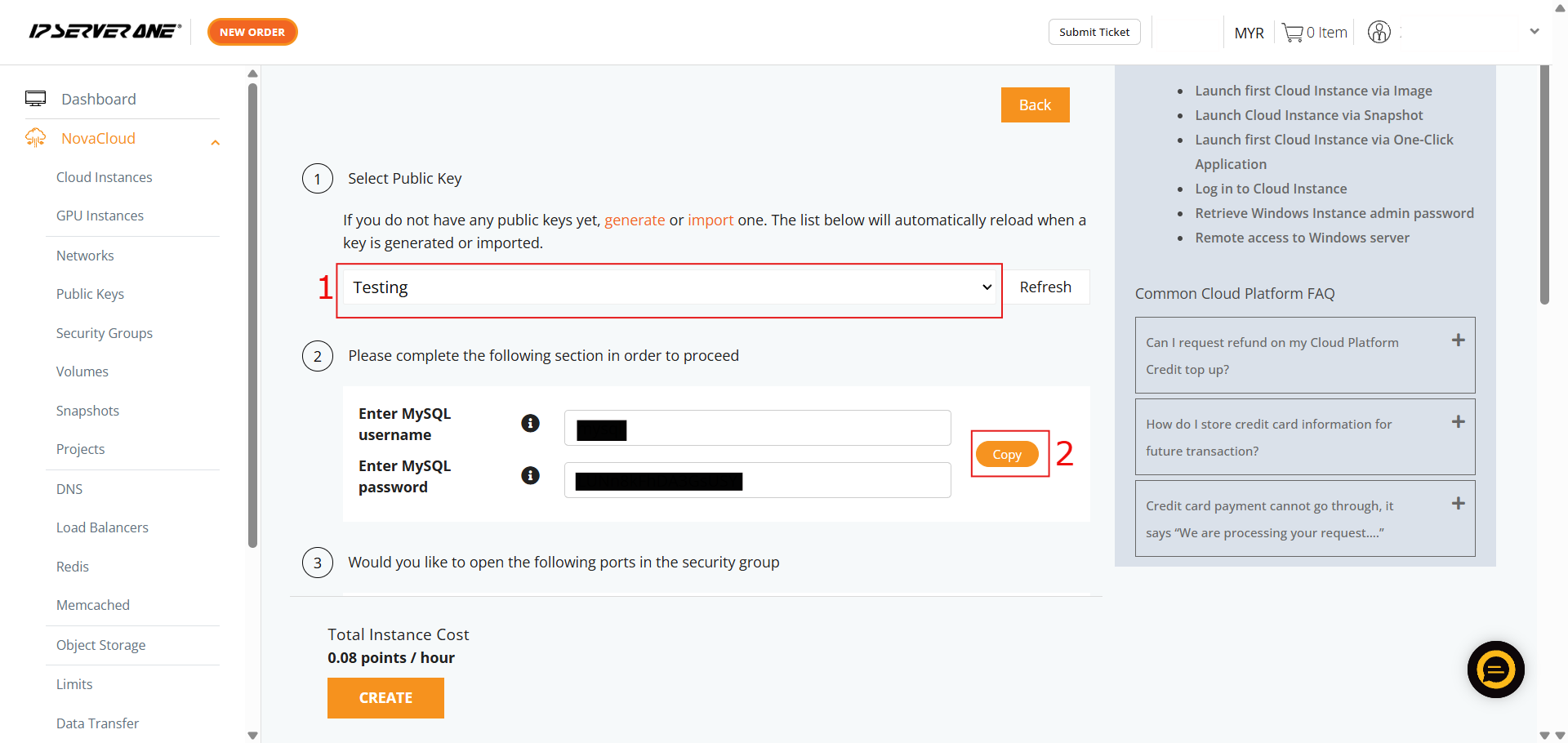
- Select the necessary Public Key and copy the provided MySQL login information
MariaDB
MariaDB is a highly popular, open-source relational database management system. It was created by the original developers of MySQL in 2009 after Oracle’s acquisition. Designed as a drop-in replacement for MySQL, it uses SQL and allows users to easily swap between systems without needing application or data changes.
- Ensure the Category is selected as Database
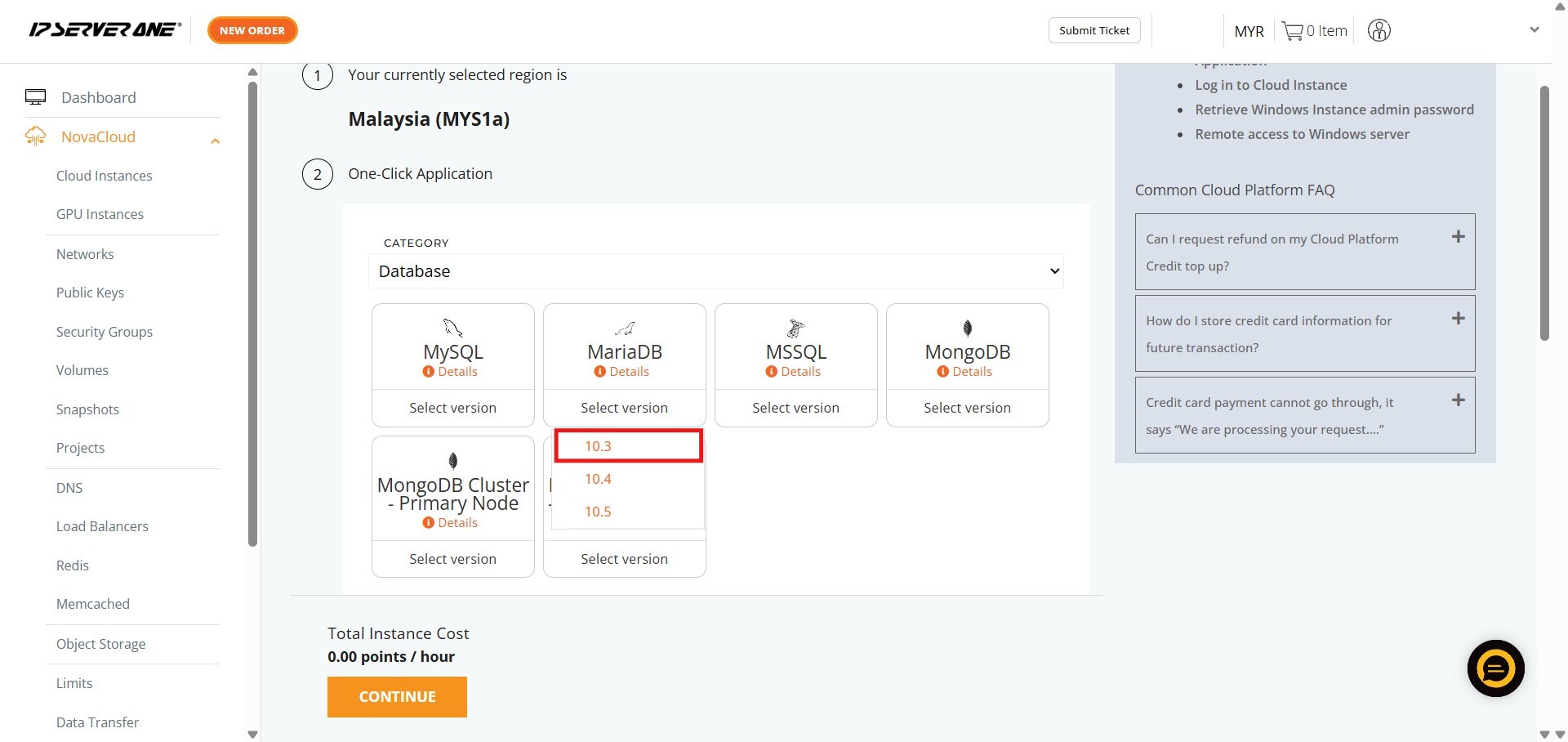
- Select the specific application – MariaDB
- Choose the required MariaDB version you wish to deploy
- Choose the appropriate resource plan (CPU, RAM, data transfer limits) for the cloud instance
- Define the volume size for the cloud instance
- Associate the instance with an existing project (if desired) and provide a unique name for the cloud instance
- Select the necessary Public Key and copy the provided MySQL login information
MSSQL
MSSQL (Microsoft SQL Server) is a relational database management system (RDBMS) developed by Microsoft. It is software used to store, manage, and retrieve data for software applications. It is primarily used for enterprise workloads, transaction processing, analytics, and business intelligence.
- Ensure the Category is selected as Database
- Select the specific application – MSSQL
- Choose the required MSSQL version you wish to deploy
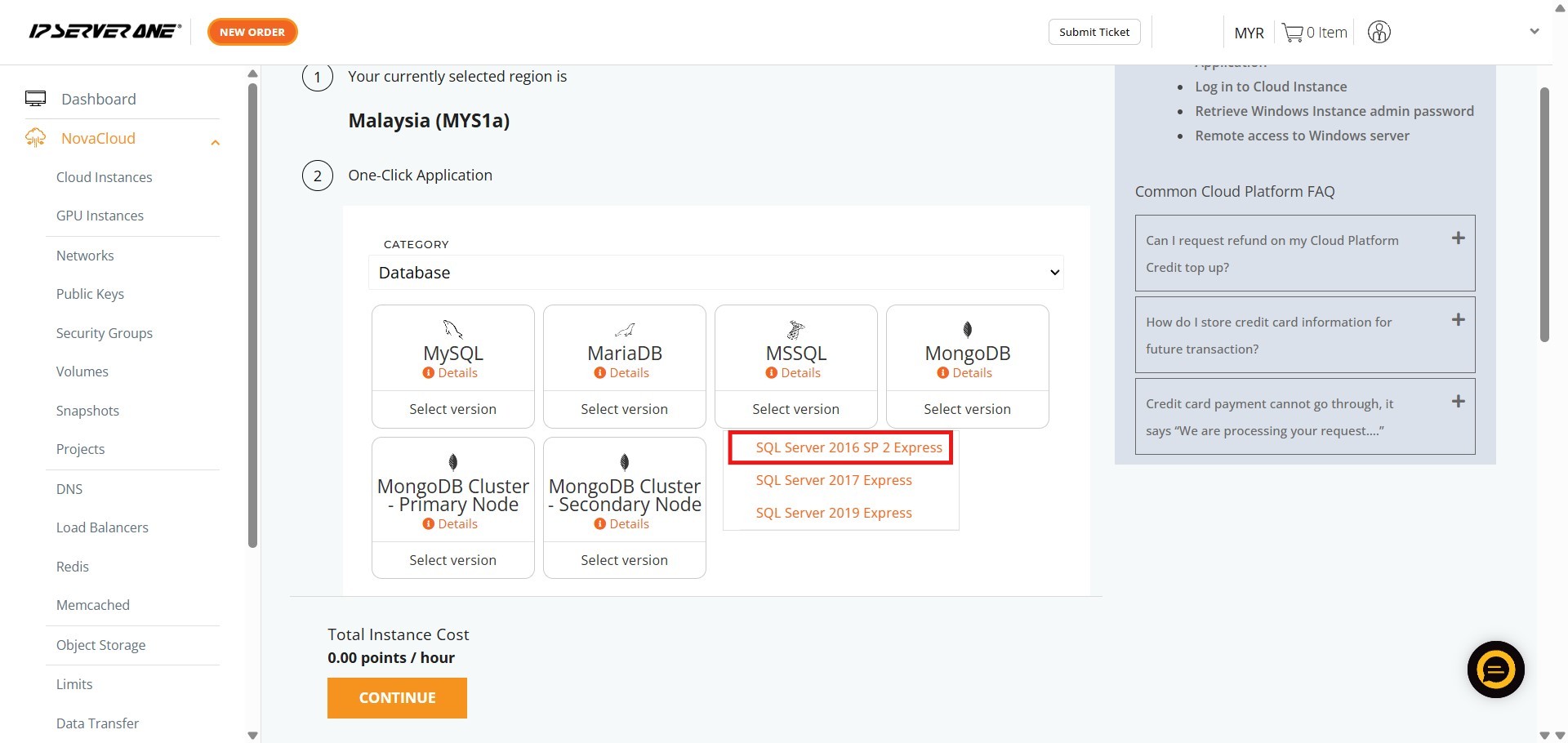
- Choose the appropriate resource plan (CPU, RAM, data transfer limits) for the cloud instance
- Define the volume size for the cloud instance
- Associate the instance with an existing project (if desired) and provide a unique name for the cloud instance
- Select the necessary Public Key and copy the provided MySQL login information
Step 3: Verify launched cloud instance
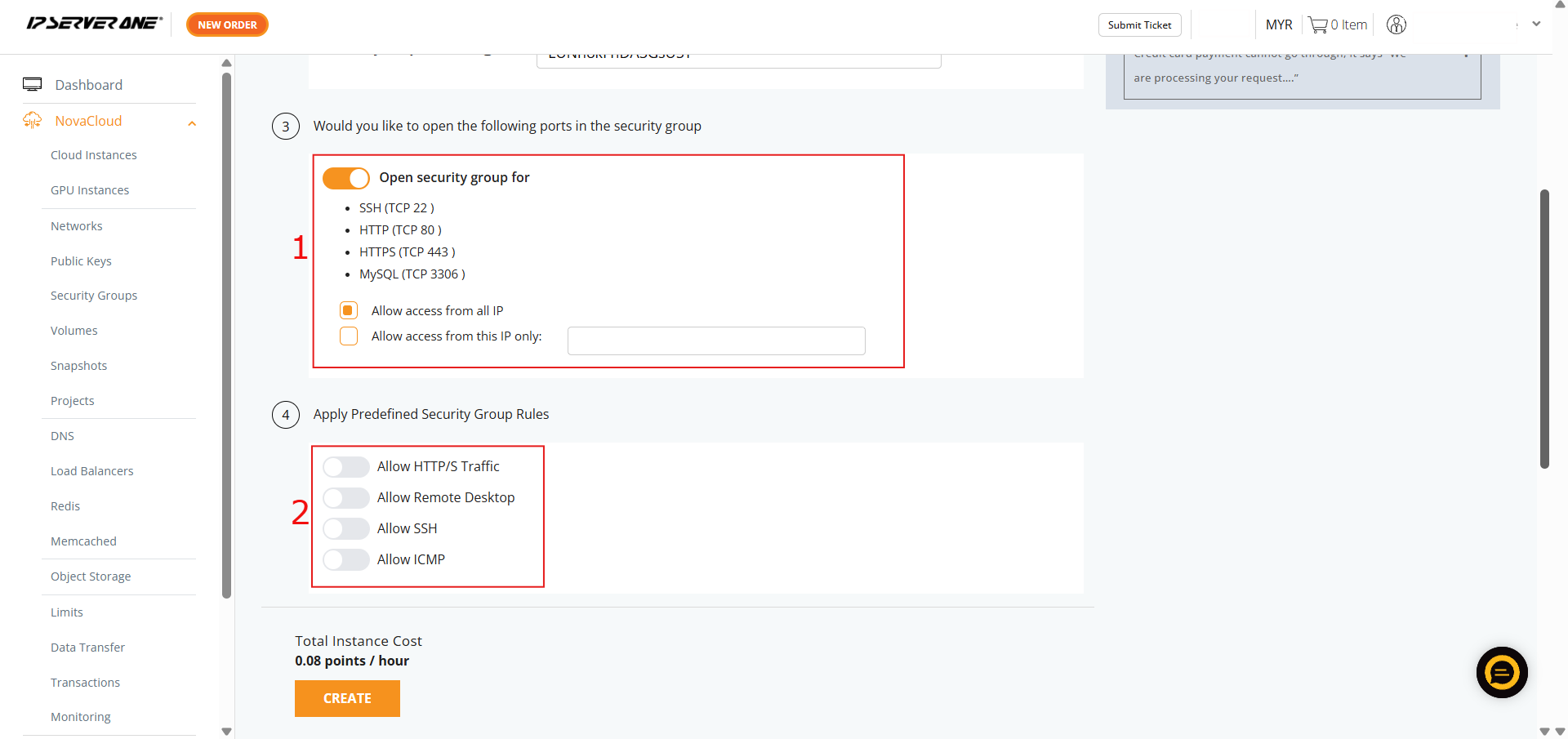
- If you HAVE NOT created any Security Group, you may consider follow the selection here and our system will assist to create the Security Group for the cloud instance
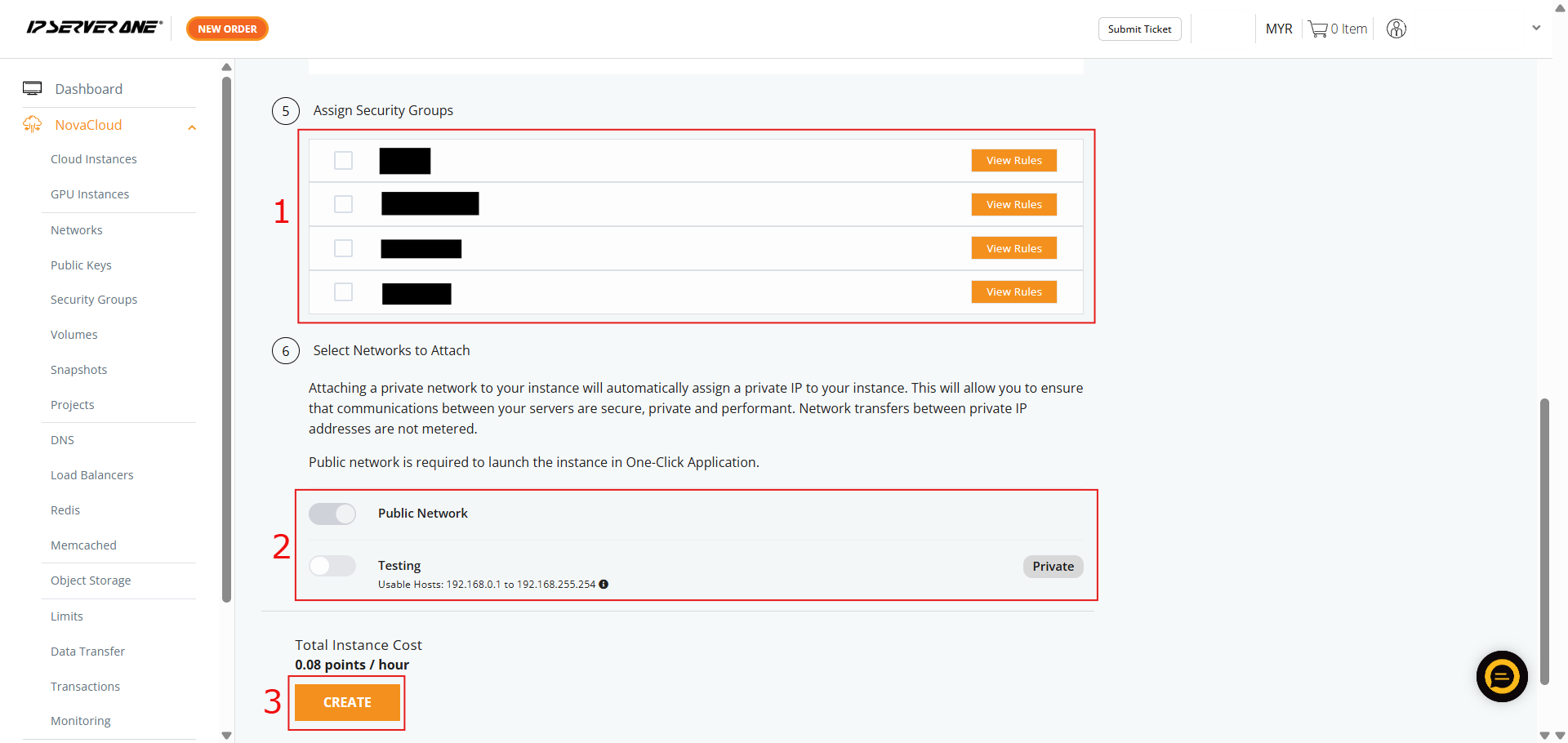
- If you HAVE created Security Group, you may select and apply the Security Group to the cloud instance
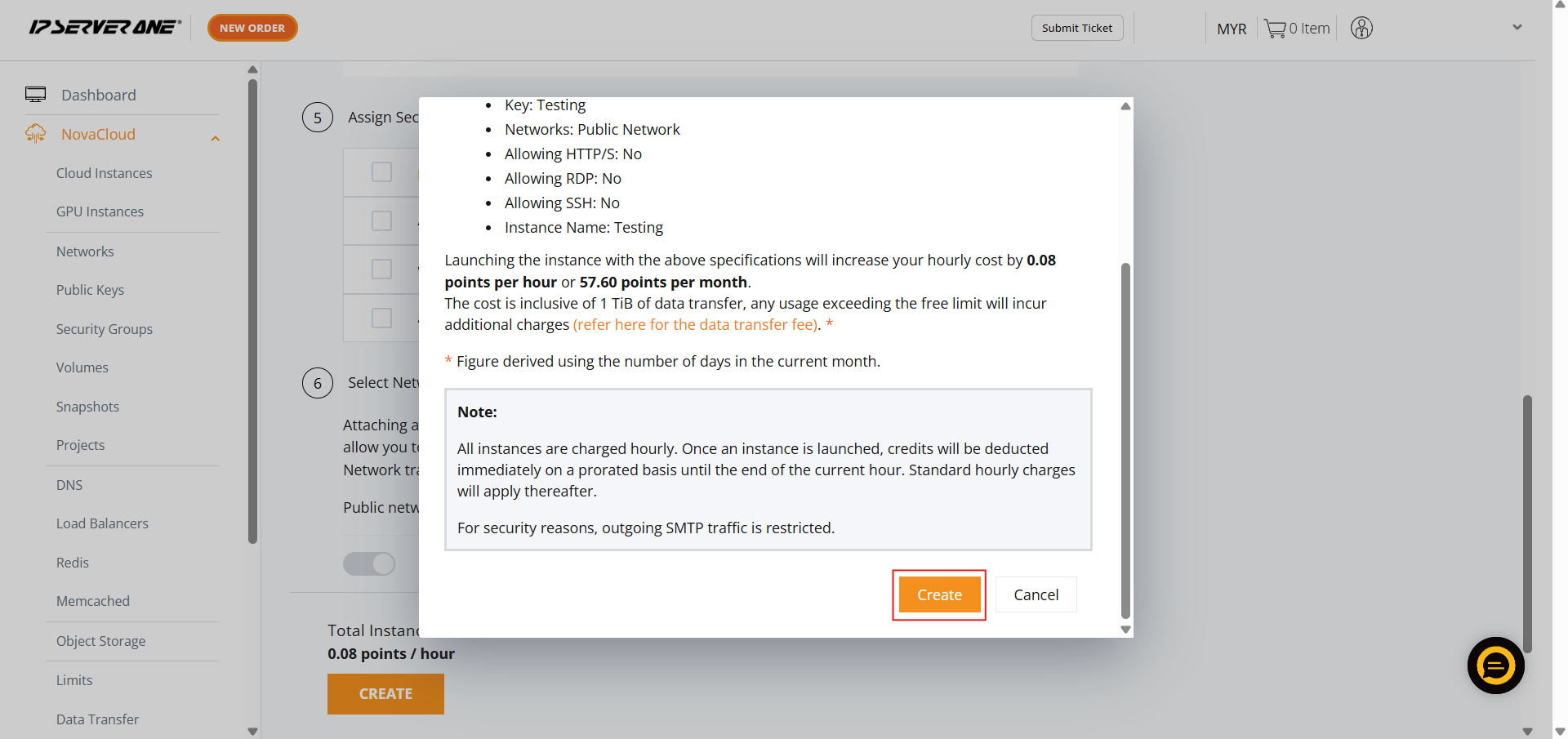
- A confirmation pop-up will appear. Review the specifications, scroll to the bottom, and click Create to launch the cloud instance
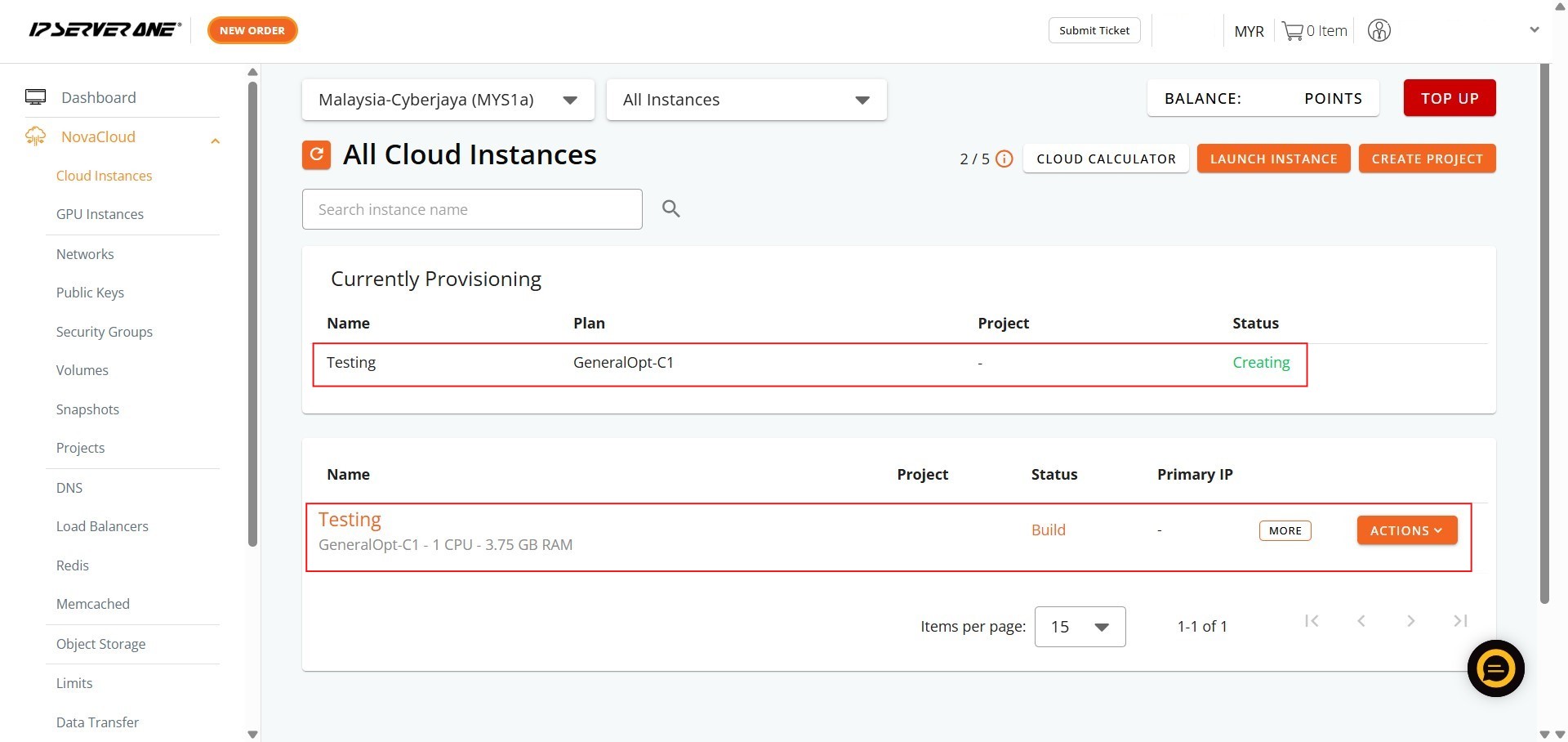
- Click the Instances button in the confirmation pop-up to navigate to the list of Cloud Instances
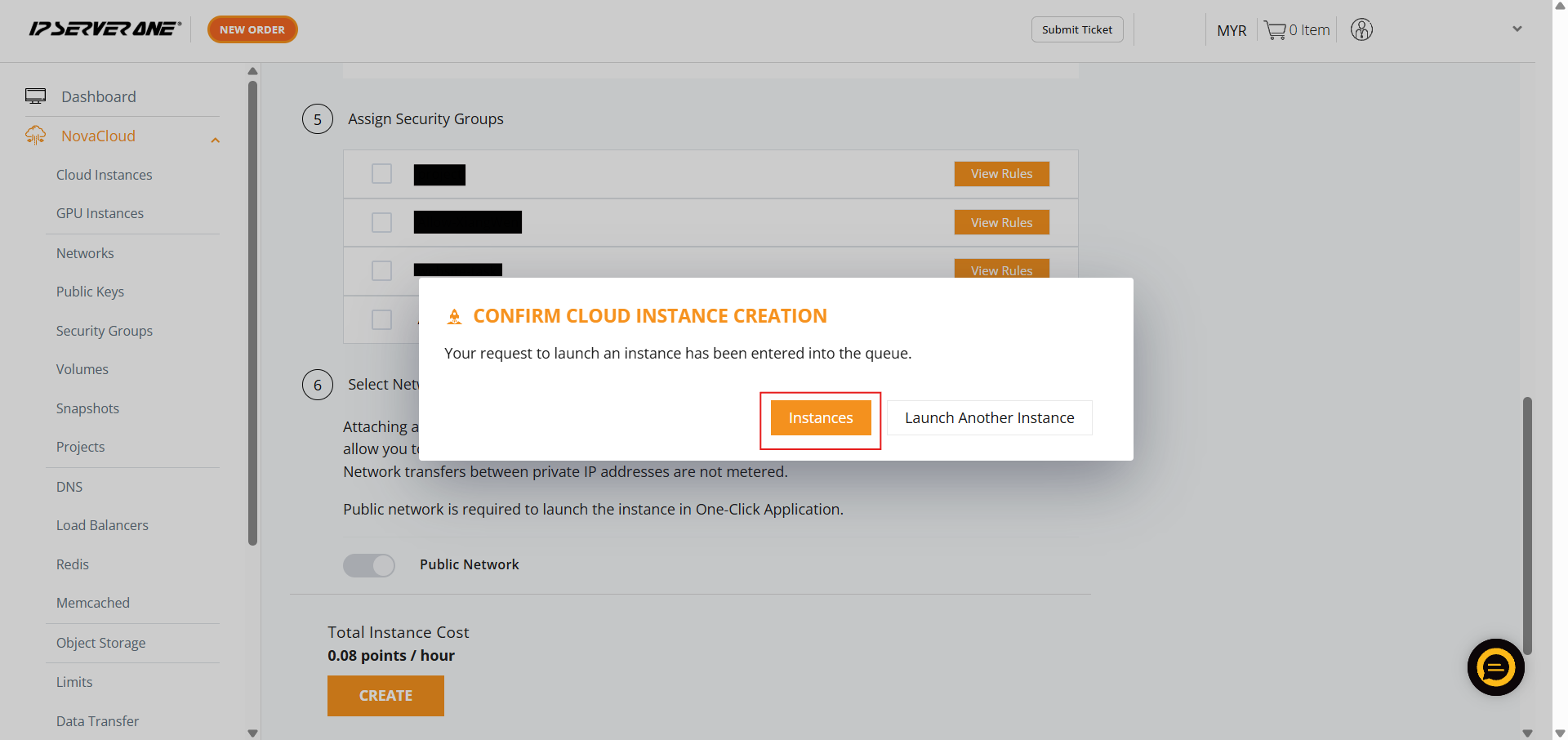
- Your request to launch the instance has been queued, and the provisioning process is underway (status “Creating” or “Active”)
Conclusion
By utilizing the One-Click Applications feature within the Customer Portal, you completely bypass the friction of manual database provisioning. Whether you deployed MySQL, MariaDB, or MSSQL, your new database server is now fully configured, secured, and ready to handle your application data. You can easily manage, scale, or monitor your new database instance directly from your Cloud Instance dashboard, allowing you to focus your time on optimization and development rather than server maintenance.
For additional assistance or if you encounter any issues, please contact our support team at support@ipserverone.com.
Article updated on 02 July 2026 by Johnny H.