
Search Our Database
How to create, share, and delete Google Calendars
Introduction
Managing your schedules efficiently requires knowing how to configure and control your digital calendar access. Designed for personal and organizational productivity, Google Calendar allows users across web and mobile platforms to maintain structured agendas, share details with colleagues or family, and clean up inactive calendars. Whether you are setting up team project timelines or organizing personal events, this guide demonstrates where and how to handle creation, sharing permissions, and calendar deletion securely within your browser or mobile app.
Prerequisite
- Access to an active Gmail account
- Access to the Google Calendar web interface or the Google Calendar App on a mobile device
Step-by-step guide
Creating Secondary Calendars
Users can create custom calendars to organize specific projects or personal activities separate from their main account calendar.
Step 1: Access Google Calendar settings
- Open Google Calendar on your web browser. In the left panel, locate Other calendars.
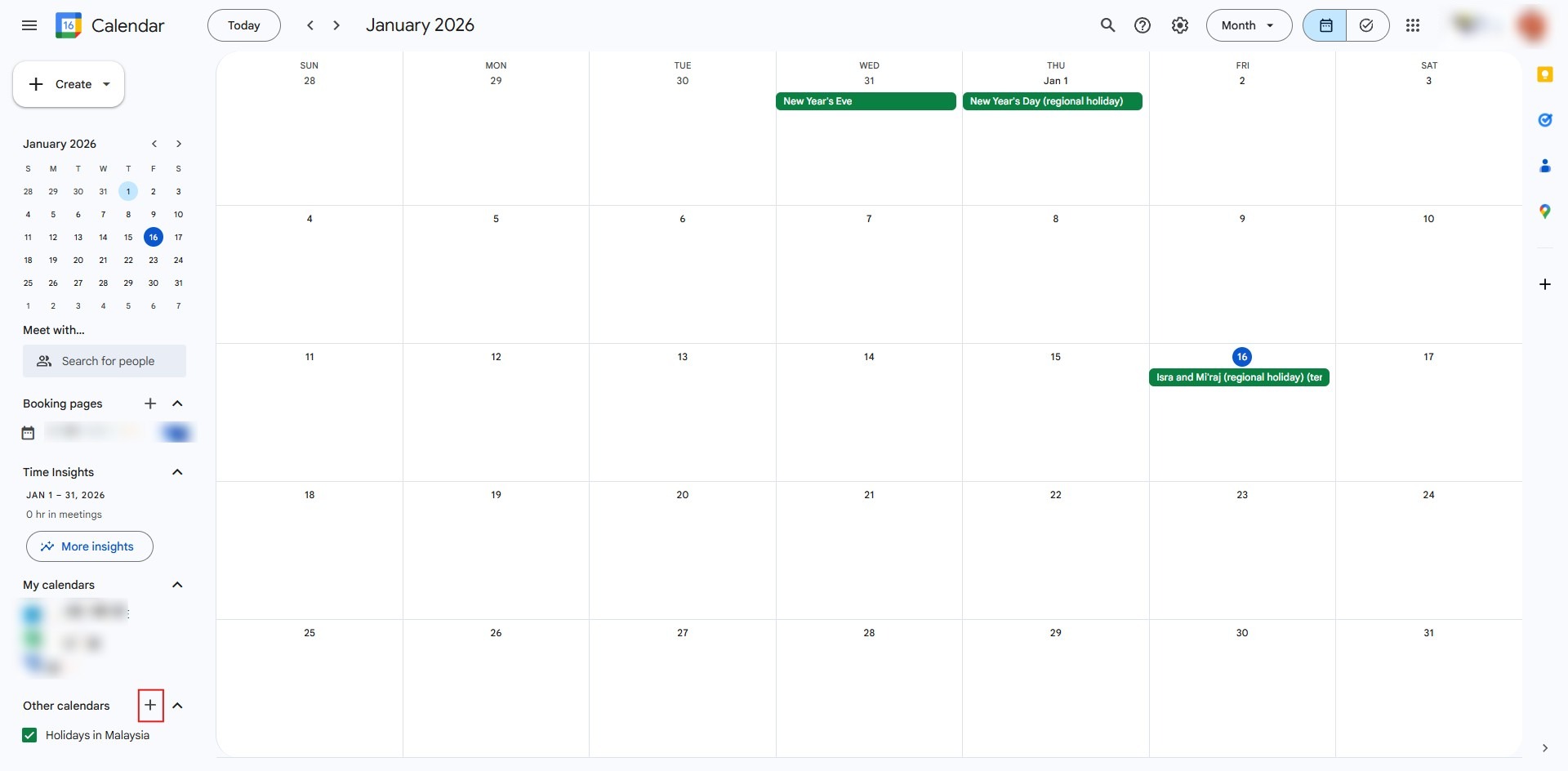
- Click the + (Add) button, and select Create new calendar.
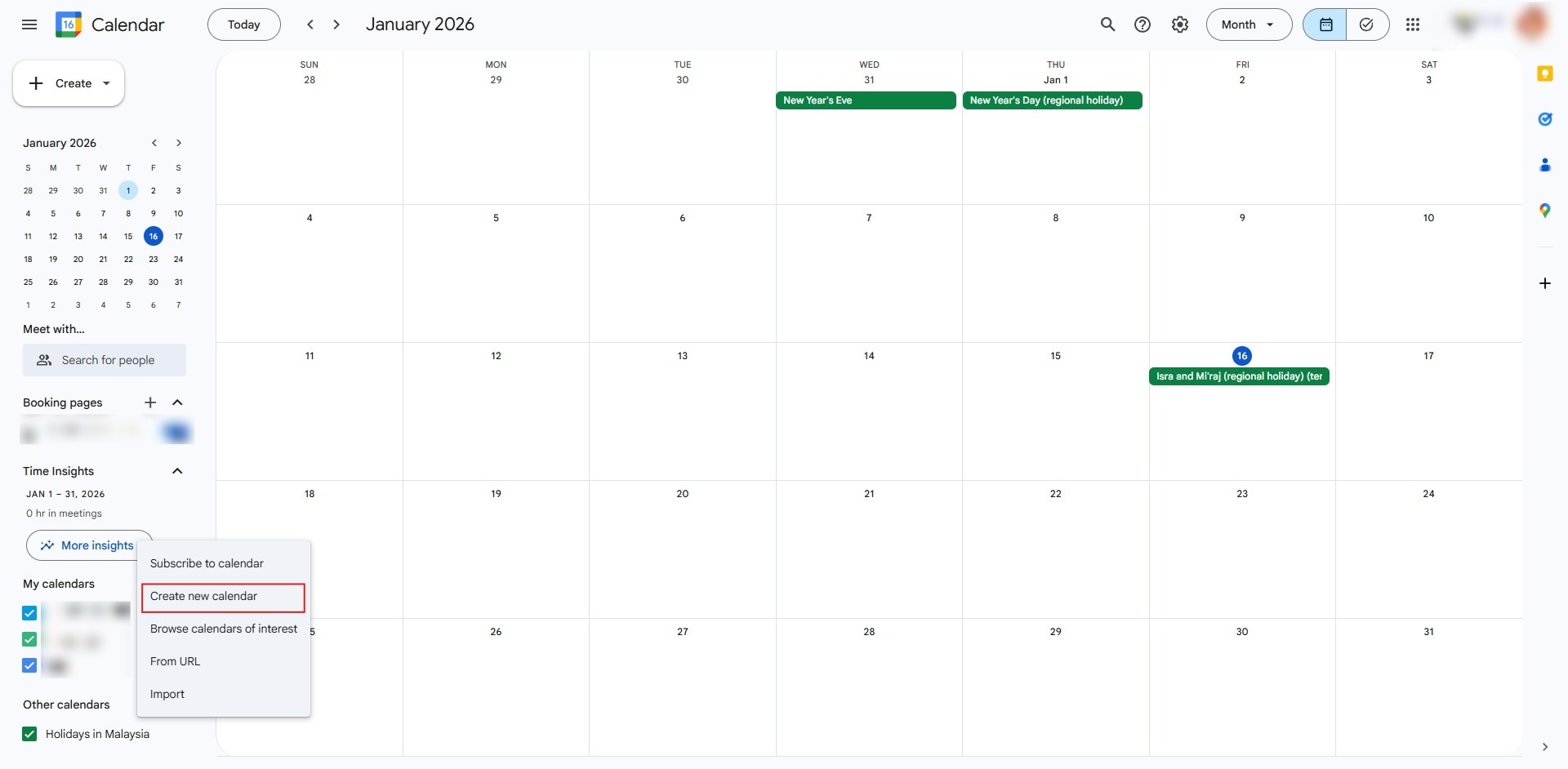
Step 2: Enter details and create
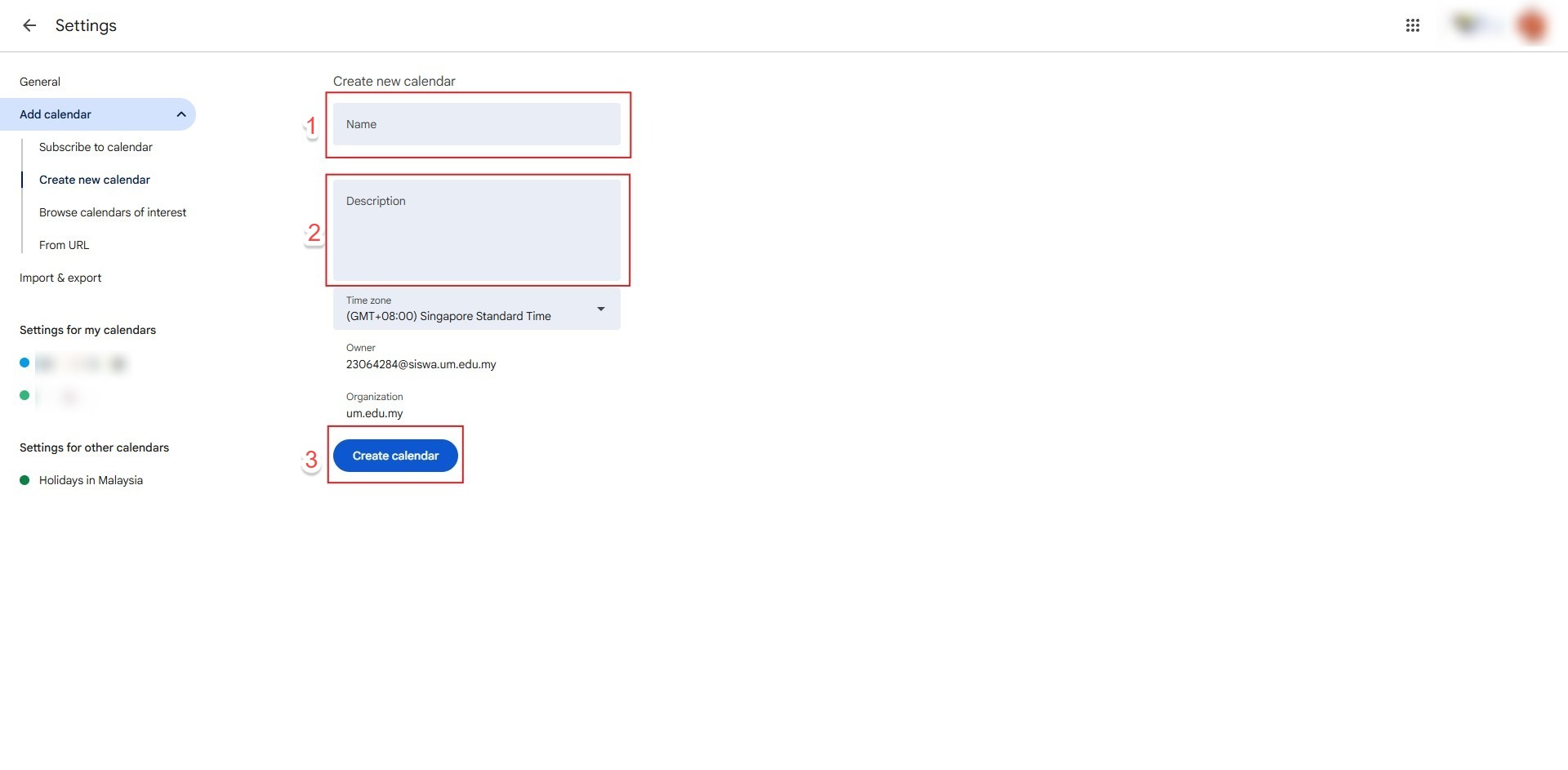
- Enter the calendar name, description, and time zone. Click Create calendar to complete the setup.
Sharing a Calendar and Access Control
Granting permissions allows specific individuals to view or edit calendar events across web and mobile interfaces.
- Hover over the target calendar under My calendars, click the three vertical dots.
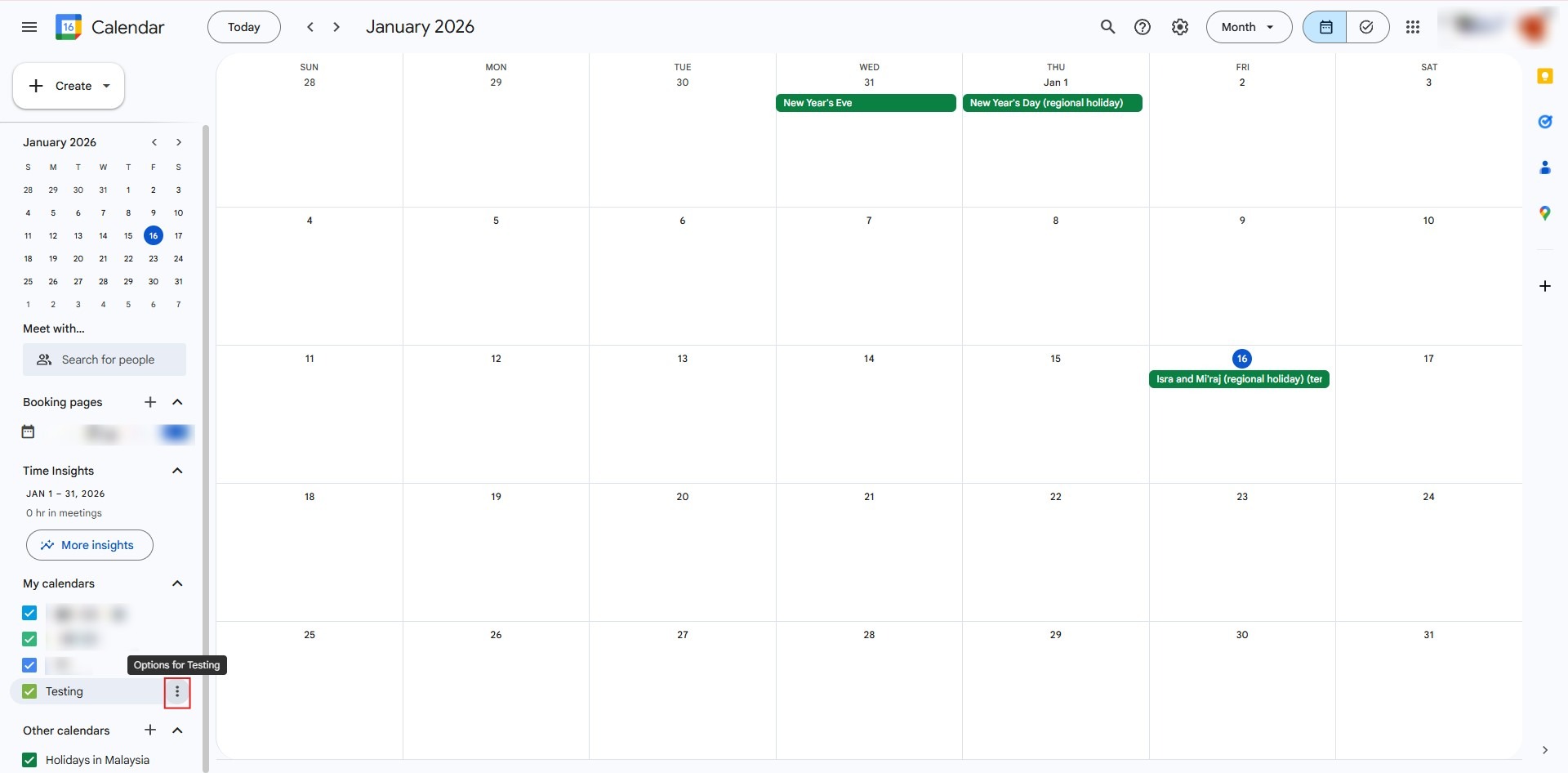
- Select Settings and sharing.
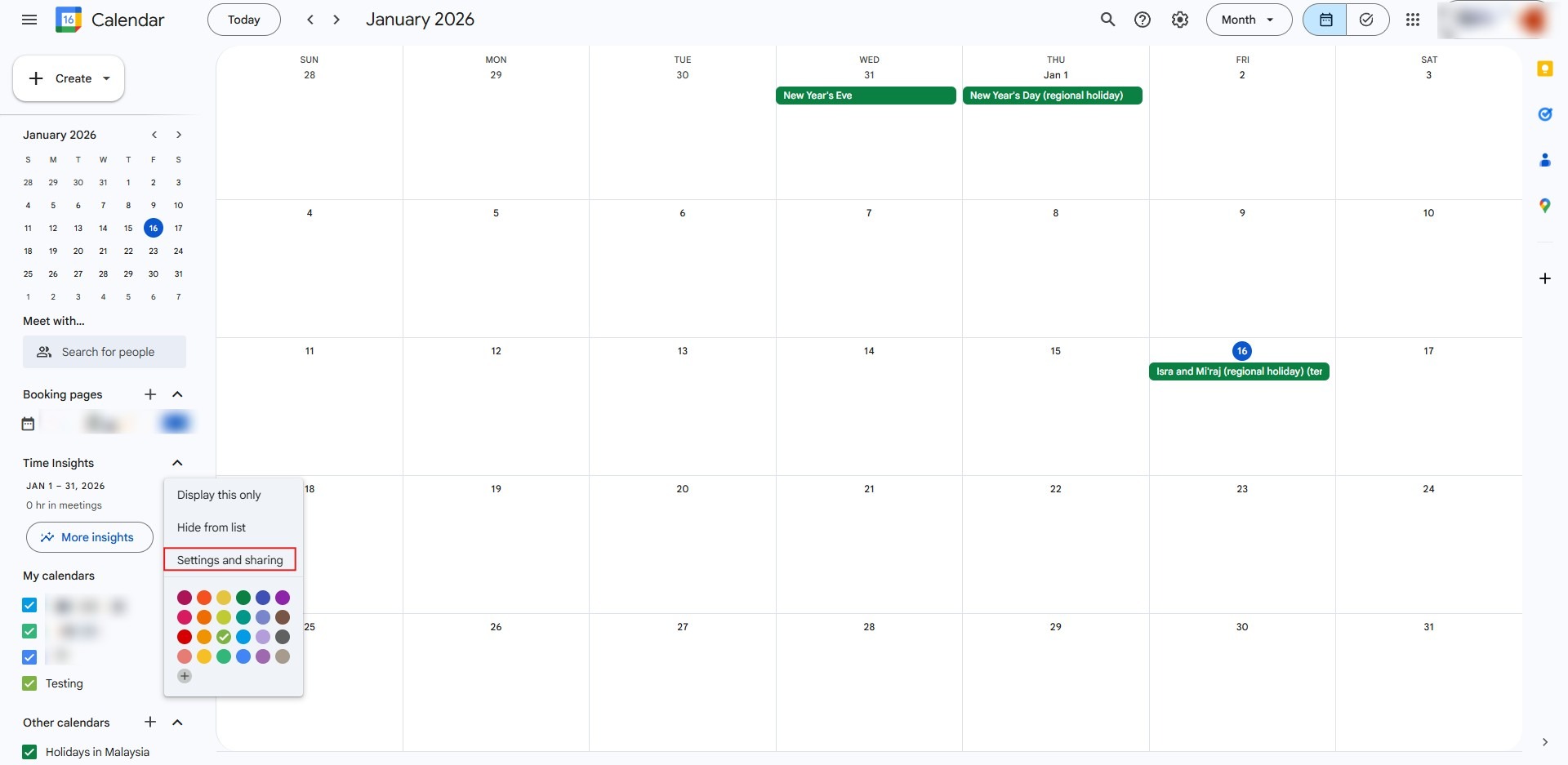
- Scroll to Share with specific people, click Add people and groups to enter the recipient’s details.
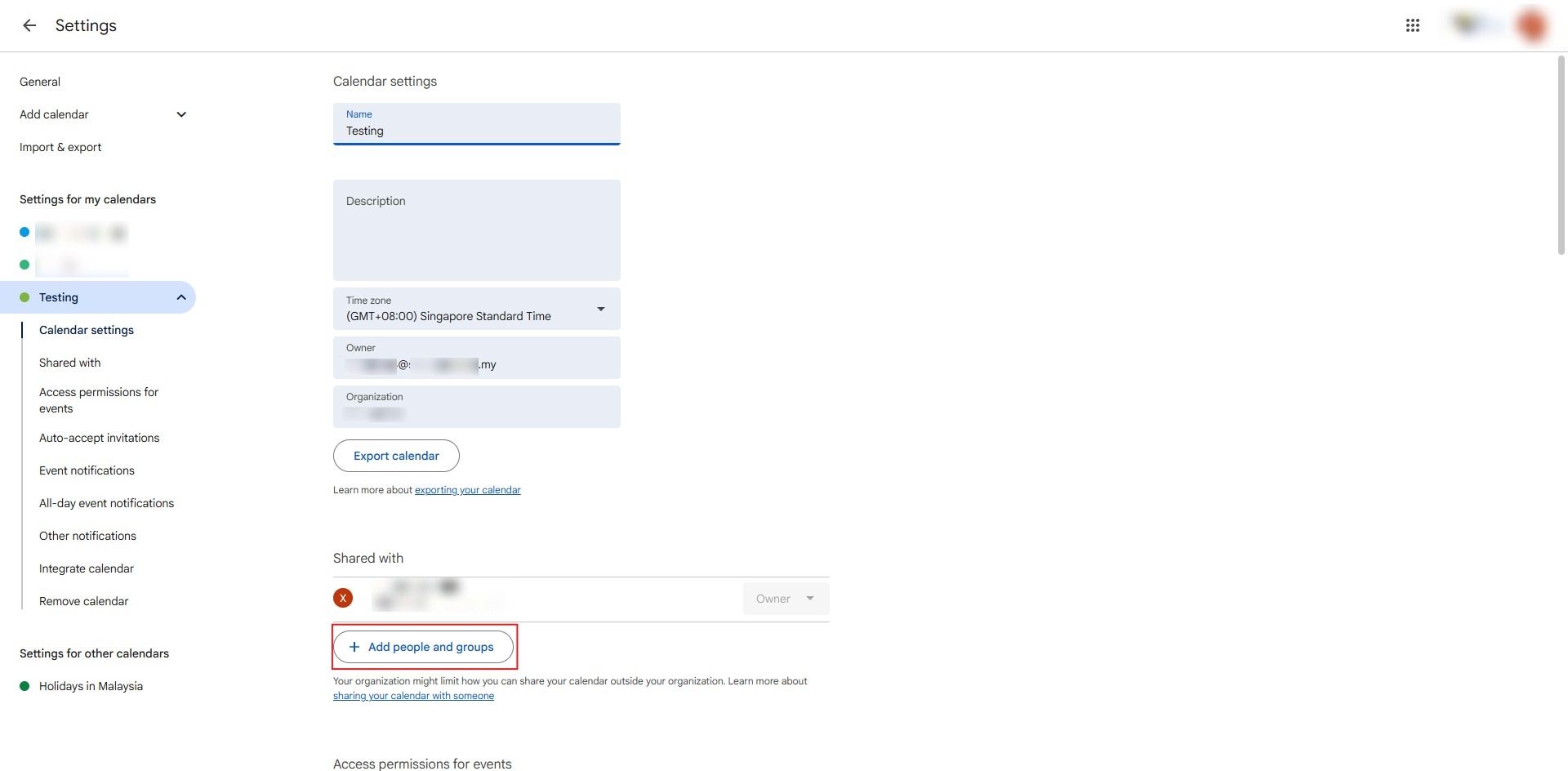
- Enter recipient’s email, set permissions, and click Send.
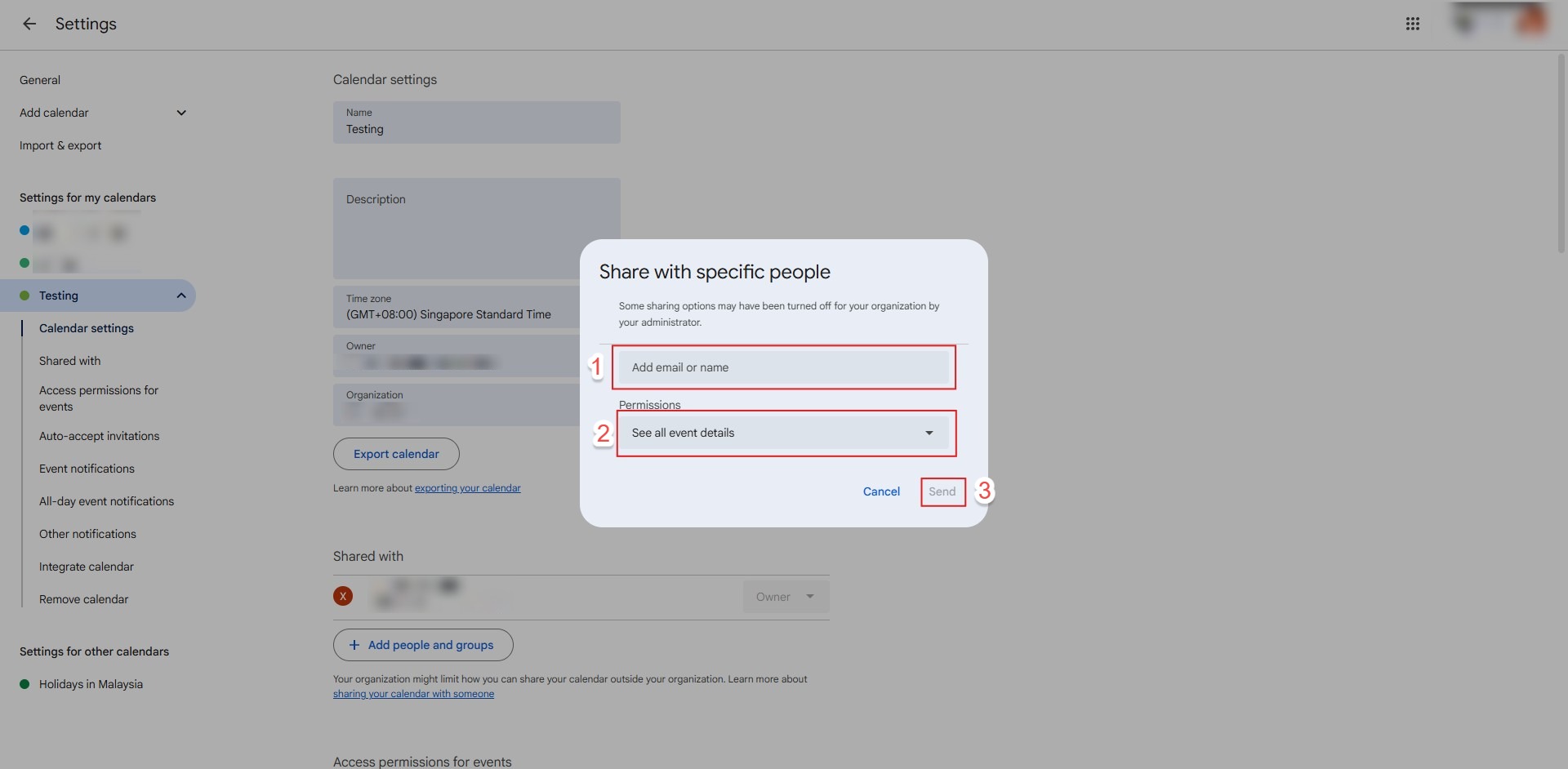
- Open the Google Calendar app, tap the menu icon (three lines), navigate to Settings.
- Select the target calendar.
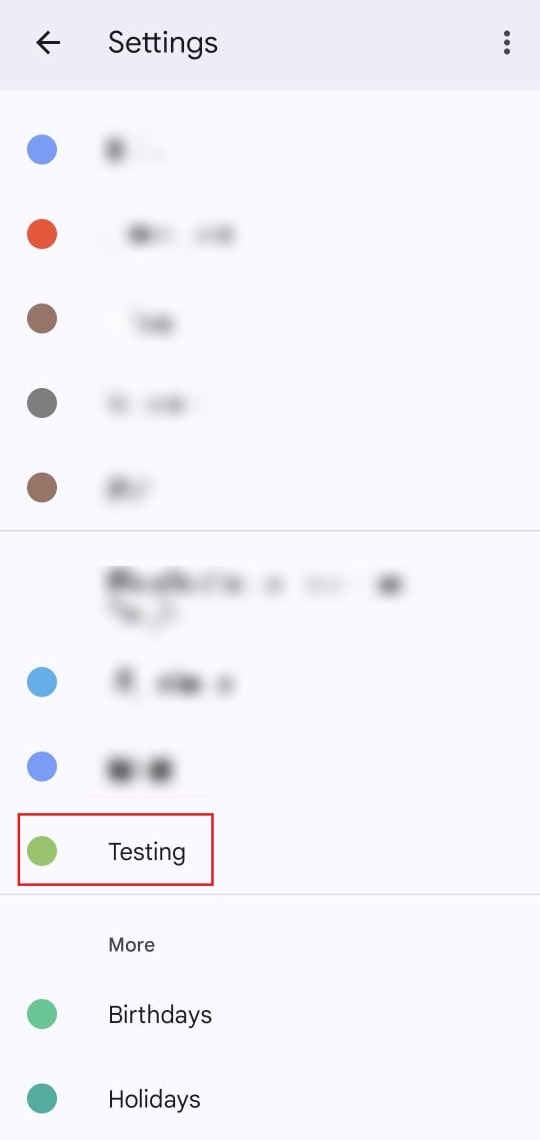
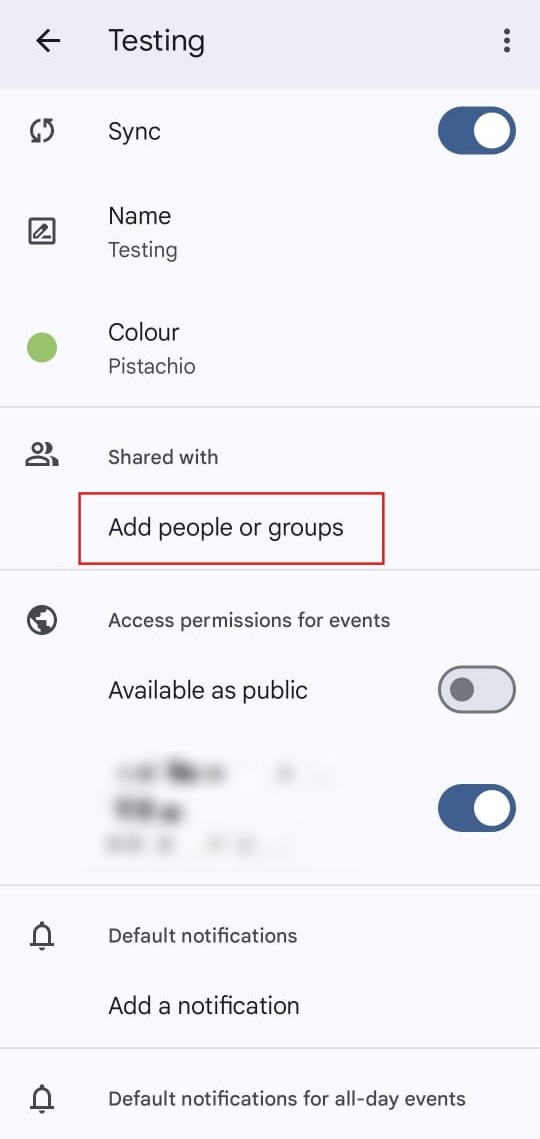
- Tap Add people and groups.
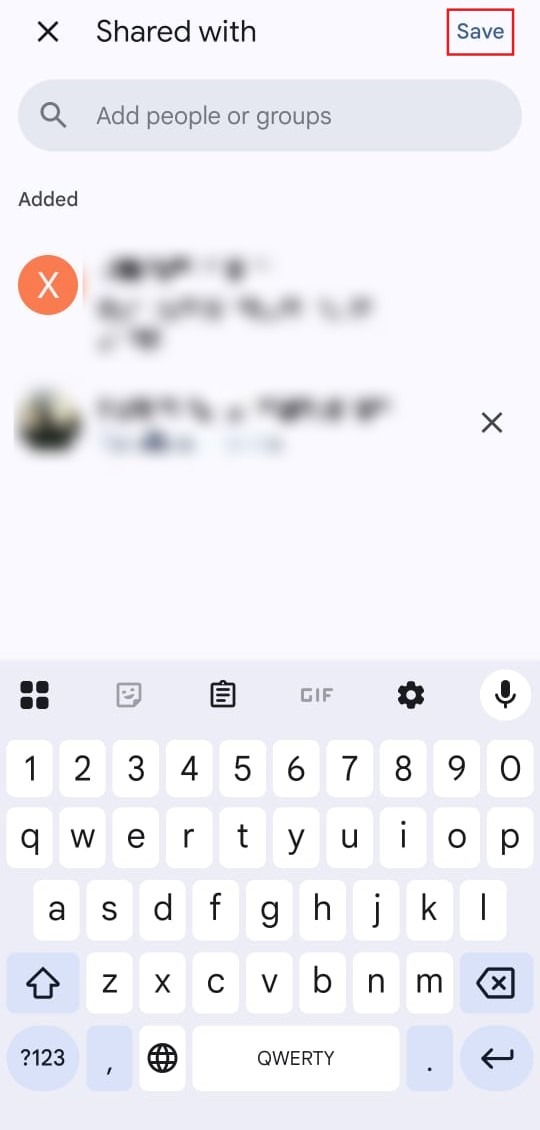
- Enter the email address and select Save.
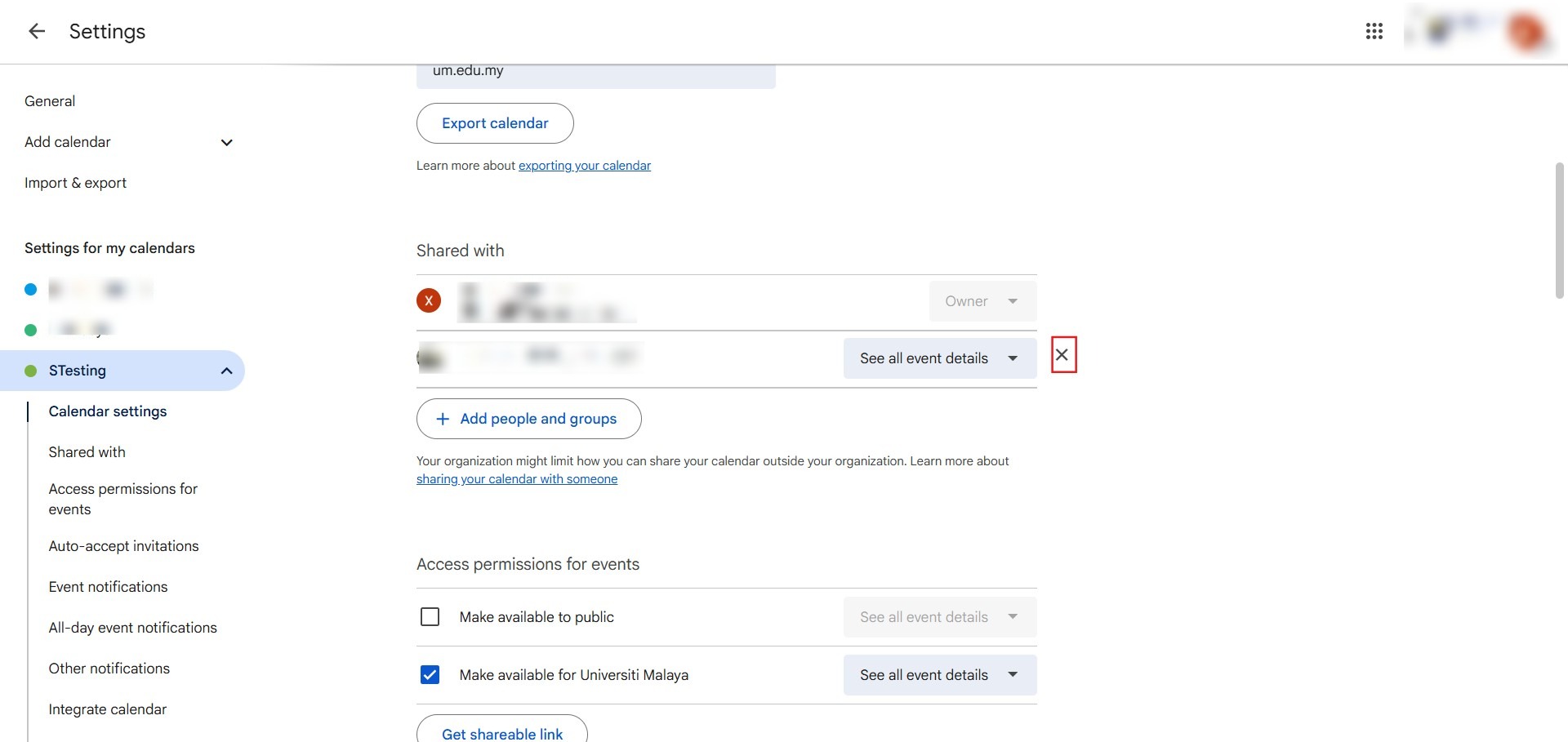
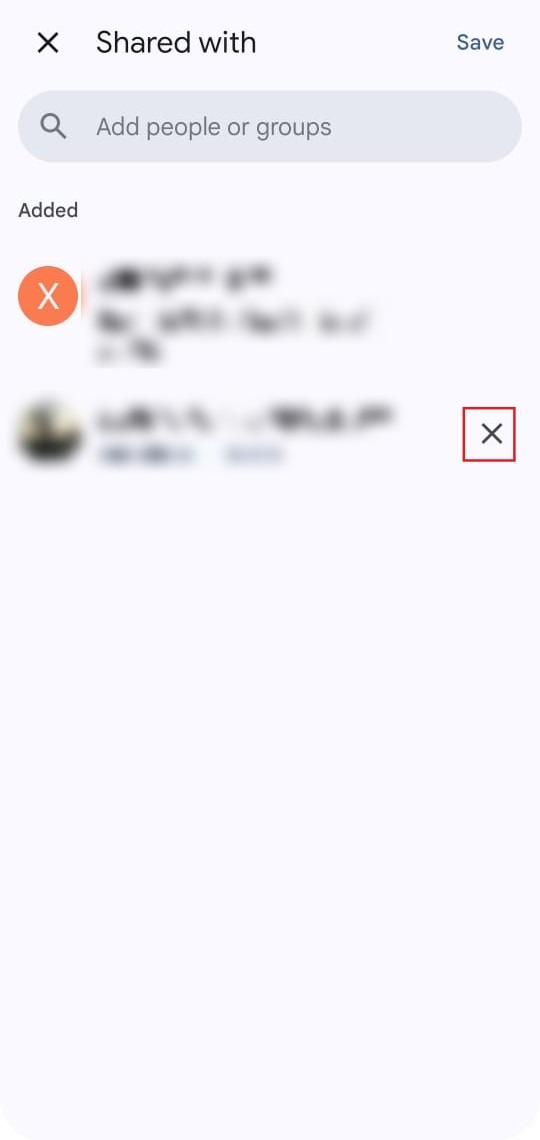
- On Google Calendar Web: Navigate to Settings and sharing, locate the user under Share with specific people, and click the X icon next to their name.
- On Google Calendar App: Navigate to calendar settings, select the person under shared users, and tap Remove.
Deleting and Unsubscribing from Calendars
Remove unwanted calendars permanently or detach external shared calendars from your list.
- Hover over the target calendar under My calendars, click the three vertical dots.
- Select Settings and sharing.
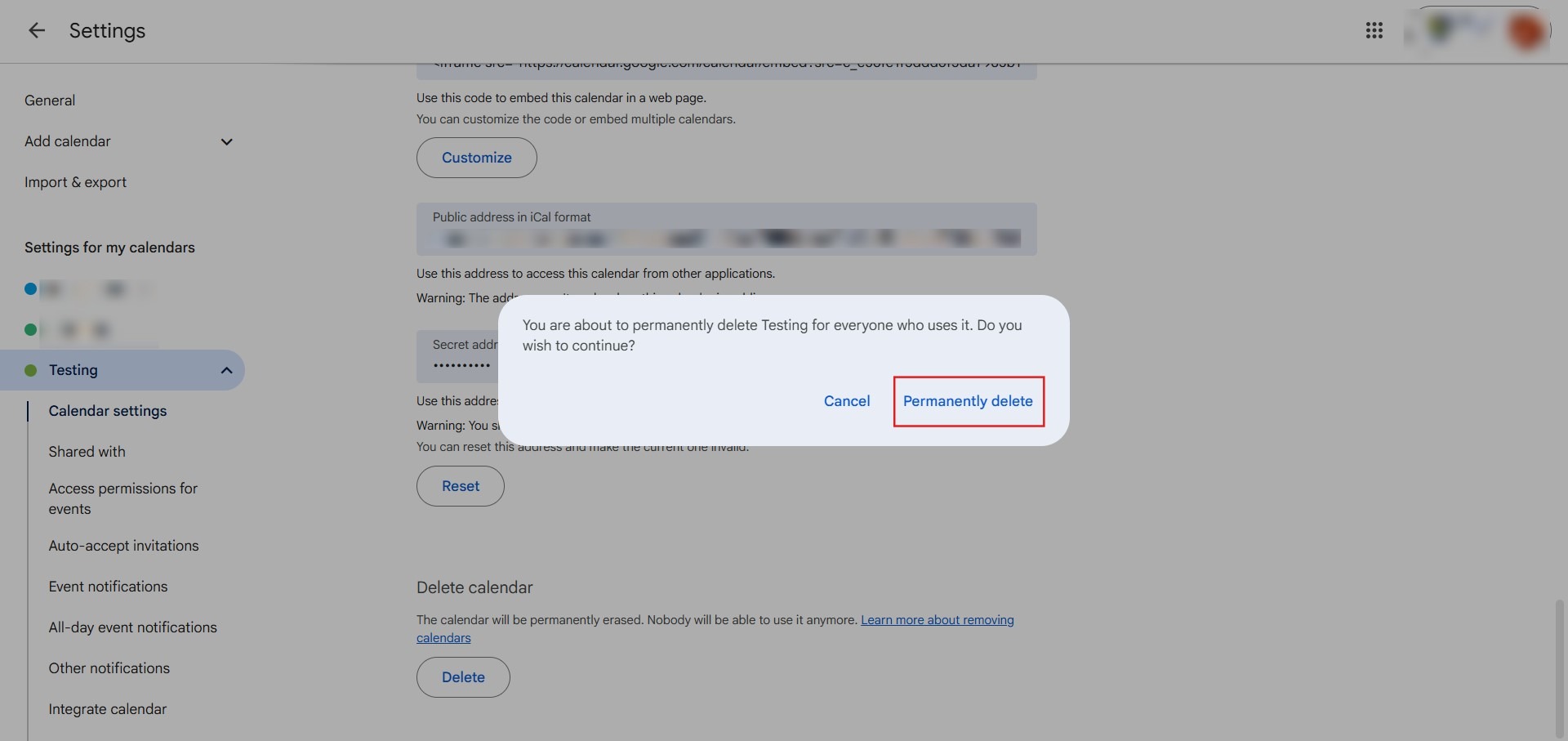
- Scroll down to the bottom section Delete calendar and click Delete. Confirm by clicking Permanently delete.
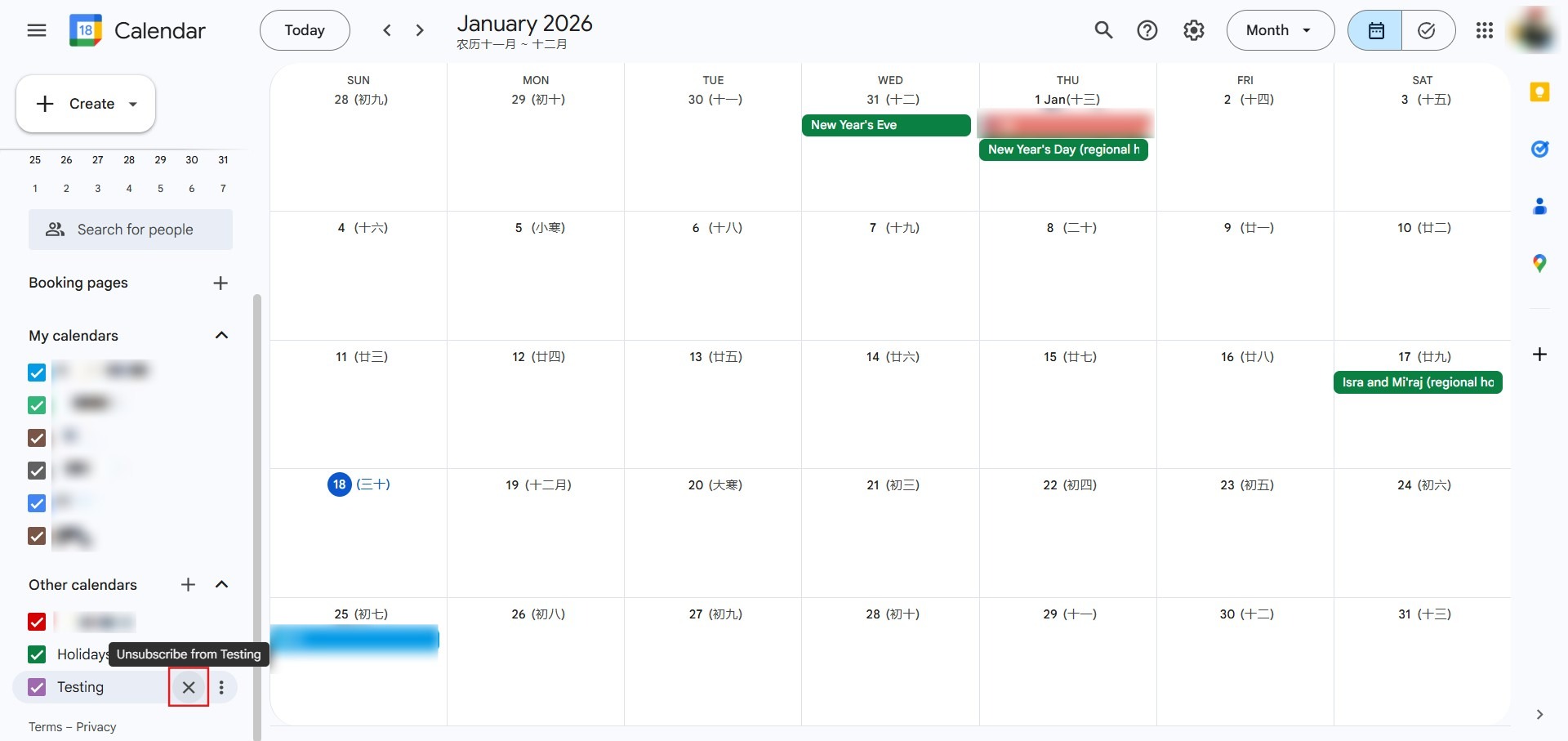
- On Google Calendar Web: Locate the shared calendar under Other calendars, hover over it, click the X button, and choose Remove calendar.
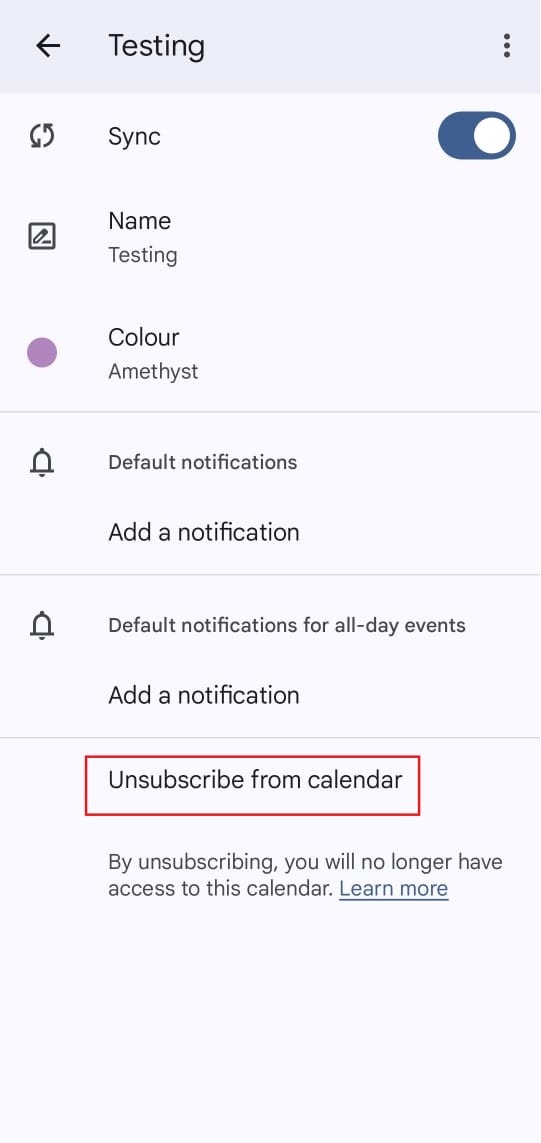
- On Google Calendar App: Go to Settings, select the shared calendar, and tap Unsubscribe.
Conclusion
By following this guidance, you can seamlessly create secondary calendars, adjust sharing and access permissions across devices, and remove or unsubscribe from redundant schedules within Google Calendar.
For additional assistance or if you encounter any issues, please contact our support team at support@ipserverone.com.
Article updated on 14 August 2026 by Johnny