
Search Our Database
Security | Securing Web Traffic using Modsecurity
Introduction
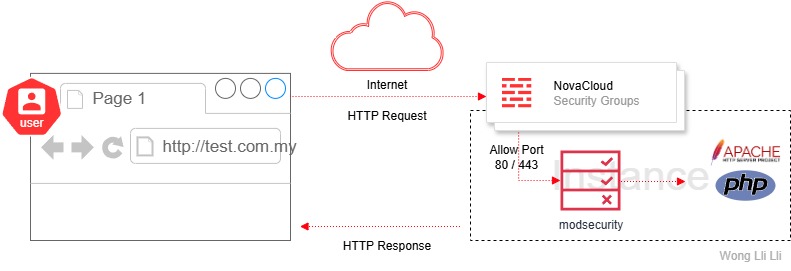
This guide explains how to secure your website in your Novacloud instance by adding Modsecurity
Traditional Firewall operate at layer 3 / 4 (IP / Port), block traffic based on source IP, port or protocol.
Modsecurity operate at layer 7 (Application), block traffic based on patters in the HTTP request.
Prerequisites
- Access to your hosting panel (cPanel, DirectAdmin) or root shell (CLI)
- Basic understanding of HTTP protocols
What is Modsecurity?
ModSecurity is an open-source Web Application Firewall (WAF) deployed at the web server layer to monitor, log, and block HTTP traffic based on predefined rules.
- Monitors HTTP/S requests and responses
- Detects and blocks malicious behavior using rules
- Works with Apache, NGINX (via connector), and LiteSpeed
What is Traffic Modsecurity Scan?
ModSecurity scans dynamic HTTP or HTTP/S traffic:
- .php, .asp, .jsp, .cgi (based on URL and content-type)
- GET and POST requests with query strings, form data, cookies, headers
- PUT, DELETE, PATCH methods for RESTful APIs
- AJAX and background HTTP calls (common in WordPress, Joomla, etc.)
- File uploads via multipart/form-data
- API calls with JSON/XML payloads
- WebSocket handshake headers (limited)
It scans HTTP payloads, not the file system itself.
It does NOT scan :
- Static file content (e.g., .jpg, .css, .js) beyond metadata
- Encrypted payloads without TLS termination
Recommended Rulesets
OWASP Core Rule Set (CRS) – Open source, broad coverage
Malware.Expert – Premium, optimized for performance and low false positives
Impact
- False Positives: May break AJAX or REST APIs
- Performance: Heavy rulesets can impact server performance (required fine tuning)
- Access Loss: Blocking admin requests or API calls (e.g. update WordPress as wp-admin, some changes are not saved)
Best Practices
- Pair with Fail2Ban or CSF to ban abusive IP
- Whitelist legitimate false positives with SecRuleRemoveById
- Review and Audit Regularly
- Pair with other security measures such as MFA, Captcha, VPNs and role-based authentication for added web server security.
Step-by-Step Guide
Enabling ModSecurity in WHM (GUI)
- Log in to WHM
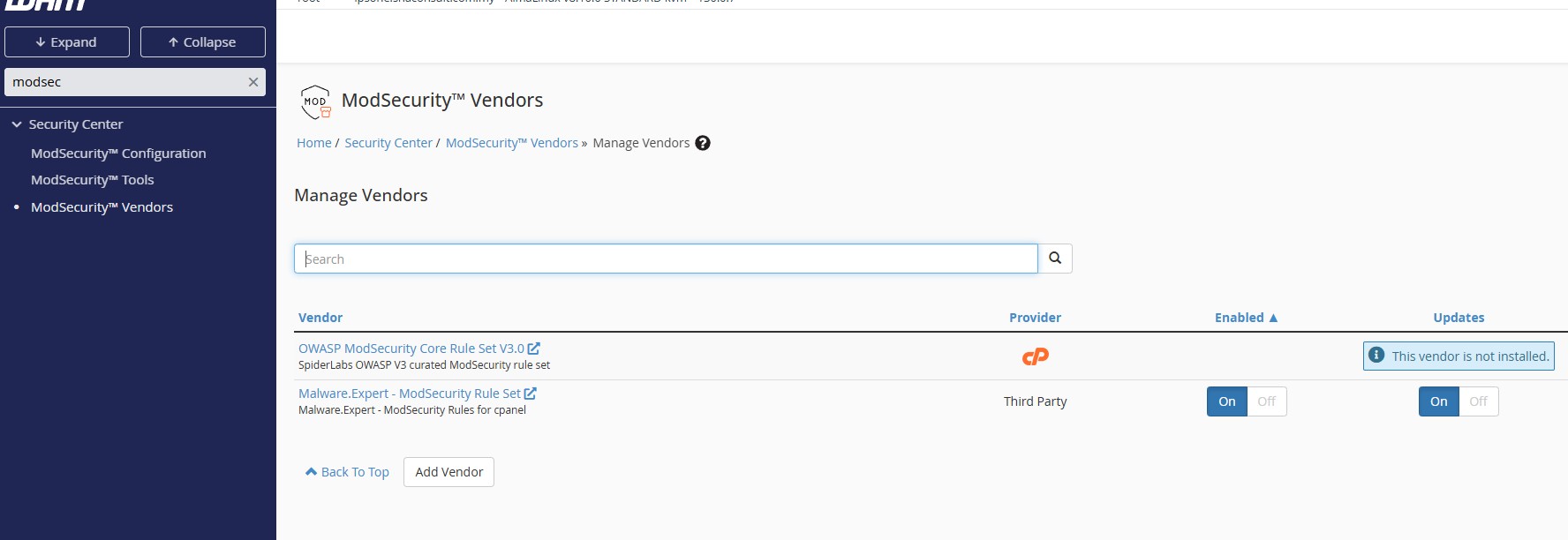
- Navigate to Security Center > ModSecurity™ Vendors
- Click Install next to OWASP
- After installation, set configuration to On / Off.
- (Optionally) you can install third party ruleset by click on Add Vendor
- Go to Security Center > ModSecurity™ Configuration
- Set configuration to On, apply rules to specific domains or globally
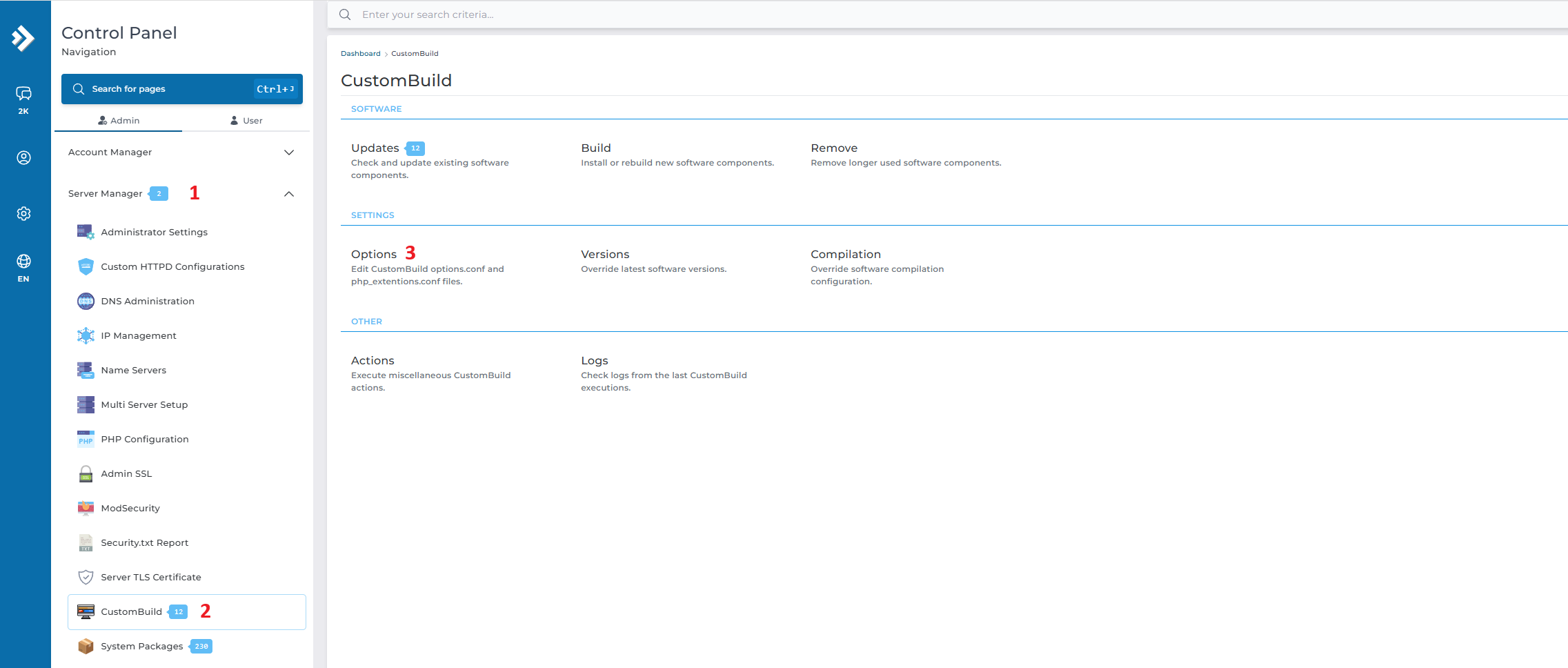
Enabling ModSecurity in DirectAdmin(GUI) Evo skin
- Log in to Directadmin
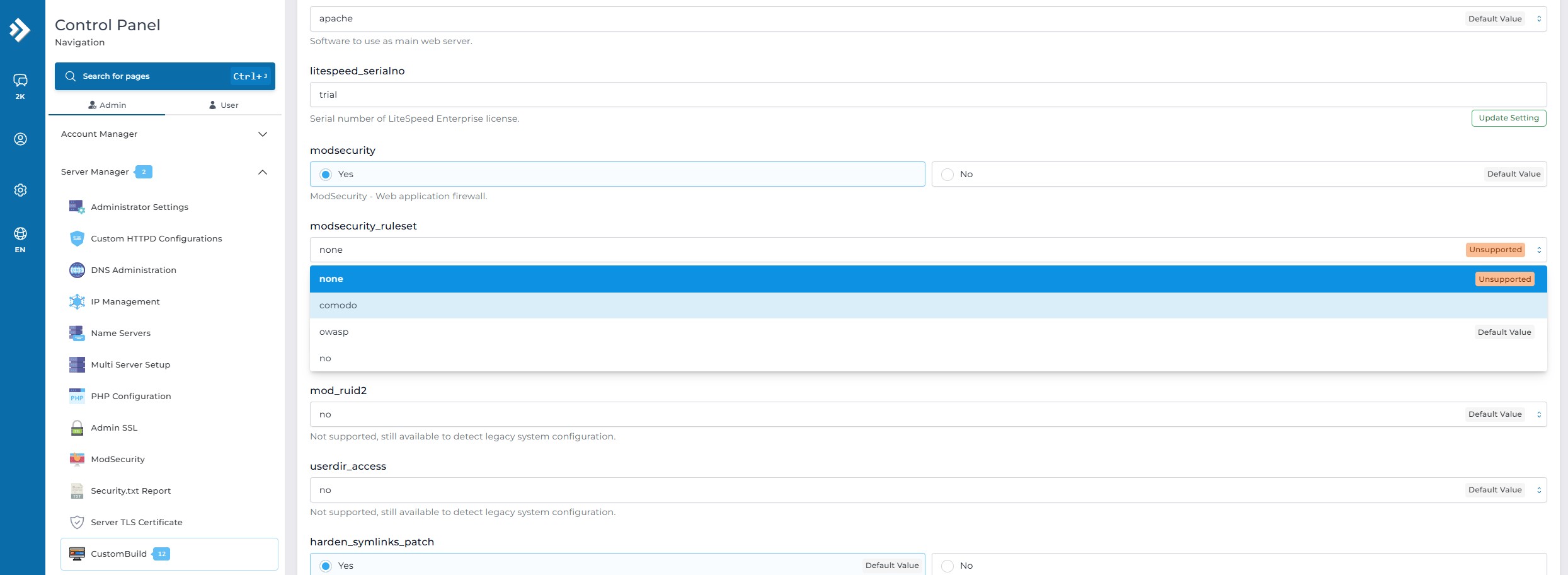
- Navigate to Server Manager > Custombuild > Options
- Click radio button in modsecurity to yes
- Example, ruleset select OWASP
- Wait for 1-2 seconds (auto saved)
- Back to previous screen, click Build
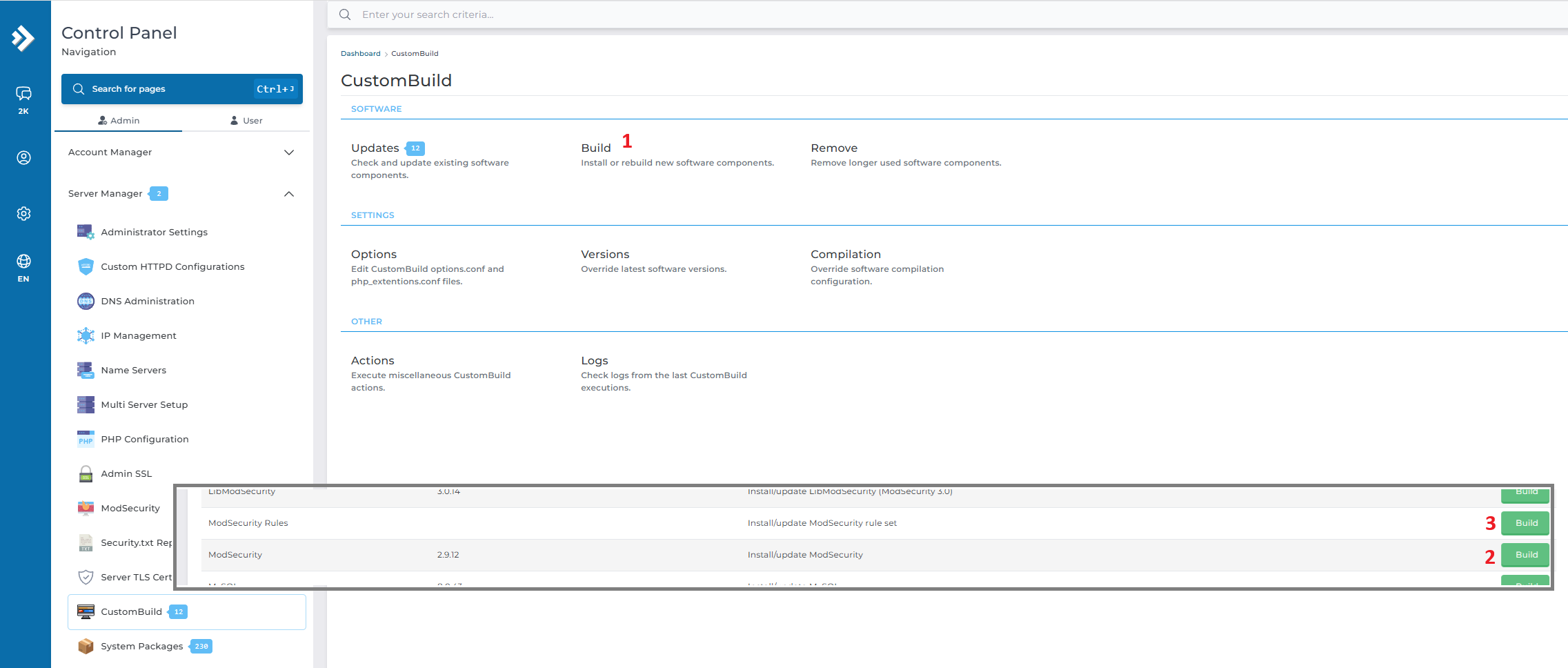
For user comfortable with CLI managing Directadmin
ssh root@your-server-ip
cd /usr/local/directadmin/custombuild
./build set modsecurity yes
./build set modsecurity_ruleset owasp
./build modsecurity
./build rewrite_confs
./build apache
References
https://coreruleset.org/
https://github.com/SpiderLabs/ModSecurity
https://docs.cpanel.net/whm/security-center/modsecurity-tools/
https://docs.directadmin.com/webservices/apache/modsecurity.html
Conclusion
ModSecurity plays a critical role in protecting web applications by filtering HTTP traffic based on security rule inspection. While it’s not a replacement for a network firewall, it complements it by focusing on Layer 7 threats. When properly configured and maintained with up-to-date rulesets, ModSecurity significantly reduces exposure to common web threats for your deployment against unauthorized access while maintaining operational control.
Through technology, we learn. Through sharing, we connect.
Explore more guides at https://kb.ipserverone.com/
For technical support / service enquiries, please reach out to support@ipserverone.com for assistance.