
Search Our Database
How to check status and manage my Data Center Visitation Request in Customer Portal
Introduction
After submitting a Data Center Visitation Request in the IP ServerOne Customer Portal, your request will be reviewed by the data center team before the visit can proceed. This guide is intended for customers who have already submitted a visitation request and want to know whether it has been approved, rejected, or completed. It walks you through how to check the status of your visitation request in the Customer Portal using the My Booking page.
Prerequisite
- A registered IP ServerOne Customer Portal account
- An existing Data Center Visitation Request submitted through the Customer Portal
- Access to the Customer Portal with the Visitation role (or delegated secondary access)
- Known visitation details: data center, rack number(s), date, time in/out, and purpose of visit
Step-by-Step Guide
Step 1: Navigate to Data Center section
- Log in to the [IPServerOne Customer Portal].
- Navigate to the My Booking from the left-side menu.
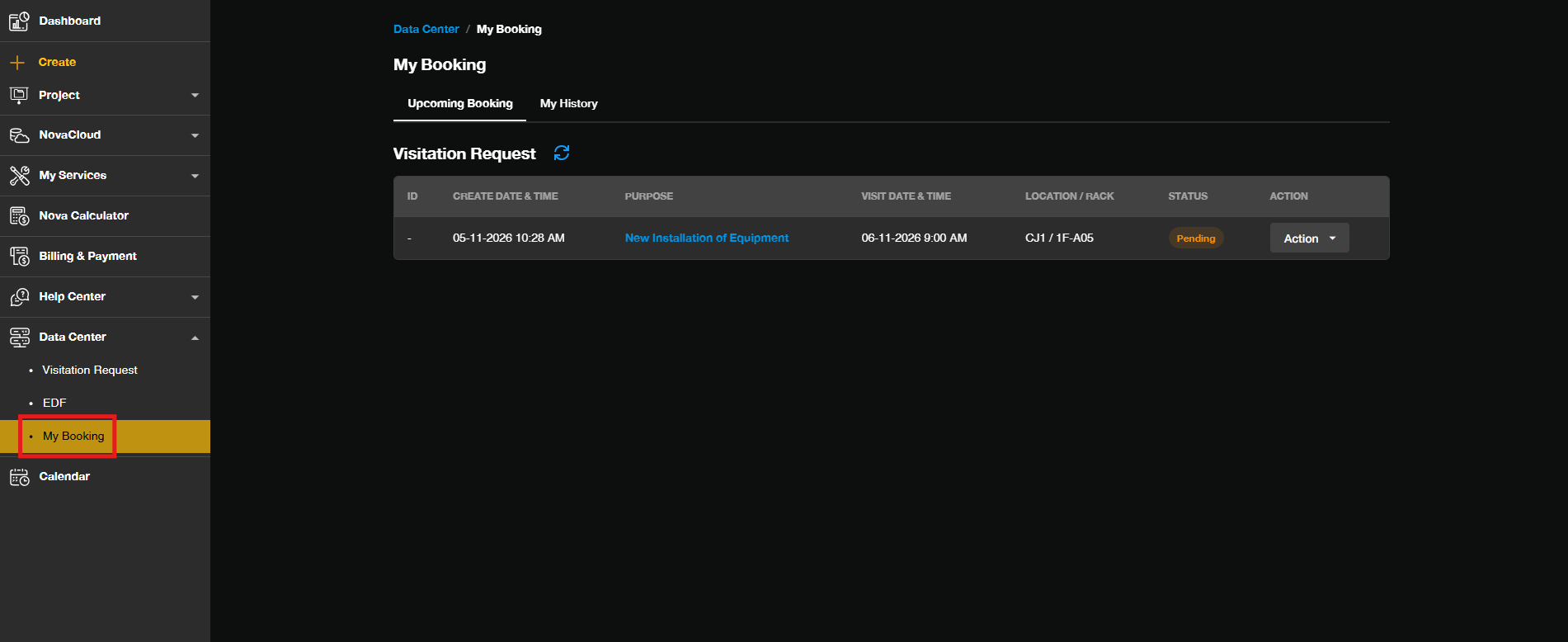
Step 2: Review the Visitation Request status
- All of your visitation requests will be listed on this page, together with their details such as data center, rack number, visitation date, and time.
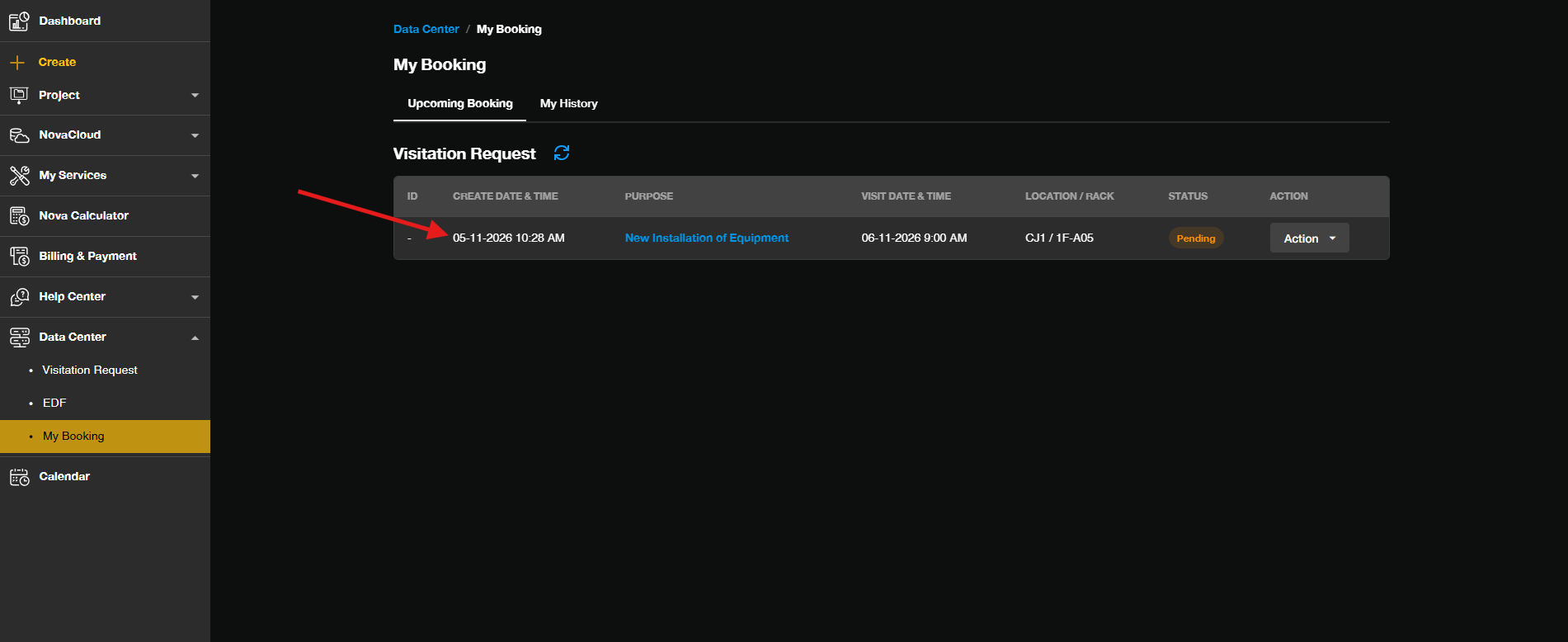
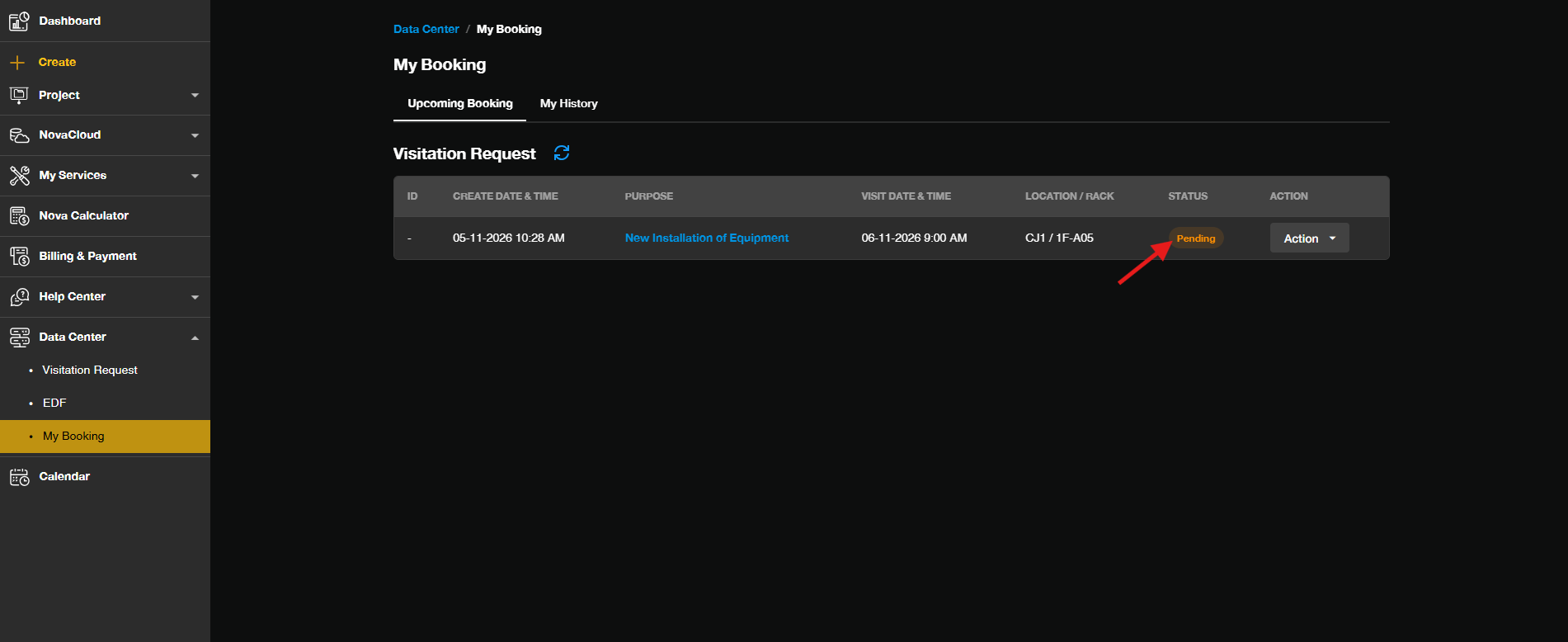
- Look at the Status column of your visitation request. The status indicates where your request currently stands in the review process:
-> Pending — the request is awaiting review by the data center team.
-> Approved — the request has been approved, and you may proceed with your visitation.
-> Rejected — the request has been rejected. Review the request details or contact our support team.
-> Done — the visitation has been completed.
Optional Step: Edit or cancel the Data Center Visitation Request
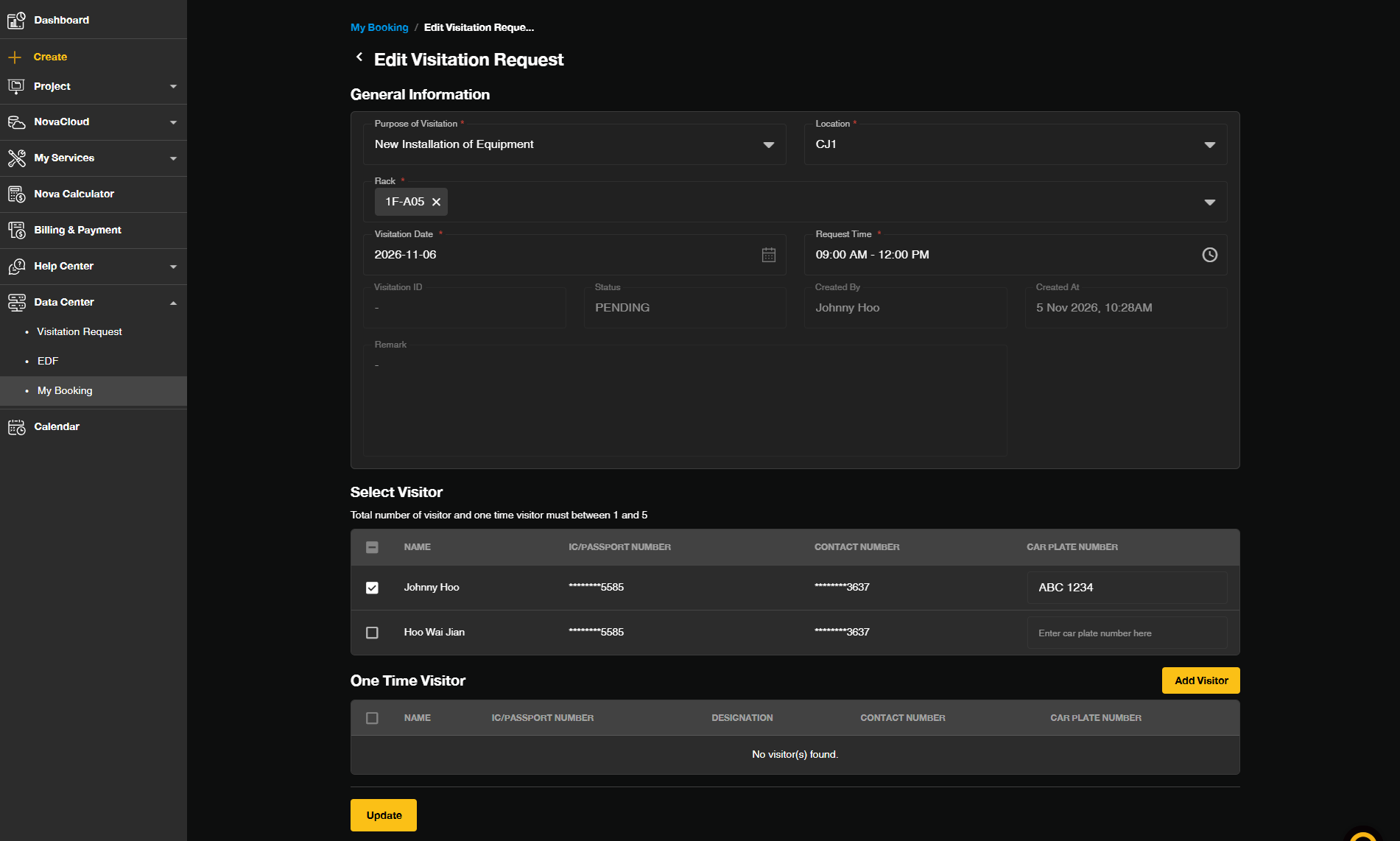
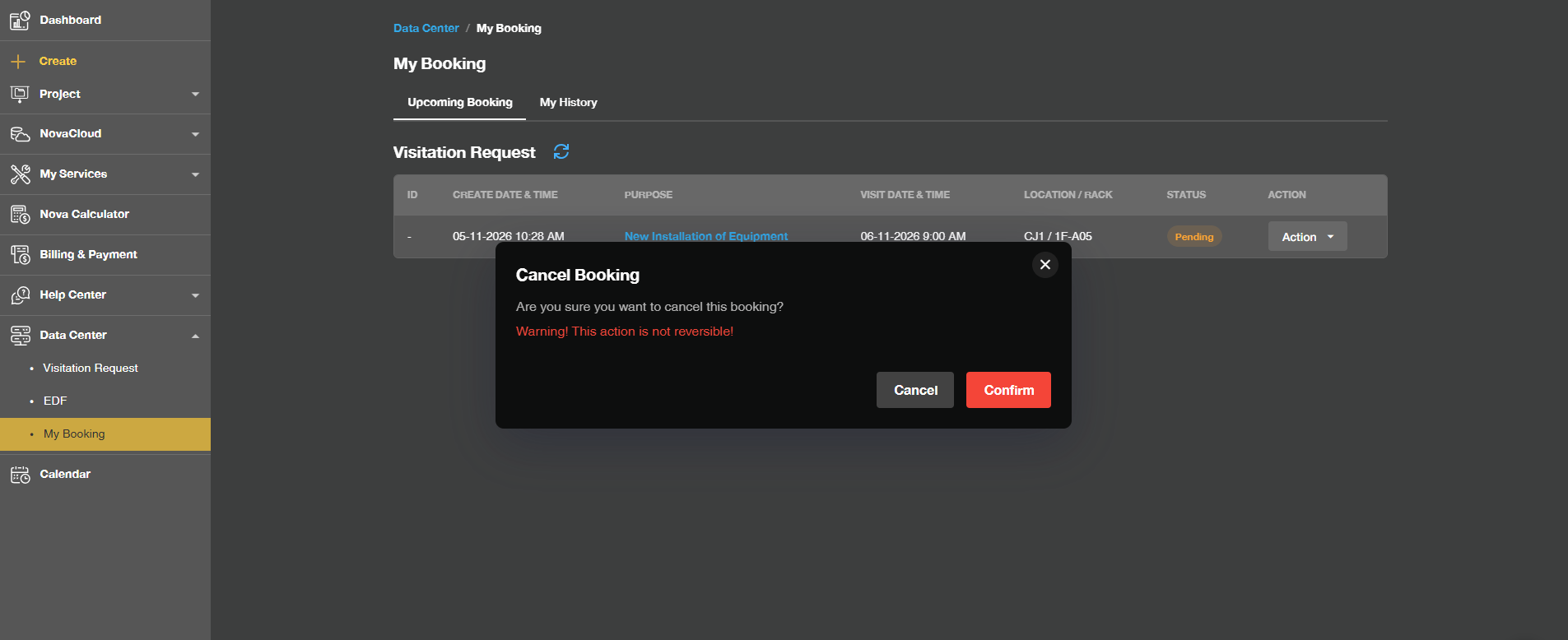
- Click Edit or Cancel to manage your Data Center Visitation Request
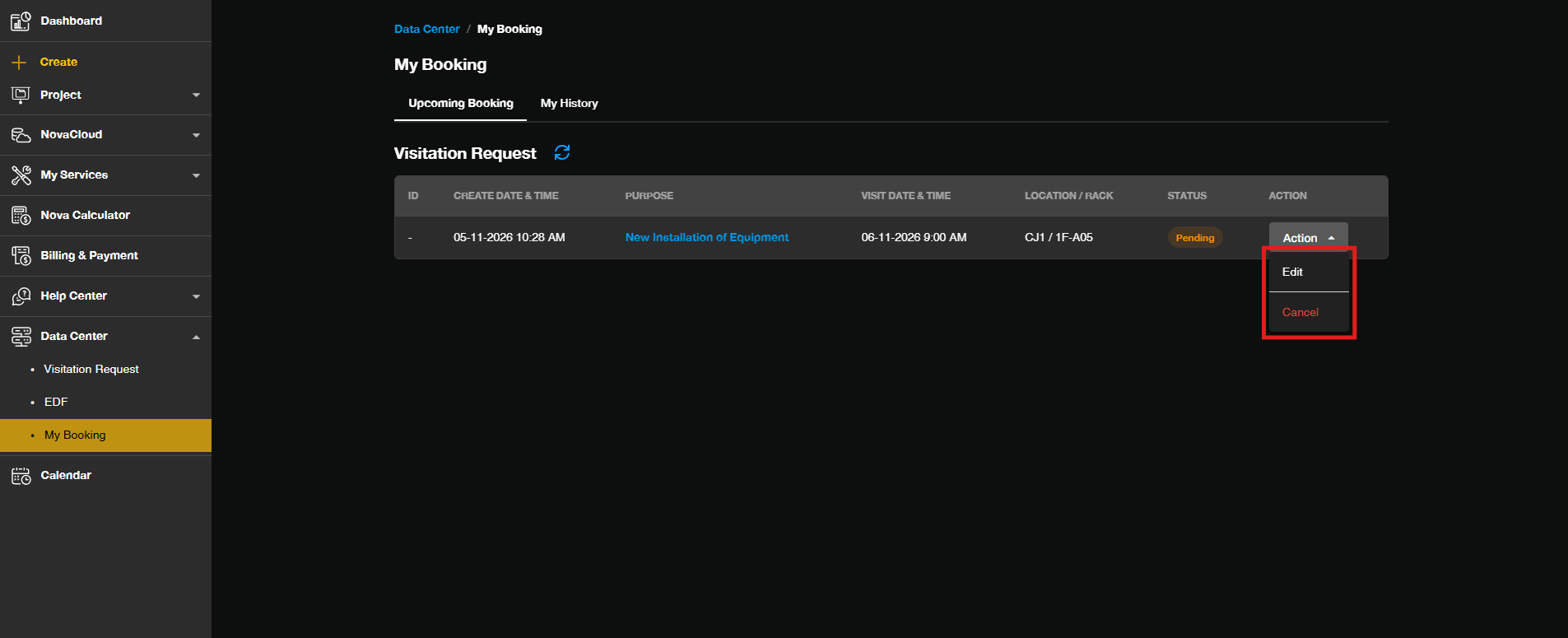 To edit your Date Center Visitation RequestUpdate the visitation details, such as the date, time or visitors then click Update to confirm the changes.
To cancel your Date Center Visitation RequestConfirm the cancellation when prompted.
Conclusion
By following this guidance, you can check the status of your Data Center Visitation Request in the Customer Portal under My Booking. Always confirm that your request is Approved before heading to the data center to avoid being denied entry.
For additional assistance or if you encounter any issues, please contact our support team at support@ipserverone.com.