
Search Our Database
How to remove auto recurring payment in the Customer Portal?
Introduction
This guide is intended for IP ServerOne customers who wish to disable the auto-renewal feature for their services. Whether you’re planning to discontinue a service, switch to a different payment method, or simply prefer to manage renewals manually, turning off auto-recurring payments gives you greater control over your billing preferences. You can disable auto-renewal anytime via the IP ServerOne Customer Portal, where all your service and payment settings are managed. The process is simple and only takes a few steps to ensure that your credit or debit card will no longer be charged automatically for future renewals.
Prerequisite
- Before proceeding, make sure the service is not within the 8-day auto-renewal processing period. During this period, changes cannot be made because the payment details have already been submitted to the payment gateway for processing.
Steps to Disable Auto-Renewal for a Service:
1. Log in to your Customer Portal
2. From the left-hand menu, go to My Services and select the service that you want to disable auto-renewal for.
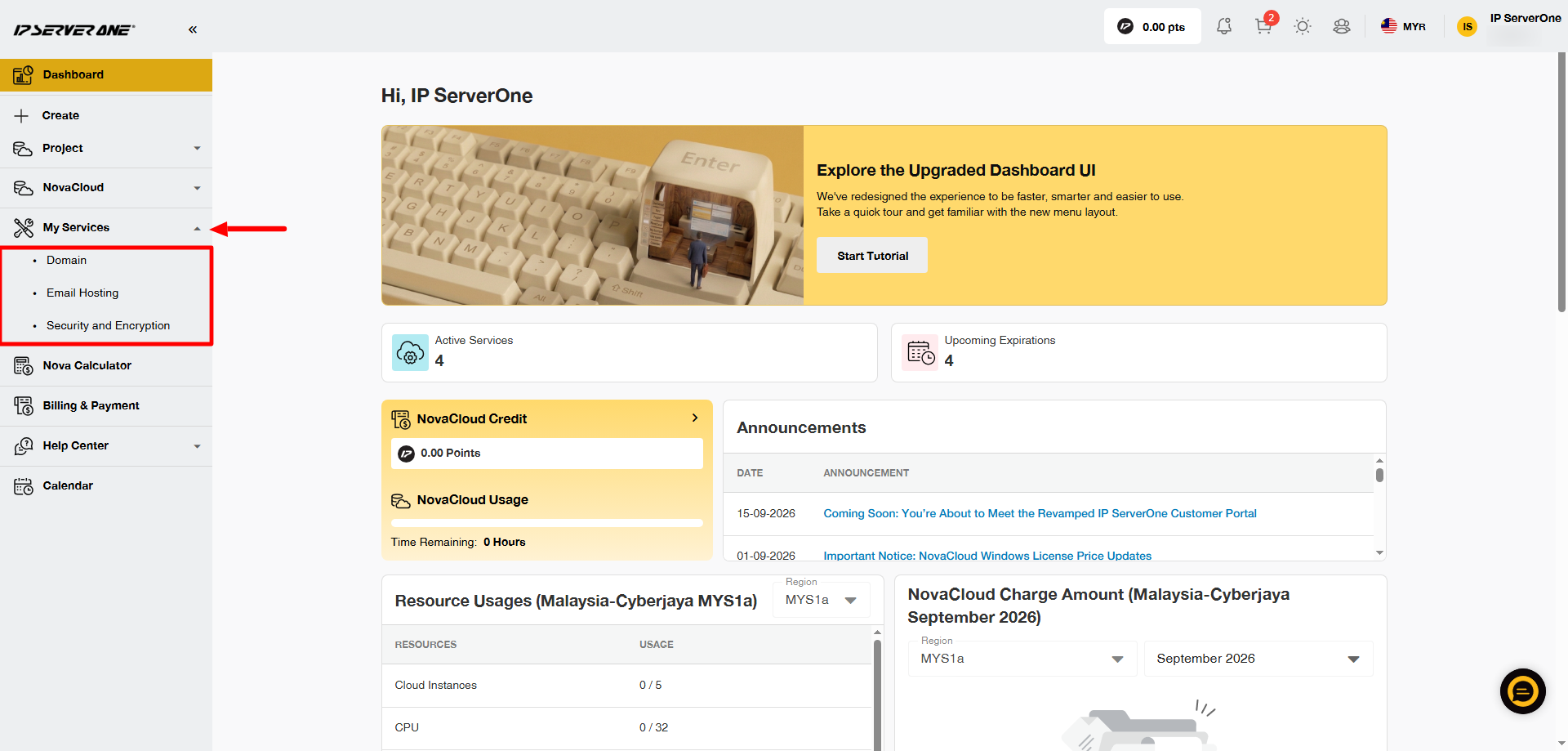
3. In this example, we will use a Domain service.
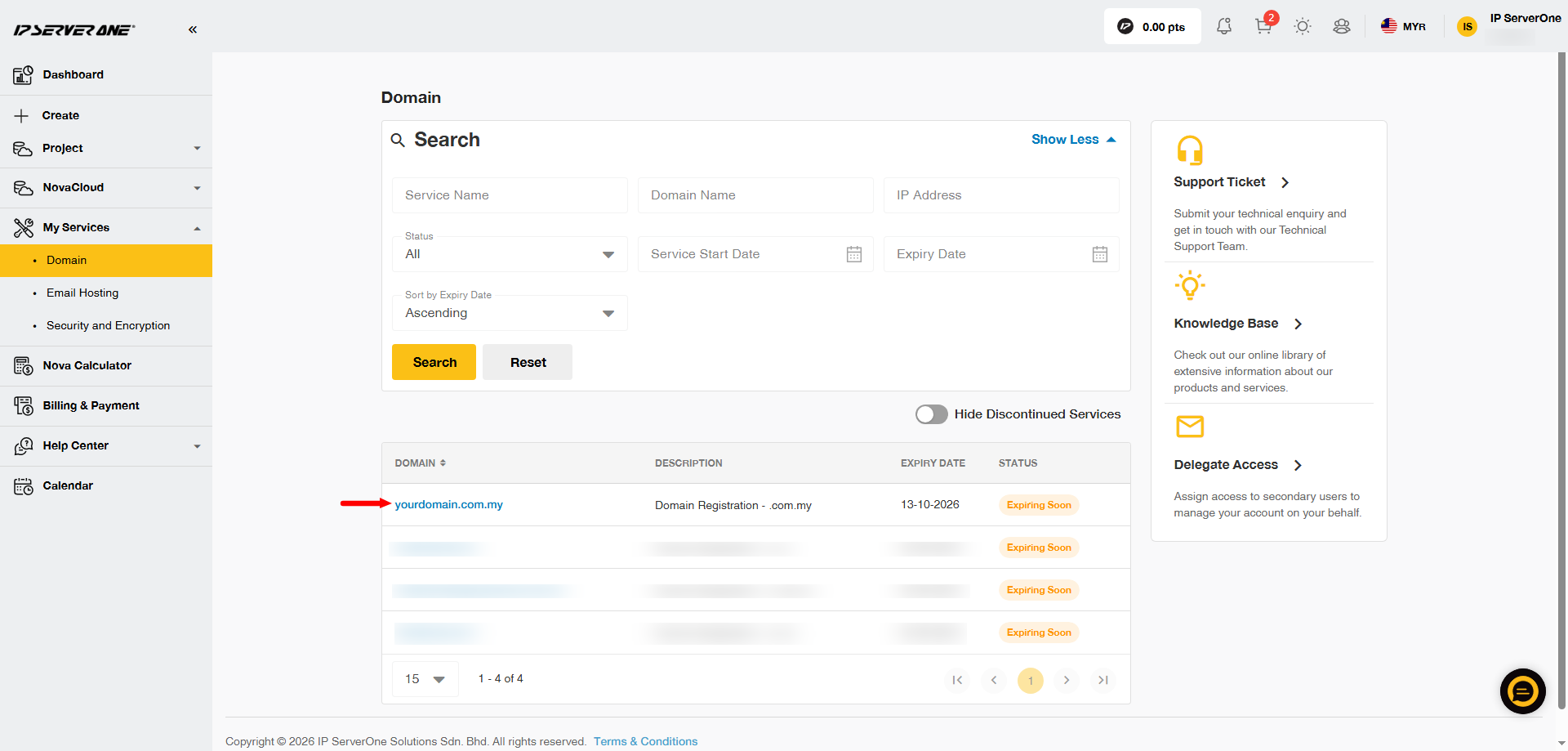
After selecting the service, you will be directed to the service page. Click the domain or service that currently has auto-renewal enabled.
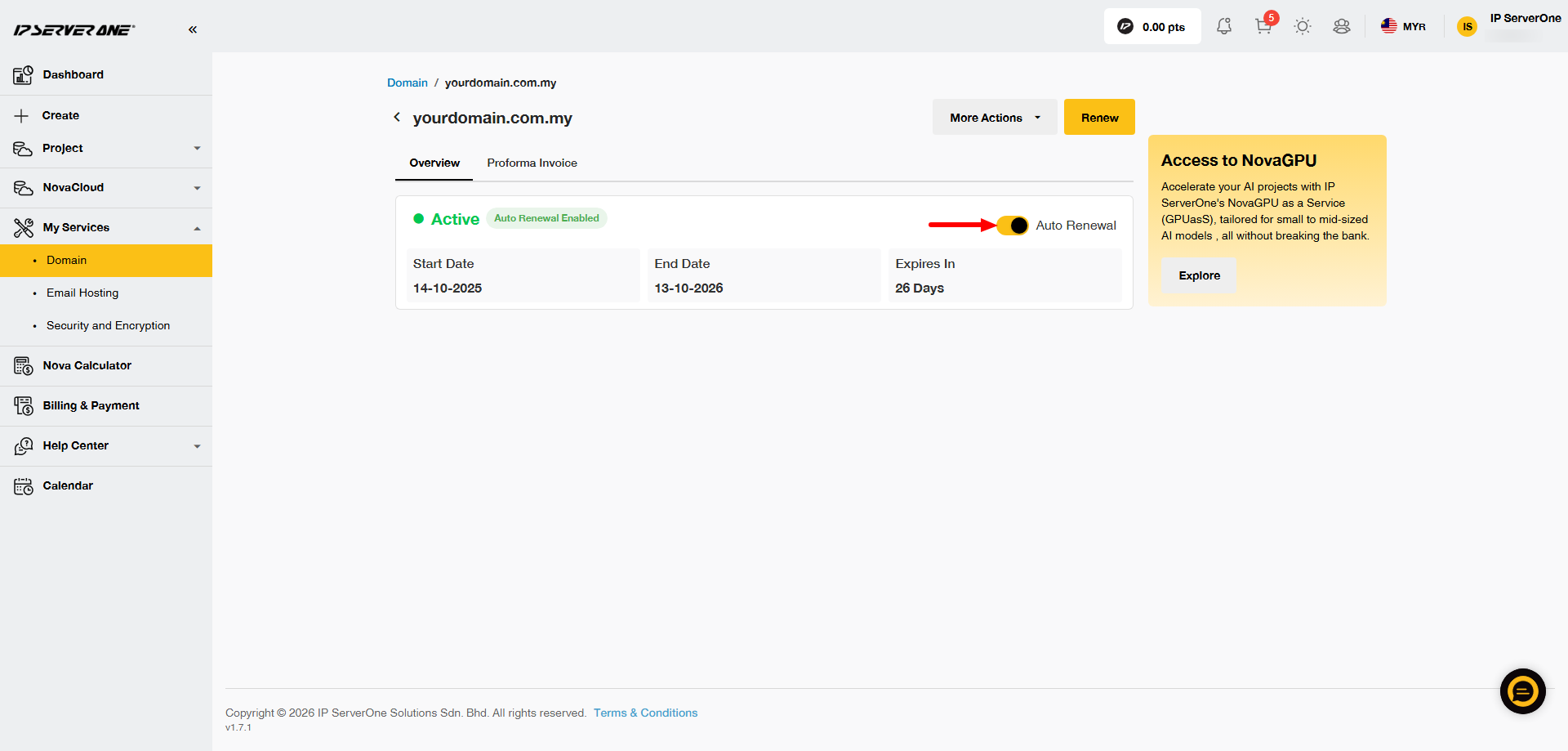
4. Click the yellow Auto Renewal slider.
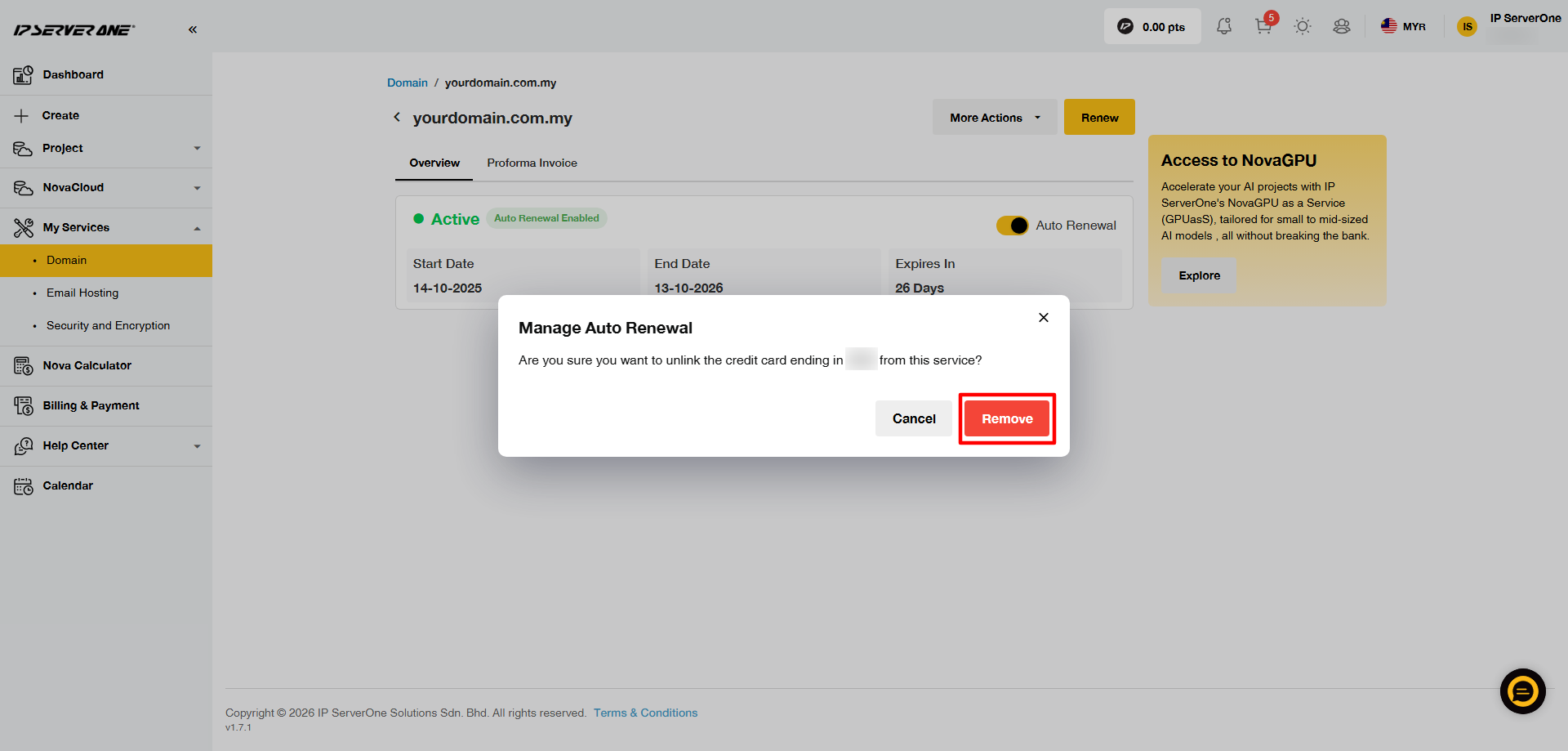
5. A pop-up will appear. Click Remove to disable auto-renewal.
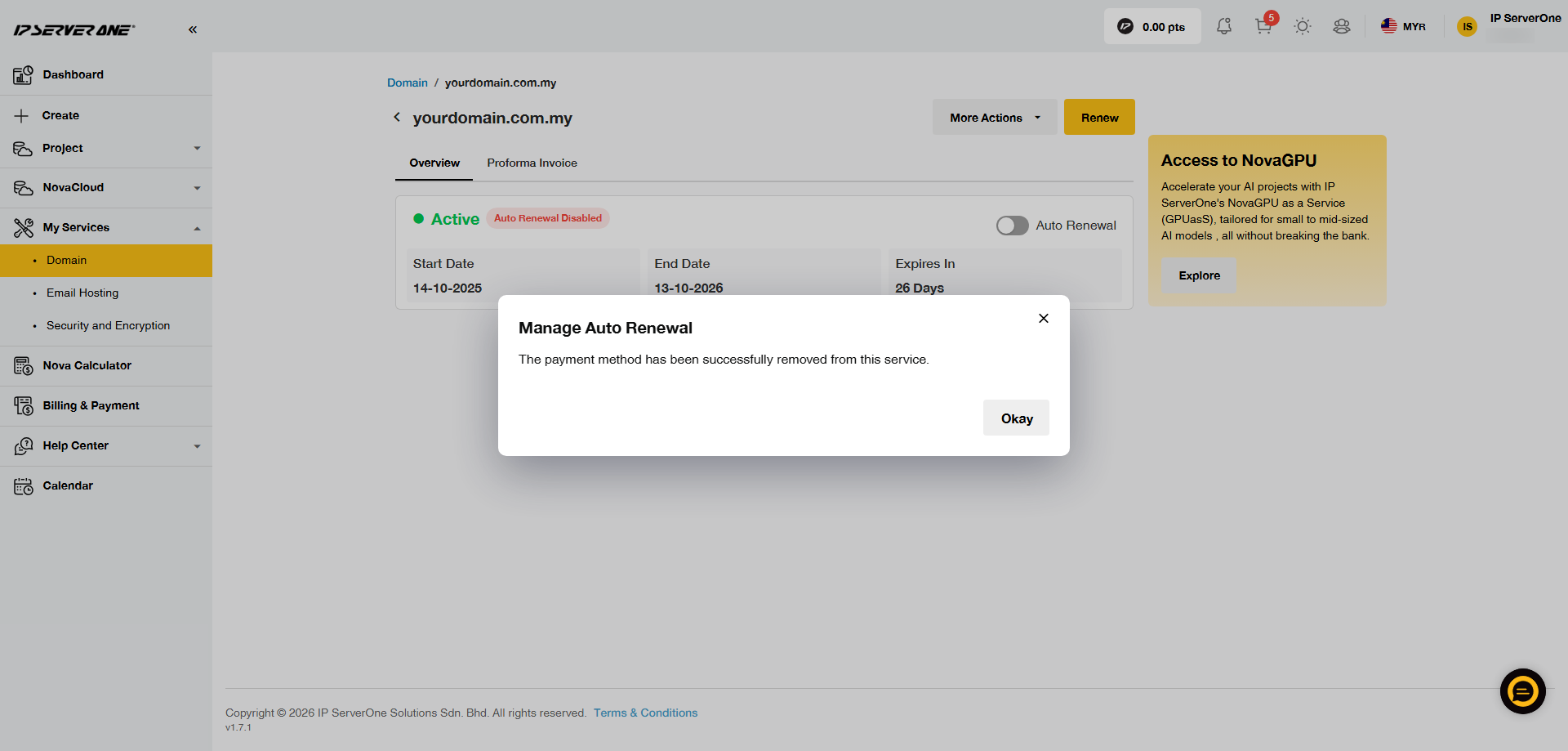
6. A confirmation message will appear once auto-renewal has been successfully disabled. You can also confirm this by checking that the button shows Auto Renewal Disabled.
Conclusion
Disabling auto-renewal through the IP ServerOne Customer Portal is a simple way to manage your service renewal and payment preferences. Once auto-renewal is disabled, the service will no longer be renewed automatically using the assigned card. If you wish to enable auto-renewal again in the future, you can do so through the same Customer Portal.
If you need any assistance, please contact our Customer Support team at cs@ipserverone.com.