
Search Our Database
How to generate proforma invoice through Customer Portal?
Introduction
Creating a proforma invoice through the IP ServerOne customer portal is quick and easy. This feature helps customers generate a preliminary invoice before payment, which is useful for budgeting and approval. It’s ideal for business owners or IT professionals who manage hosting services. With just a few steps, users can select services, review costs, and download the proforma invoice directly from the customer portal.
Prerequisite
- Have a valid and active subscription
Steps to generate Proforma Invoice:
1. Log in to the IP Server One Customer Portal.
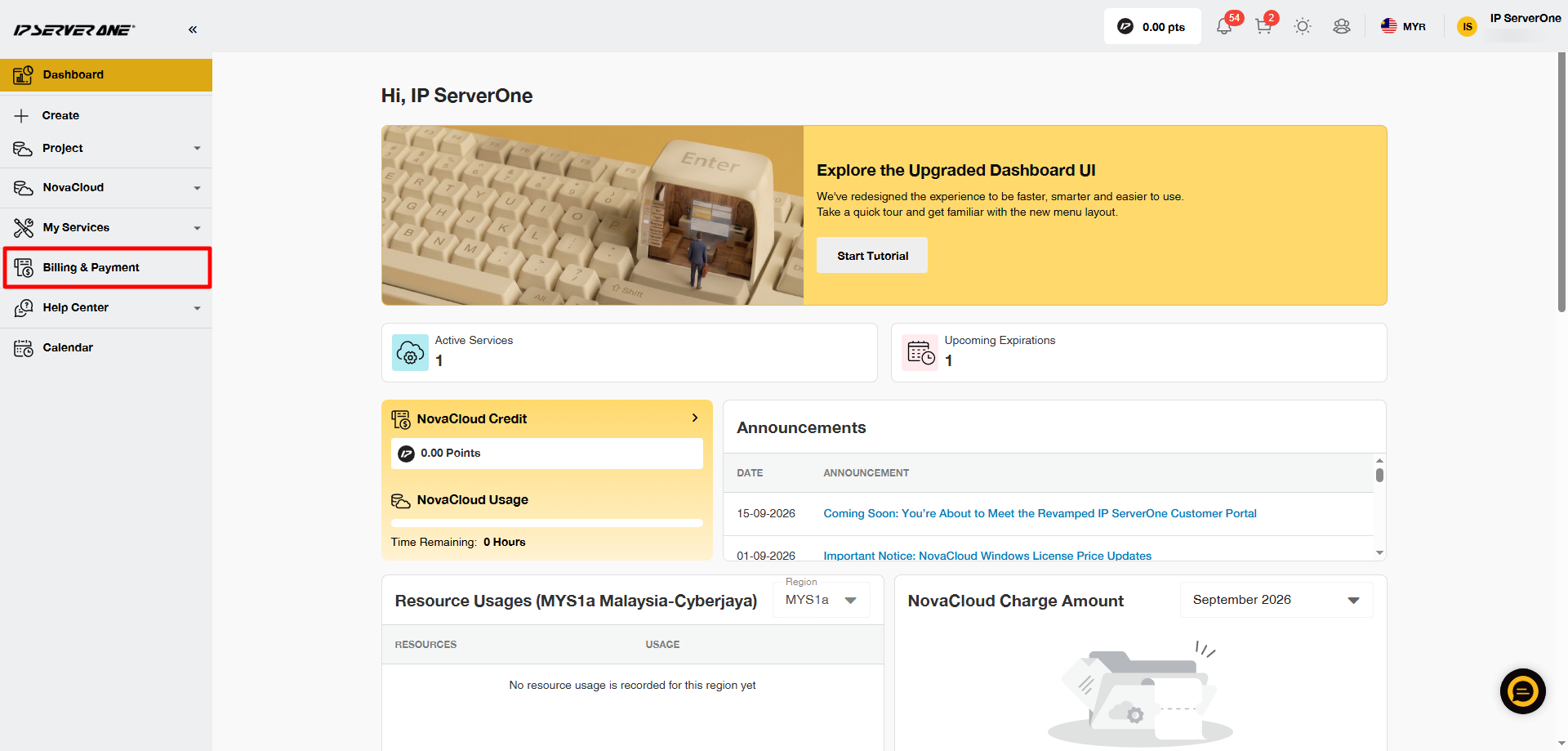
2. From the left-hand menu, go to Billing and Payment.
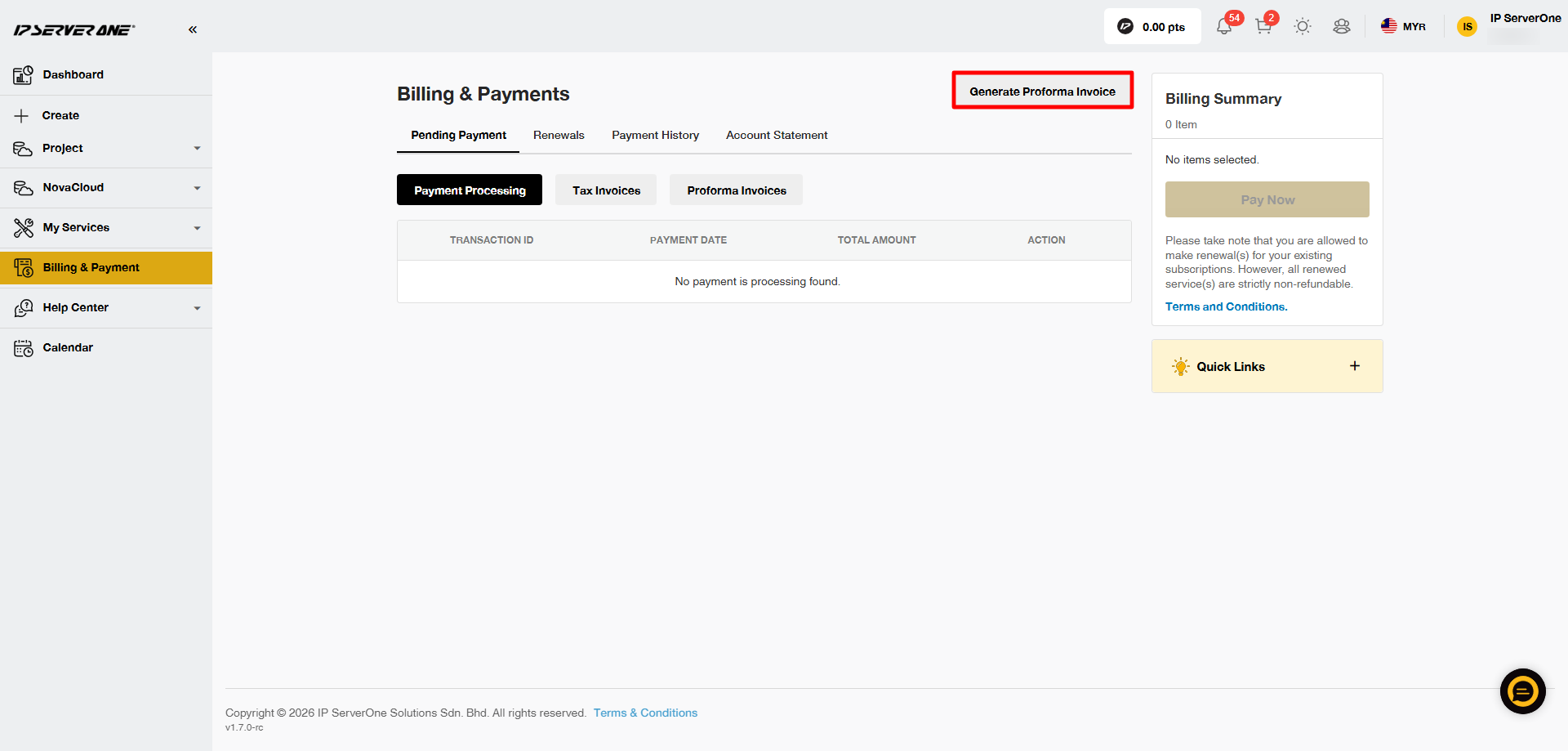
3. Click Generate Proforma Invoice.
4. A Proforma Invoice Request box will appear. From the drop-down menu, select the product category that you want to generate a proforma invoice for.
Note: You can select multiple items as long as they are under the same service category. For example, you can generate one proforma invoice for multiple SSL certificates or multiple email hosting services. However, you cannot combine different service categories, such as SSL and email hosting, in the same proforma invoice.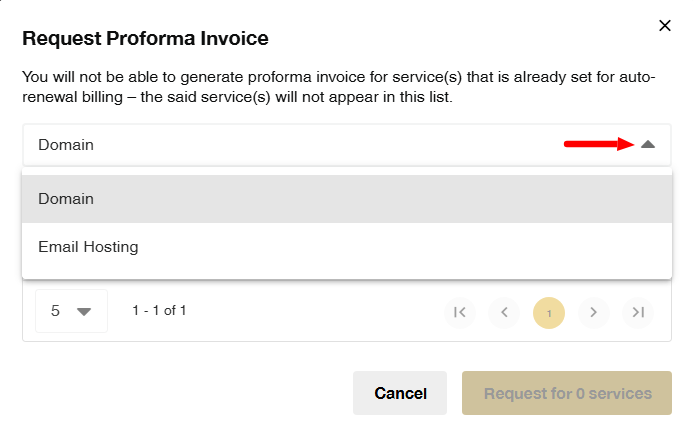
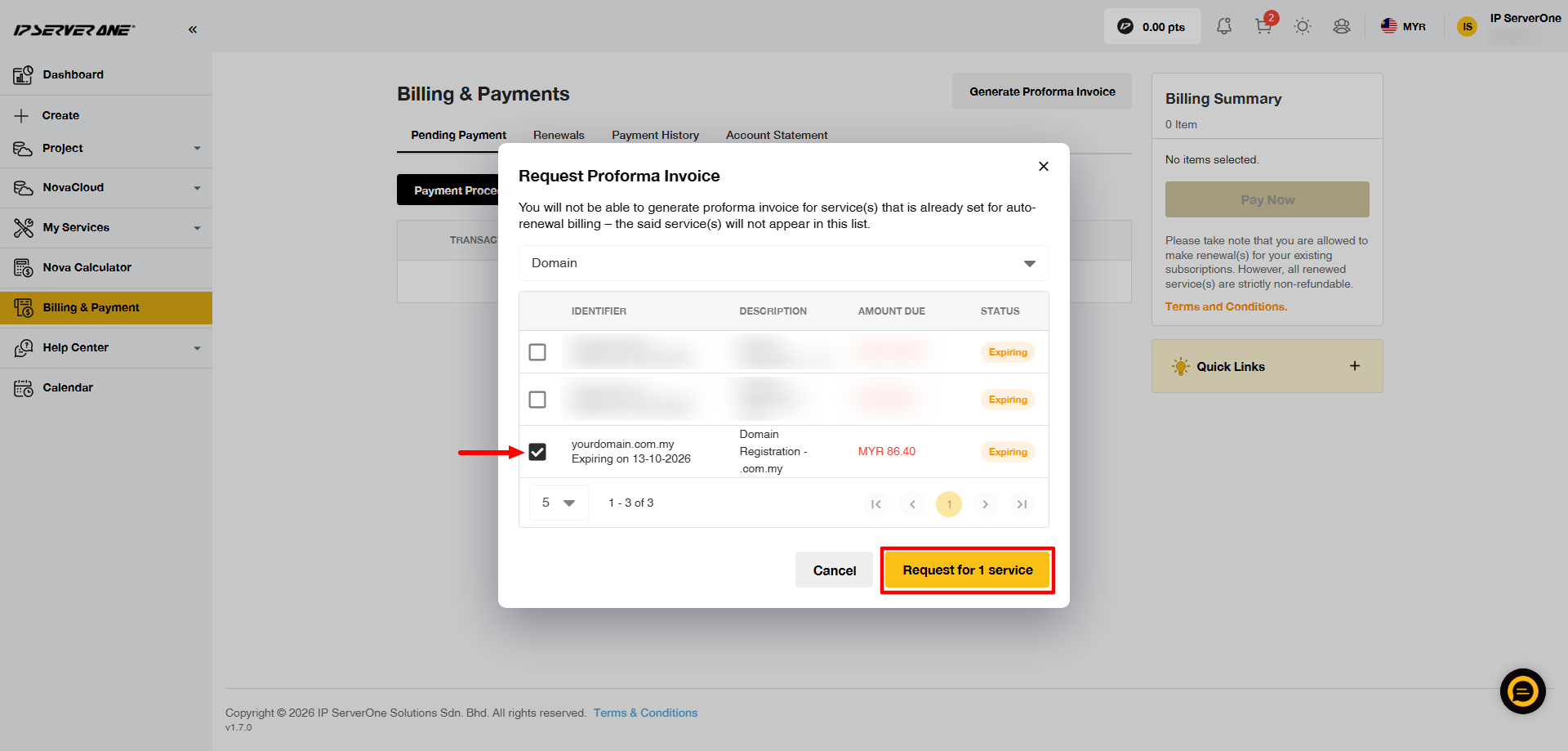
5. Select the domain or service(s) that you want to renew by clicking the box on the left side. Then, click Request for [number] Service, where the number will change based on how many services you have selected.
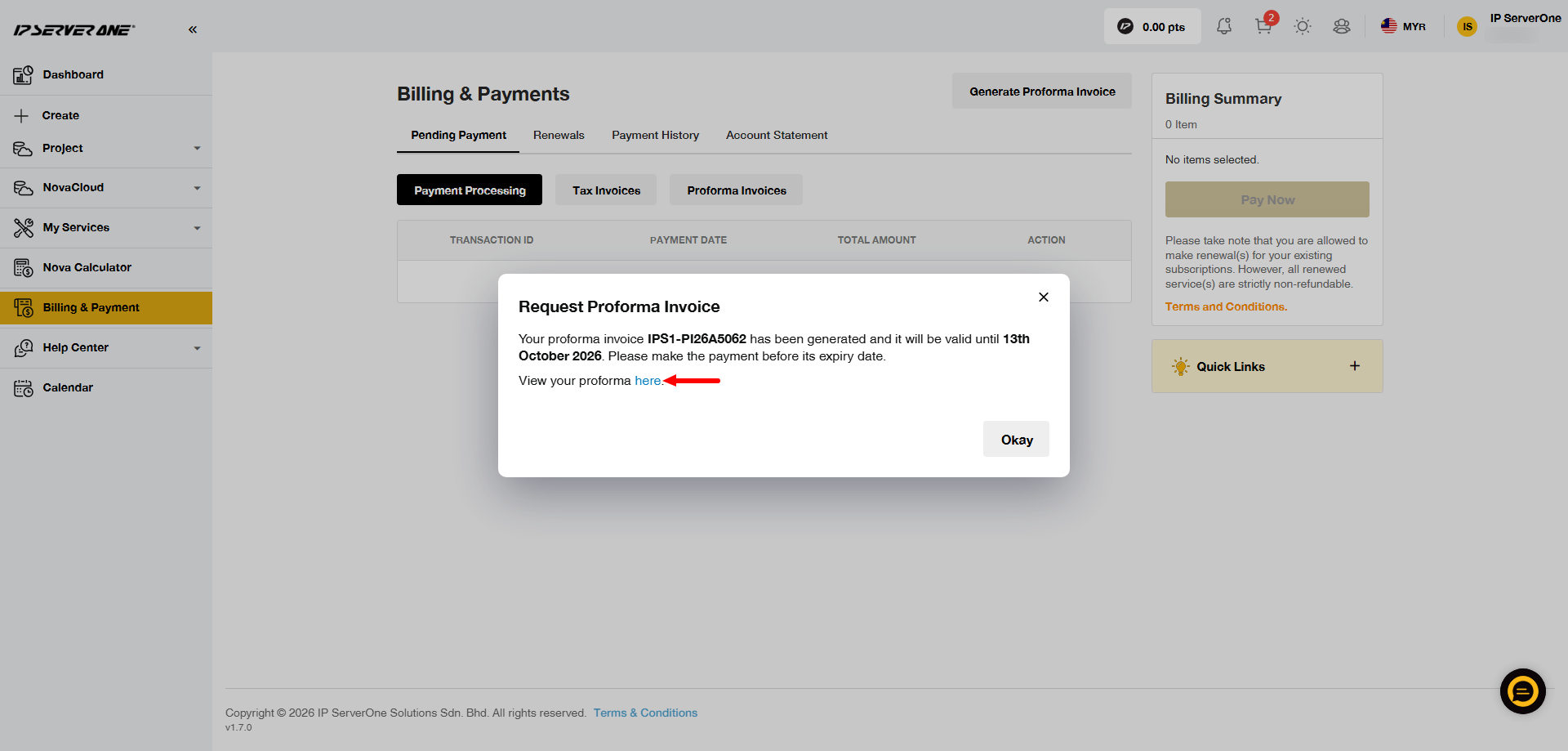
6. A pop-up message will appear once the proforma invoice has been generated. Click here in the message to view the proforma invoice.
Important Notes:
- Once a proforma invoice has been generated, it cannot be cancelled or changed. If you need any changes, please contact our Customer Support team at cs@ipserverone.com or call +603 2026 1688.
- The proforma invoice validity will follow the service with the earliest expiry date.
Conclusion
By following these simple steps, you can easily generate proforma invoices through our customer portal, giving you better control over and simplifying your billing management.