
Search Our Database
How to enable auto-recurring payment in the Customer Portal (New Portal)
Introduction
Managing your services effectively is essential to avoid interruptions, especially for time-sensitive renewals. By enabling auto-renewal through the IP ServerOne Customer Portal, your services will remain active without requiring manual intervention. This guide will walk you through the simple steps to activate and manage auto-renewal for your services.
Enabling auto-renewal ensures seamless payments, prevents accidental lapses, and gives you peace of mind knowing your subscriptions will renew automatically when due.
Prerequisites
- You must have a valid and active subscription.
- Before enabling auto renewal, ensure that your service(s) is not expiring in another 8 days.
- A saved credit or debit card must be added to your Customer Portal account.
Need help adding a card? Refer to the guide: How to Add or Remove Credit/Debit Card in the Customer Portal.
Steps to Enable Auto-Renewal for a Service
1. Log in to your Customer Portal.
2. From the left-hand menu, go to My Services and select the service that you want to enable auto renewal for.
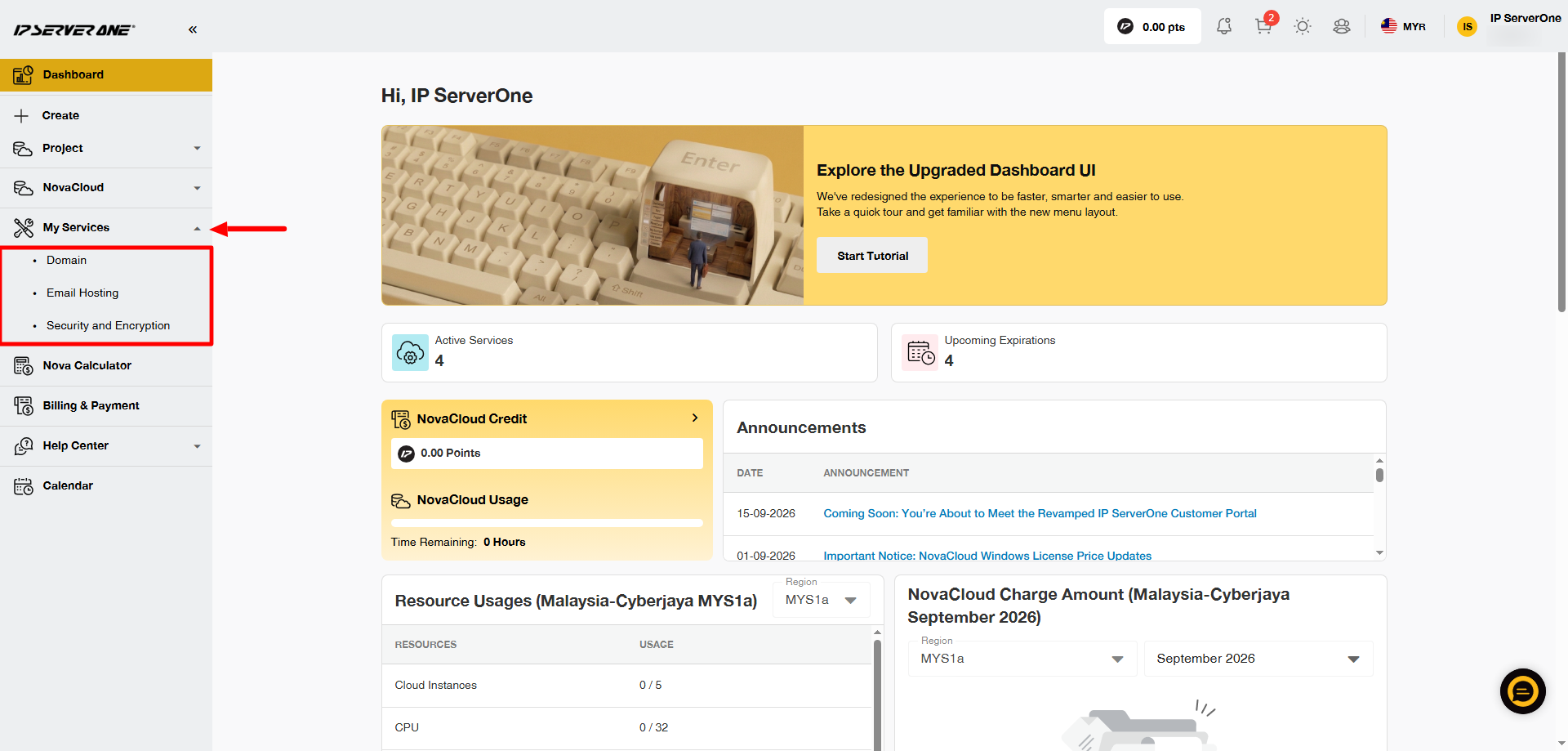
3. In this example, we will use a Domain service.
After selecting the service, you will be directed to the service page. Click the domain or service that you want to renew automatically.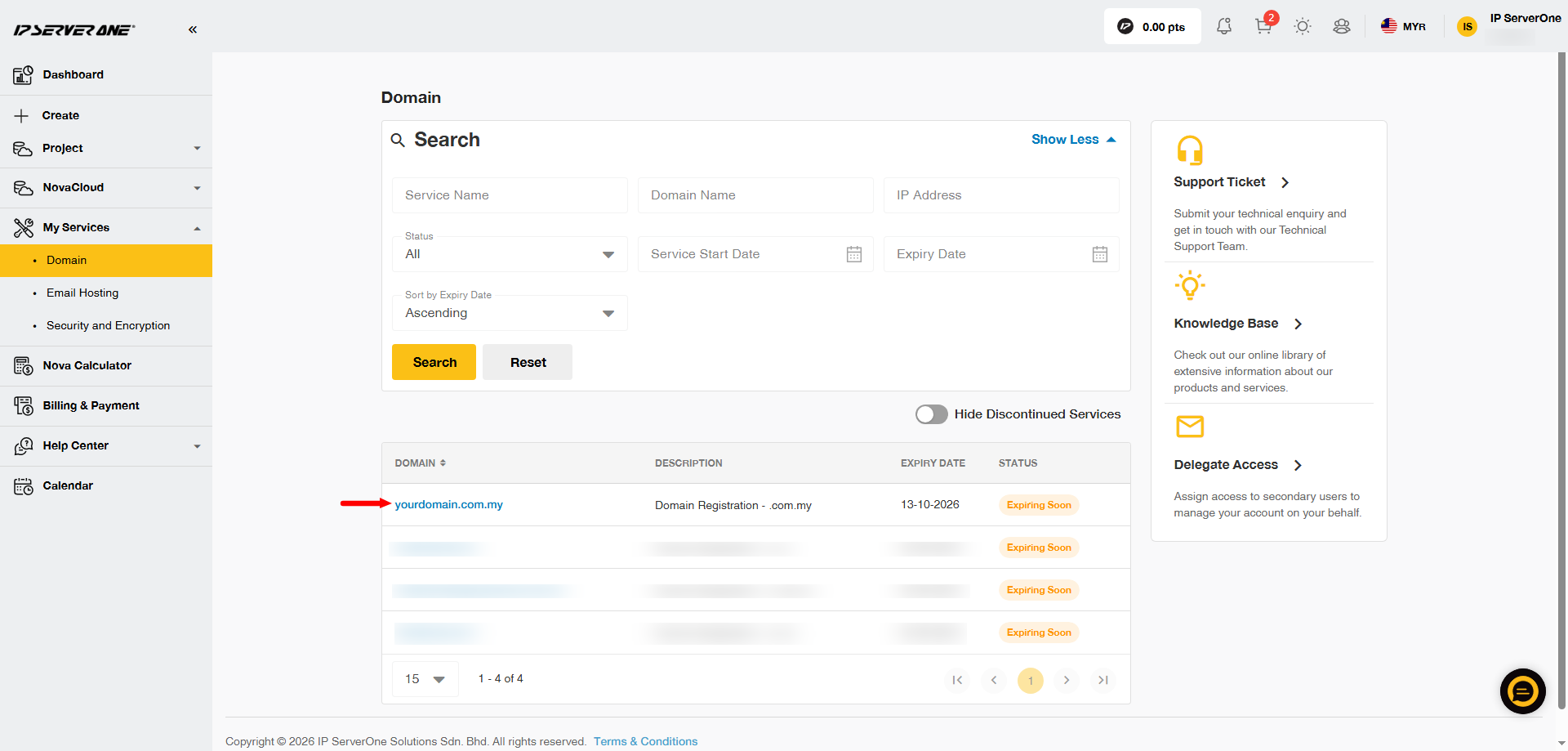
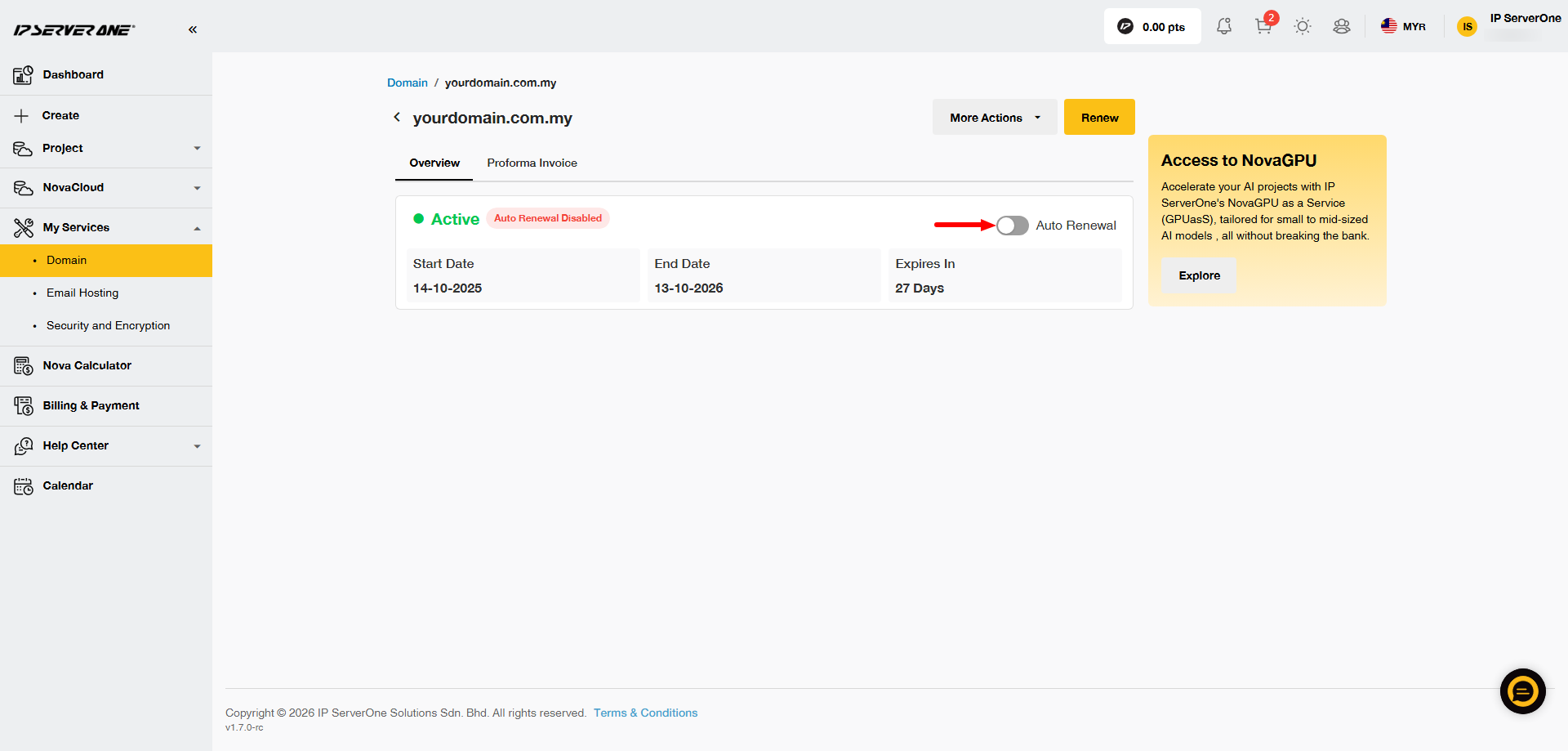
4. Click the Auto Renewal slider. The slider will turn yellow, and an Enable Auto Renewal pop-up will appear.
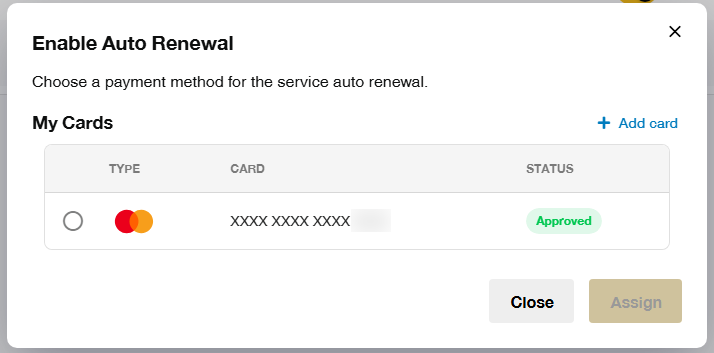
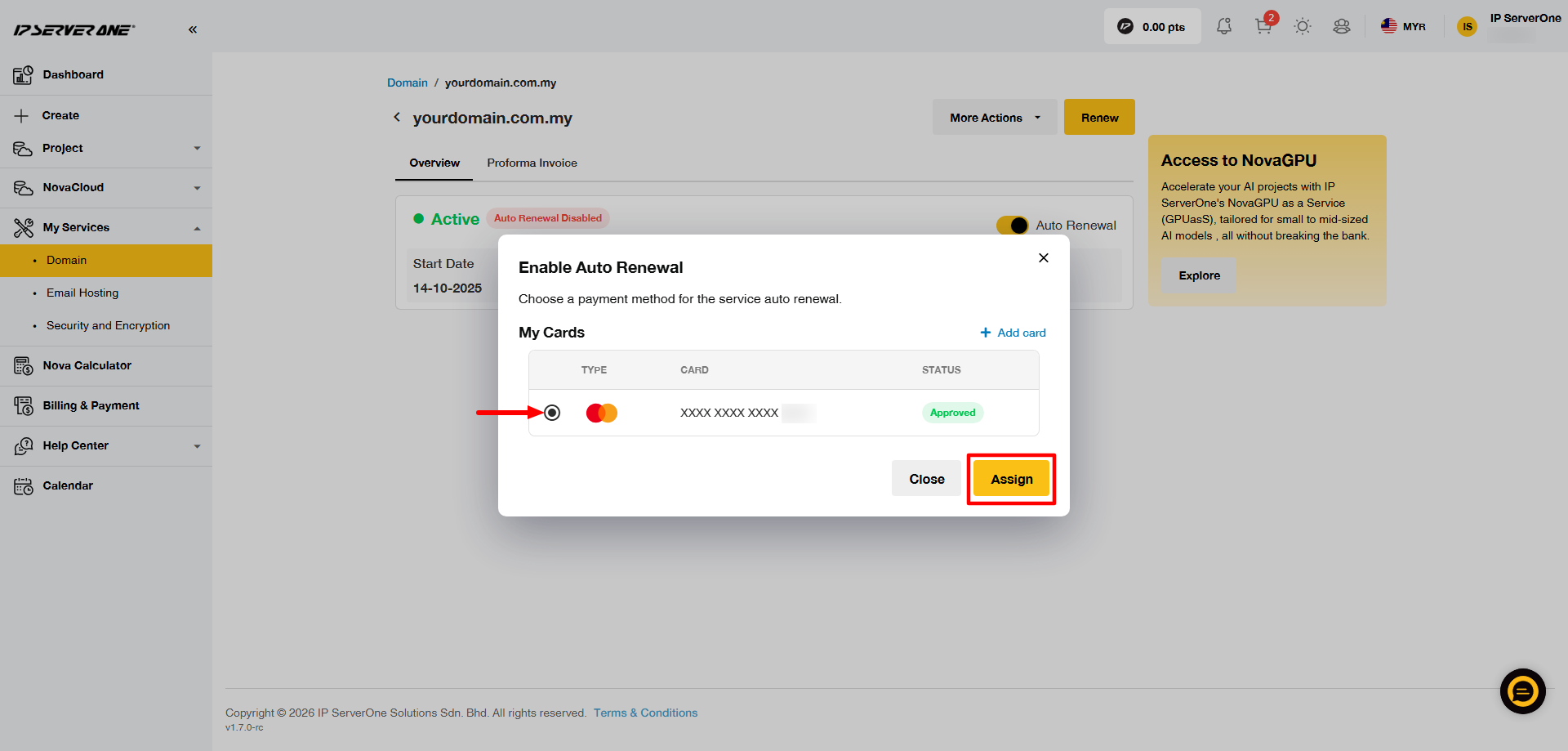
5. Select the card that you want to use for the auto-renewal payment by clicking the circle on the left side of the card details. Once the card is selected, click Assign.
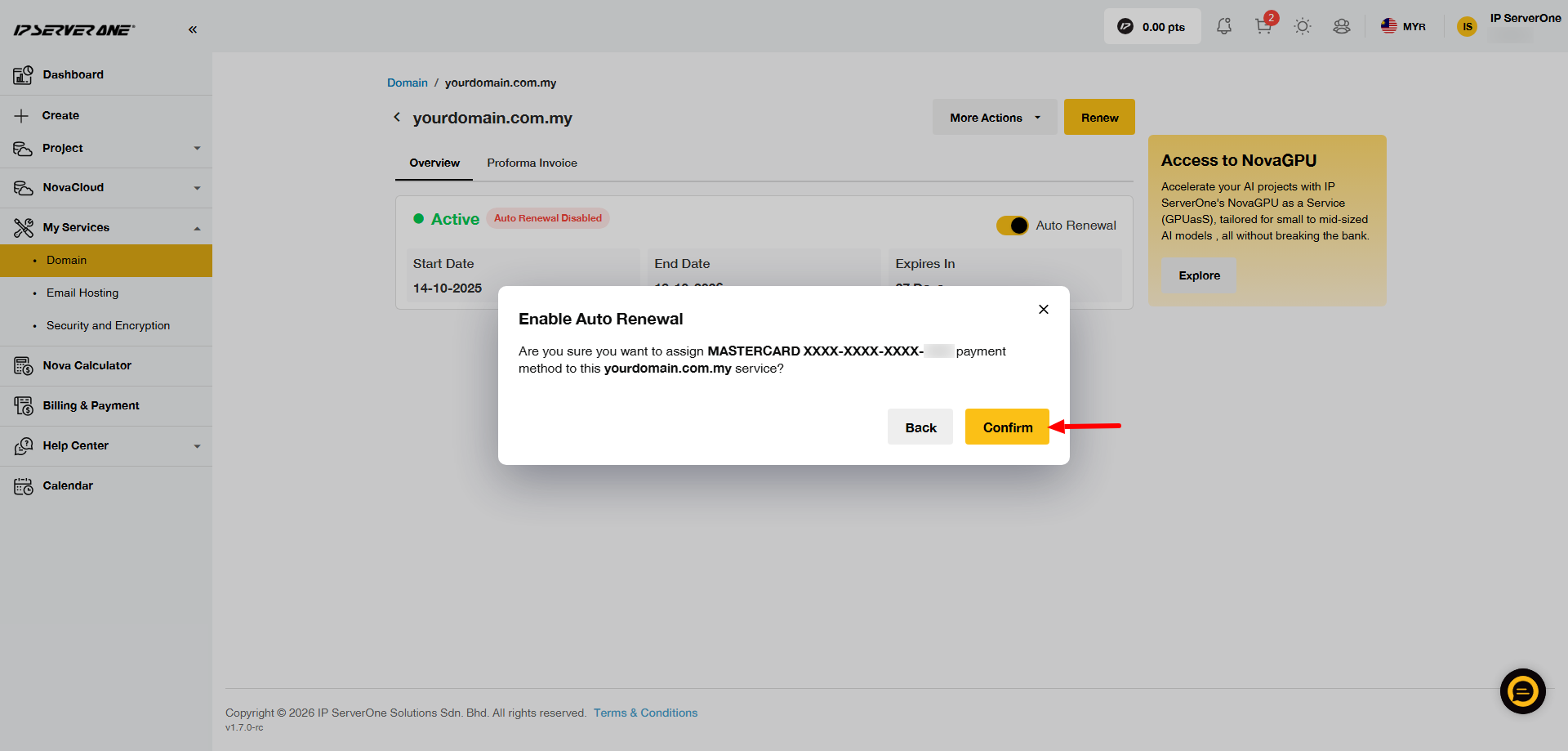
6. A confirmation pop-up will appear. Click Confirm to continue.
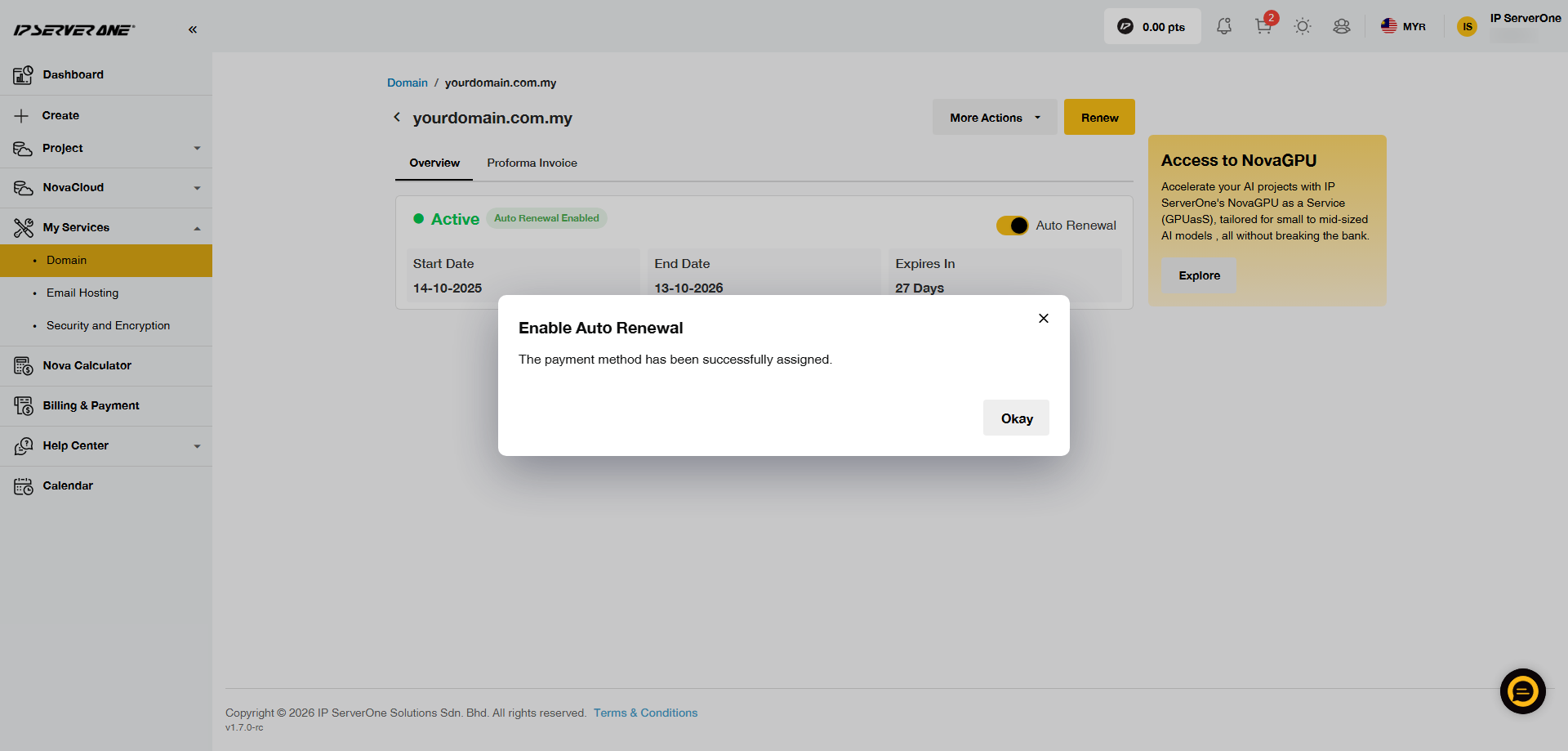
7. A confirmation message will appear once the card has been successfully assigned.
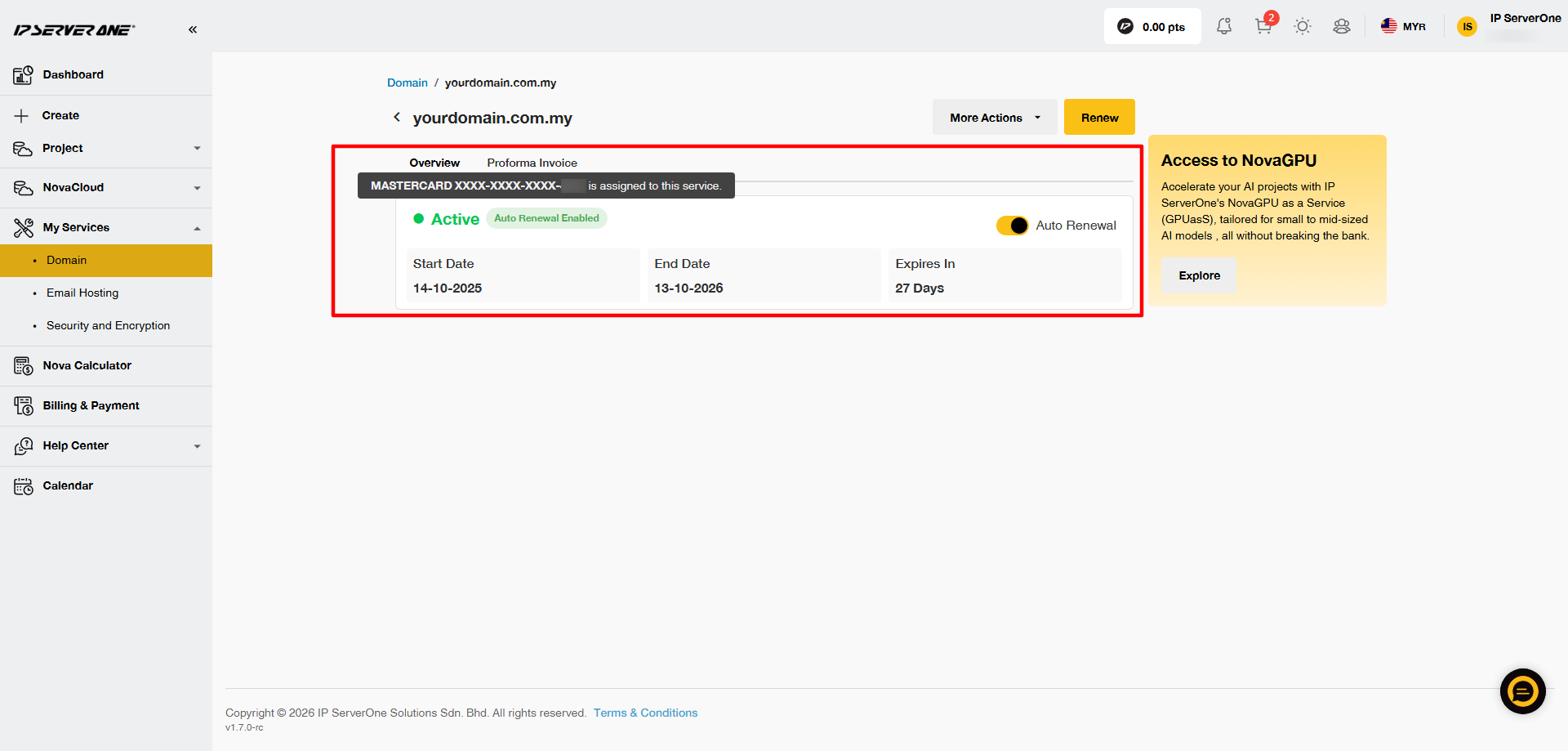
8. The Auto Renewal Enabled button will appear in green. Hover over the green button to view the card that has been assigned for auto renewal.
Note: The auto-renewal payment will start processing 8 days before the service expiry date.
Please make sure your credit or debit card details are correct and up to date before the processing period begins. Card details cannot be changed during this period, and incorrect or outdated card information may cause the payment to fail.
Conclusion
By enabling auto-renewal, you’re taking a proactive step to ensure uninterrupted service and hassle-free billing. With your preferred payment method securely assigned, renewals will be handled automatically—saving you time and reducing the risk of missed payments. If you ever need to update your payment method or manage your subscriptions, you can do so anytime through the Customer Portal. If you encounter any issues or need assistance, feel free to contact our team at cs@ipserverone.com.