
Search Our Database
How to declare Equipment during Data Center Visitation Request in Customer Portal
Introduction
When a Data Center Visitation Request involves installing or removing equipment, customers must declare every device that will be brought into or taken out of the facility. This is done by submitting an Equipment Declaration Form in the IP ServerOne Customer Portal, which allows the data center team to verify, track, and authorize the movement of equipment during your visit. This guide is intended for customers who have already created a Data Center Visitation Request for the purpose of equipment installation or removal. It walks you through each step of completing the Equipment Declaration Form before your visit.
Prerequisite
- A registered IP ServerOne Customer Portal account
- An existing Data Center Visitation Request submitted through the Customer Portal
- Access to the Customer Portal with the Visitation role (or delegated secondary access)
- Known visitation details: data center, rack number(s), date, time in/out, and purpose of visit
- Equipment details ready, such as brand, model, and serial number of each device
Important Note⚠️: For any installation or removal of equipment, you are required to fill up:
- Visitation Request
- Equipment Declaration Form
Step-by-Step Guide
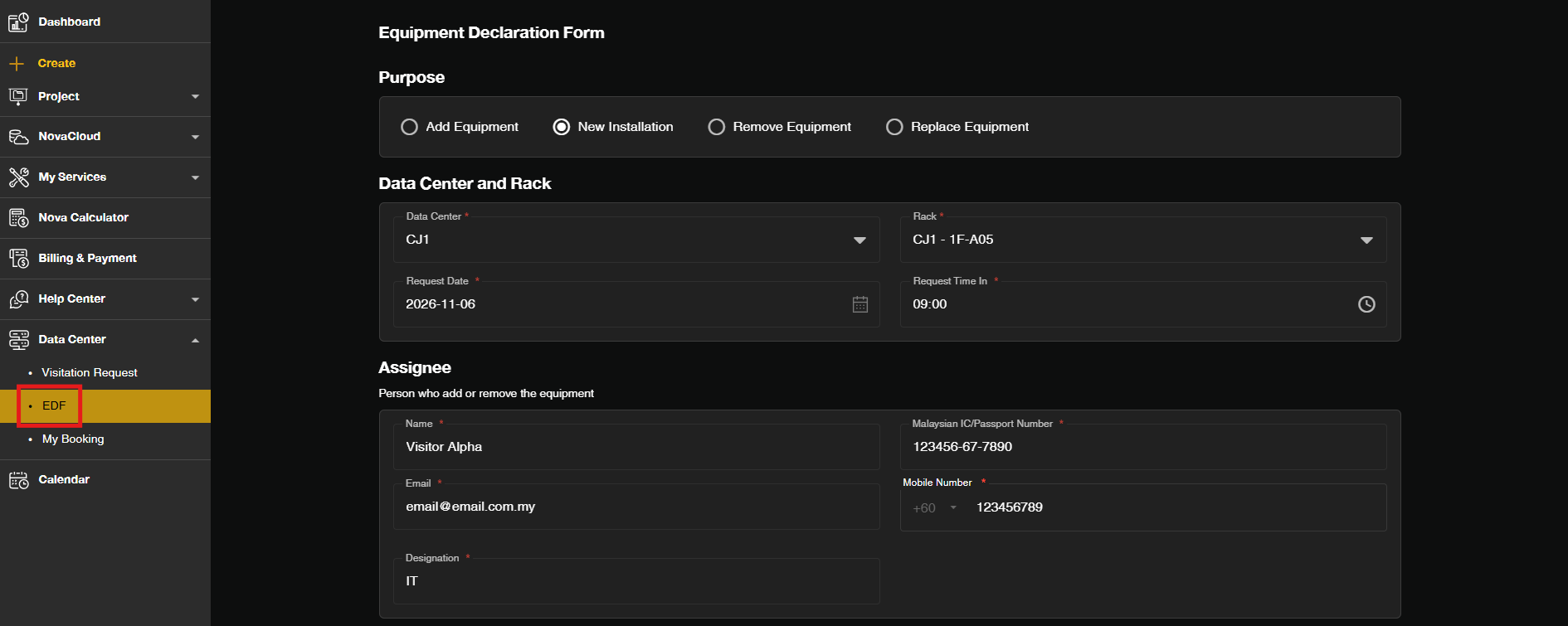
Step 1: Navigate to Data Center section
- Log in to the [IPServerOne Customer Portal].
- Navigate to the EDF from the left-side menu.
Step 2: Fill in the required details
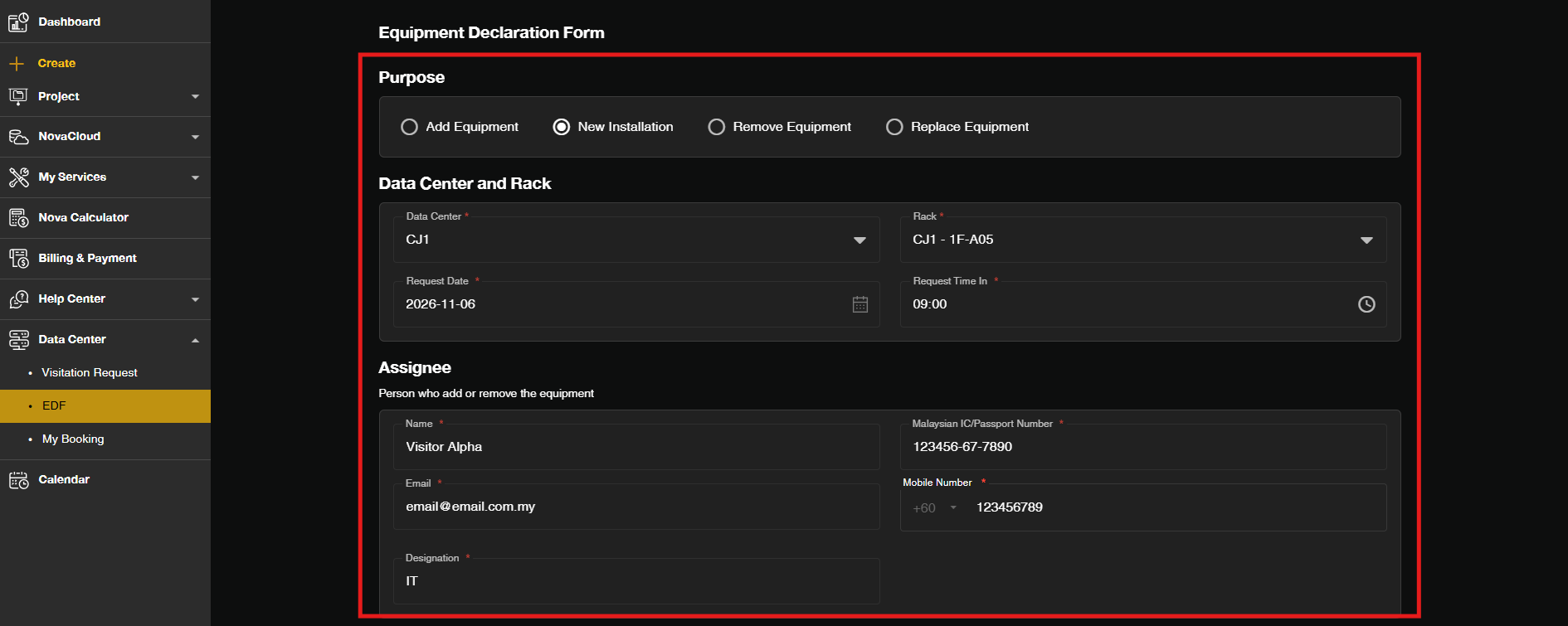
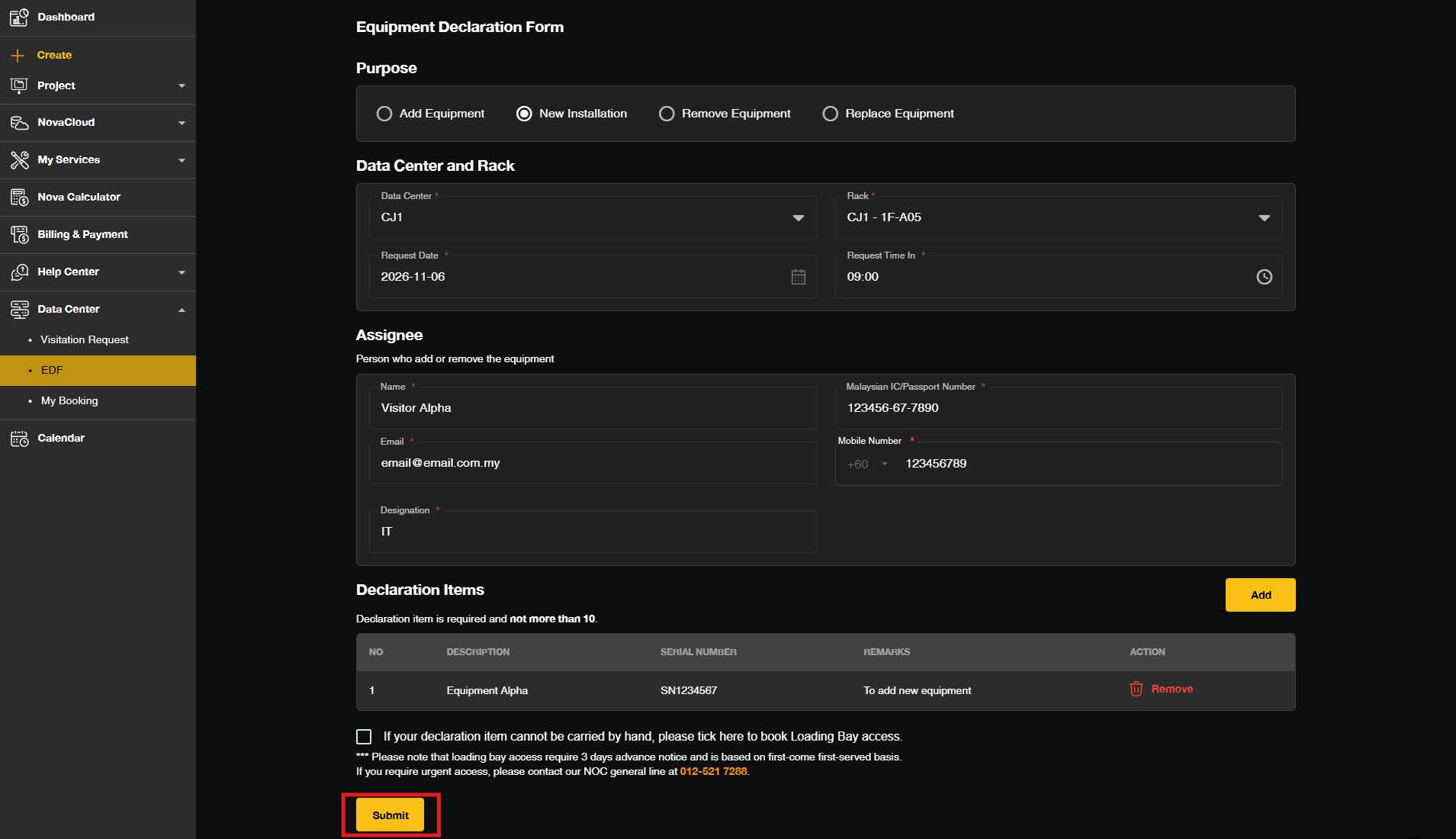
- Select the Purpose of the visitation, Location of the data center and Rack number of your server
- Input the Visitation Date and Request Time in and out.
- Input the Visitor‘s details that will visit the data center.
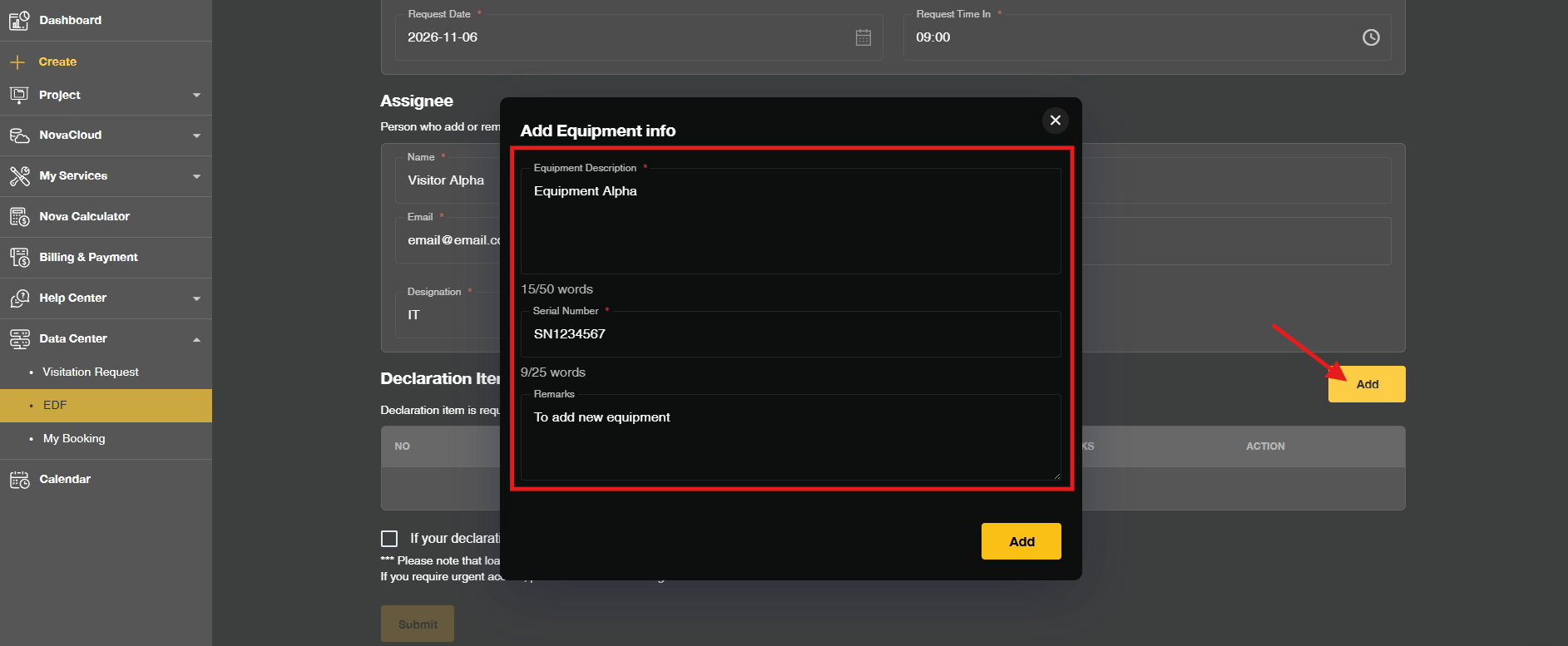
- To add in the details of the equipment, click Add and provide the details required for each piece of equipment.
- If the equipment is not hand-carryable, you can select to book the Loading Bay access.
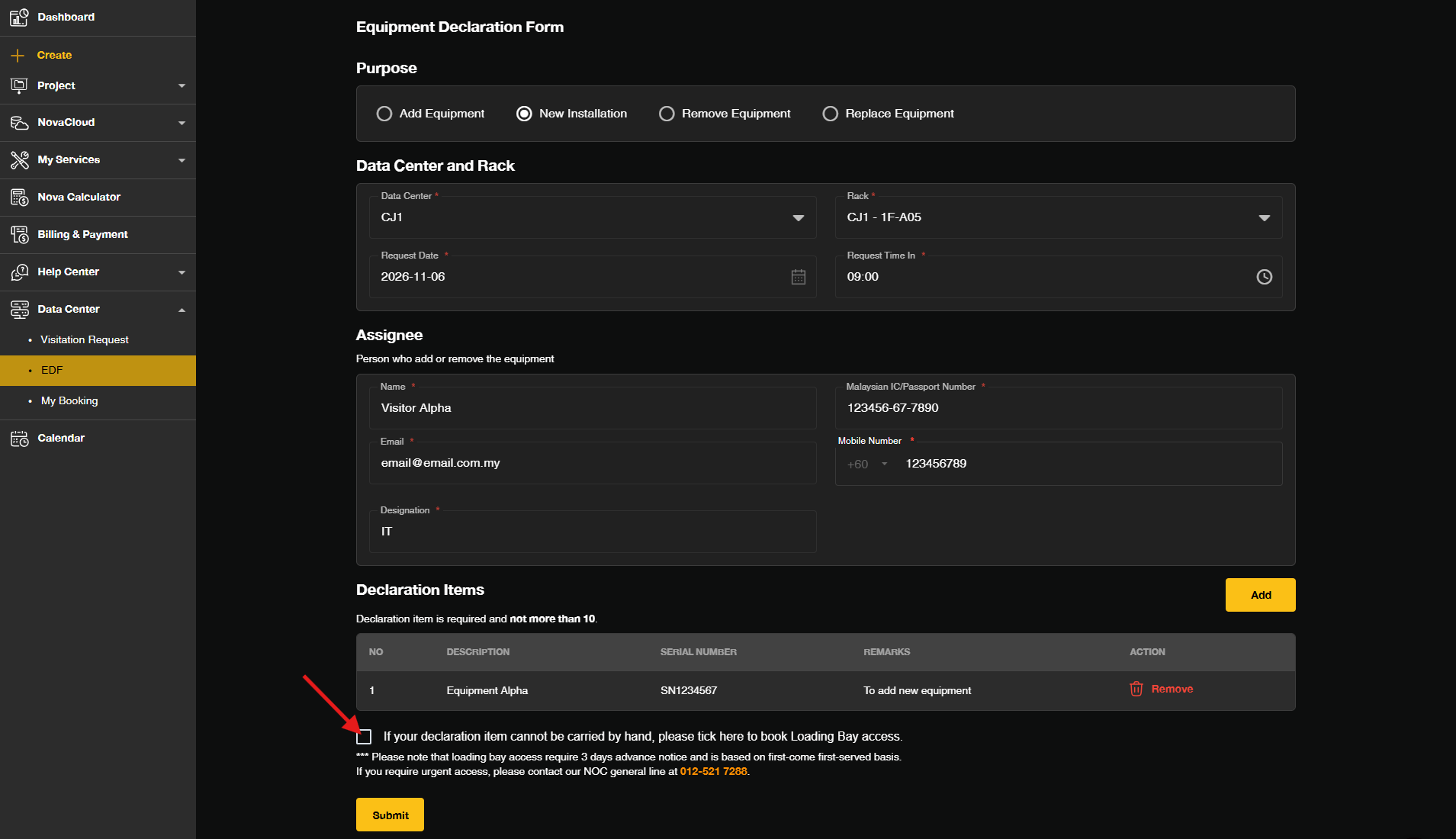
Step 6: Submit the Form
- Click Submit.
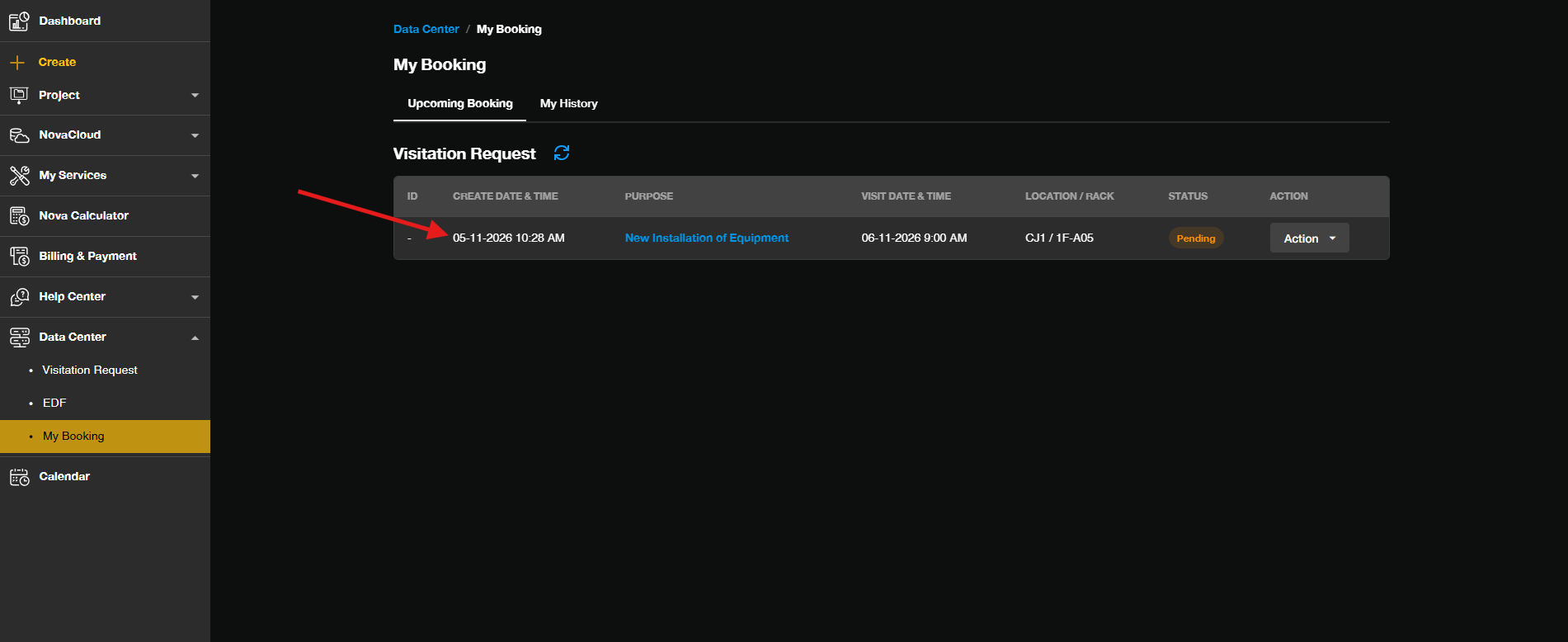
- Go to My Bookings to check the status of your visitation request.
Conclusion
By following this guidance, you can declare equipment for your Data Center Visitation Request through the Equipment Declaration Form in the Customer Portal. Always check that your request status is Approved under My Booking before heading to the data center, so that your equipment can be moved in or out without delays.
For additional assistance or if you encounter any issues, please contact our support team at support@ipserverone.com.
Article updated on 05 November 2026 by Johnny