
Search Our Database
How to view and update domain WHOIS information through Customer Portal
Introduction
WHOIS information is crucial for managing domain ownership and ensuring transparency in the online space. It includes details such as the domain owner’s name, contact information, and registration details. Keeping this information accurate is important for maintaining your domain’s legitimacy and accessibility. In this guide, we’ll walk you through the process of viewing and updating your domain’s WHOIS information through our customer portal. This process is essential when your contact details change, such as your email address, phone number, or mailing address. Updating this information ensures compliance with domain registration policies and helps protect your domain from potential disputes.
Step to view and update domain Whois information:
Step 1: Log in to the Customer Portal
Log in to the IP ServerOne Customer Portal.
Step 2: Go to Domain Services
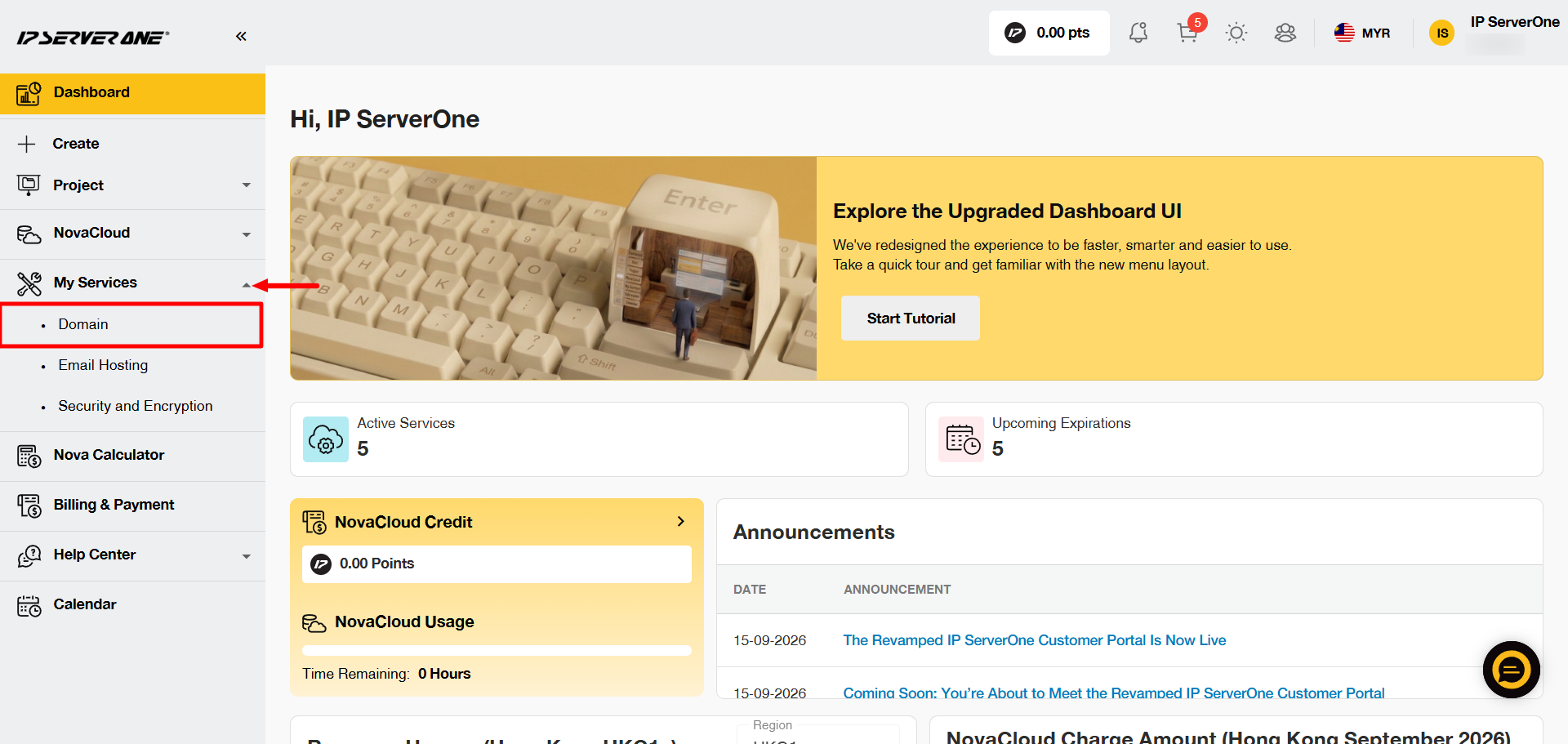
From the left-hand menu, go to My Services and select Domain.
Step 3: Select the Domain
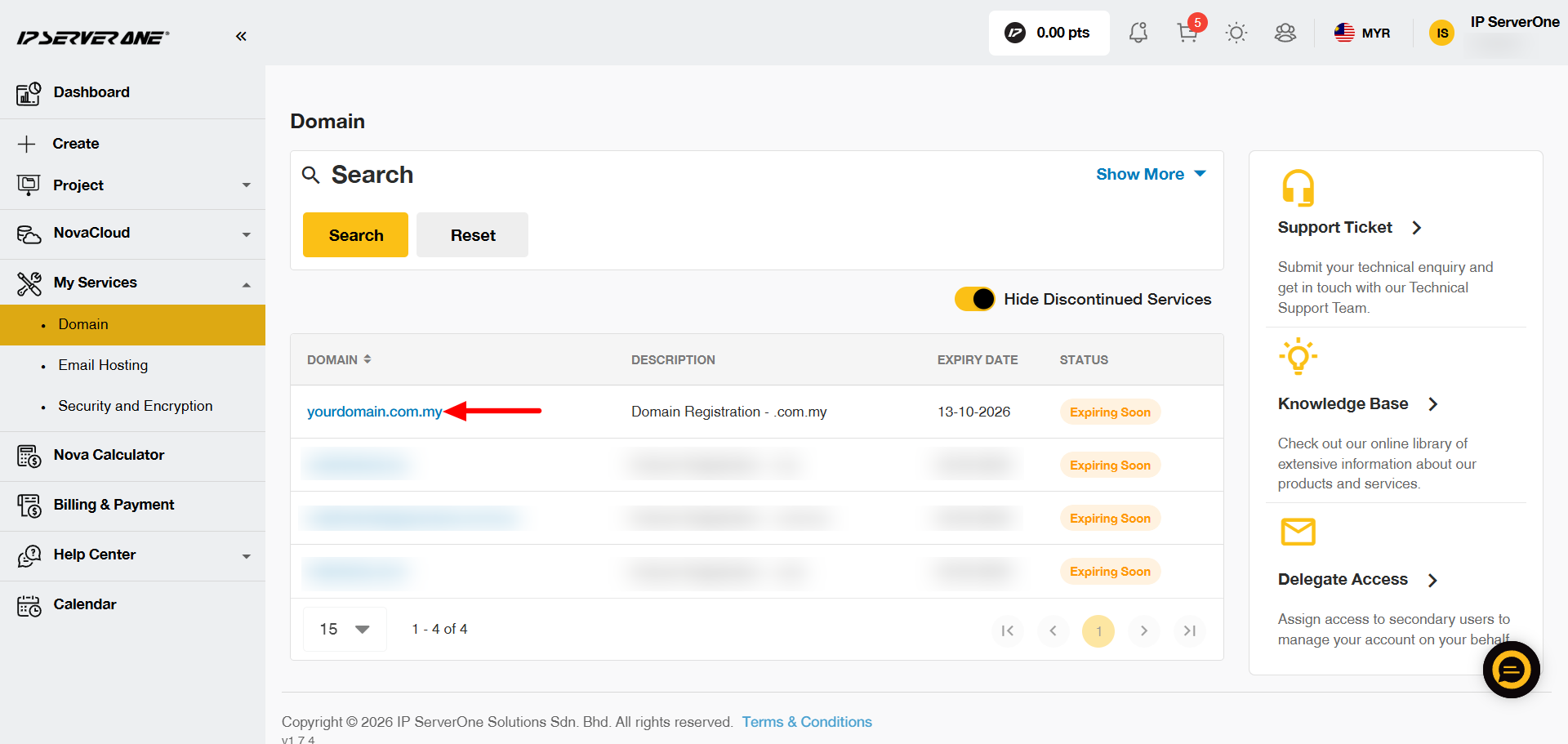
A list of your domains will appear. Click the domain that you want to view or update.
Step 4: Open Domain Management
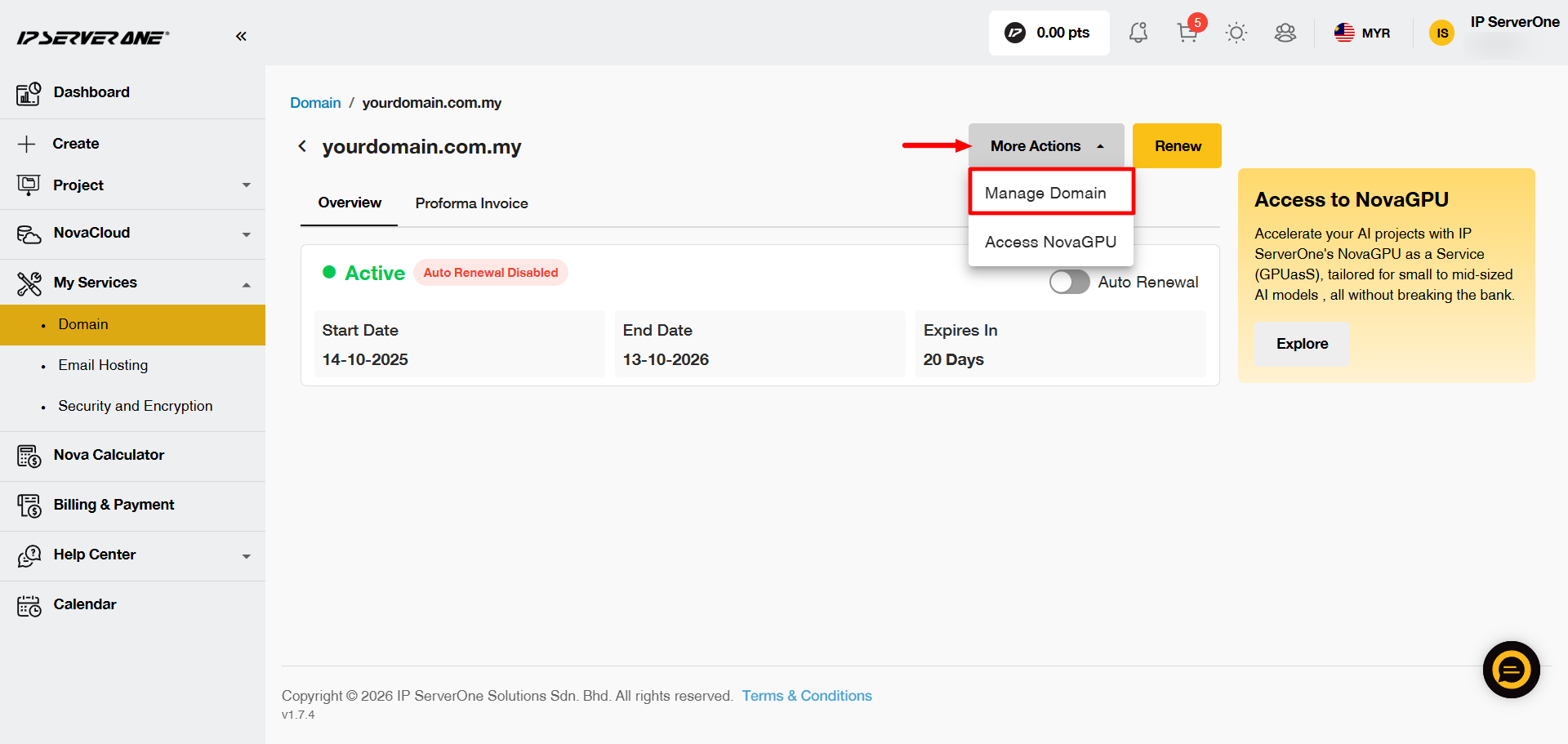
Click More Actions, then select Manage Domain.
Step 5: Select the WHOIS Information to Update
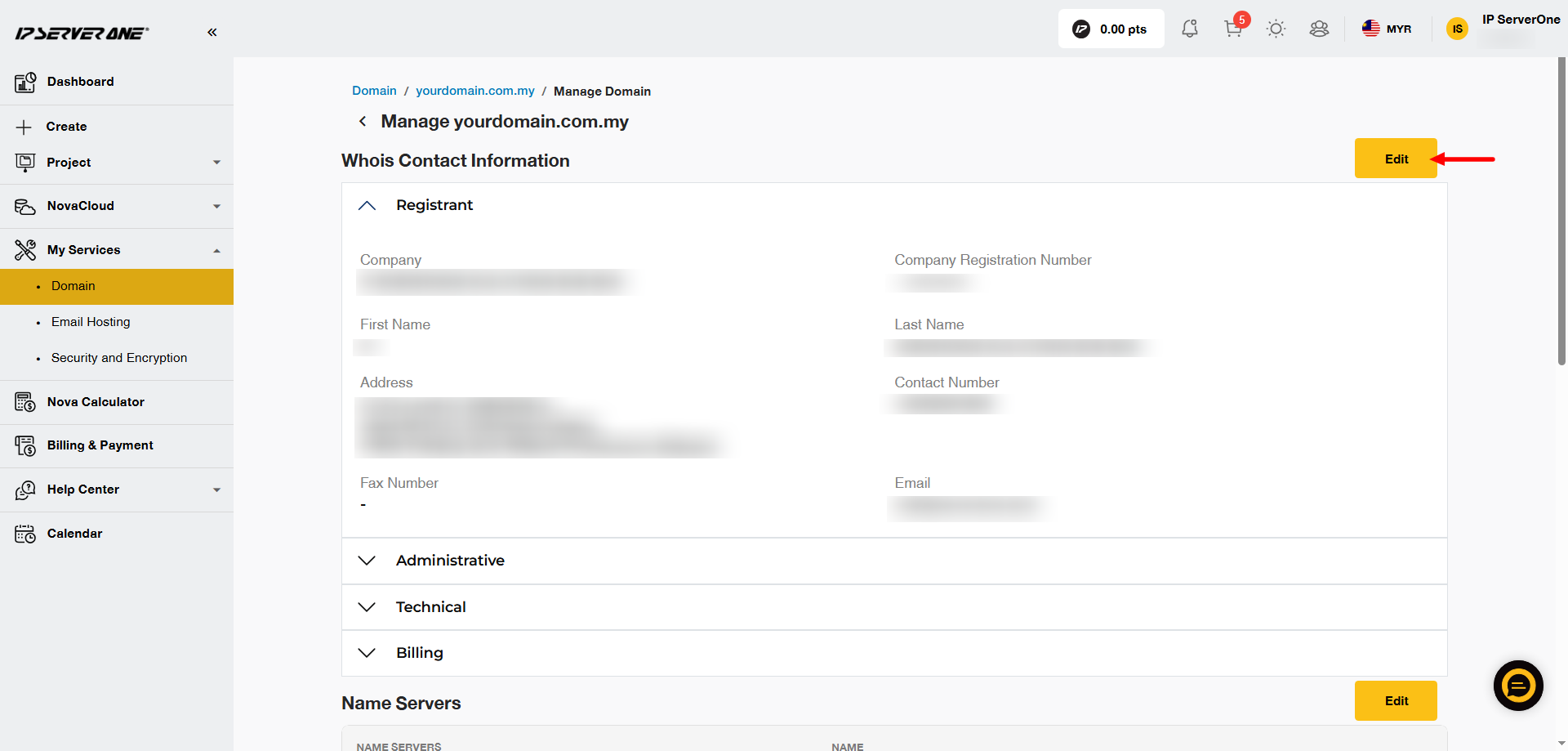
Choose the contact information that you want to update, then click Edit.
Step 6: Update the WHOIS Information
Make the required changes and ensure that all fields marked with an asterisk (*) are completed.
Once you have confirmed the information is correct, click Save to apply the changes.
If you want to use the same contact information for other sections, such as Administrative, Billing or Technical, use the Copy to option.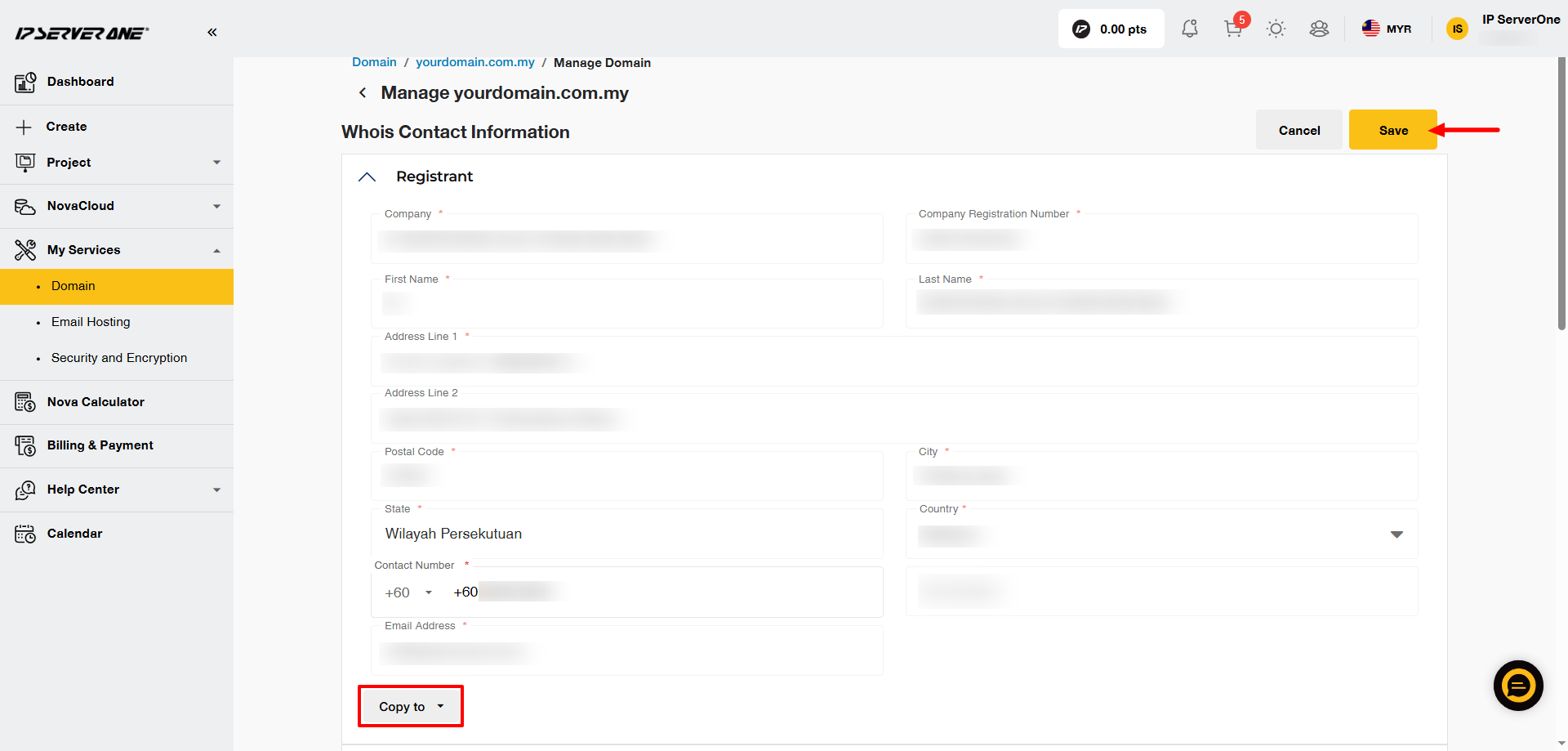
Conclusion
By following these simple steps, you can efficiently manage and update your domain’s WHOIS information to ensure it remains accurate and up-to-date. Maintaining correct WHOIS details is crucial for domain ownership and compliance.
Edited by Nurul, 27 September 2026.