
Search Our Database
How to Perform System Update in pfSense
Introduction
pfSense system updates are essential maintenance tasks that every network administrator or firewall user should perform to keep their security appliance stable, protected, and equipped with the newest features. As cyber threats evolve and software enhancements become available, updating your pfSense software ensures known vulnerabilities are patched and network traffic remains safe. These updates can be applied directly via the pfSense web interface or the console menu during scheduled maintenance windows. This guide walks you through the step-by-step process to safely update your pfSense system to the latest release.
Prerequisite
- Access to the pfSense WebGUI with administrator privileges.
- An active and stable Internet connection configured on the pfSense firewall.
- A verified backup of the current pfSense system configuration.
Step-by-step Guide
Step 1: Access the Update Menu
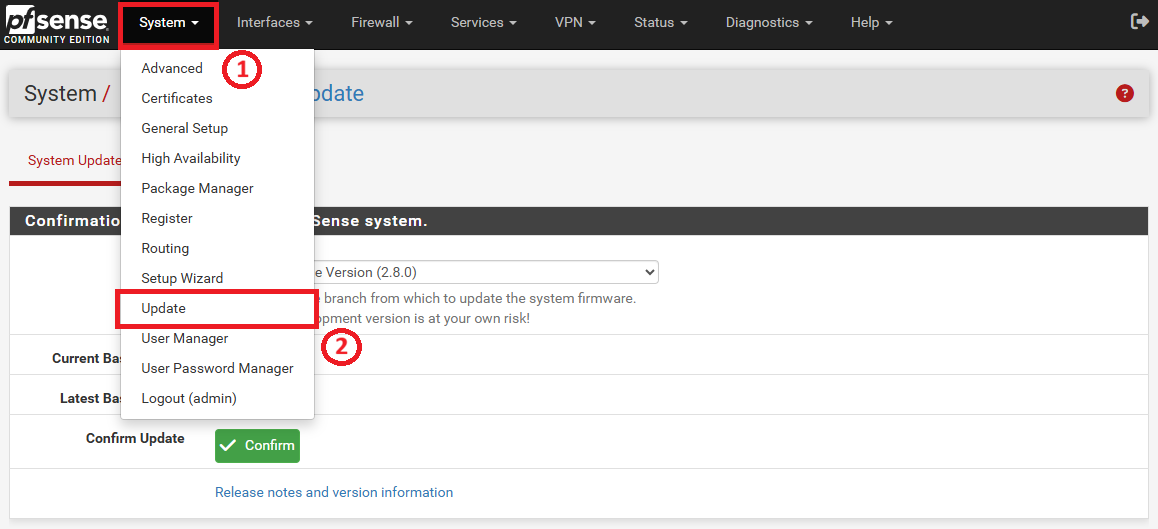
Click on the System tab in the top navigation menu and select Update from the dropdown list.
Step 2: Confirm the Firmware Version
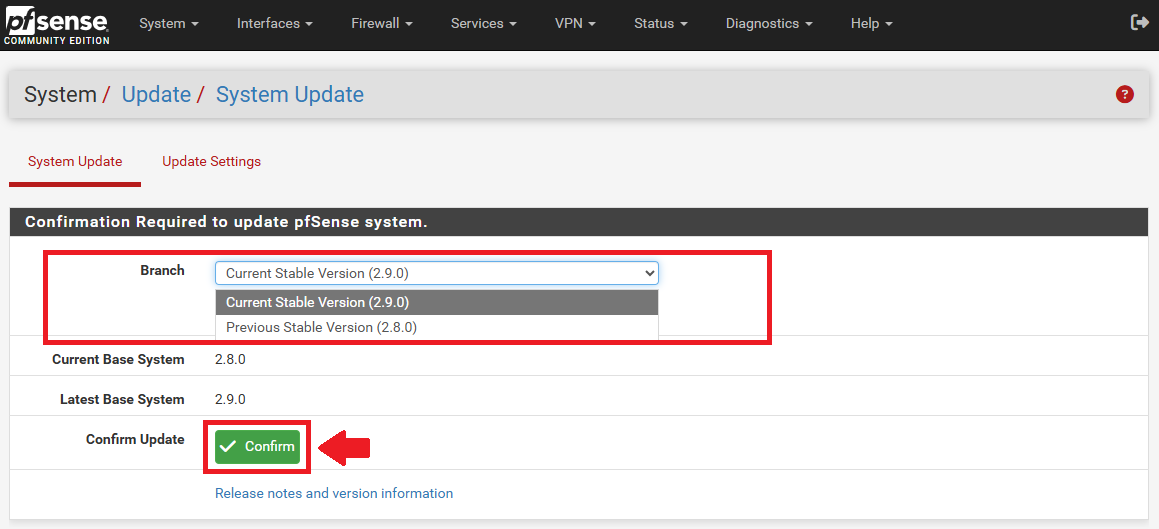
On the System Update screen, choose the appropriate firmware from the Branch dropdown menu and click the green Confirm button to begin.
Step 3: Wait for Package Installation
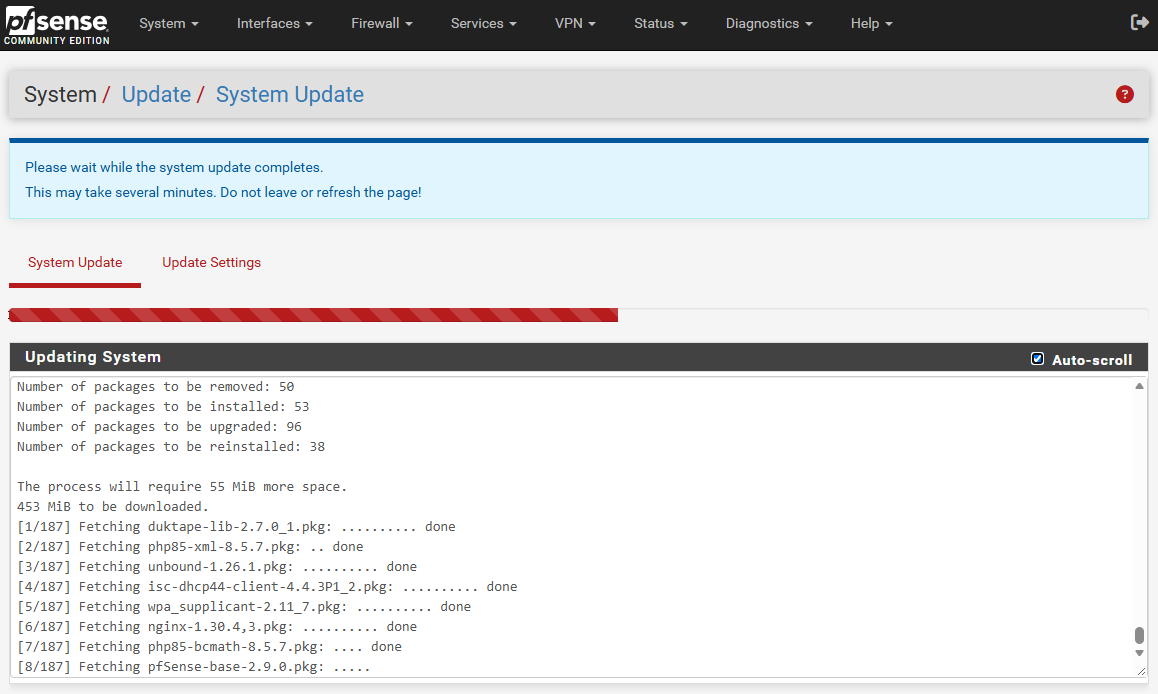
Wait for the system to fetch, upgrade, and install the required packages. Do not leave or refresh the page while this process completes.
Step 4: Allow the System to Reboot
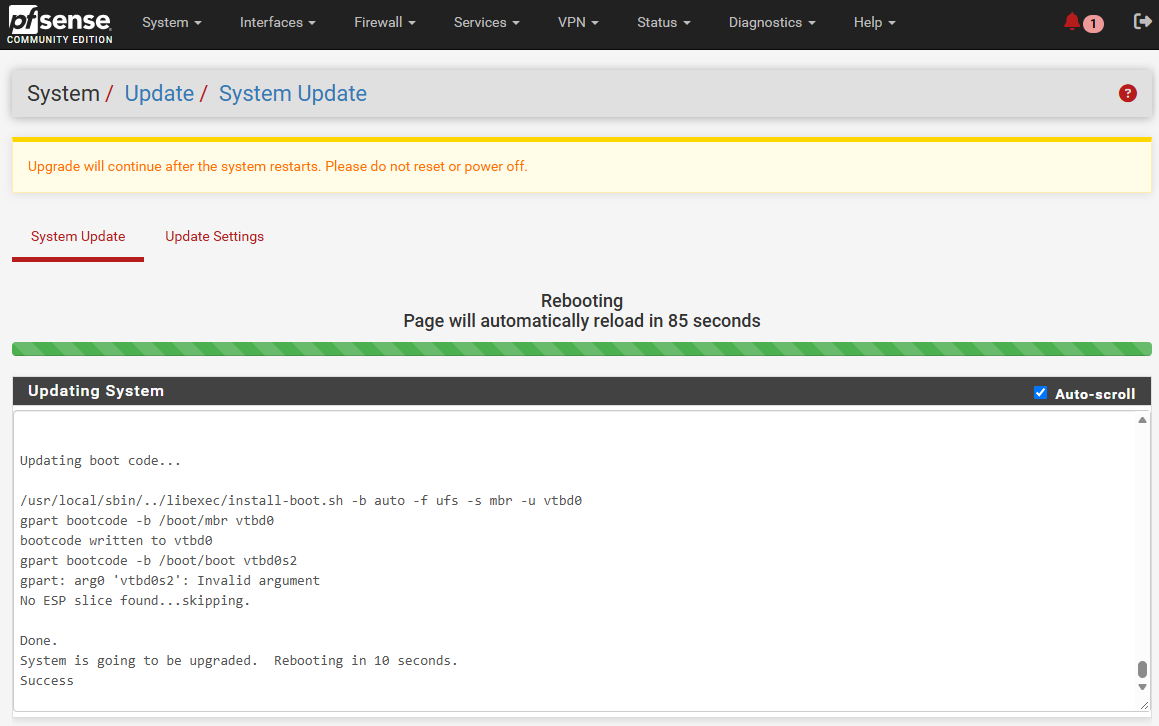
Allow the system to automatically restart to apply the upgrade. A reboot countdown and progress bar will be displayed.
Step 5: Verify the Update
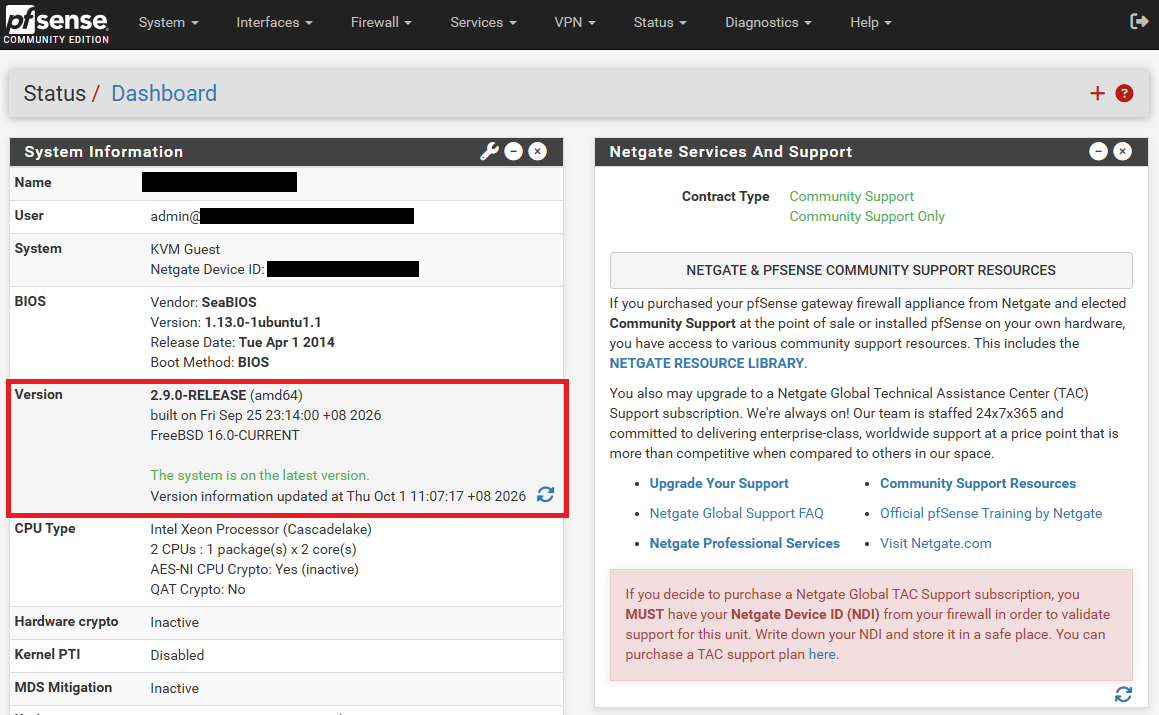
After the page automatically reloads, check the System Information widget on the Status > Dashboard to verify the new version number is applied and the text confirms “The system is on the latest version.”
Conclusion
By following this guidance, you can successfully update your pfSense firewall to the latest version, ensuring your network environment remains secure, stable, and equipped with the latest enhancements.
For additional assistance or if you encounter any issues, please contact our support team at support@ipserverone.com.