
Search Our Database
How to configure domain user disk quota alert in cPanel
Introduction
If you are managing a web server, staying informed about storage consumption is crucial. This guide explains how to enable disk quota alerts in cPanel, allowing administrators to get notifications before automated restrictions disrupt active domain users.
Prerequisite
- Access to WHM with root privileges
- Basic knowledge of navigating the WHM interface
Step-by-step guide
Step 1: Navigate to Tweak Settings
-
Login to your cPanel control panel with root privileges.
The URL to your cPanel typically will be like <domain>:2087 or <server IP>:2087. -
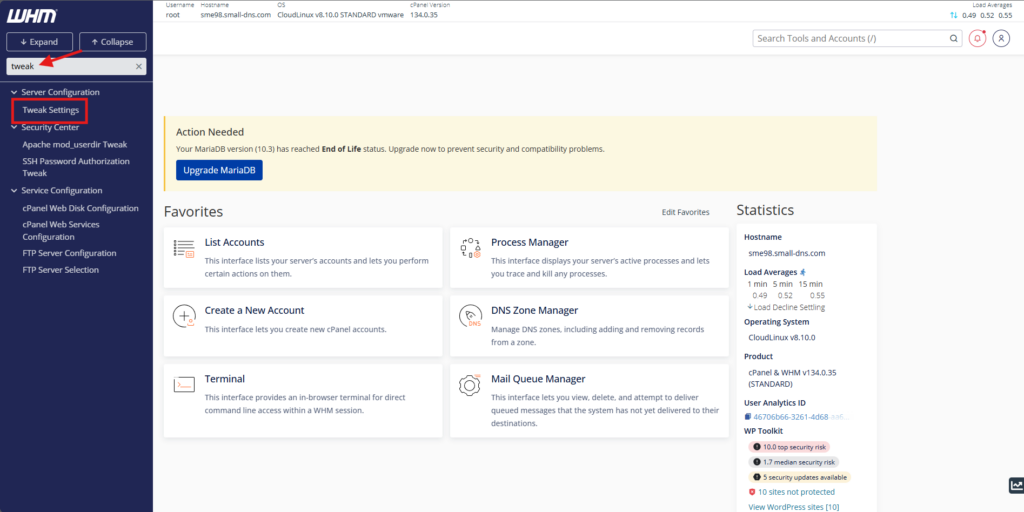
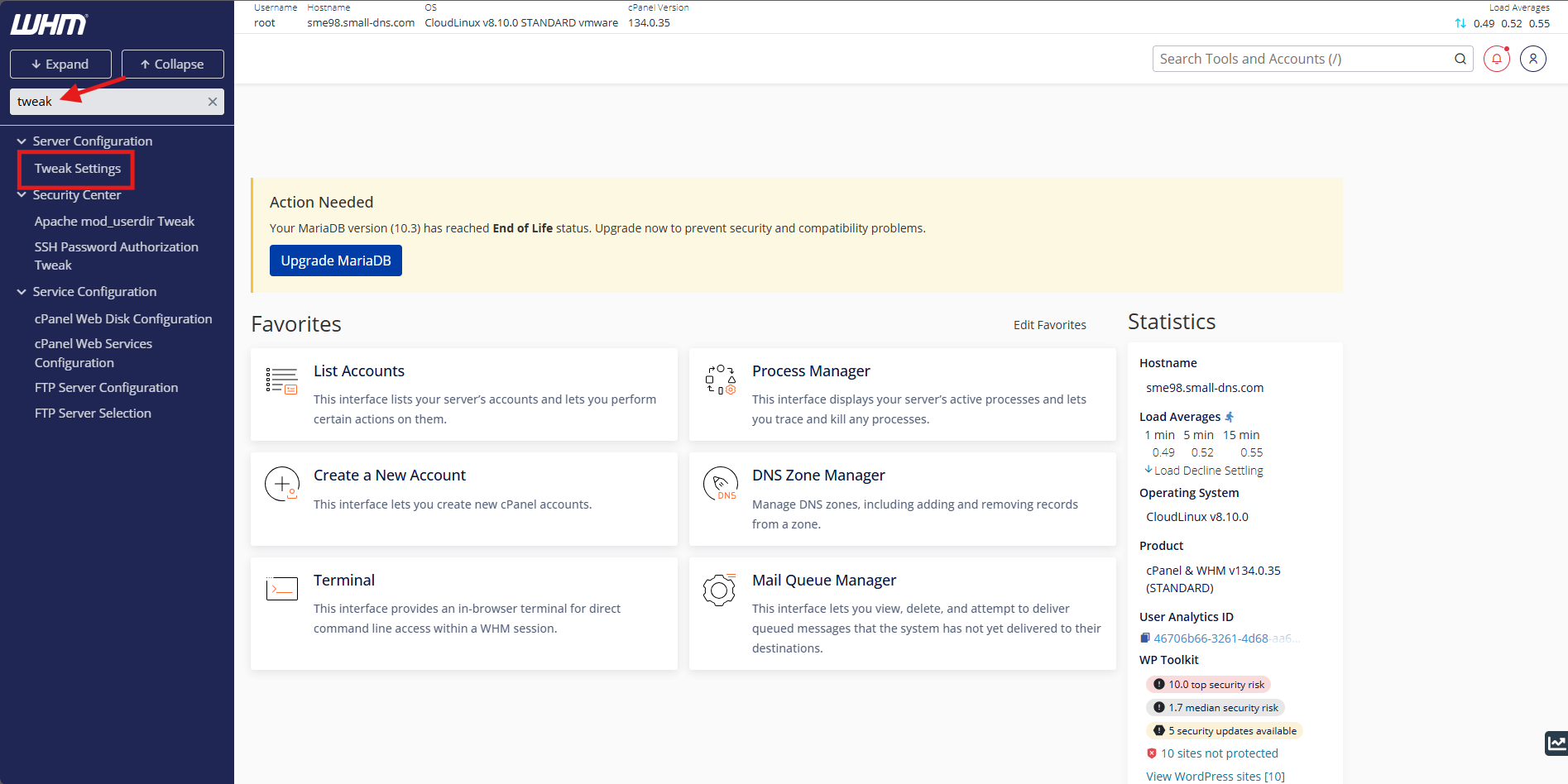
Use the top-left search bar to search for Tweak Settings
-
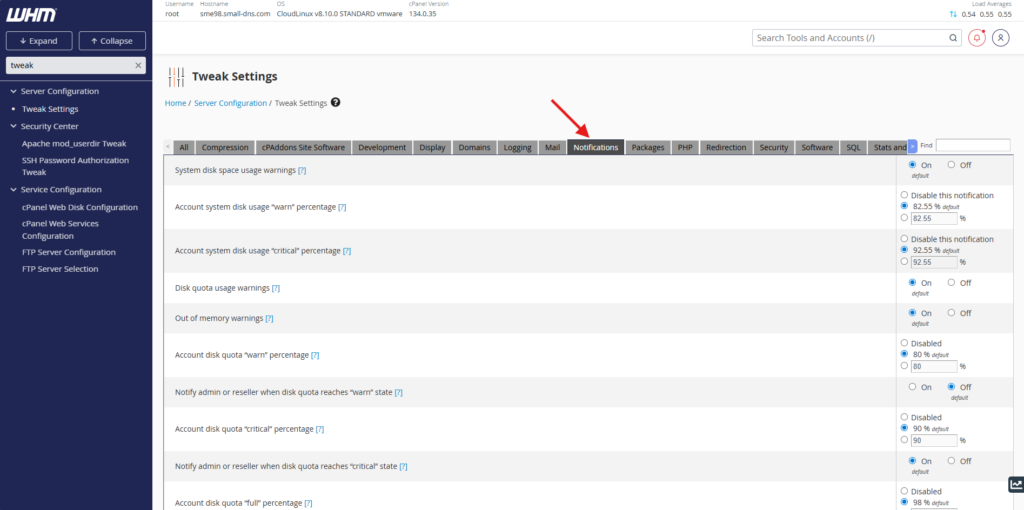
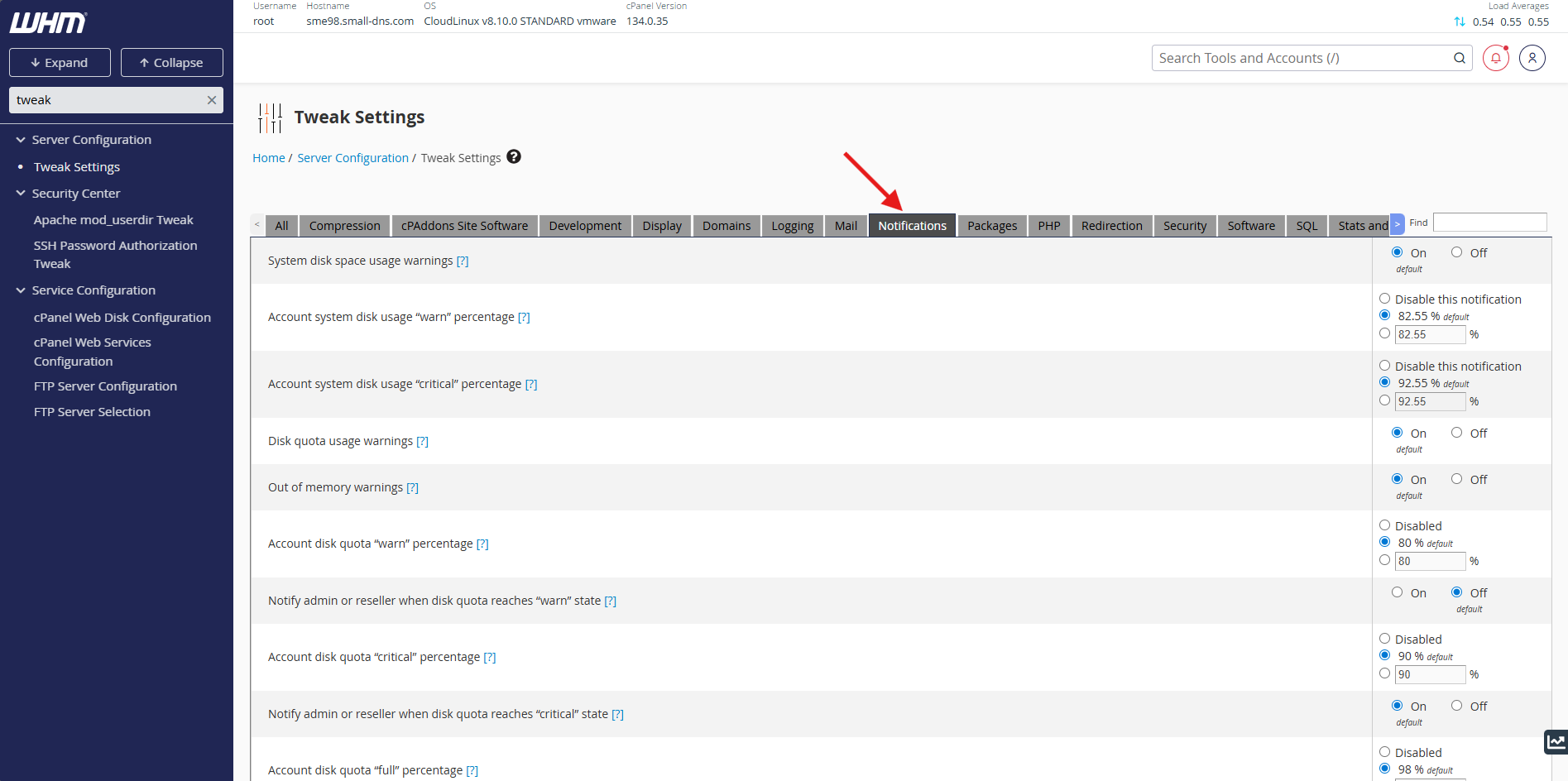
Select the Notifications tab from the top menu bar
Step 2: Configure notification thresholds
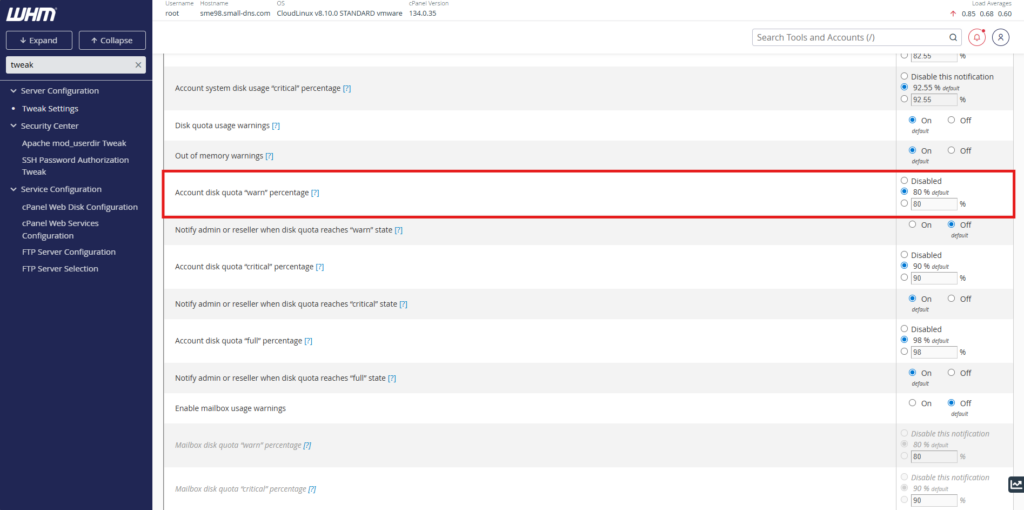
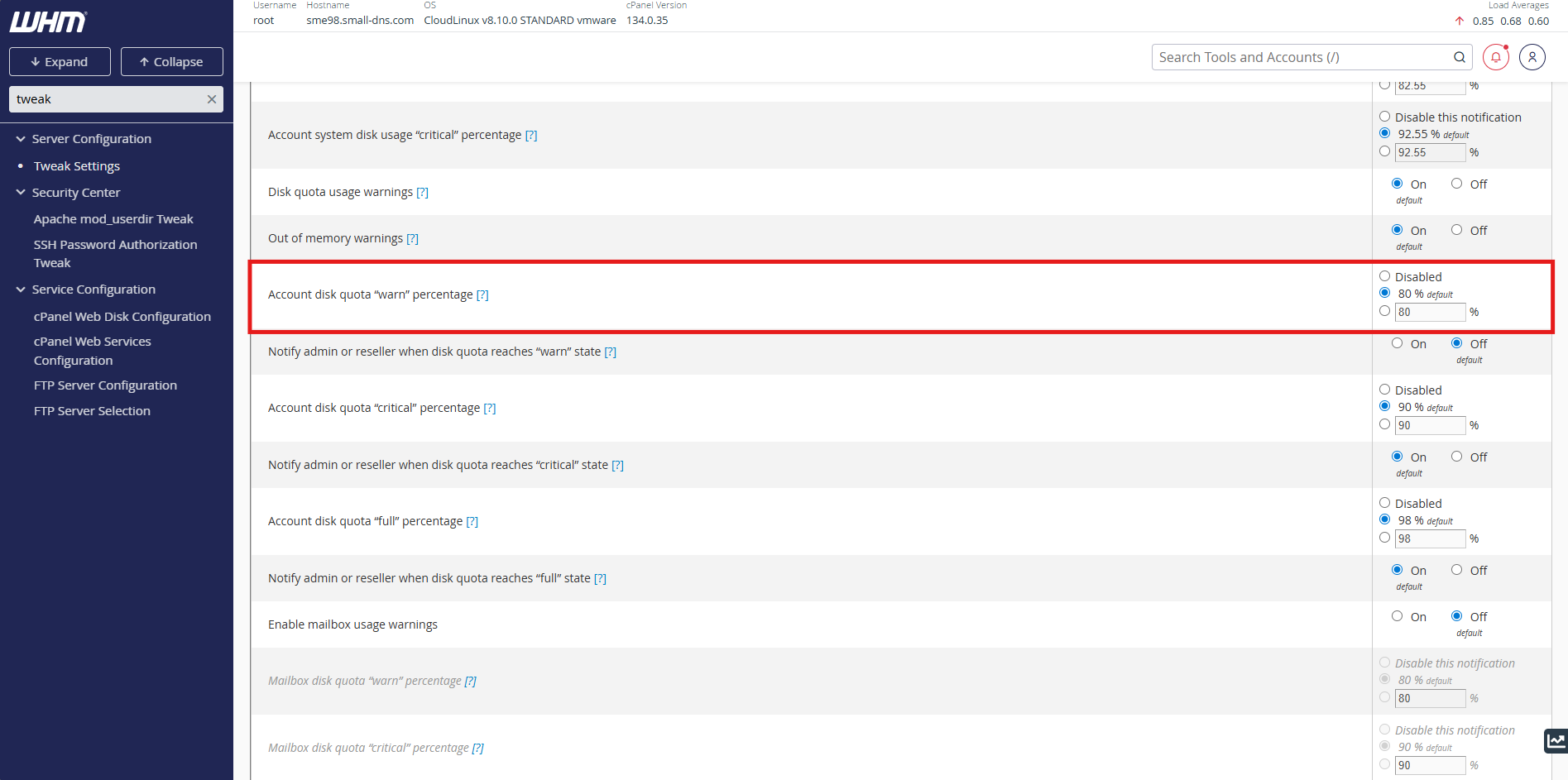
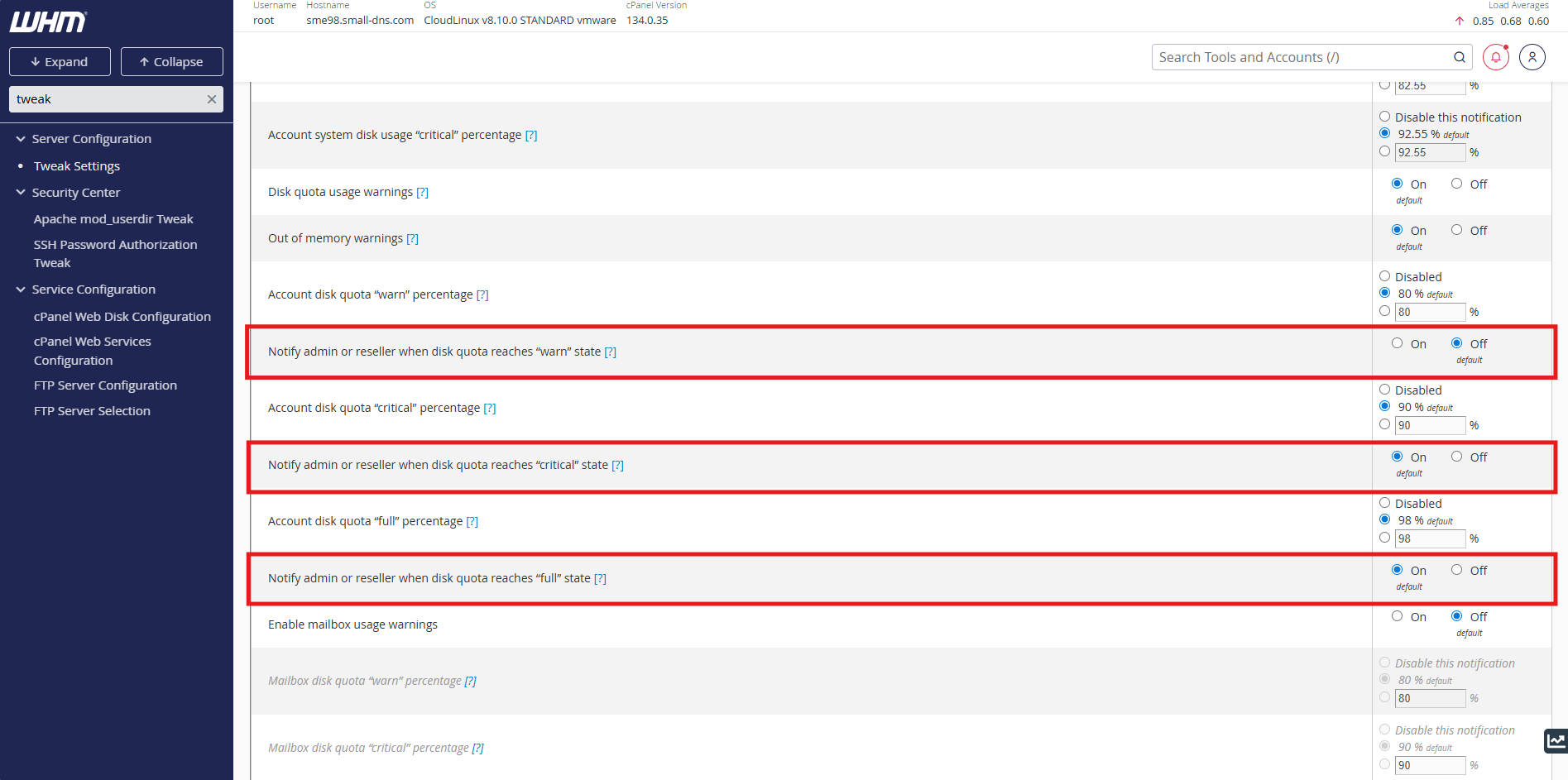
- Adjust the Account disk quota “warn” percentage text box to your preferred threshold value
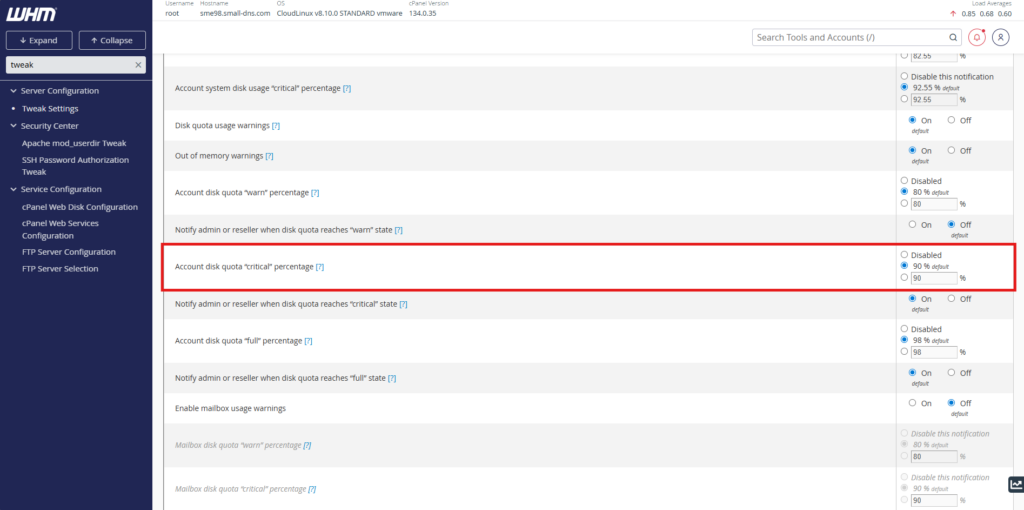
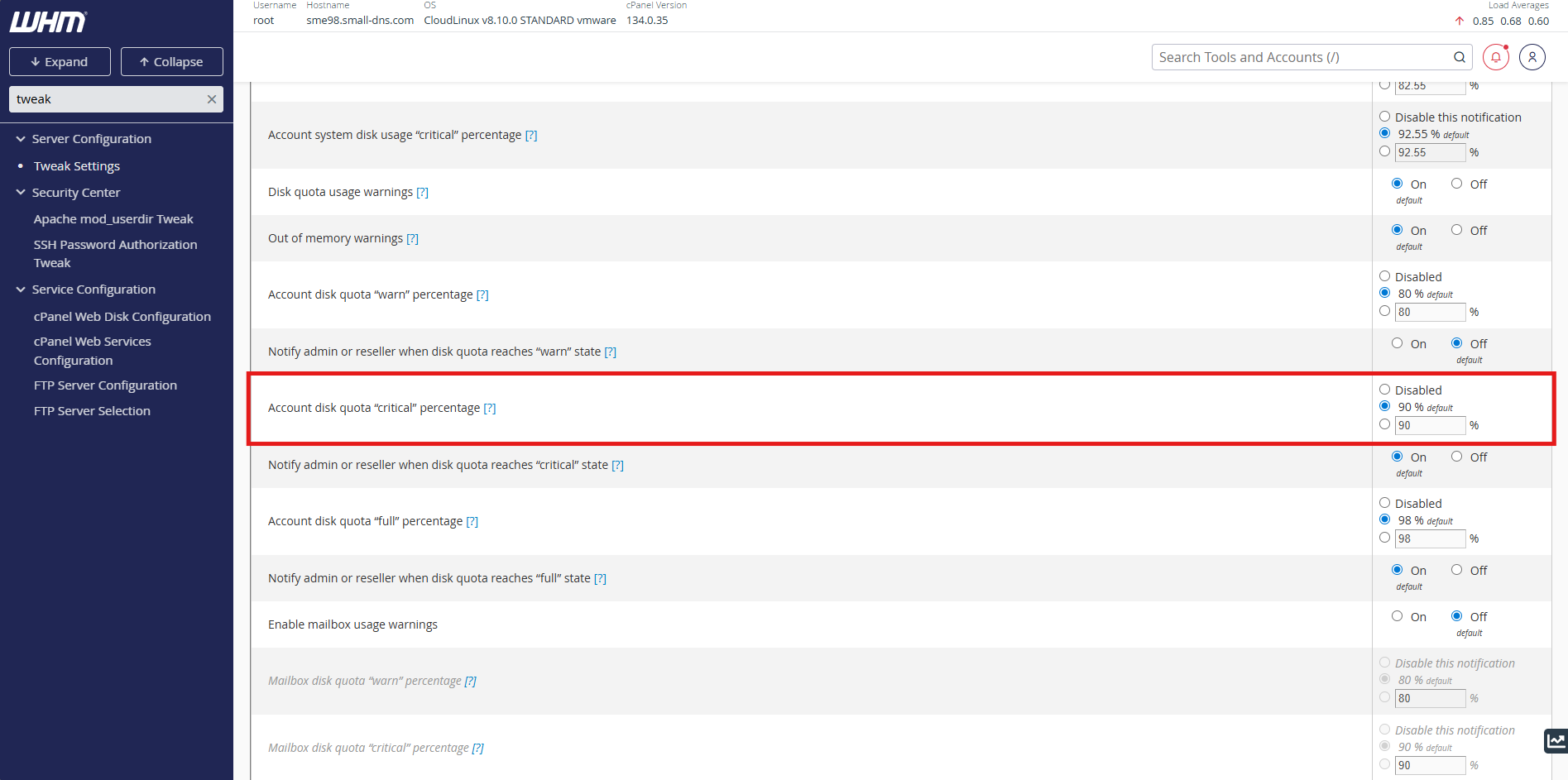
- Adjust the Account disk quota “critical” percentage text box to your preferred threshold value
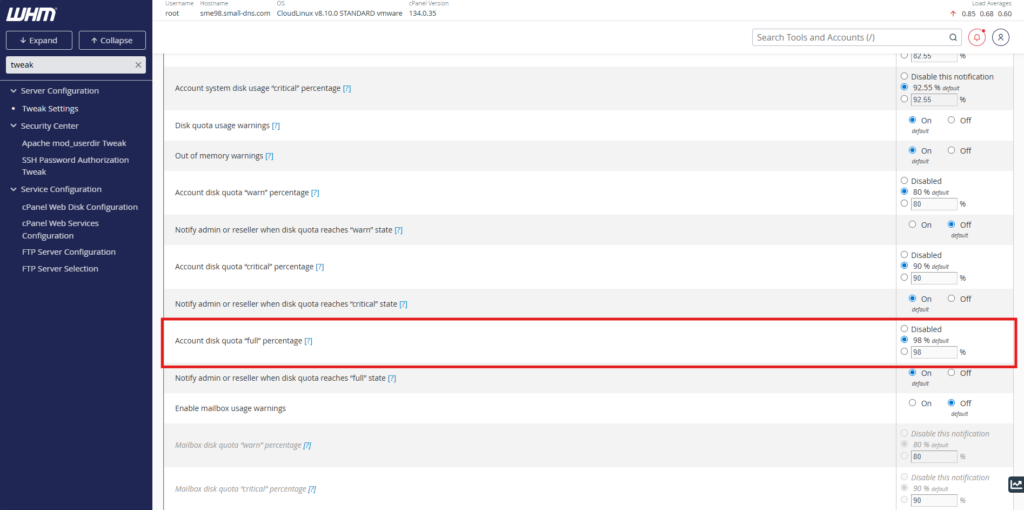
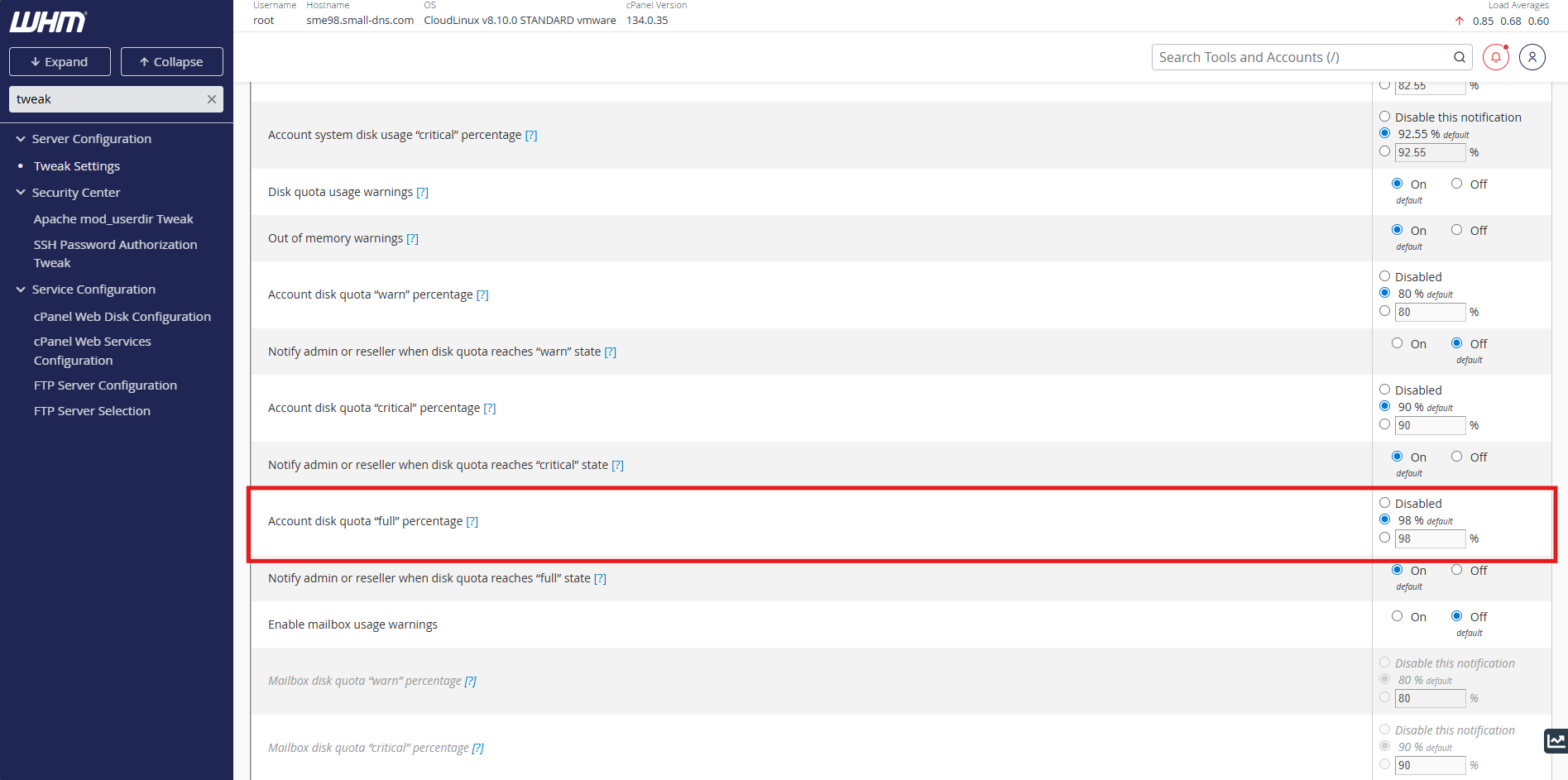
- Adjust the Account disk quota “full” percentage text box to your preferred threshold value
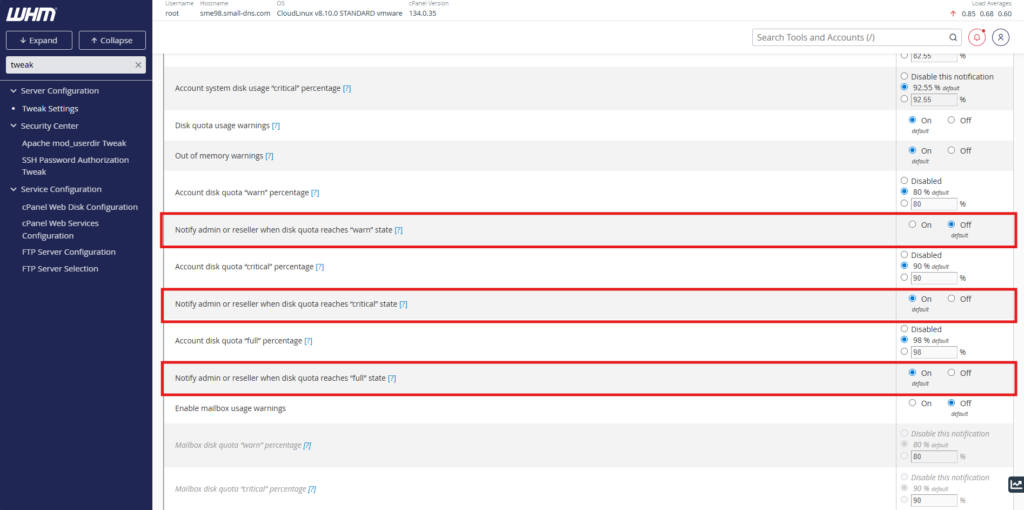
- There is an optional setting which allow the Admin or Reseller also receiving the warning
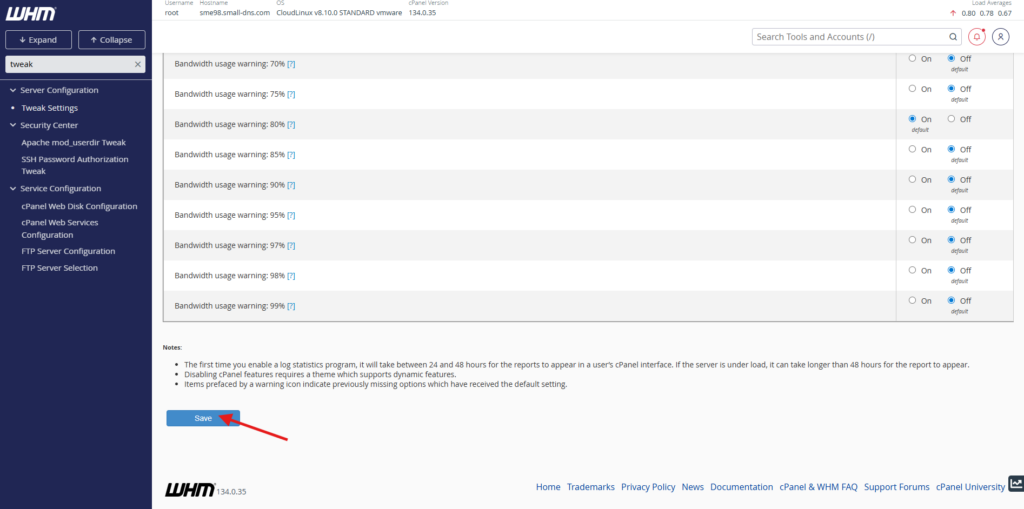
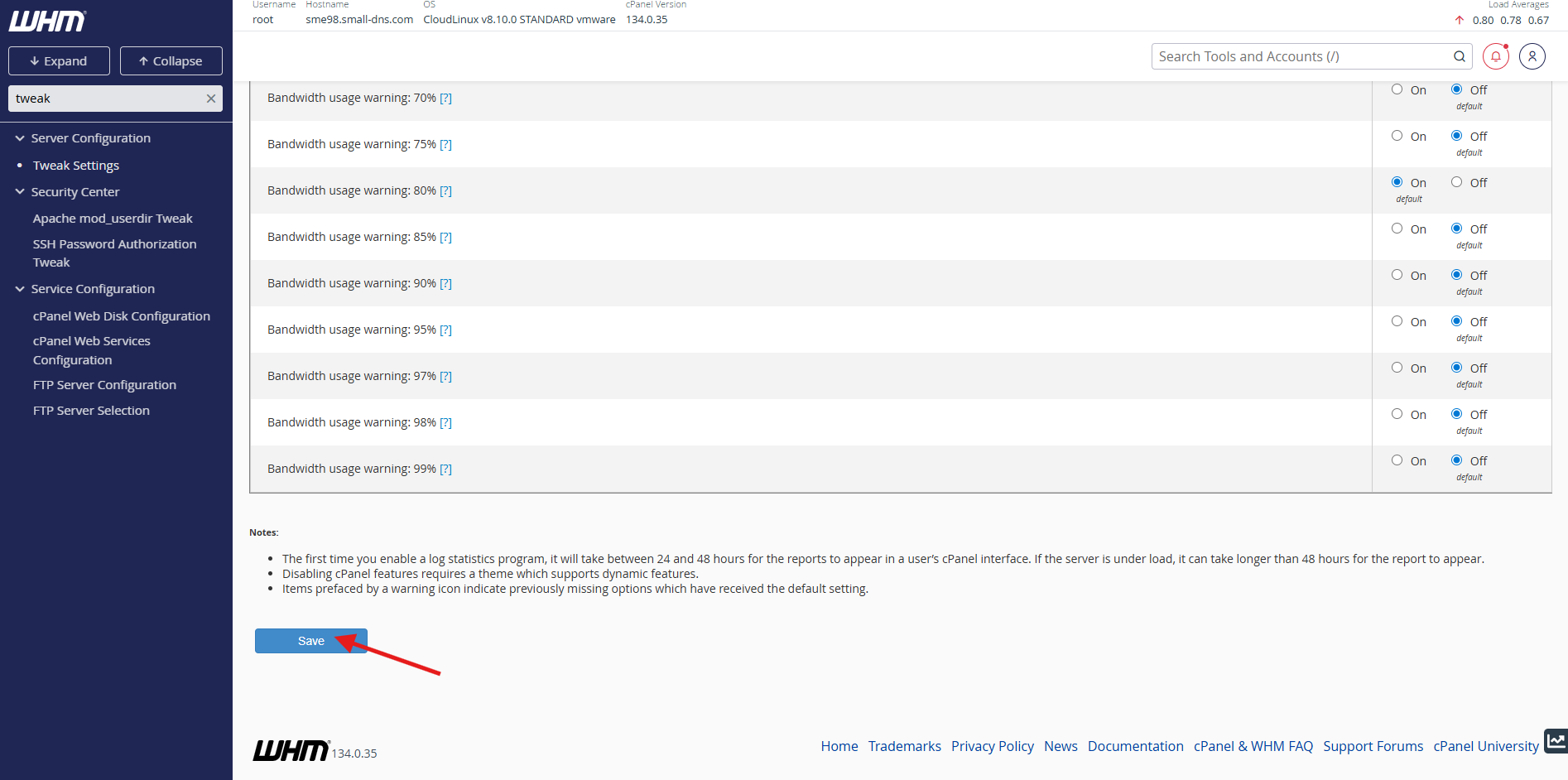
- Click the Save button at the bottom of the page to apply the changes
Step 3: Manage notification contacts
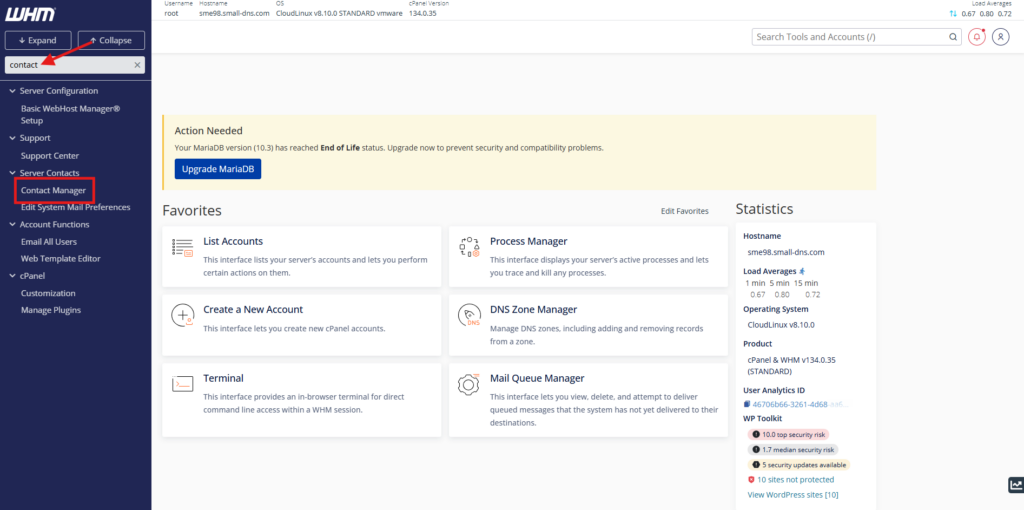
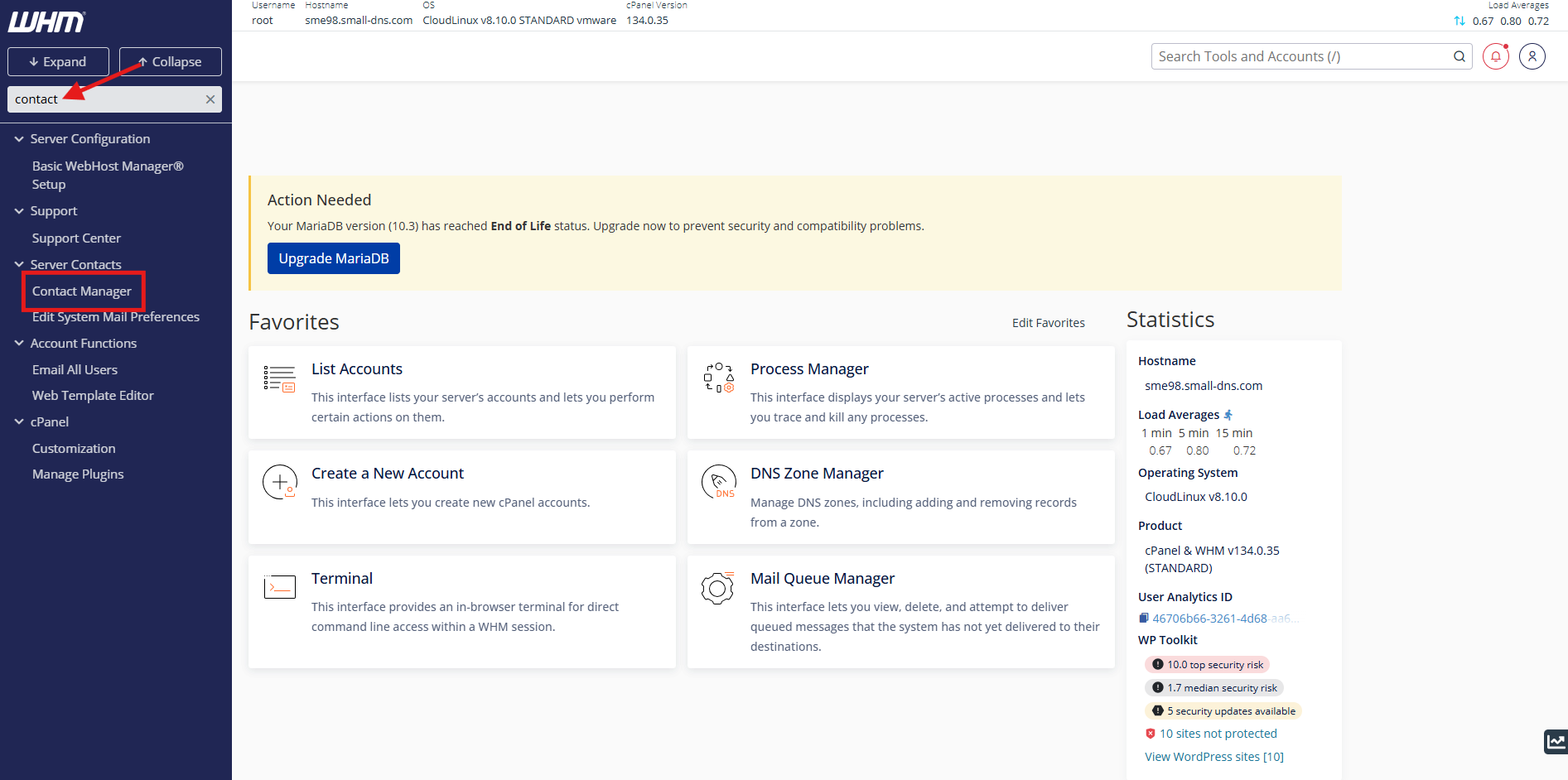
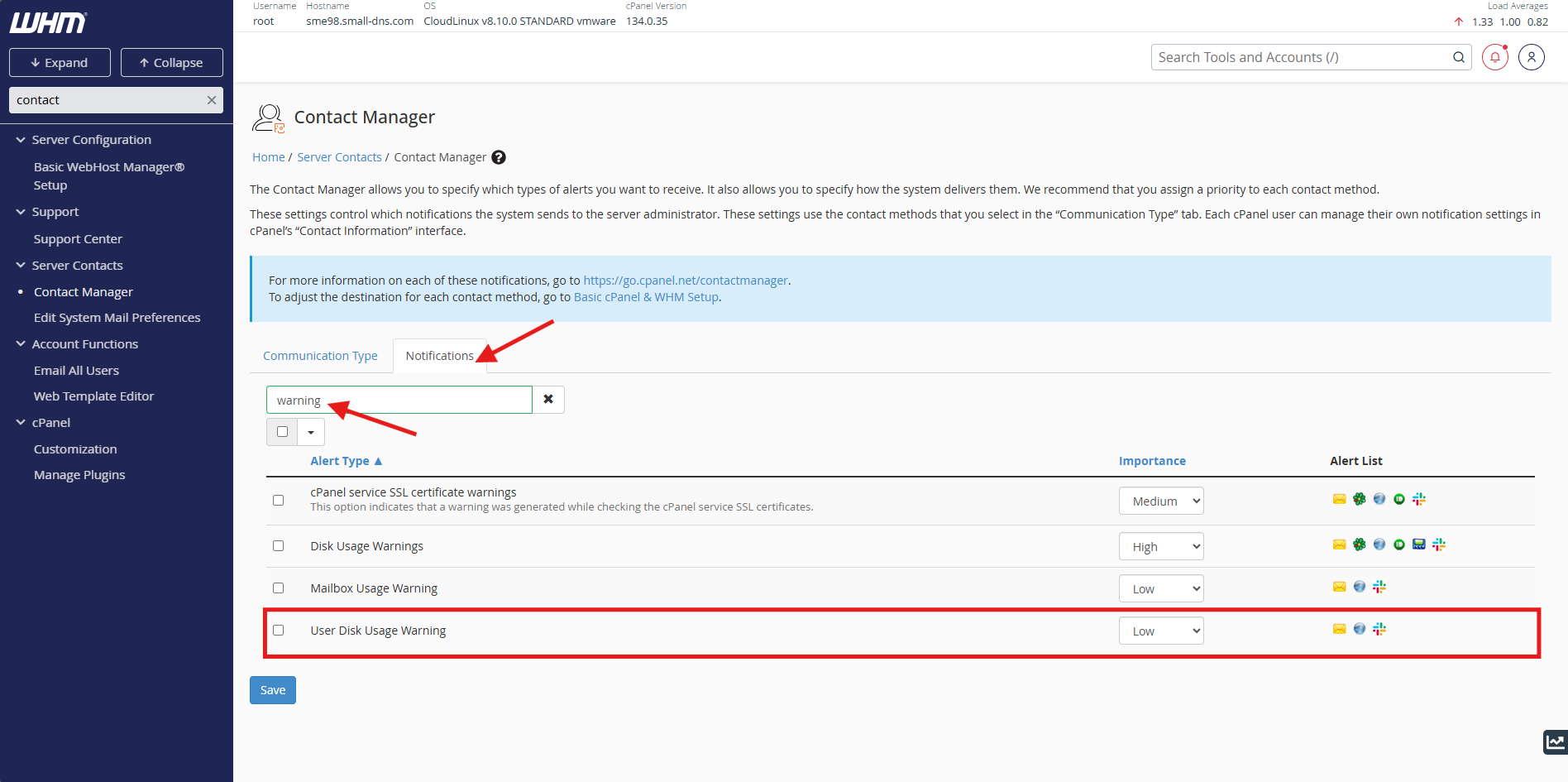
- Navigate to the Contact Manager in cPanel.
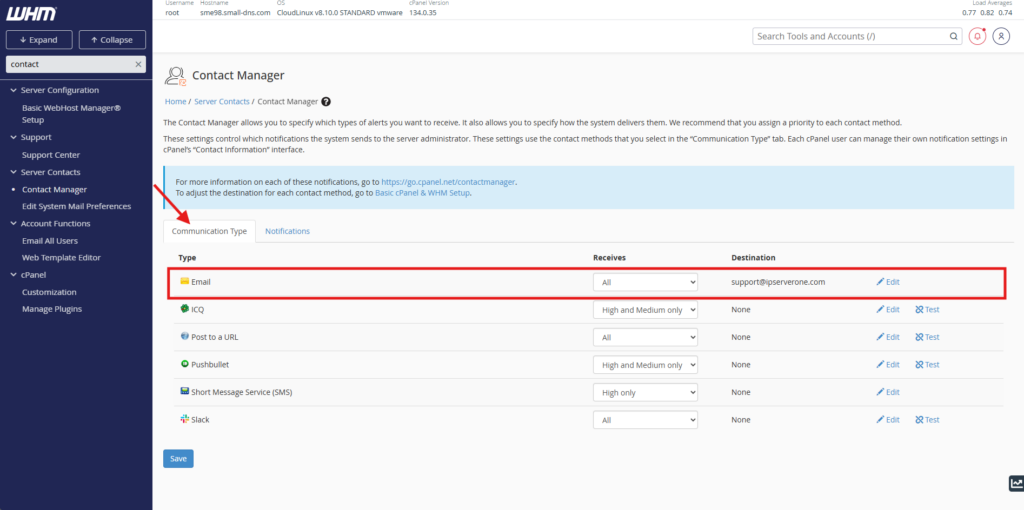
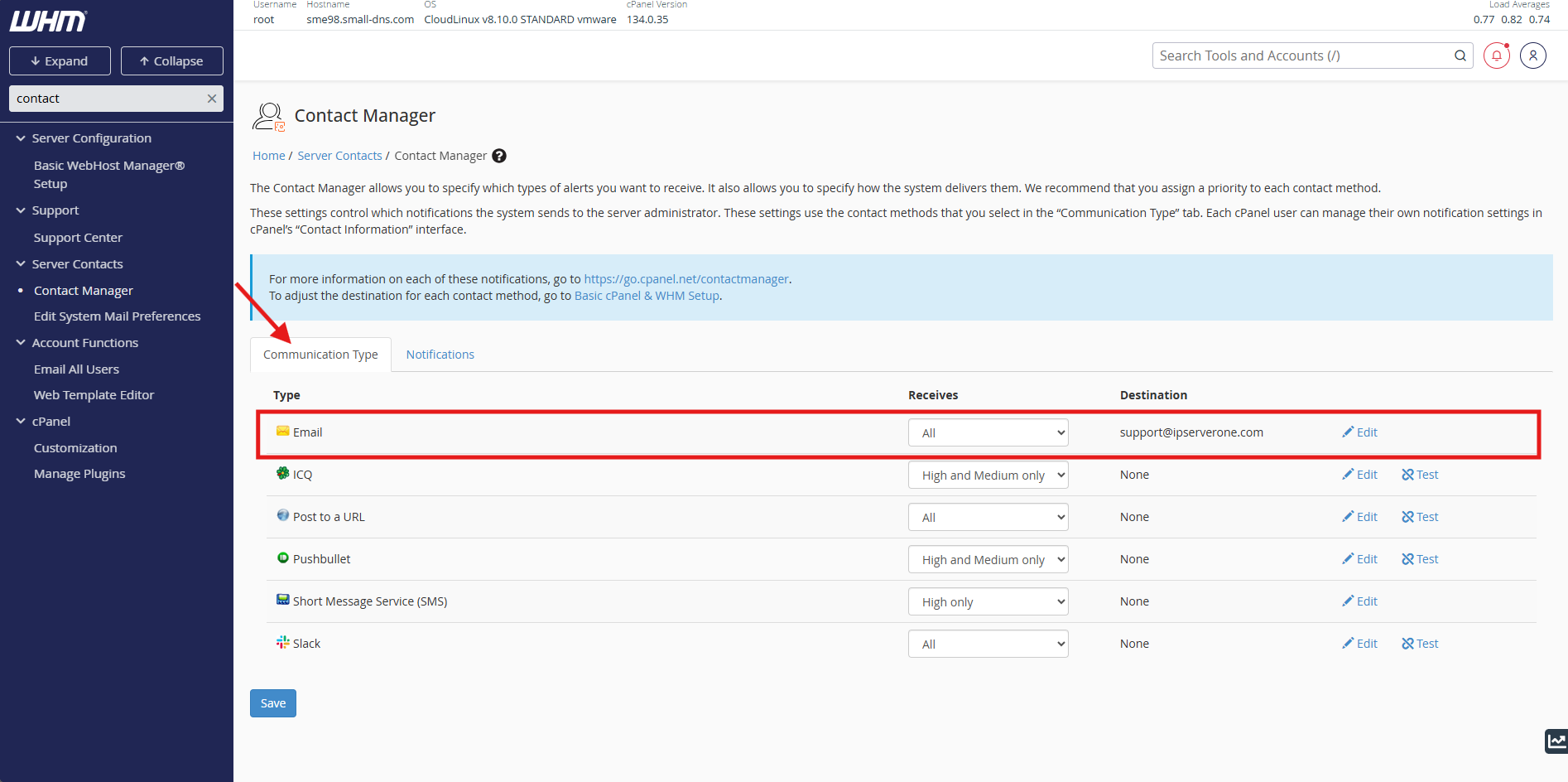
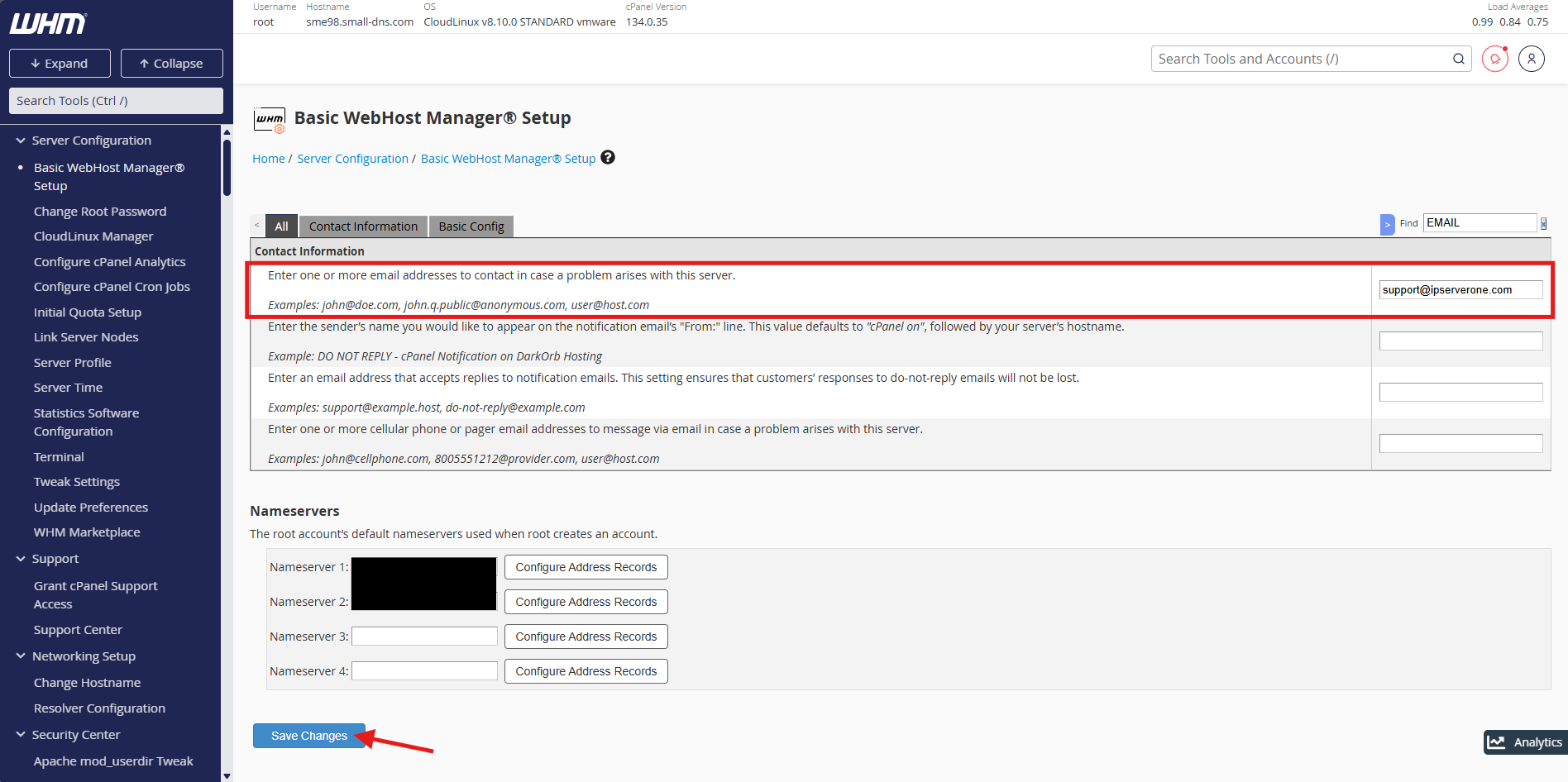
- On the Communication Type. Locate the Email and edit the email address you wish to receive the alert. **Take note that this will navigate to another page.
- In Contact Information, enter the email address(s) and click Save Changes to apply the changes.
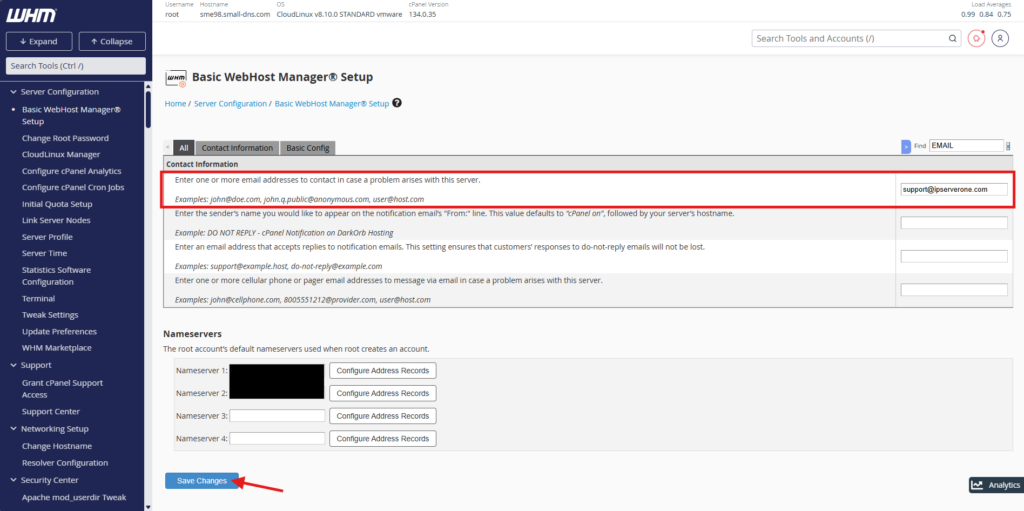
- In Contact Information, enter the email address(s) and click Save Changes to apply the changes.
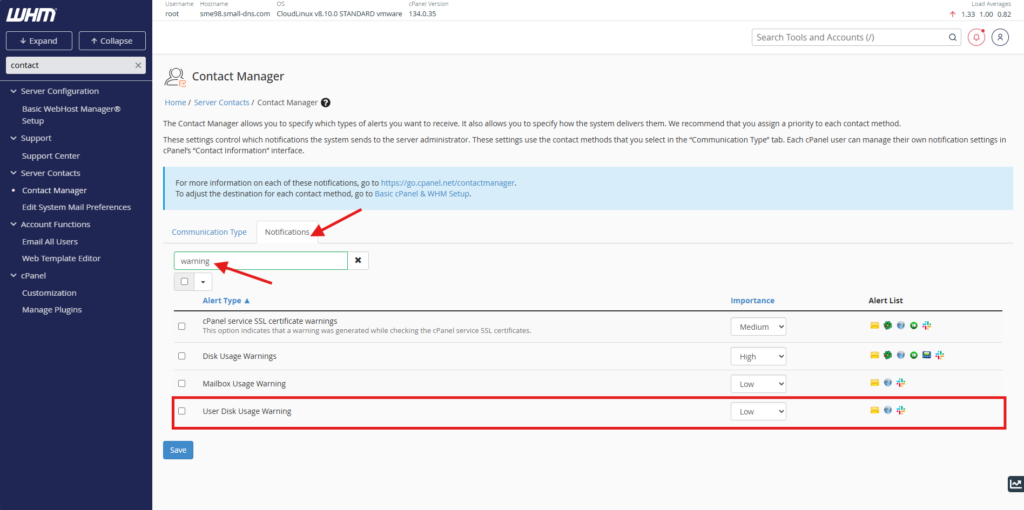
- On the Notifications. Locate the Disk Usage Warnings row and adjust the priority of the alert.
Conclusion
By following this guidance, you can proactively monitor storage limitations and automate critical notification warnings for your hosting environment.
For additional assistance or if you encounter any issues, please contact our support team at support@ipserverone.com.