
Search Our Database
How to renew your services through the Customer Portal?
Introduction
Keeping your services active is essential for smooth operations, and renewing them through our Customer Portal is quick and straightforward. Whether your services are approaching expiration or have already expired, you can easily manage the renewal process online. A secondary user with billing permissions can also assist with the renewal if needed.
Note: This renewal method applies only to services that are still active or have expired within the past 30 days.
Steps on how to renew:
1. Log in to the IP Server One Customer Portal.
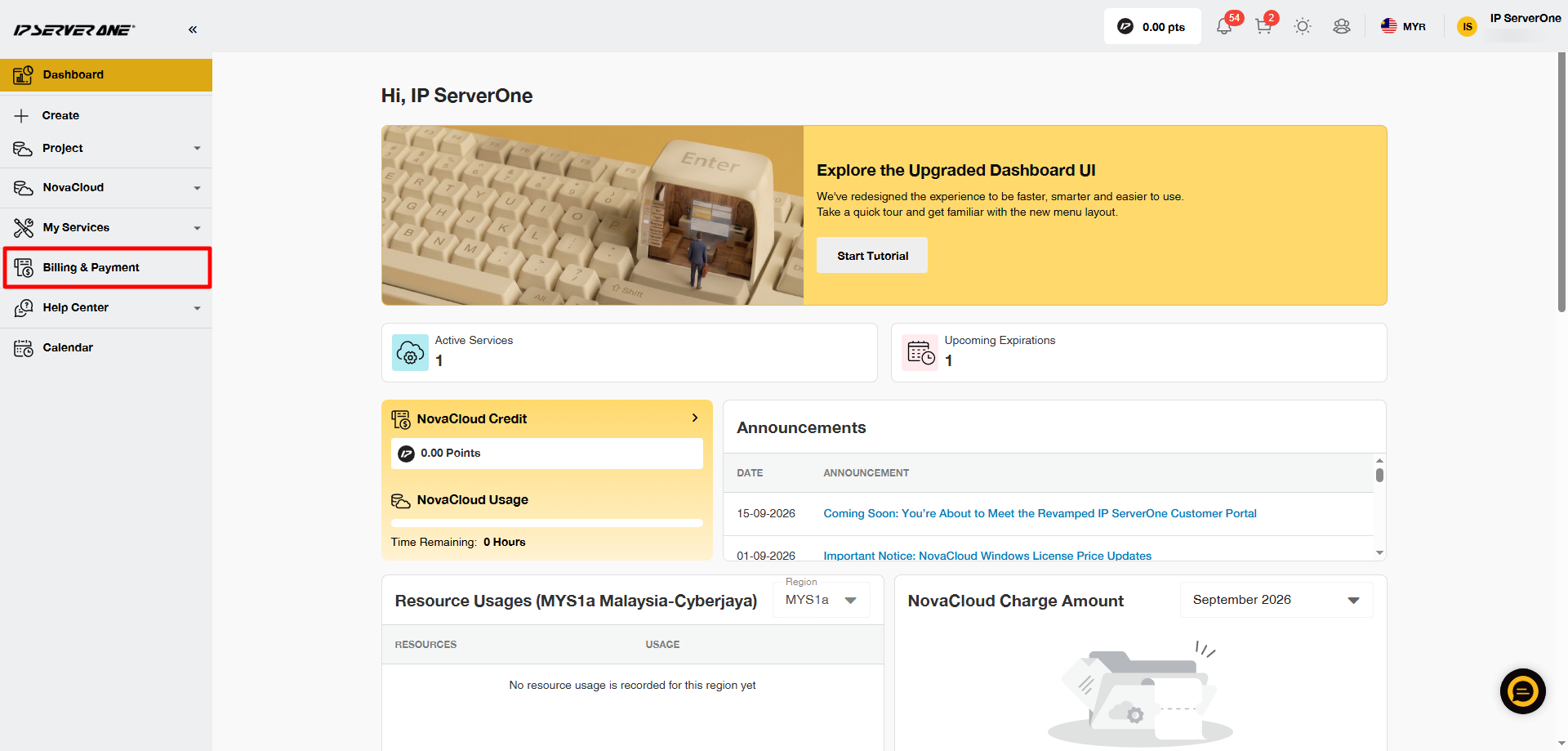
2. Navigate to the Billing and Payment panel on the left side.
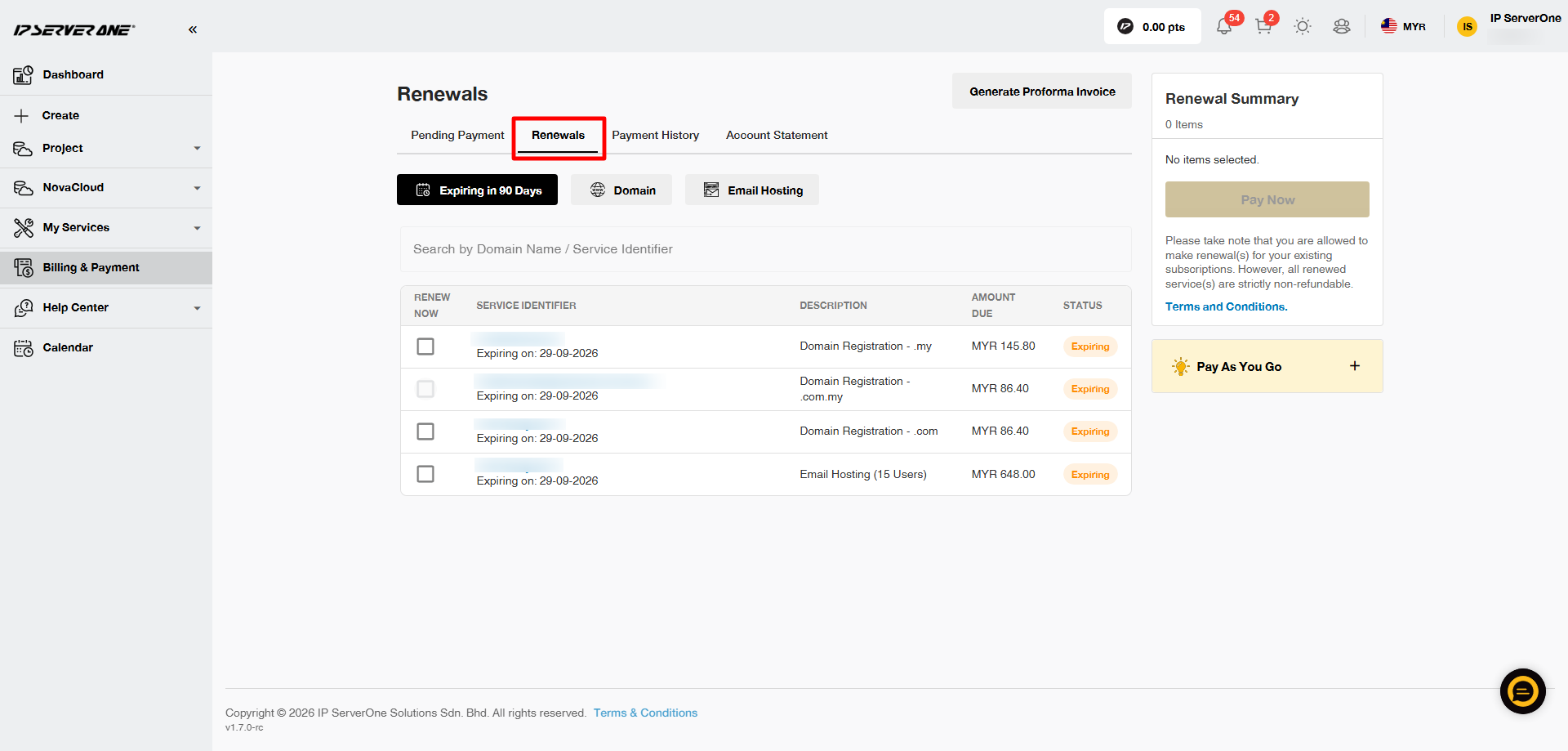
3. Click at the Renewals tab and click on the box for the service(s) you would like to renew.
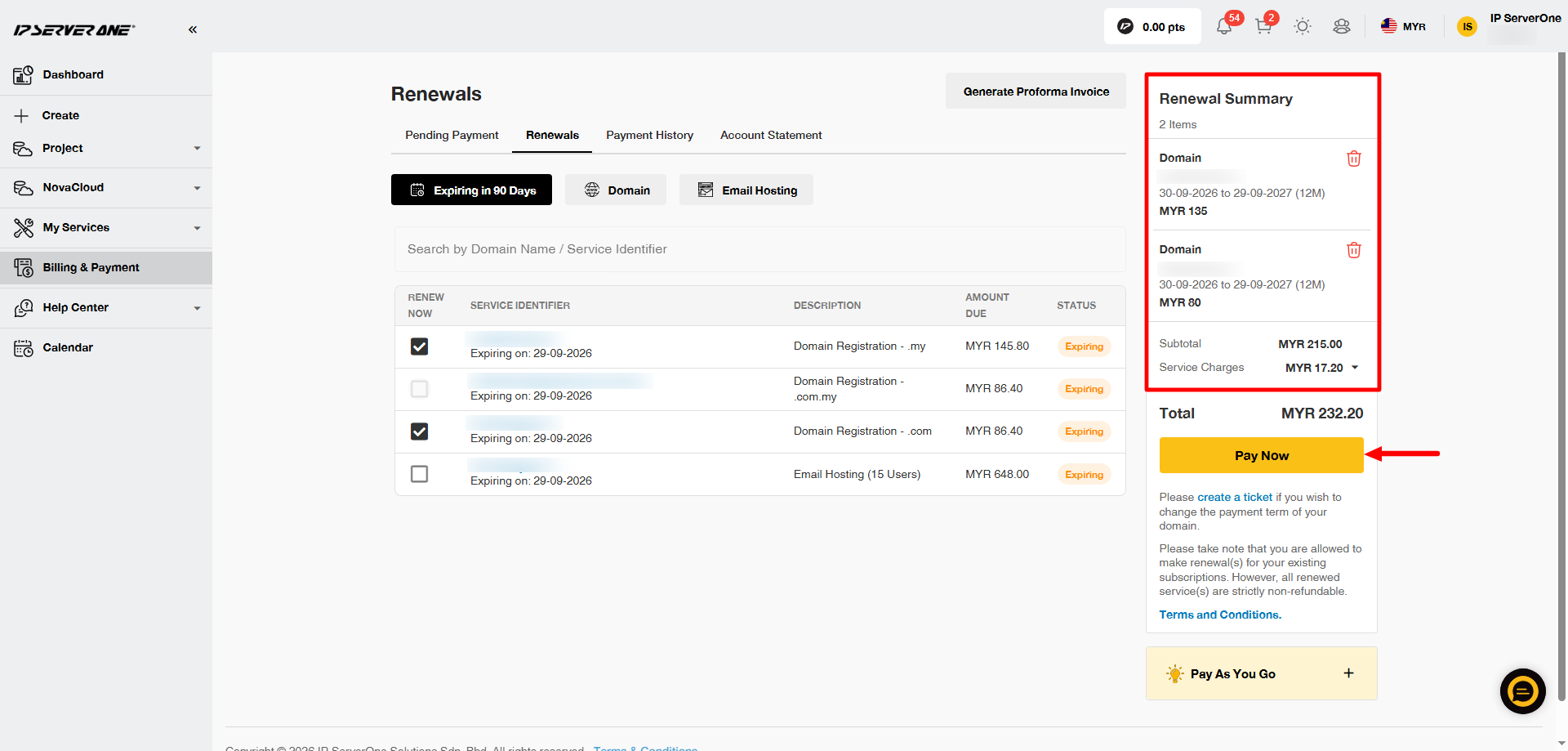
4. You may double check at the Renewal Summary and click on Pay Now.
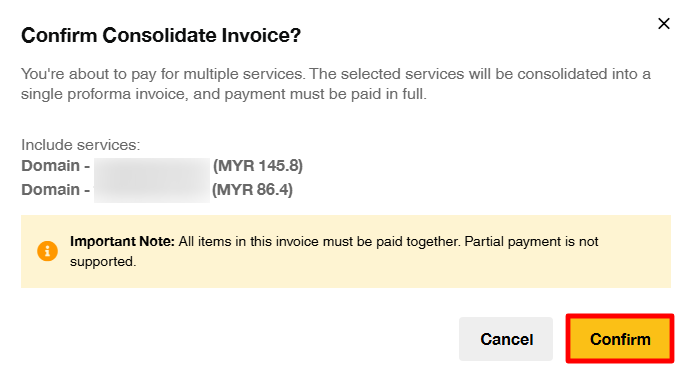
5. A pop-up confirmation will appear and you may click on Confirm to proceed.
6. Choose the payment method and you may click on the Checkout button (it will glow yellow once you have choose your payment method/bank)
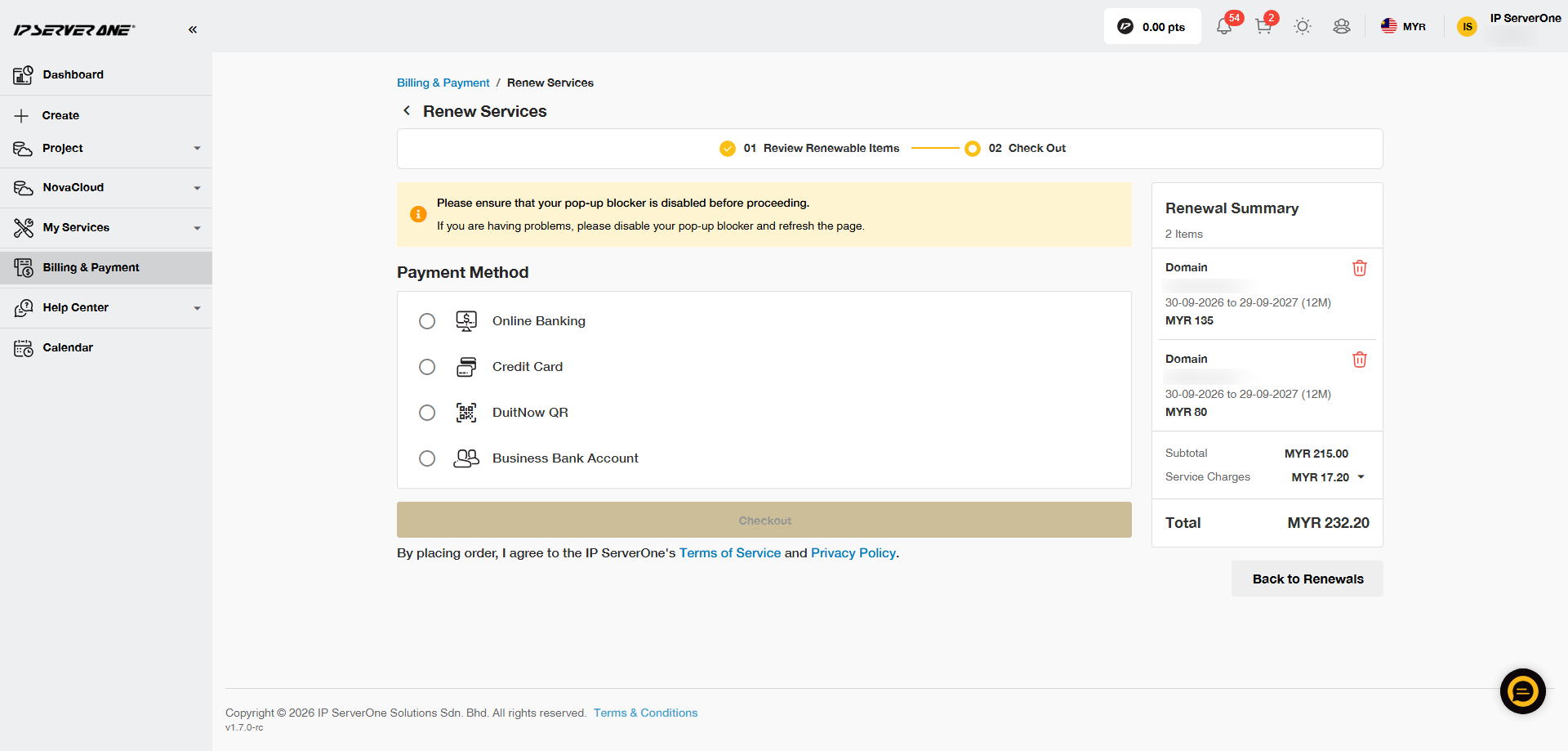
Note: Ensure that your browser’s popup blocker is disabled to avoid issues during the payment process.
7. Confirmation
- Once the payment is successful, your service will be renewed, and a confirmation email will be sent to your registered email address
- Paid tax invoice and receipt can be retrieved via Customer Portal. Kindly refer here for guide.
Conclusion
Renewing your services through the Customer Portal is fast and straightforward. If you need further assistance or encounter any issues, please contact our billing team at billing@ipserverone.com.