
Search Our Database
Requesting Service Termination via Customer Portal
Introduction
This guide provides a step-by-step process for requesting the termination of services through the IPServerOne Customer Portal. This termination request applies to services identified by a Service Identifier (SSID) and does not apply to domain services. Follow the steps below to initiate a termination request for your service.
Prerequisites
Before submitting a termination request, ensure the following:
- Access to the IPServerOne Customer Portal with valid login credentials.
- The Service Identifier (SSID) of the service you wish to terminate.
Step-by-Step Guide
Step 1: Log In to the Customer Portal
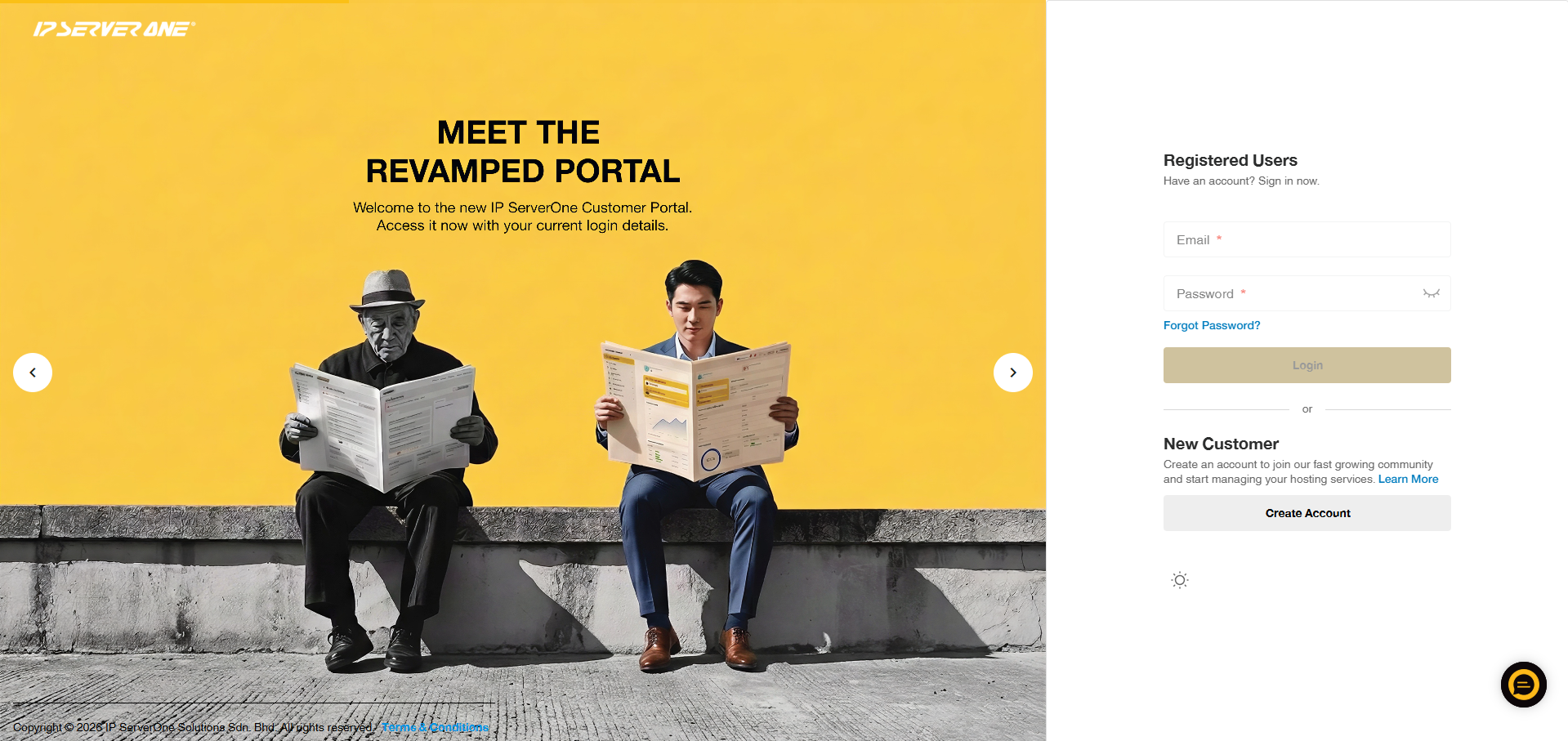
Log in to your IPServerOne Customer Portal using your account credentials.
Step 2: Locate the Service You Wish to Terminate
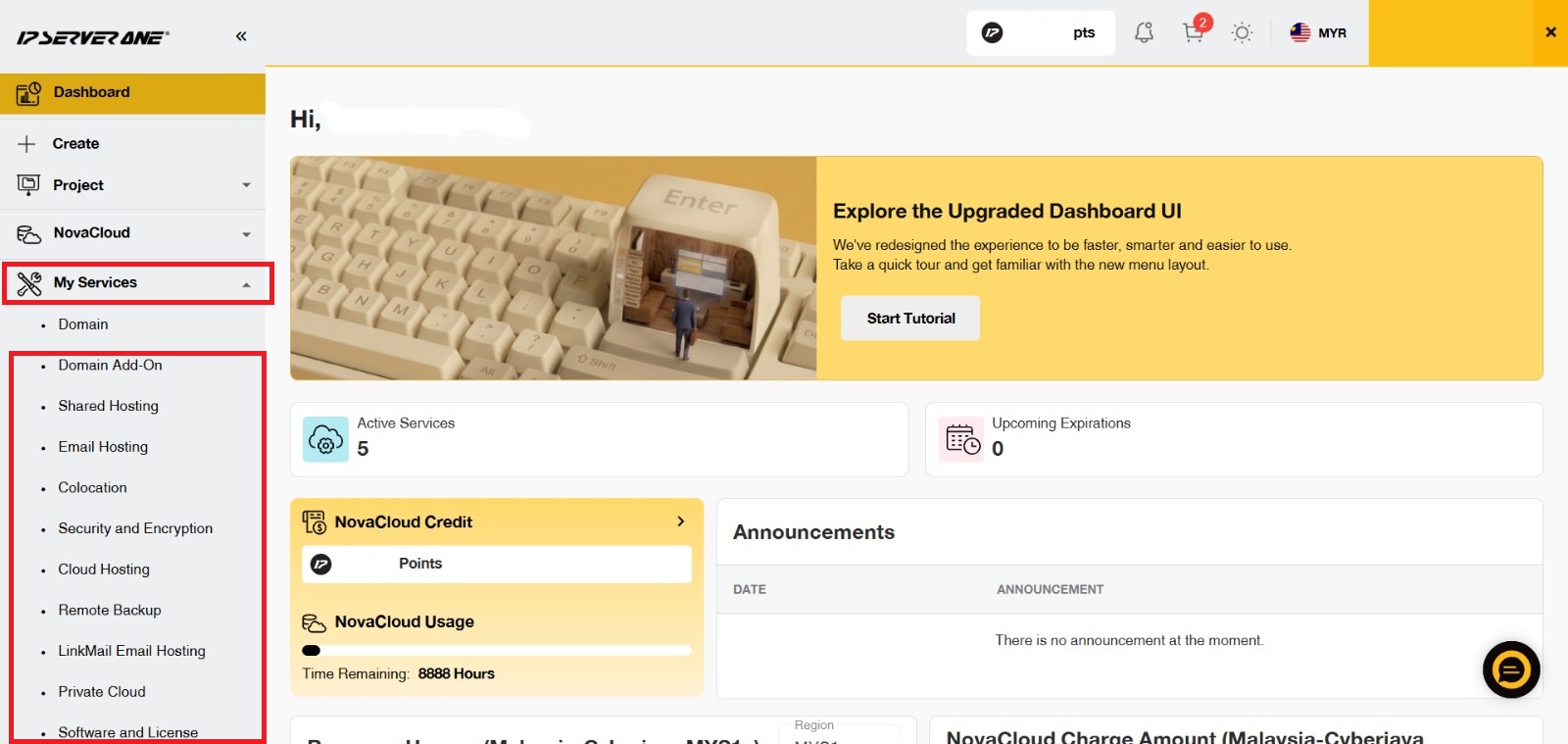
From the left-hand menu, expand the My Services dropdown and select the service you wish to terminate.
Step 3: Select the Service
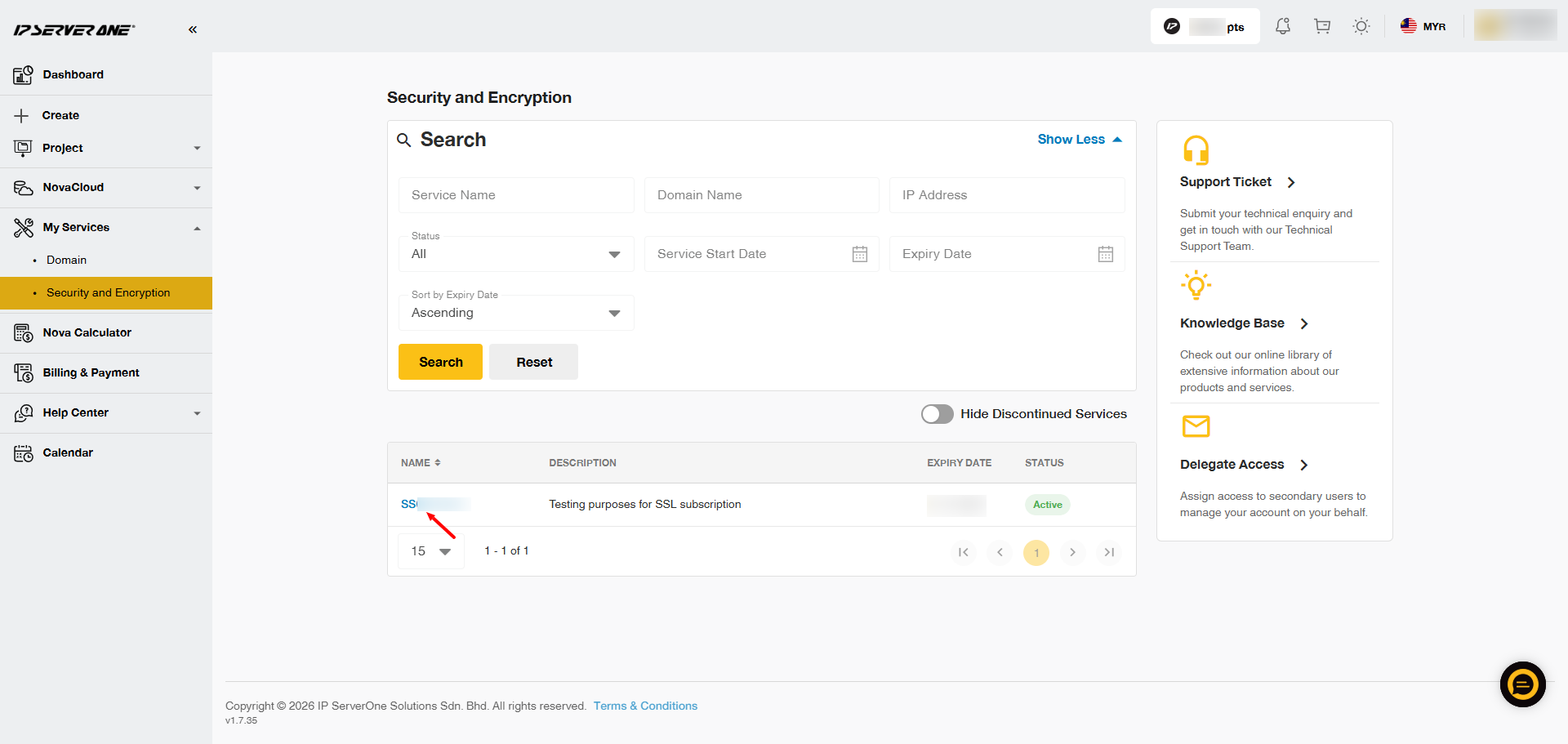
Click on the SSID of the service you wish to terminate.
Step 4: Initiate Service Cancellation
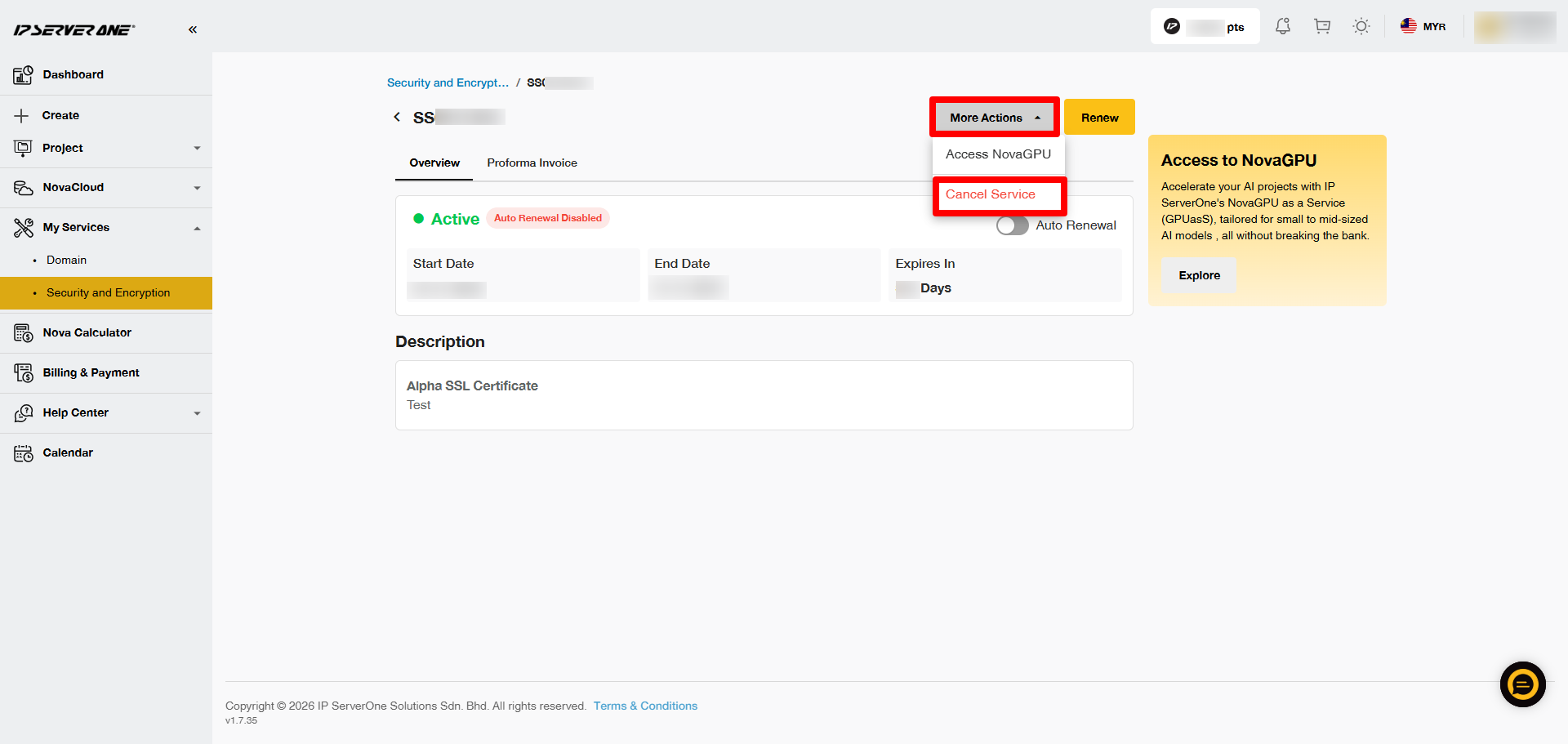
Click on More Actions and select Cancel Service to begin the cancellation process.
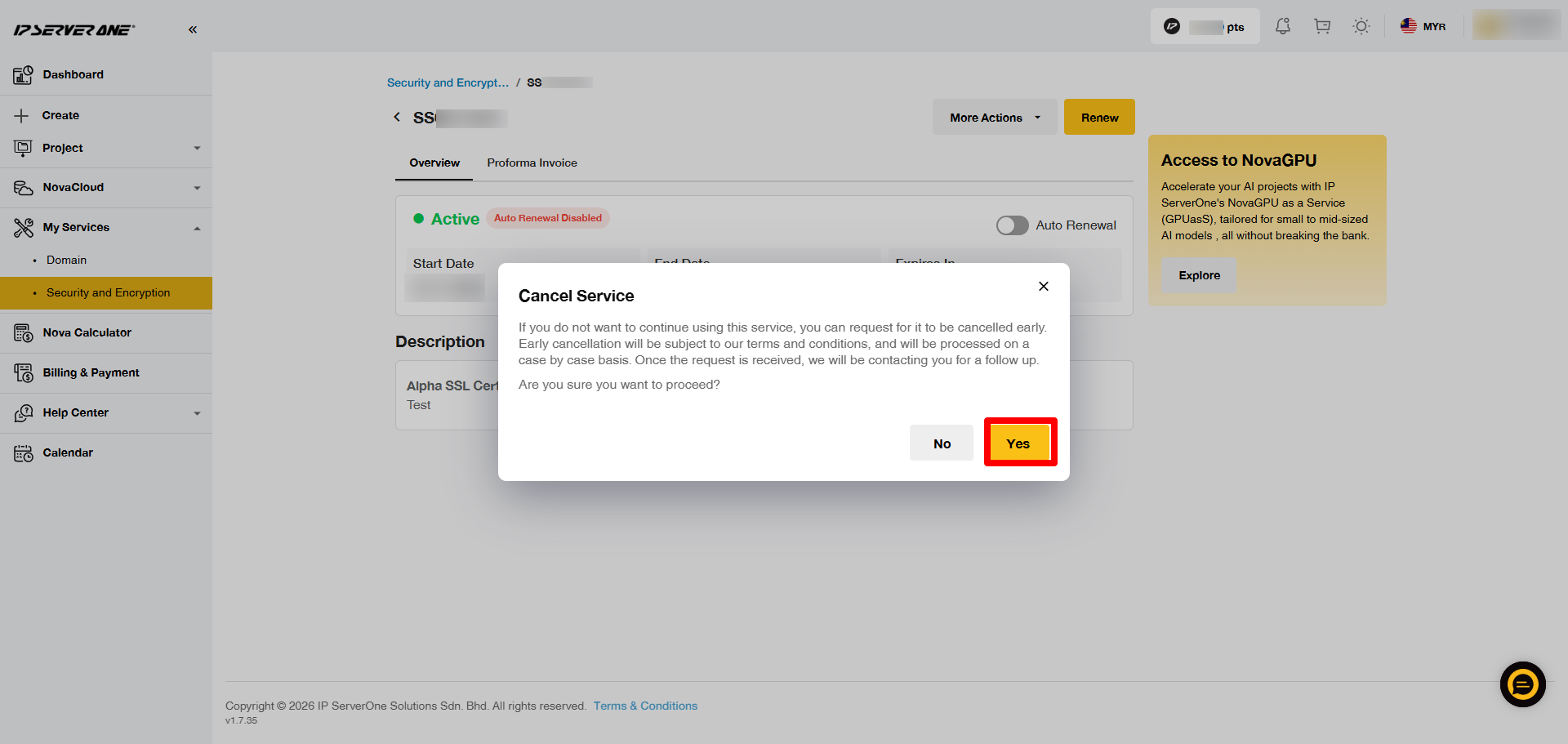
Step 5: Confirm Service Cancellation
A confirmation message will appear, explaining that early cancellation is subject to IPServerOne’s terms and conditions and may be reviewed on a case-by-case basis. Click Yes to proceed.
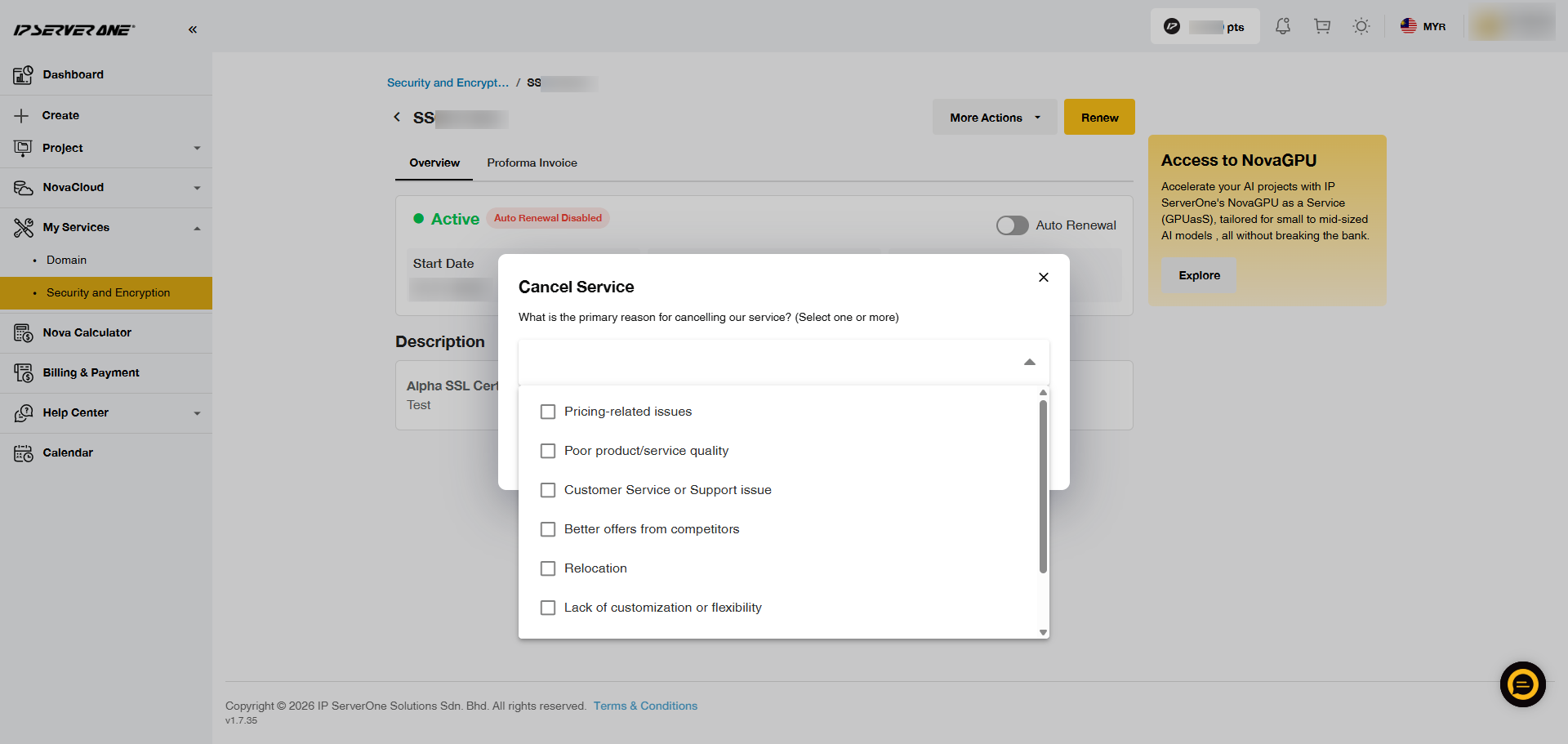
Step 6: Provide a Cancellation Reason
Choose a reason for cancellation from the list of provided options.
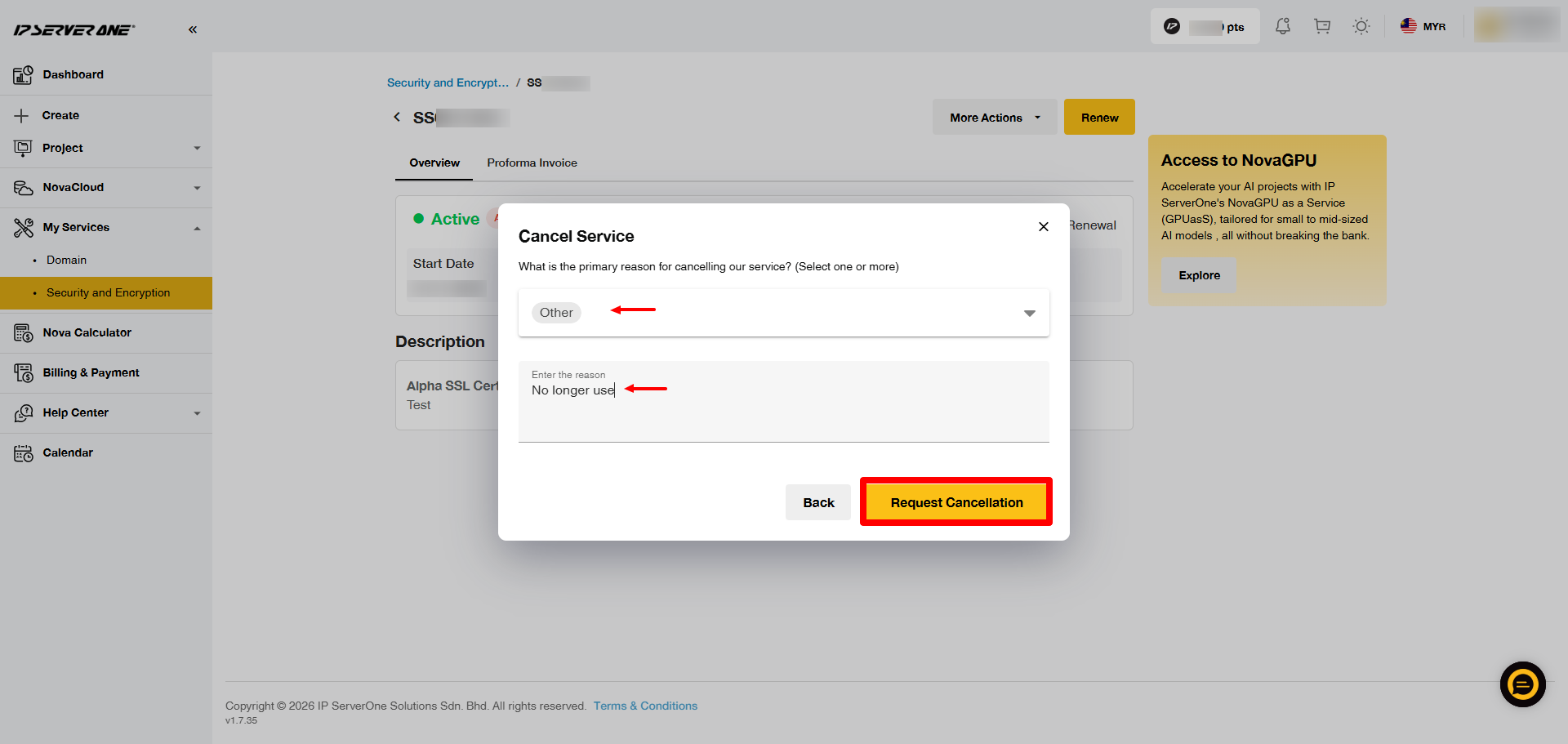
Step 7: Submit the Cancellation Request
Click on Request Cancellation to submit your termination request.
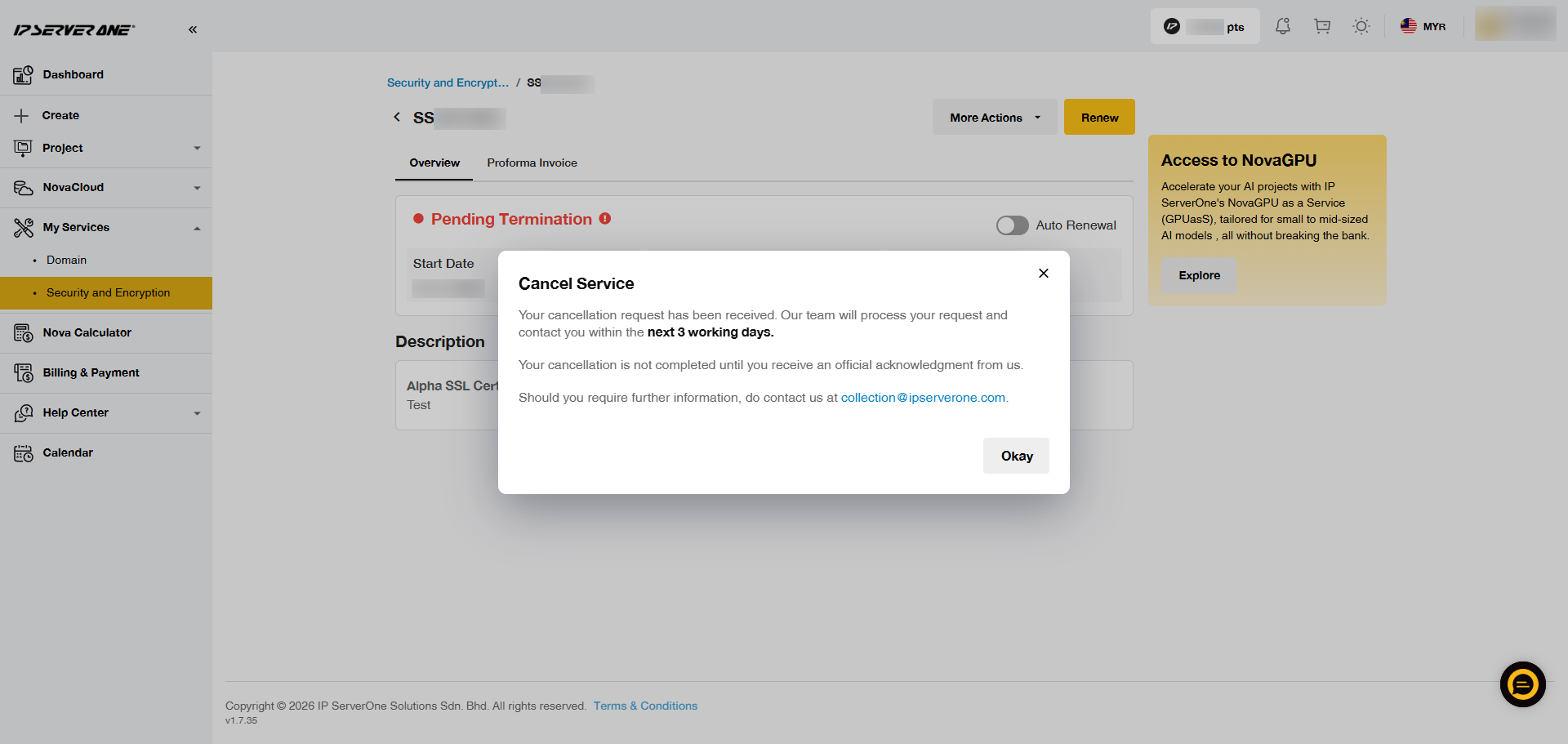
Step 8: Receive Confirmation of Cancellation
After submission, you will receive a confirmation message indicating that your request has been received and will be processed within 3 working days. The cancellation status will remain pending until you receive an official confirmation from IPServerOne.
Conclusion
By following these steps, you can successfully submit a service termination request via the IPServerOne Customer Portal.
For additional assistance or if you encounter any issues, please contact our support team at support@ipserverone.com.
Article updated on 3 November 2026 by Zihui