
Search Our Database
How to purchase email hosting (LinkMail) through the Customer Portal
Introduction
On our portal, you have the option to purchase LinkMail Email Hosting for a single user or scale it to support up to 100 users. This flexibility allows you to choose the plan that best suits your needs. To simplify your email management through Email Hosting, follow these straightforward steps to place a new order.
Prerequisite
- Access to IPServerOne Customer Portal
Step-by-Step Guide
- Login to the [IPServerOne Customer Portal].
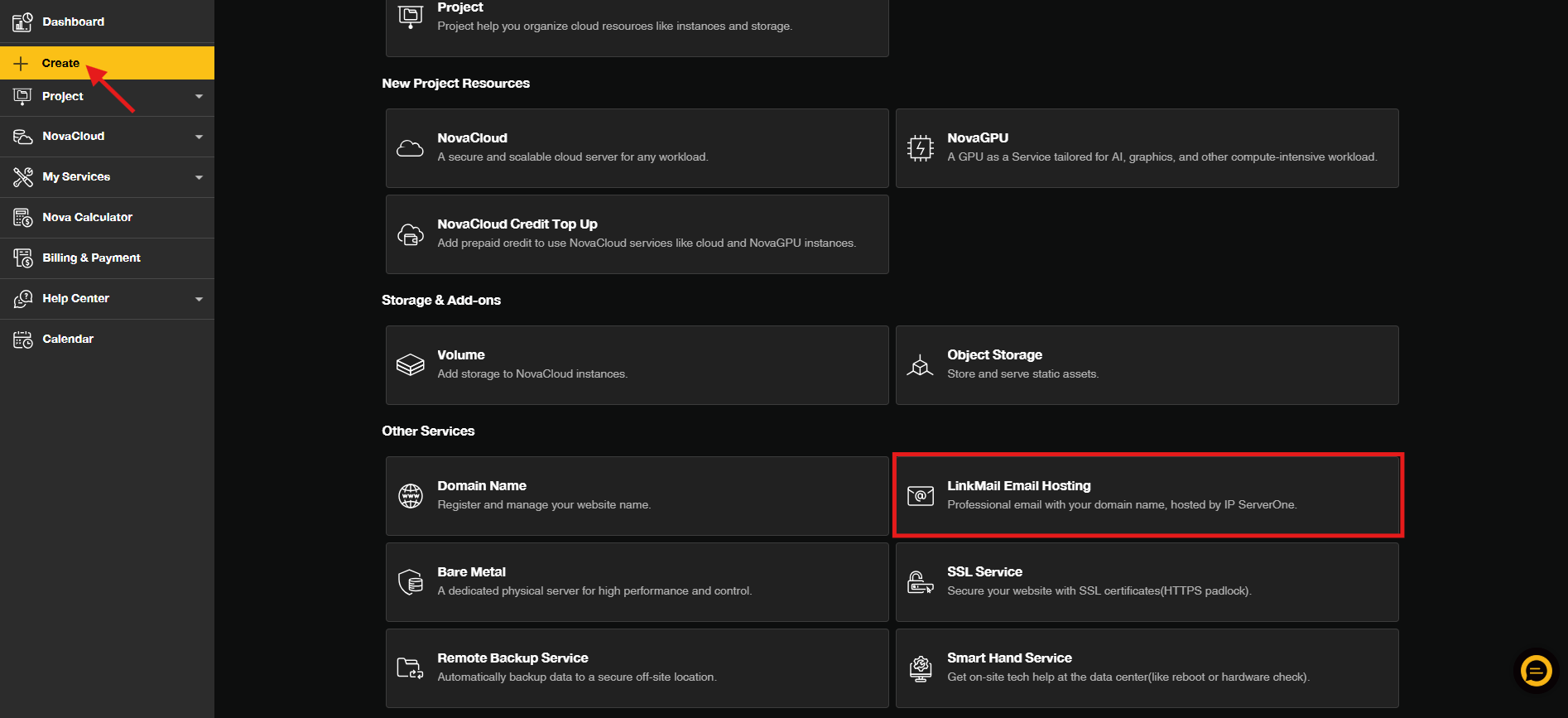
- From the Dashboard, click on Create and select LinkMail Email Hosting.
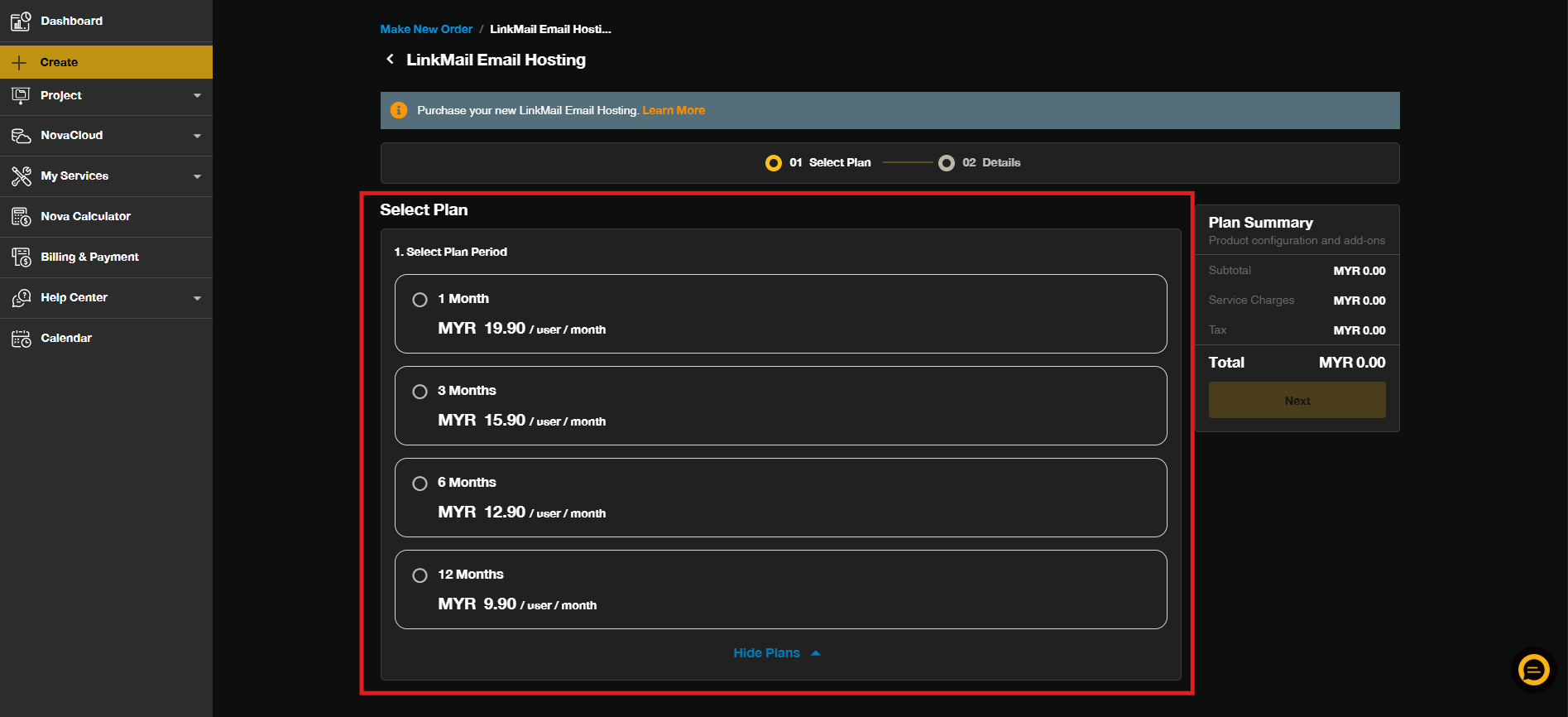
- Select your preferred subscription period for LinkMail Email Hosting and click Next.
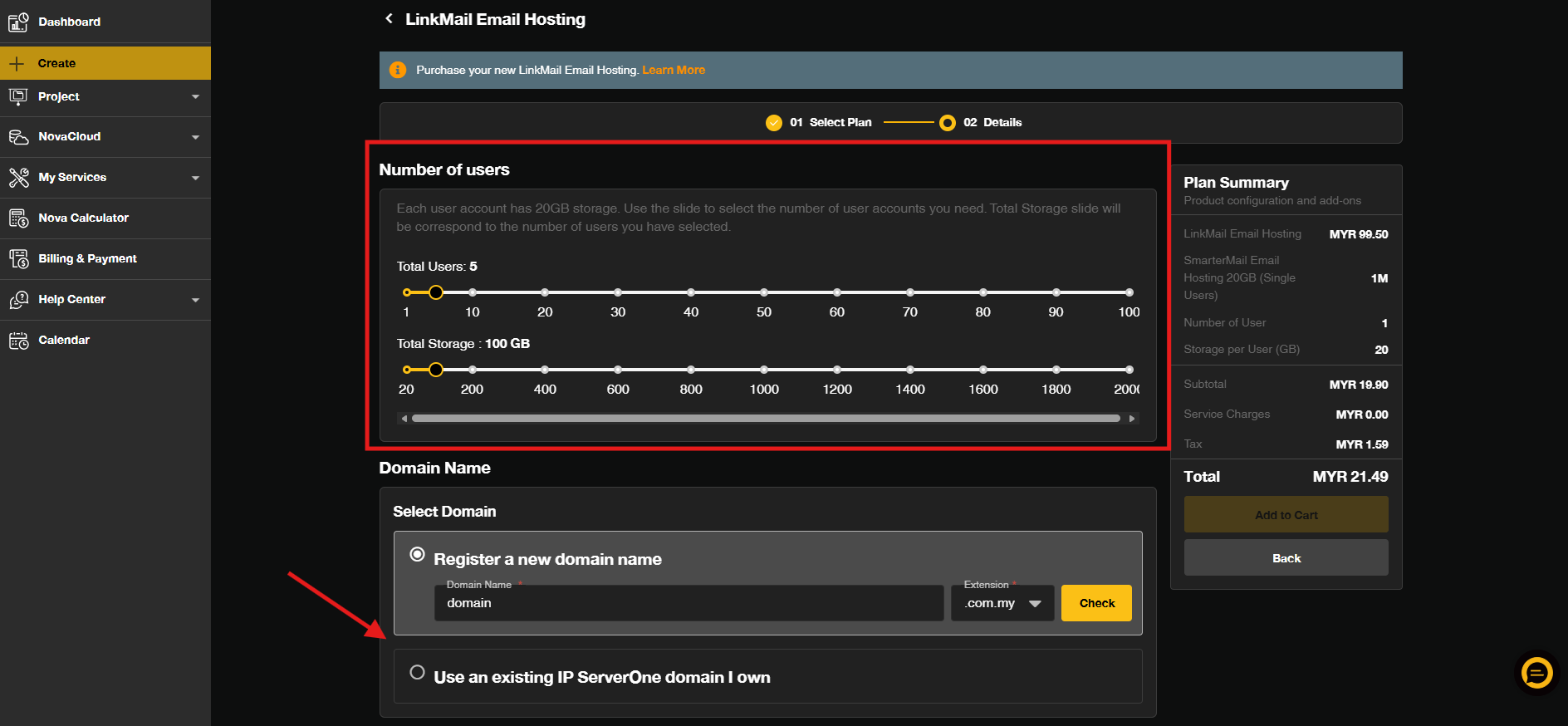
- Enter the Number of Users, your Domain Name, and click Add to Cart.
You can either:
– If you DON’T HAVE a domain, you can register and purchase on the spot together with email subscription
– If you HAVE a domain name, you can your existing domain to the subscription
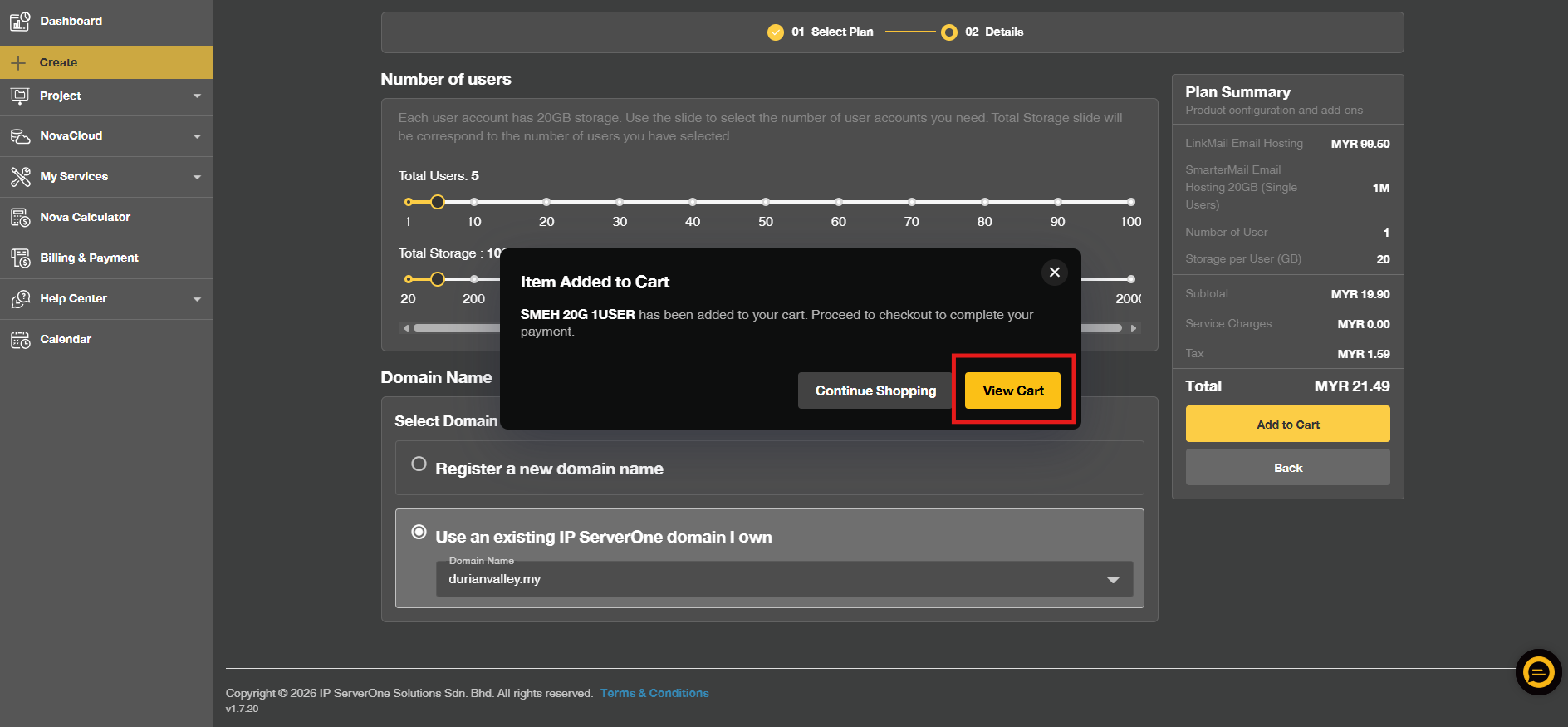
- If you wish to proceed on made payment, you may click View Cart.
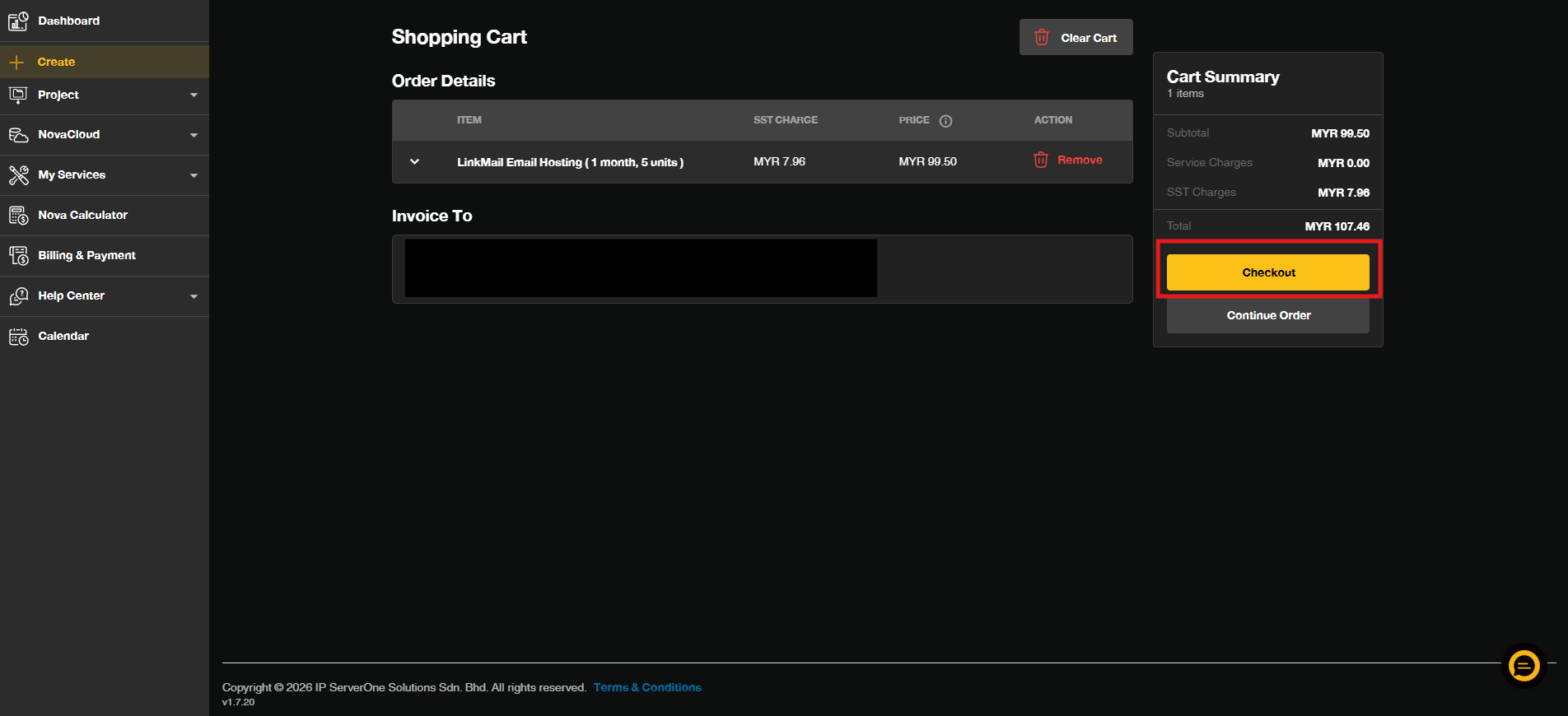
- Review your order details and, once everything is correct, click Check Out.
Conclusion
Thank you for placing your order for LinkMail Email Hosting. If you need further assistance or have any questions, please contact our sales team at sales@ipserverone.com. We appreciate your business and welcome you aboard.
Article updated on 15 October 2026 by Johnny