
Search Our Database
How to Retrieve the Windows Administrator Password from Customer Portal
Introduction
Retrieving the Windows Administrator password is a crucial task for system administrators and users who need to gain access to an administrator account on a Windows system. This process is particularly important when the password is forgotten or needs to be reset for security reasons.
Prerequisites
- Access to the IP ServerOne Customer Portal.
- A registered account on the IP ServerOne Customer Portal.
- A private key created during the instance setup (if applicable).
Step-by-step Guide
Step 1: Navigate to NovaCloud Instances page.
Once logged in, drop-down NovaCloud menu on the left and click NovaCloud Instances.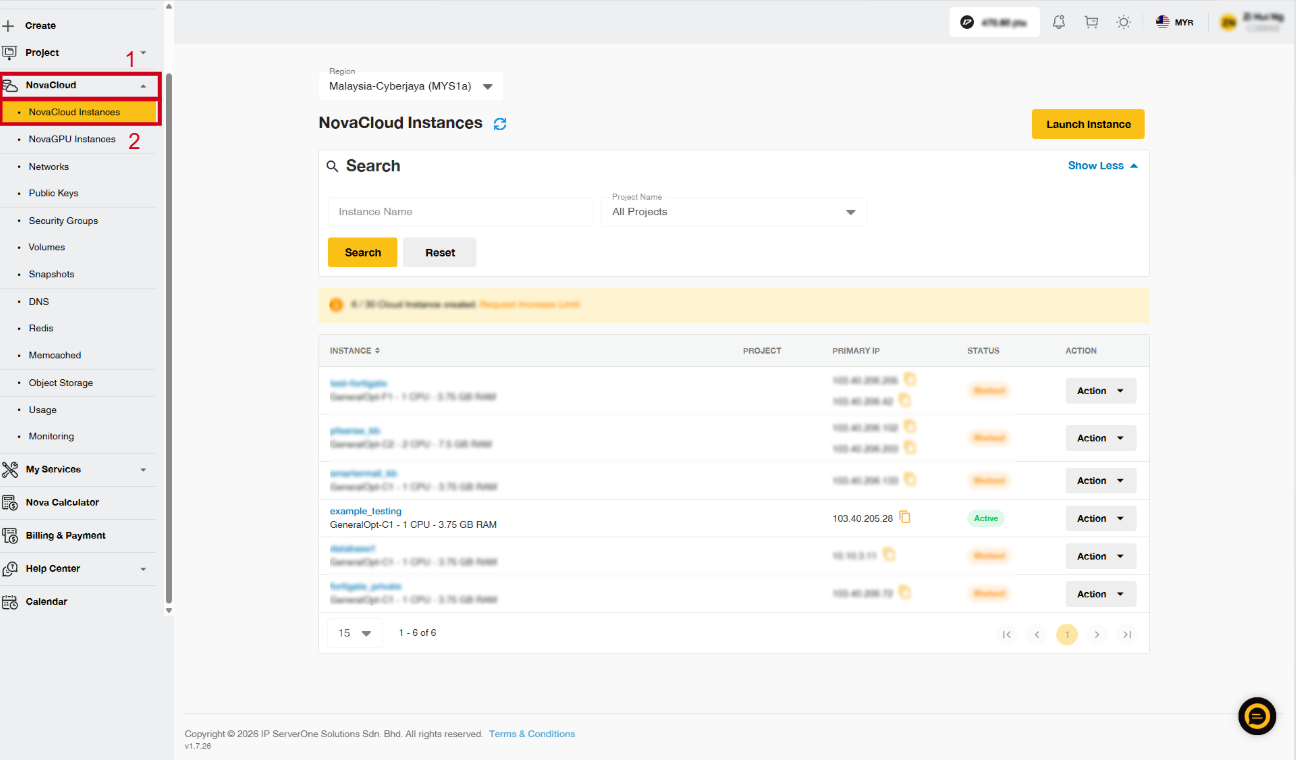
Step 2: Retrieve Password
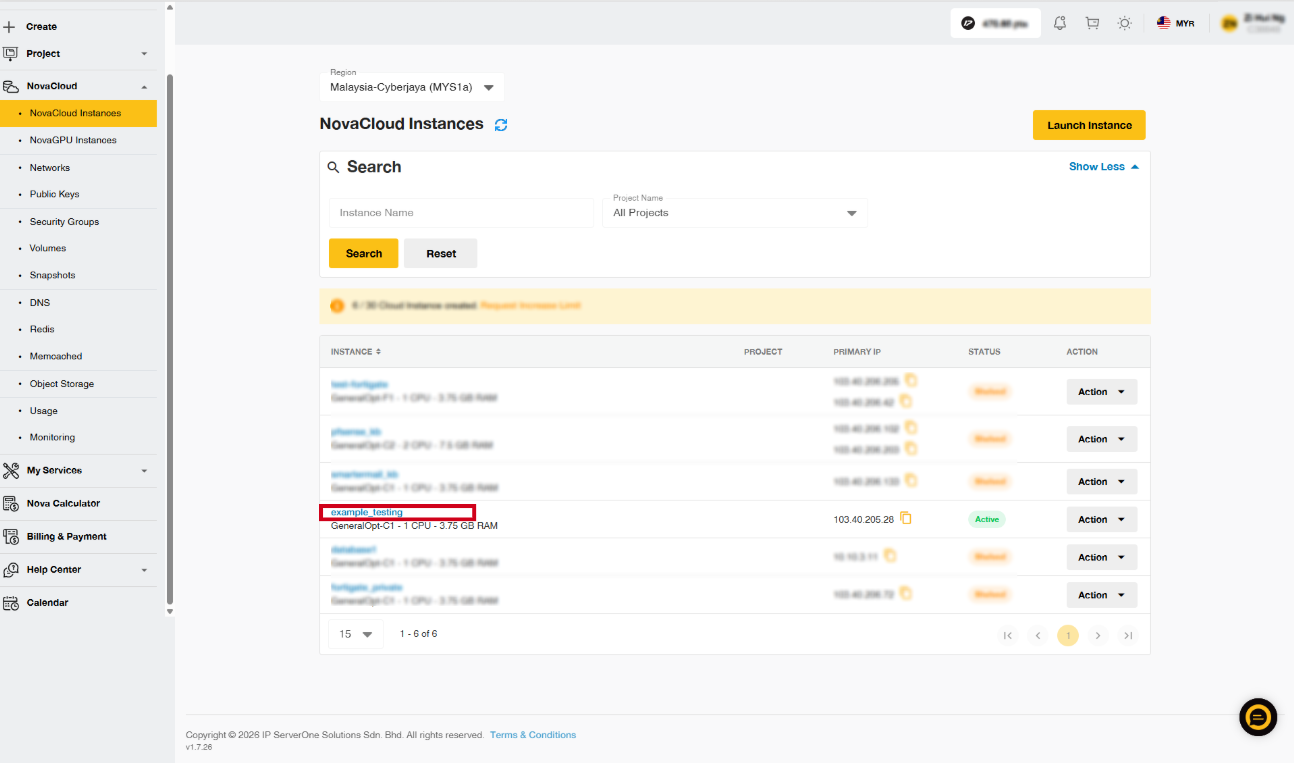
There is 2 methods to retrieve password:
- Method 1: Select Retrieve Password under Actions.
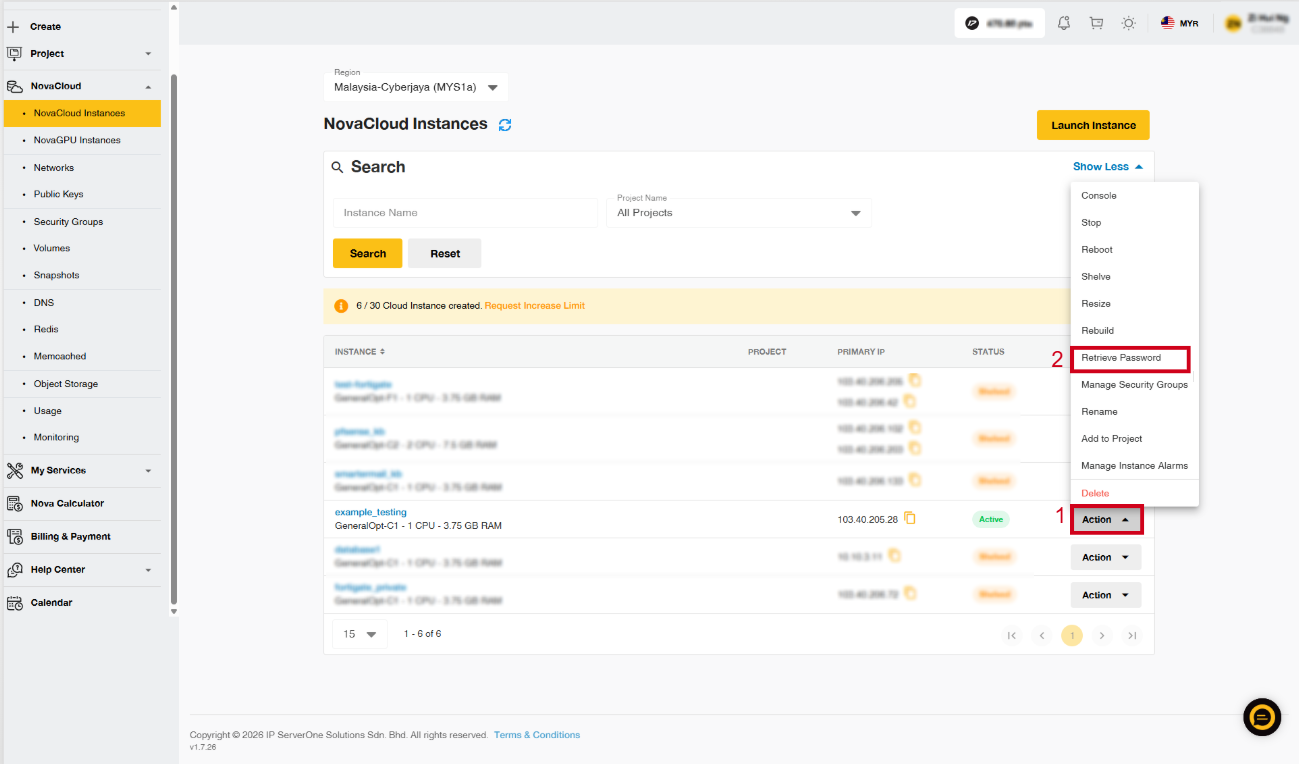
- Method 2: Select the instance that you are working on.
- Click on the Password under the Public Key section.
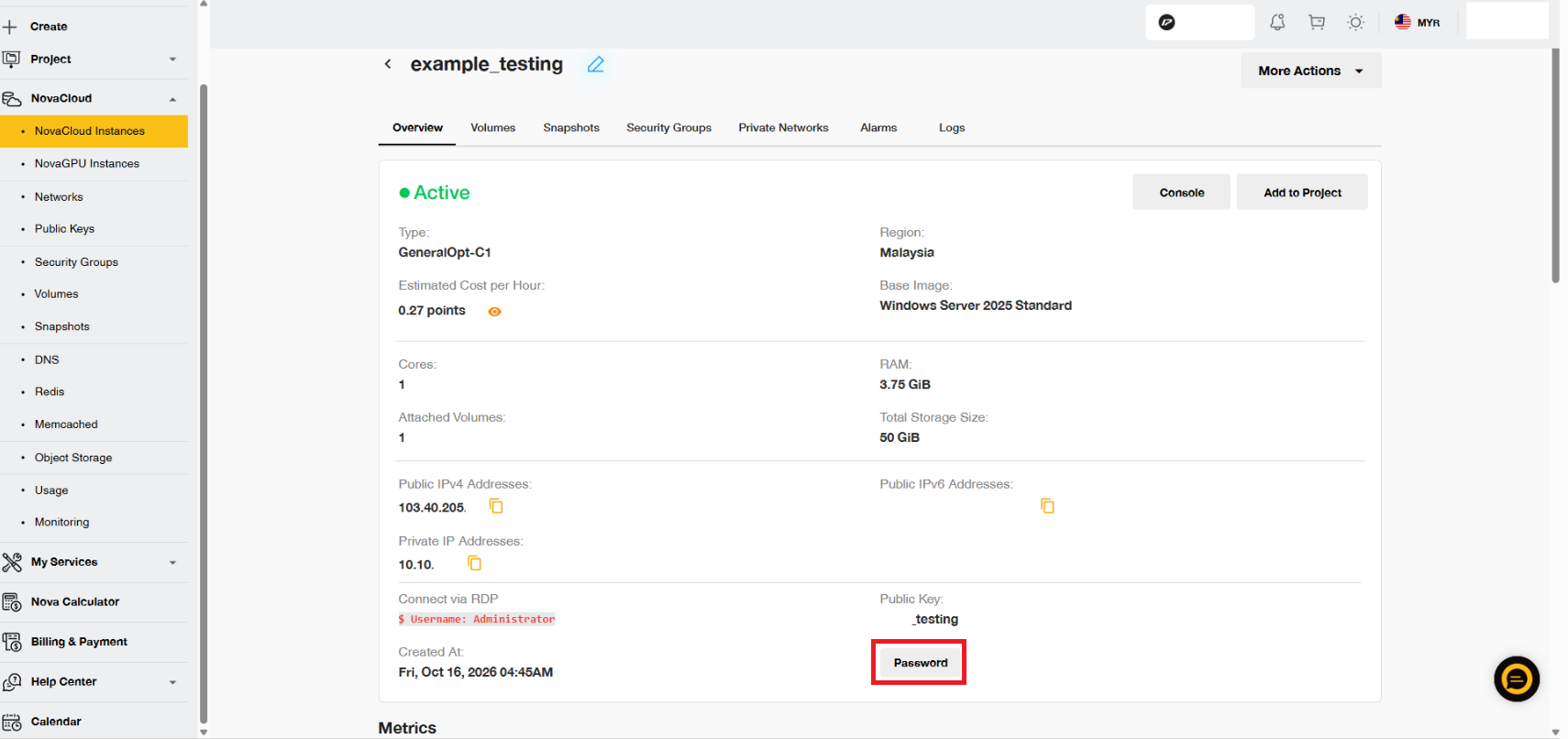
Step 3: Enter private key in the box provided
Enter your private key. Then, click on Decrypt Password. 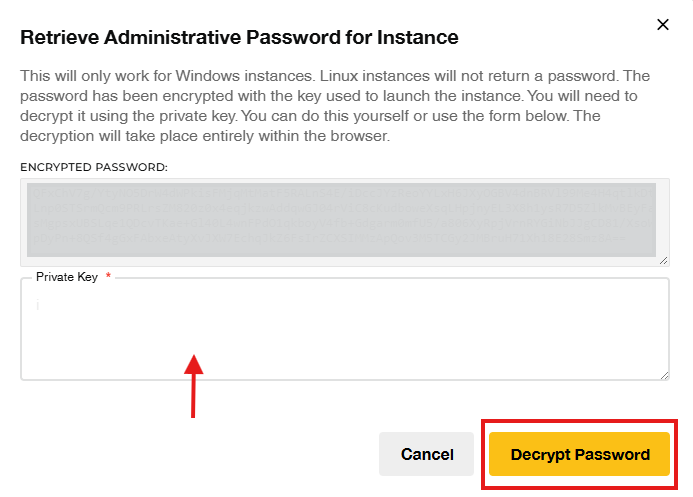
Important Note ⚠️:Your private key was provided when you generated a public key for this instance. Please KEEP SAFE and use the private key downloaded for this step.
You can open the private key file with a text editor (e.g. Notepad) to view its content, then Copy & Paste it to the field. Also, make sure the private key file is in .pem format.
Step 4: Get your password
You may view your password in the pop-out text box.
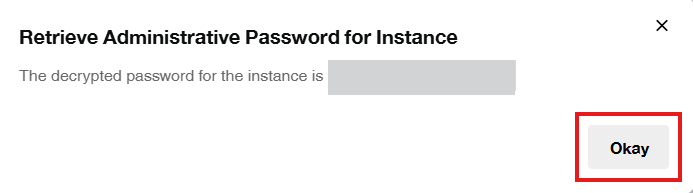
NOTE: Your administrator password will be displayed in the text box. Make sure to store it in a safe place or password manager (e.g. KeePass) and do consider to change the password after logging in.
Username: administrator
Conclusion
Retrieving the Windows Administrator password through the IP ServerOne Customer Portal is a straightforward process, provided you have the necessary access and information. Always ensure that the administrator password is kept secure and is changed regularly to maintain system security.
For additional assistance or if you encounter any issues, please contact our support team at support@ipserverone.com.
Article updated on 21 October 2026 by Zihui