
Search Our Database
How to use Access NovaGPU from your domain page in Customer Portal
Introduction:
This guide is specifically designed to enable Customer Portal Users to efficiently access and manage their dedicated NovaGPU Site. To initiate access to these specialized GPU resources, users must begin their navigation within the customer interface, utilizing the steps linked to their domain registration. The required sequence of steps is My Service > Domain > View > Action > Access NovaGPU, which ultimately facilitates the necessary redirection to the GPU Instance Page for resource management. This process integrates the management of NovaGPU capabilities directly with the domain services section available in the Customer Portal.
Prerequisites:
-
A valid and active Customer Portal account with verified credentials.
-
At least one domain name registered and actively managed through the Customer Portal.
-
A positive account balance or sufficient credit to cover associated service fees.
Step-by-step Guide:
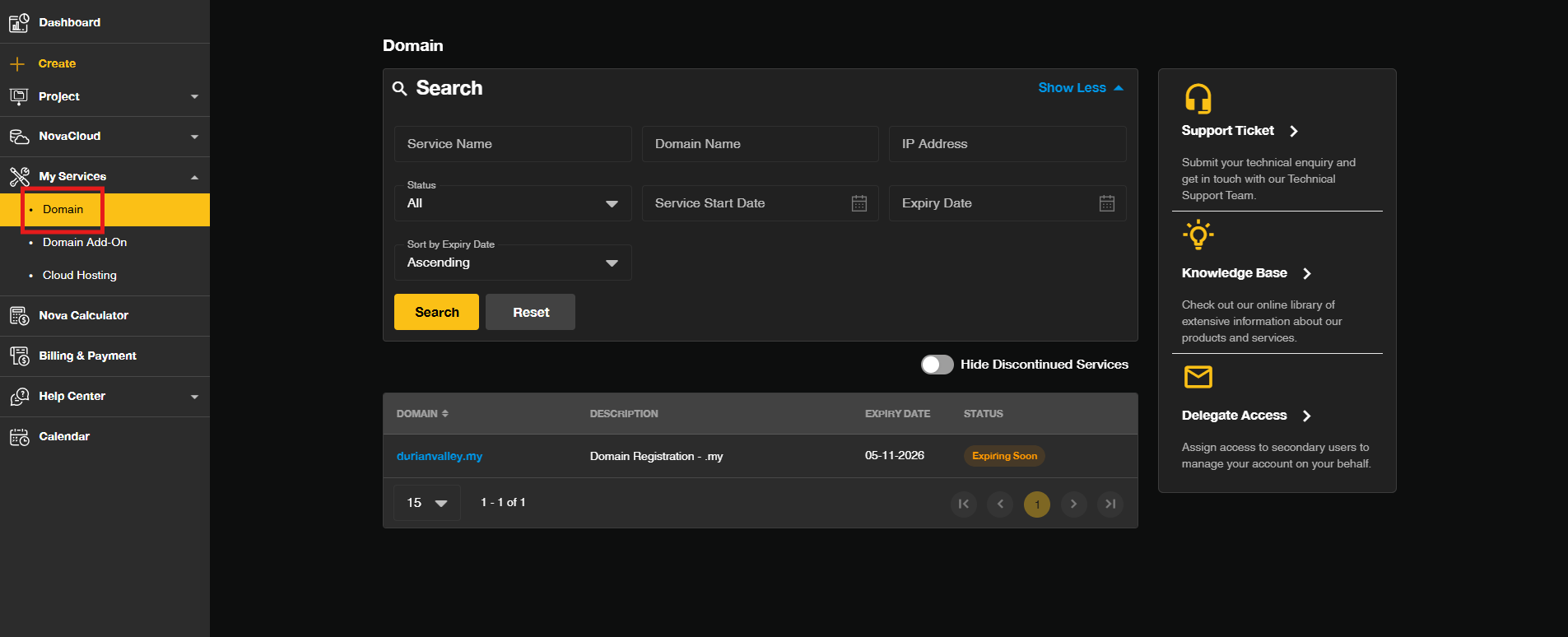
Step 1: Access the Domain Management Section
- Log in to the [IPServerOne Customer Portal].
- Go to the My Services and select Domain to view your domain management page.
Step 2: Initiate the Action Menu
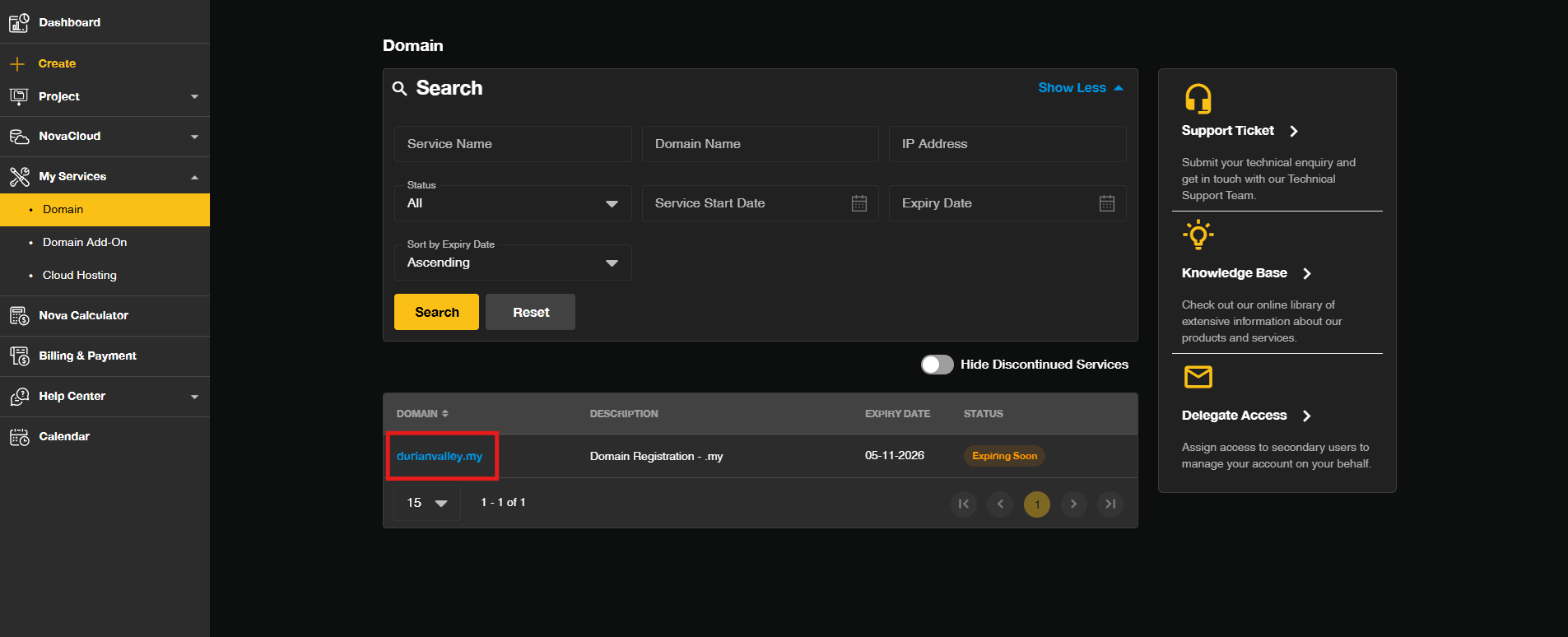
- To proceed to the management actions, click the Domain to enter specific domain management page.
Step 3: Initiate the NovaGPU Access
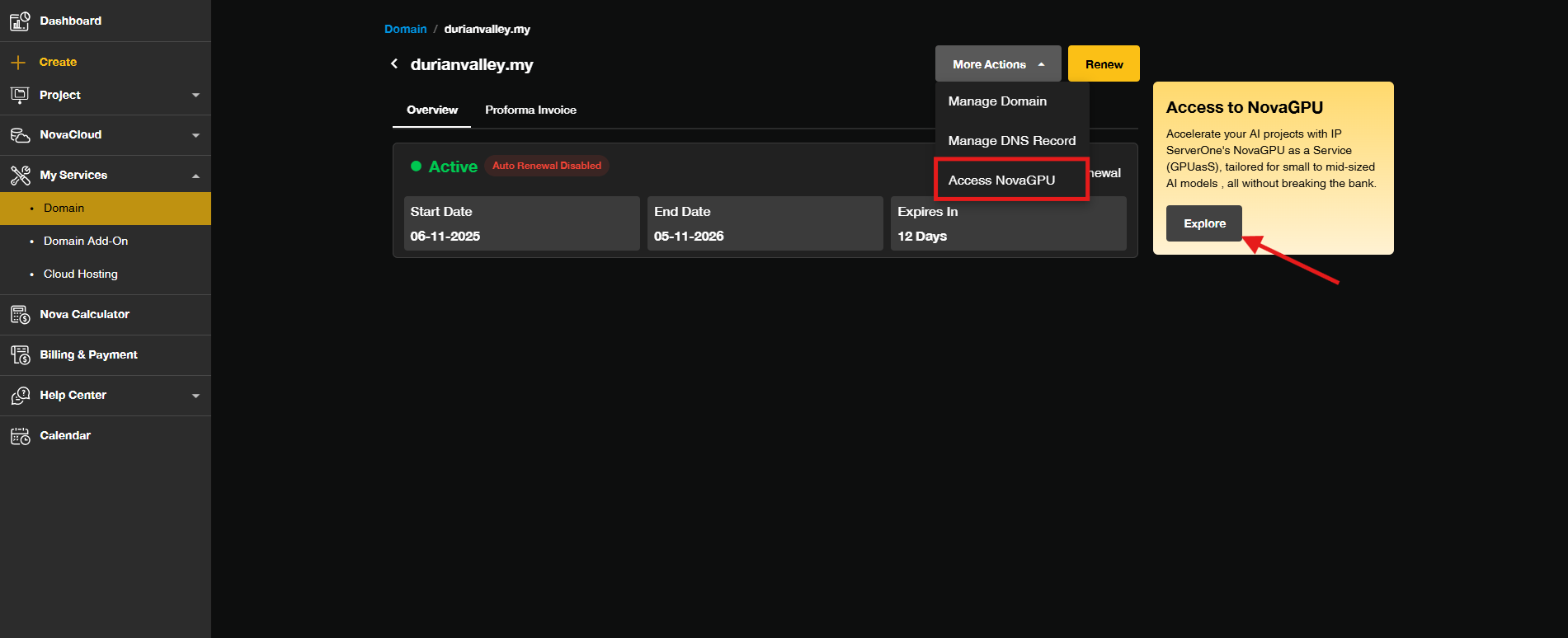
- Click More Actions drop-down and click the Access NovaGPU.
Step 4: Redirection to the GPU Instance Management Page
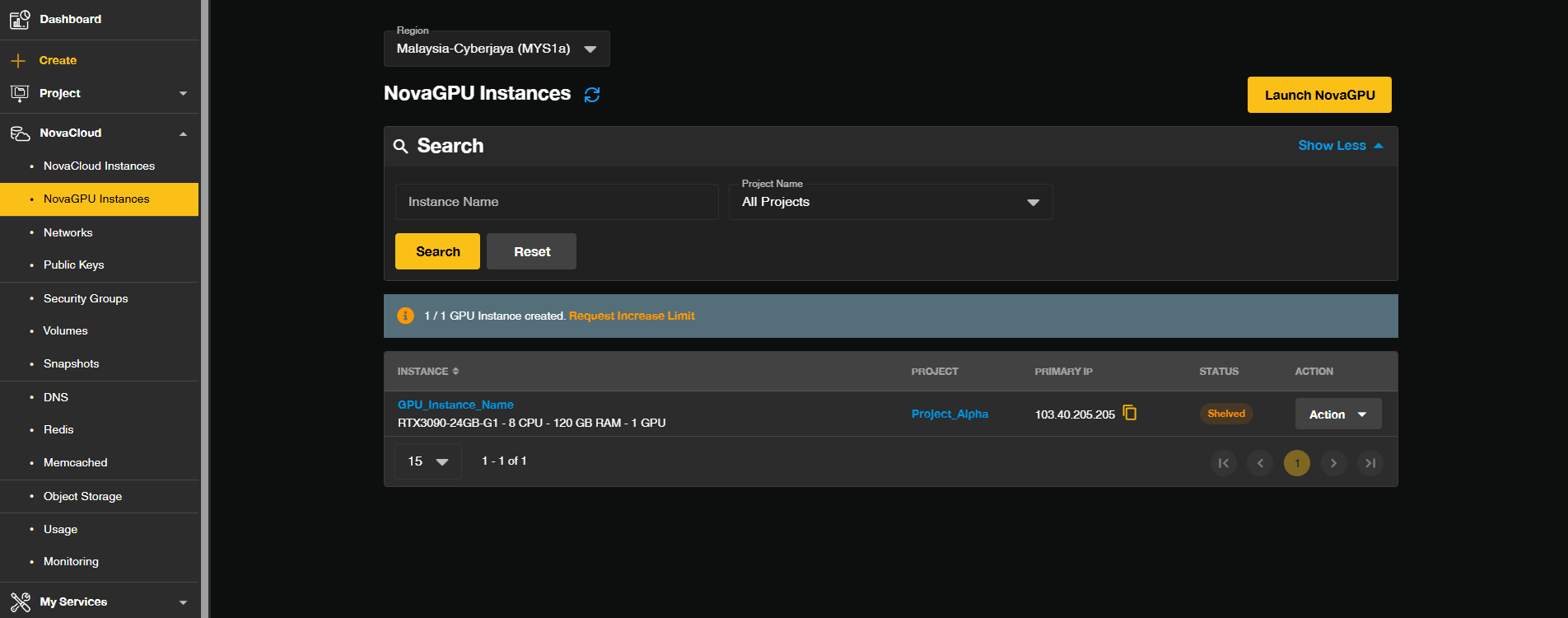
- Following the execution Step 3, the Customer Portal will automatically execute a redirection. You will be instantly routed to the GPU Instance Page.
- This destination is the dedicated management interface where you can configure, monitor, and control your provisioned GPU instances.
Conclusion:
By following the structured navigation path (My Service > Domain > View > Action > Access NovaGPU), users successfully transition from the domain management interface to the dedicated GPU Instance Page. This seamless process demonstrates the integration of advanced NovaGPU services with the domain registration infrastructure housed within the Customer Portal. Through this central control point, users are now fully equipped to manage, monitor, and configure their high-performance GPU instances and other cloud assets, which are categorized alongside services like Cloud Instances, Networks, and Projects under the NovaCloud menu structure.
For any additional assistance, troubleshooting, or inquiries related to the Customer Portal features or NovaGPU access, the dedicated support team can be reached via email at support@ipserverone.com.
Article updated on 23 October 2026 by Johnny