
Search Our Database
How to Reset Password After Password Expired for Windows Server
Introduction
Managing account security effectively is vital when maintaining a secure Windows Server environment to prevent unauthorized access while ensuring authorized administrators maintain uninterrupted system control. When a user account password reaches its expiration threshold, administrators must securely update credentials to restore access. This guidance details the essential administrative steps required to reset expired passwords safely using native operating system tools, ensuring compliance with corporate security policies and maintaining reliable server administration standards.
Prerequisite
- Access to Windows Server via Remote Desktop with administrative privileges
- Basic knowledge of Windows user account management
Step-by-step guide
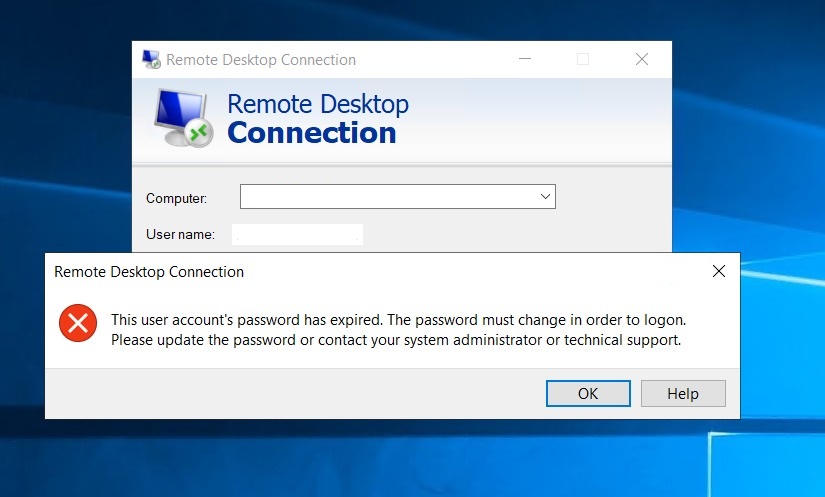
The steps below will demonstrates how to reset your password for the window server when you encounter the error message as below:
Step 1: Login to the customer portal and locate your Windows server instance
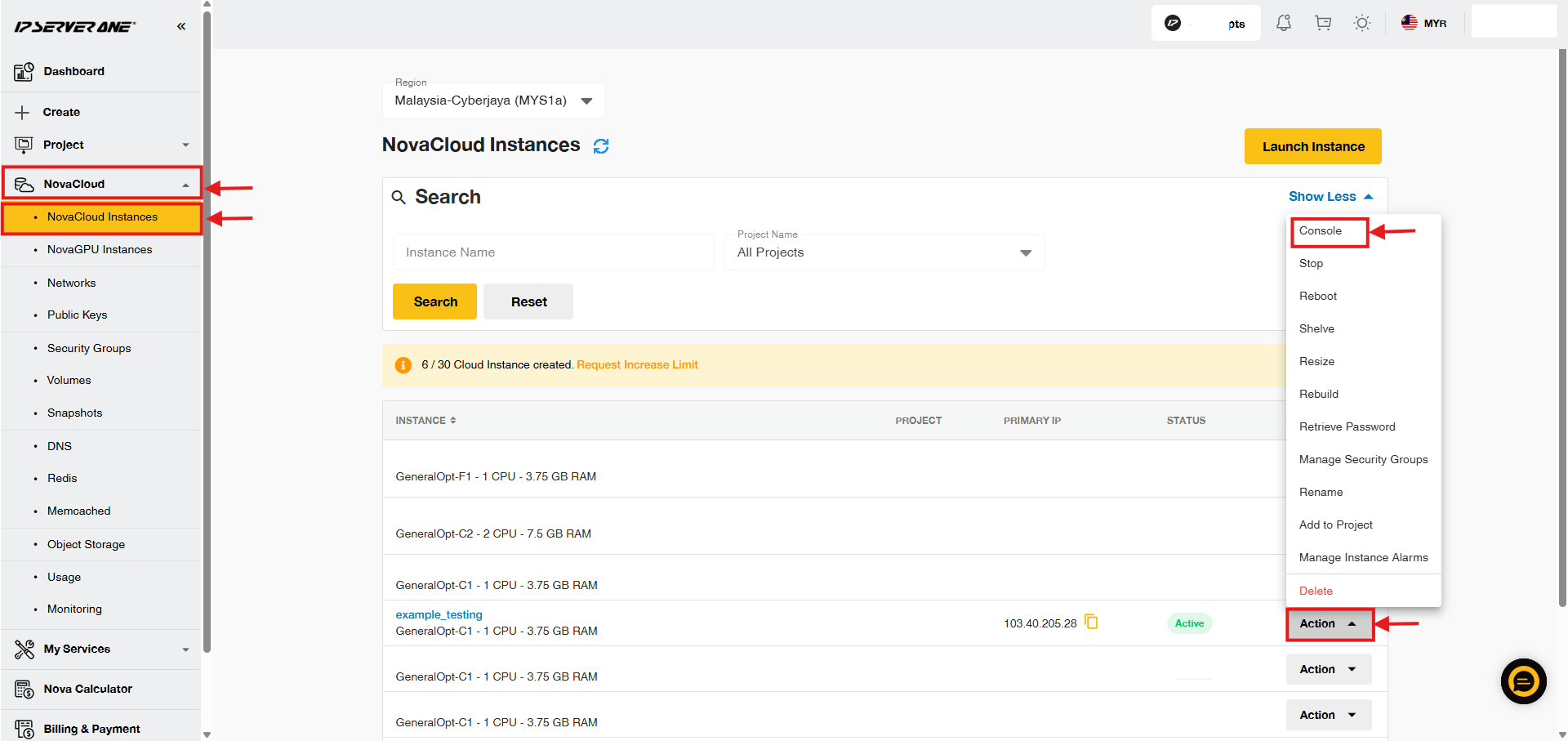
- After logging in to the customer portal, expand the NovaCloud dropdown and select NovaCloud Instances.
- Locate the Windows Server’s instance, then click on the Action button and select Console.
Step 2: Enter instance’s console interface
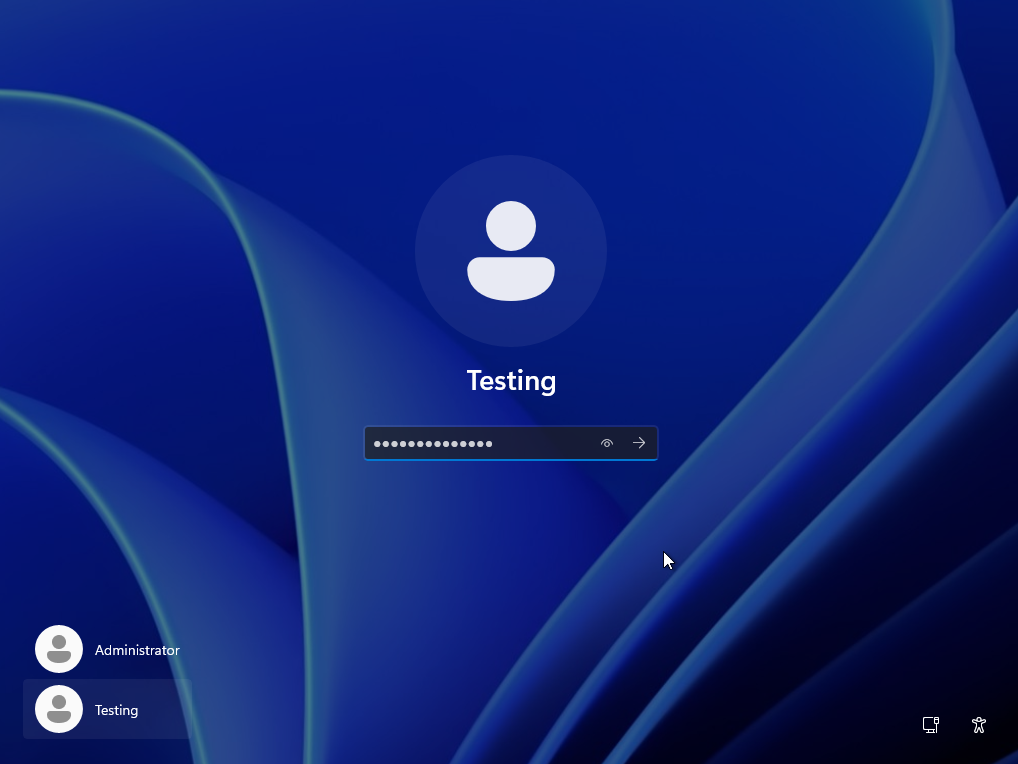
- After enter the Windows server console, click on Send CtrlAltDel.

- You will required to type your password. Enter the expired password.
Step 3: Reset Password
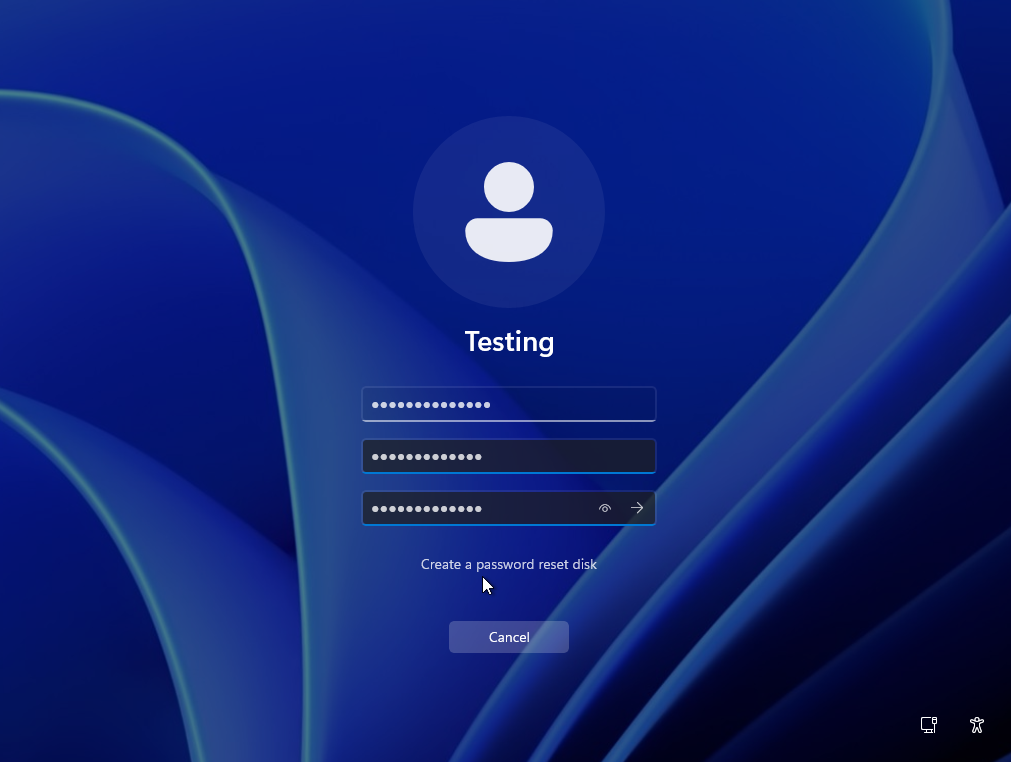
- After that, you will be required to change your password for signing in to your account. Click OK to proceed.

- Enter your new password and re-enter it to confirm.
- If password has been changed successfully, you will see the message below. Click OK to proceed.

Step 4: Verify the password update using Command Prompt
- Open Command Prompt and run the following command to verify the account status and password expiration details:
net user Testing
(Replace the “Testing” with real username.)
- Expected result:
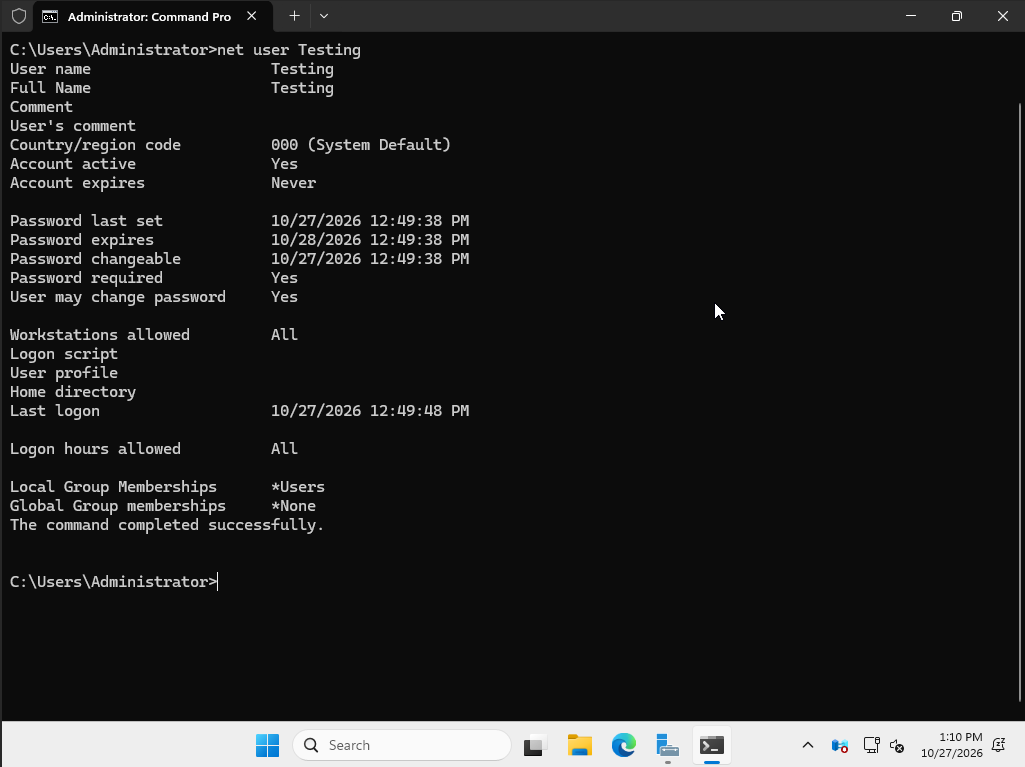
- This displays information about the local user account, including whether the account is active, when its password was last set, and its local group memberships.
Conclusion
By following this guidance, you can effectively reset an expired password on Windows Server to restore user access while upholding secure administrative controls.
For additional assistance or if you encounter any issues, please contact our support team at support@ipserverone.com.