
Search Our Database
How to request Cloud Instance(s) and GPU Instance(s) resource limit increases in Customer Portal
Introduction
Users managing infrastructure in the IPServerOne Customer Portal may eventually reach default quota allocations for their cloud resources. Requesting a resource limit increase allows account owners to expand operational capacities, such as adding more compute cores, memory, volumes, or specialized hardware, when current project demands exceed standard thresholds. This process ensures scalable expansion without service interruption or unnecessary resource consumption. This guide provides a step-by-step walkthrough on how to request limit increases for Cloud instances and GPU instances directly through the IPServerOne Customer Portal dashboard.
Prerequisite
- Access to IPServerOne Customer Portal
- An active NovaCloud account with existing resource allocations
Step-by-step guide
- Log in to the [IPServerOne Customer Portal].
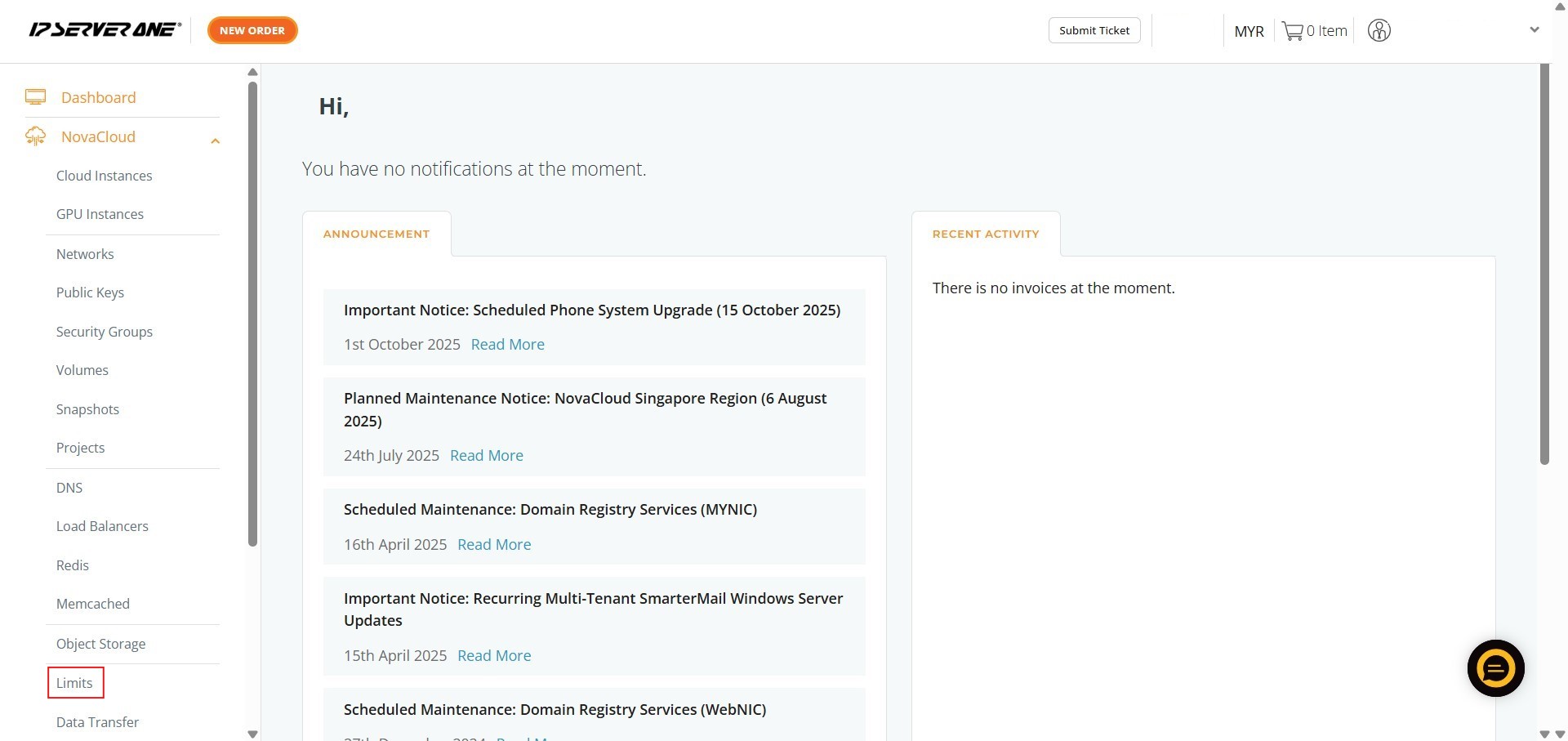
- Navigate to NovaCloud from the left-hand navigation menu and select Limits.
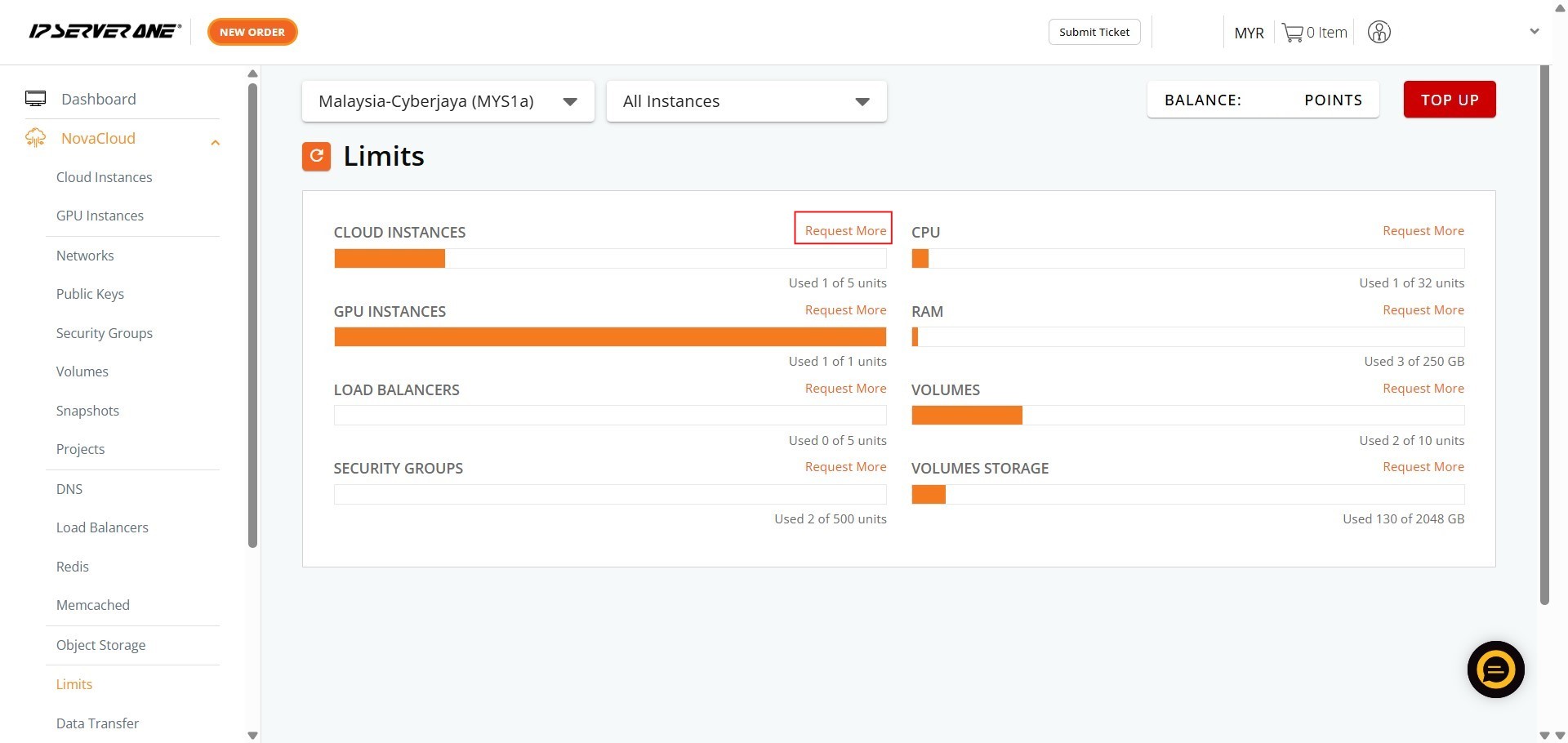
- Review your current usage and quotas for CPU, RAM, Volumes, Volume Storage, Cloud Instances, GPU Instances, Load Balancers, or Security Groups, then click Request More.
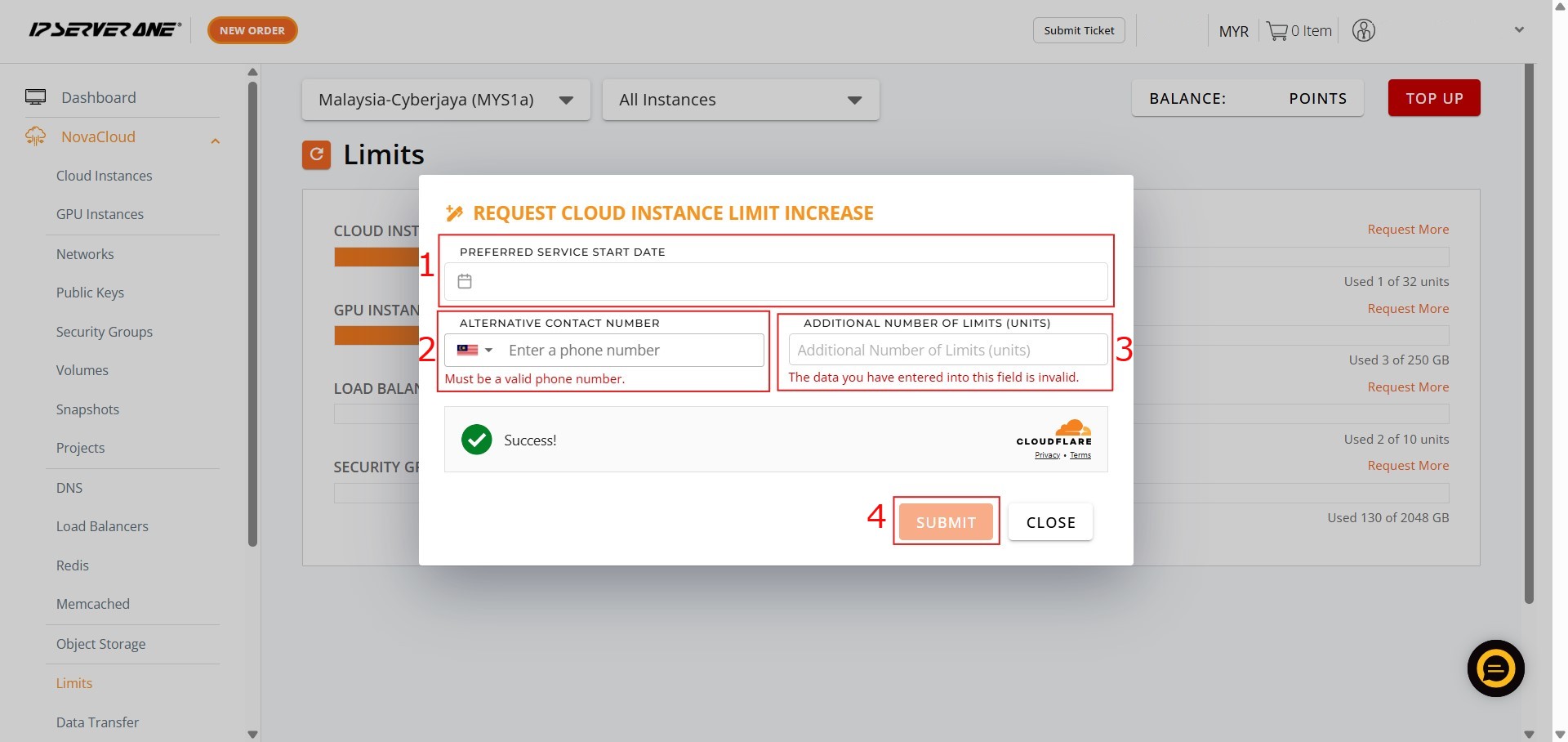
- In the request form, enter the desired new limit values for the specific resources you wish to expand, provide your contact details for the request, and click Submit.
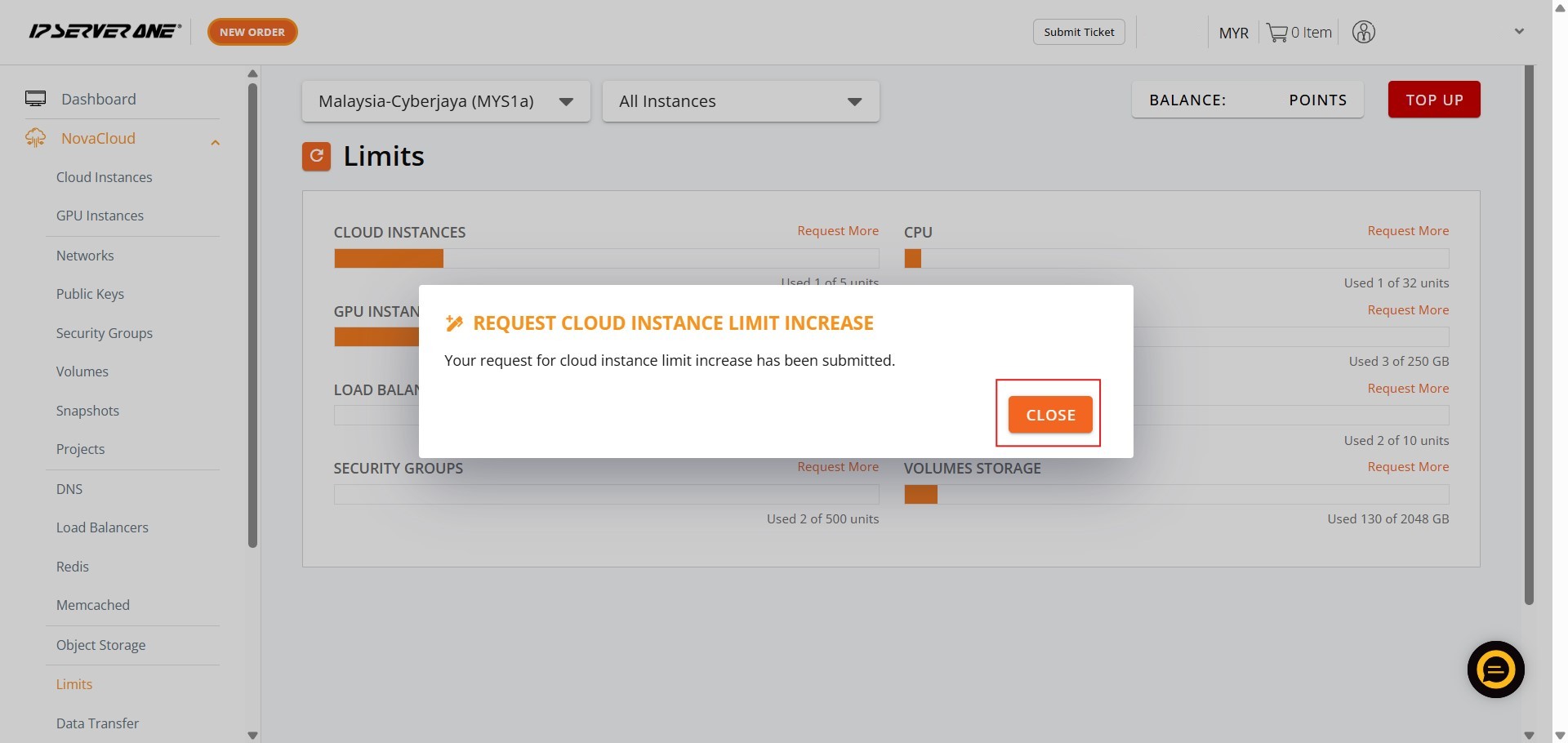
- Verify that the request confirmation appears on screen and monitor your email or support tickets for updates regarding the approval status.
Conclusion
By following this guidance, you can seamlessly scale your infrastructure resources in the IPServerOne Customer Portal to accommodate growing workloads across your Cloud instances and GPU instances.
For additional assistance or if you encounter any issues, please contact our support team at support@ipserverone.com.
Article updated on 14 August 2026 by Johnny