
Search Our Database
How to convert SSL certificate from .pem format to PKCS#12 (.pfx) format
Introduction
This guide explains how to convert an SSL certificate from PEM format to PKCS#12 format, also known as .PFX. Converting SSL certificates is necessary when transferring SSL certificates between different servers or platforms that require a specific certificate format. The PEM format is commonly used in Linux systems, while PKCS#12 (.PFX) is used in Windows-based environments. This guide is intended for users who need to convert their SSL certificate for compatibility with Windows operating system.
Prerequisites
• The signed certificate (signed.cer or signed.crt)
• The private key (private.key)
• The intermediary certificate (intermediate.cer or intermediate.crt)
• The root certificate (root.cer or root.crt)
• PFX password
The intermediate certificate (GlobalSign GCC R6 AlphaSSL CA 2023) can be downloaded from: https://www.alphassl.com/support/install-root-certificate.html
The root certificate (R6 GlobalSign Root Certificate) can be downloaded from: https://support.globalsign.com/customer/portal/articles/1426602-globalsign-root-certificates
Step-by-Step Guide
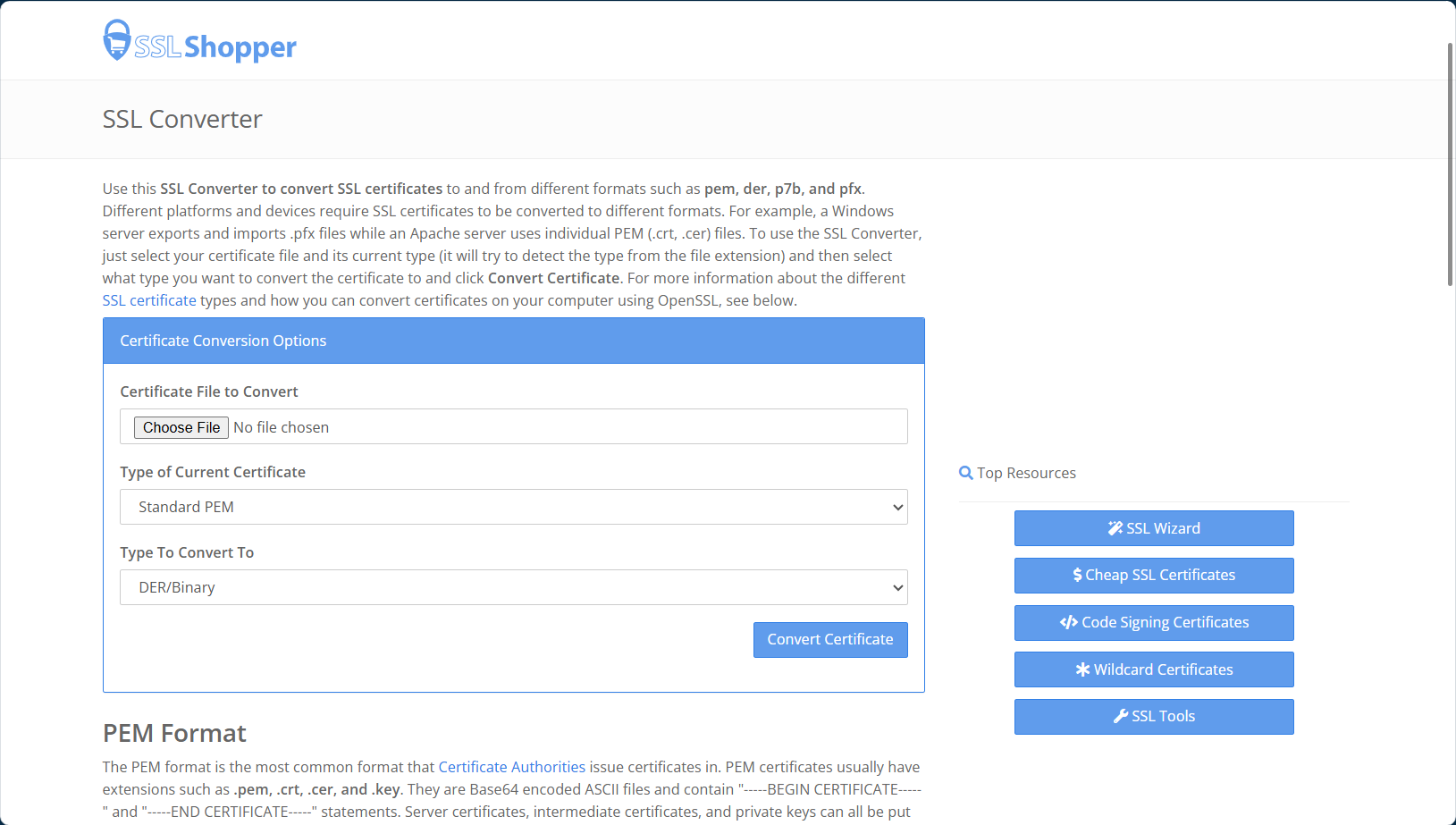
Step 1: Navigate to SSL Converter
1. Open your web browser and visit https://www.sslshopper.com/ssl-converter.html
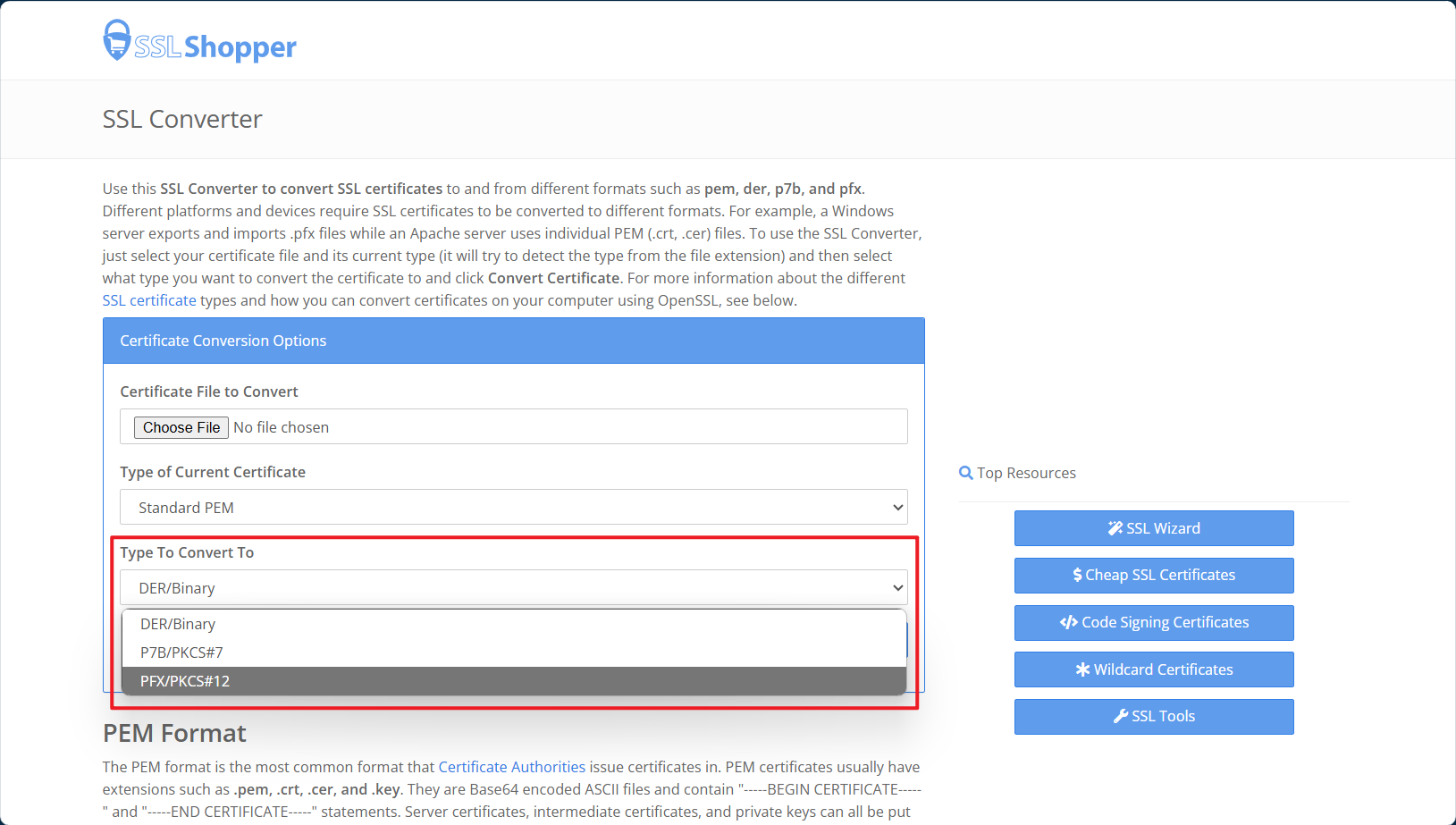
2. Click on the Type To Convert To drop down menu, and select PFX/PKCS#12.
Step 2: Convert the certificate
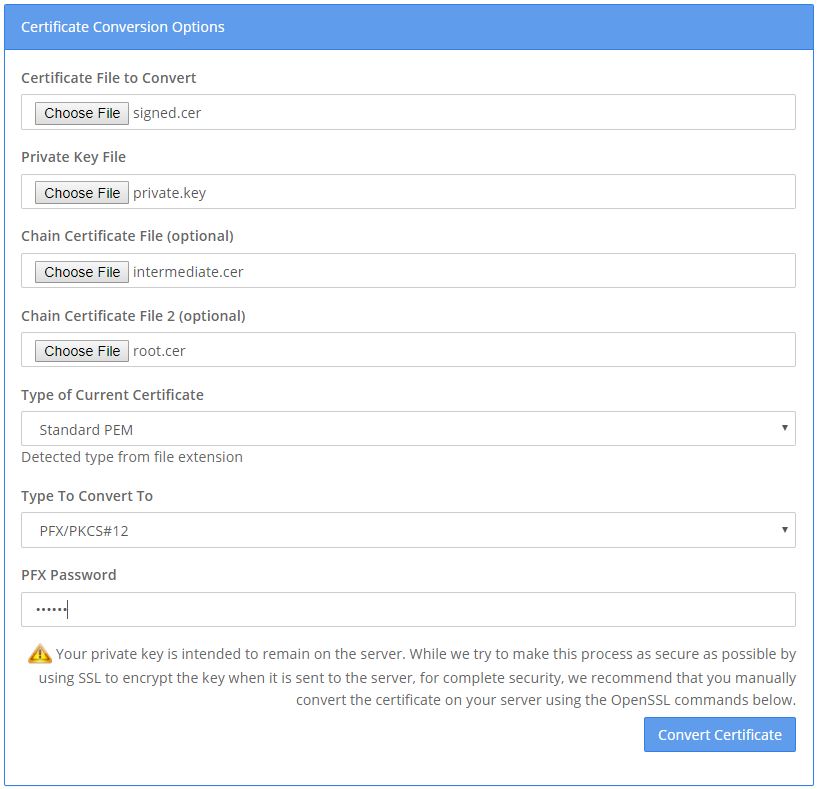
1. Browse the file for Certificate file to convert, Private key file, Chain certificate file (intermediate.cer), Chain certificate file 2 (root.cer).
2. Type the PFX password.
3. Click on ‘Convert Certificate’ and save the PFX file.
Conclusion
You have successfully converted your SSL certificate from PEM format to PKCS#12 (.PFX) format using SSL Converter. This will allow you to use your SSL certificate on platforms that require the .PFX format, such as Windows-based servers. Always ensure that you store the private key and .PFX file securely to maintain the security of your SSL certificates.
Article posted on 18 May 2020.