
Search Our Database
How to configure DNS Records in PDNS
Introduction
PowerDNS (PDNS) is the DNS management interface provided by IP ServerOne for customers who need to manage their domain’s DNS records. This article guides domain administrators and website owners through the process of logging into the PDNS panel, selecting their domain zone, and manage, update, and add DNS records for their domains through the PDNS (Poweradmin) management panel. By following these steps, users can successfully point their domain to the correct mail server, enabling access to email logins via mail.domain.com.
Prerequisite
- Access to the PDNS management panel
- Knowledge of DNS records
Step-by-Step Guide
Step 1: Navigate to your domain zone
- Navigate to the PDNS management panel at [PDNS-IPServerOne] and log in with your credentials.
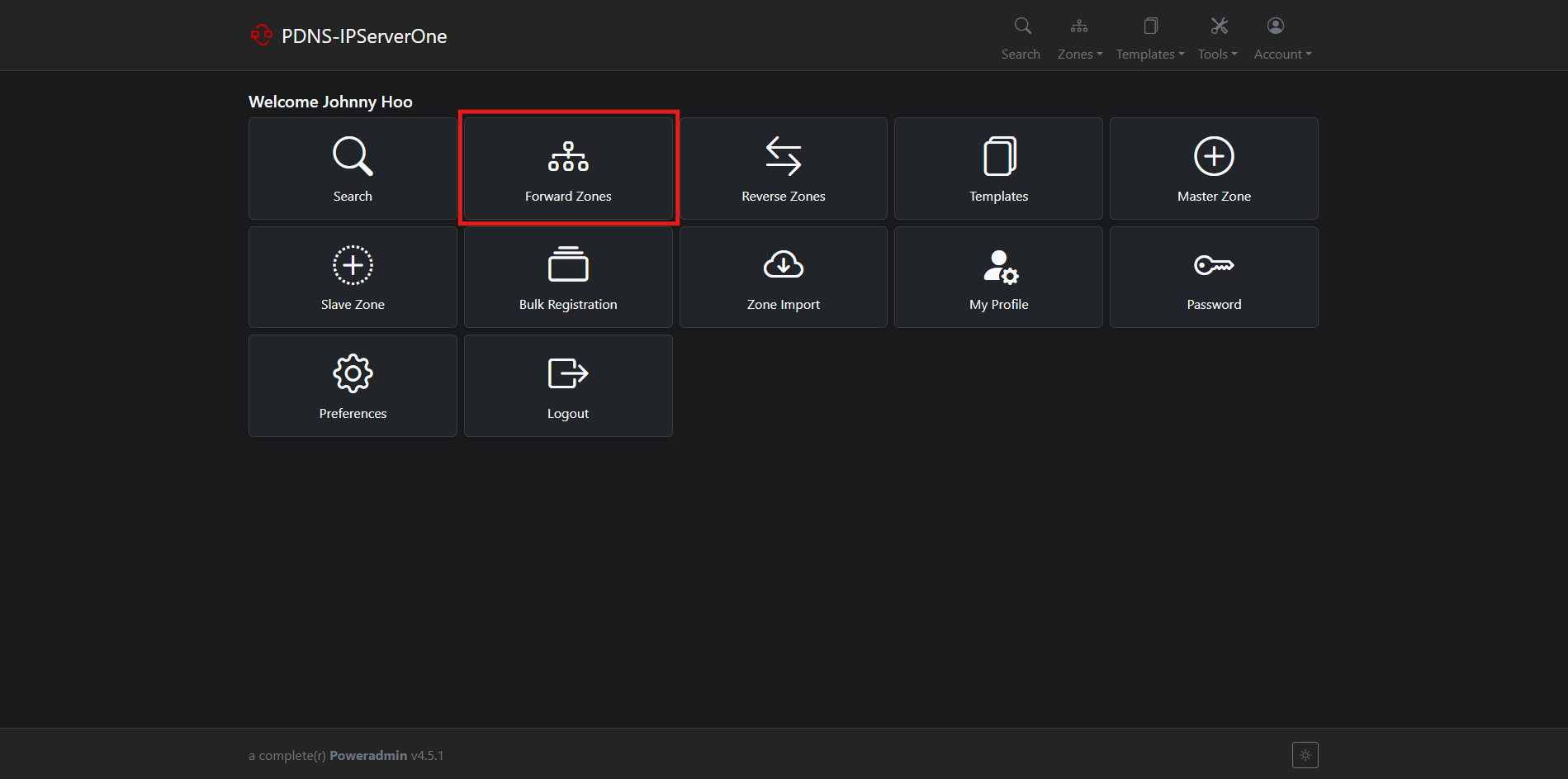
- After logging in, click on the Forward Zones menu in the navigation bar to view the list of your available domains.
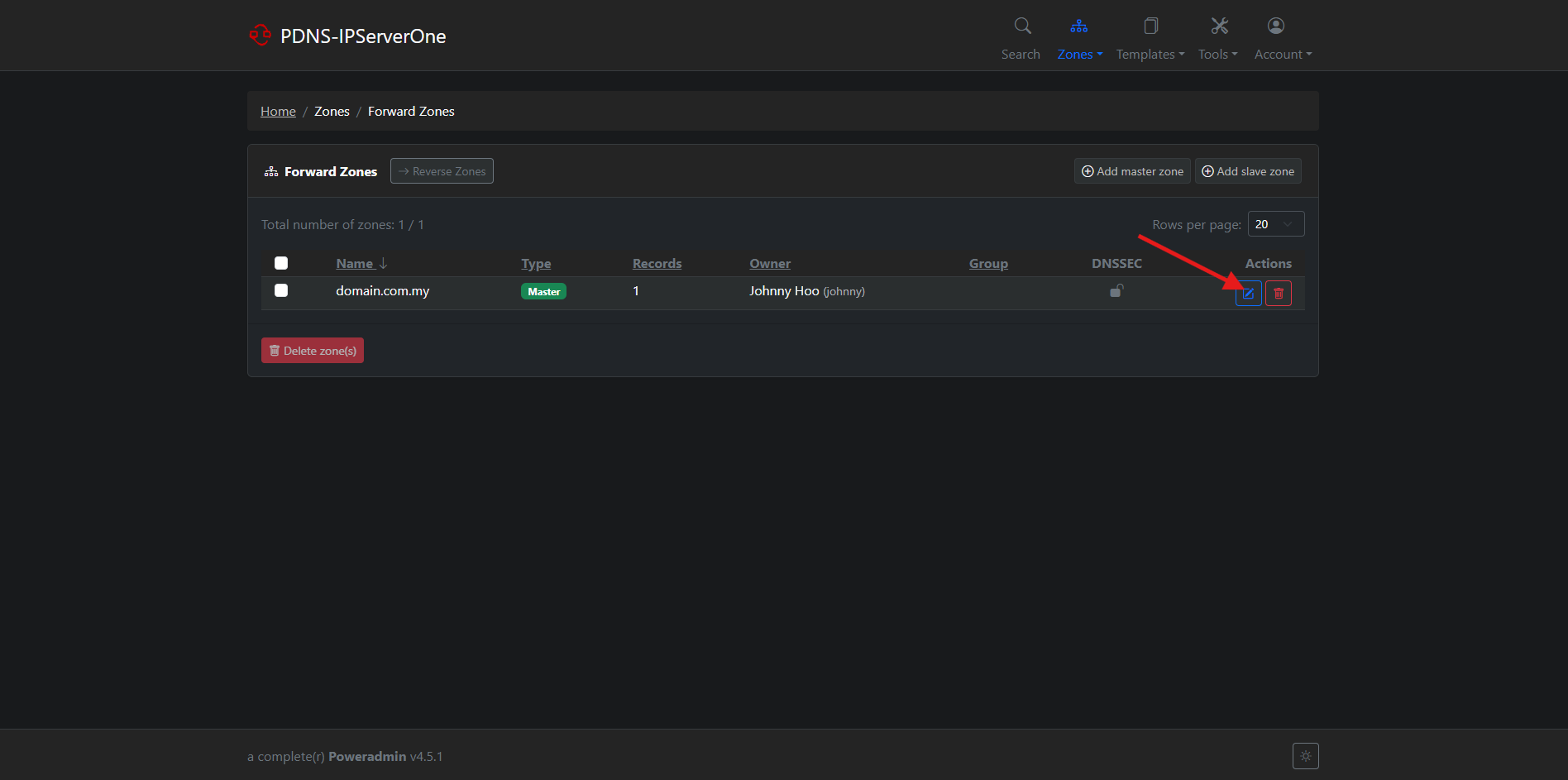
- From the zone list, click the Edit button on the domain you want to manage.
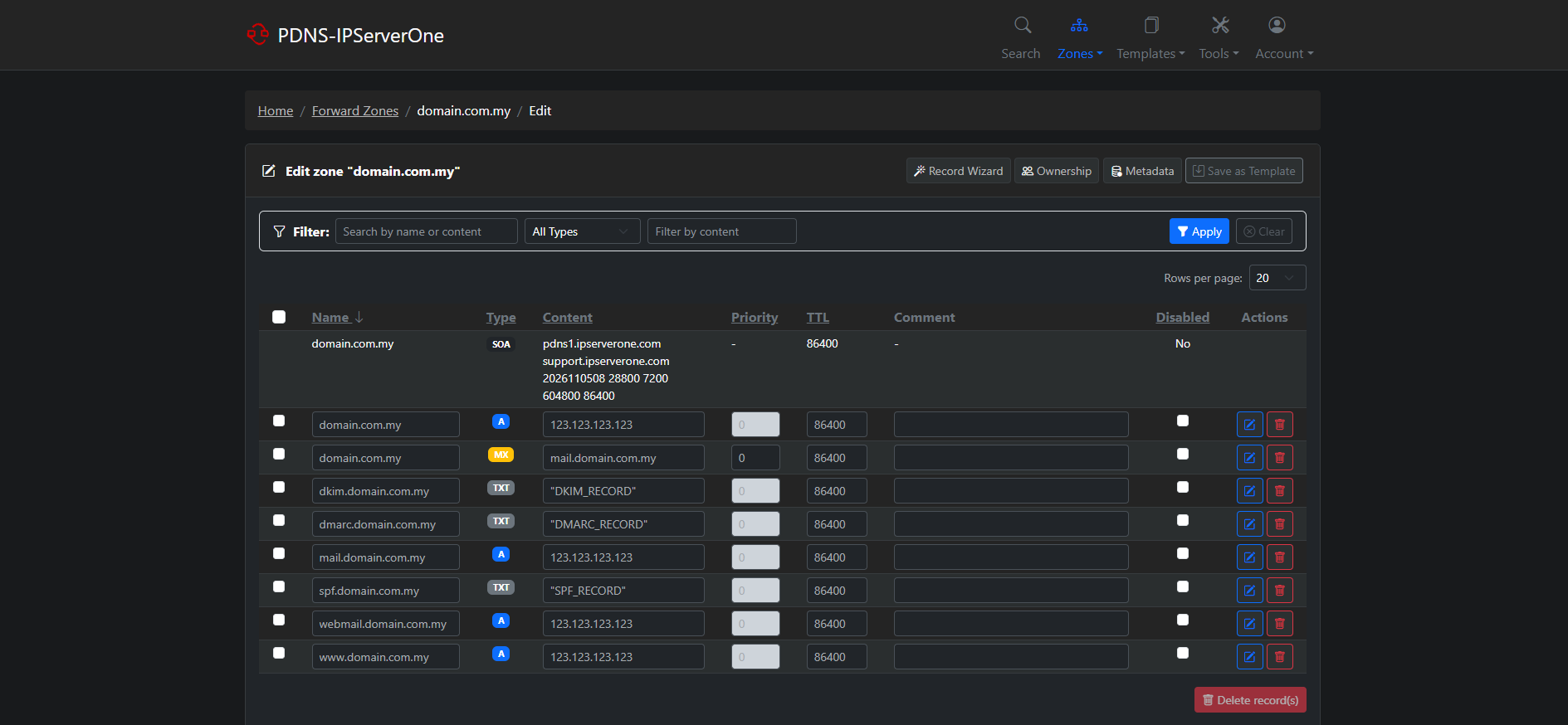
- The zone editor will open, displaying all existing DNS records for the domain in a table with columns for Name, Type, Content, Priority, and TTL.
Step 4: Managing a DNS Record
- To manage the DNS records:
- To add: Scroll down and input your DNS record details. Click on Add record to add DNS records for the domain.
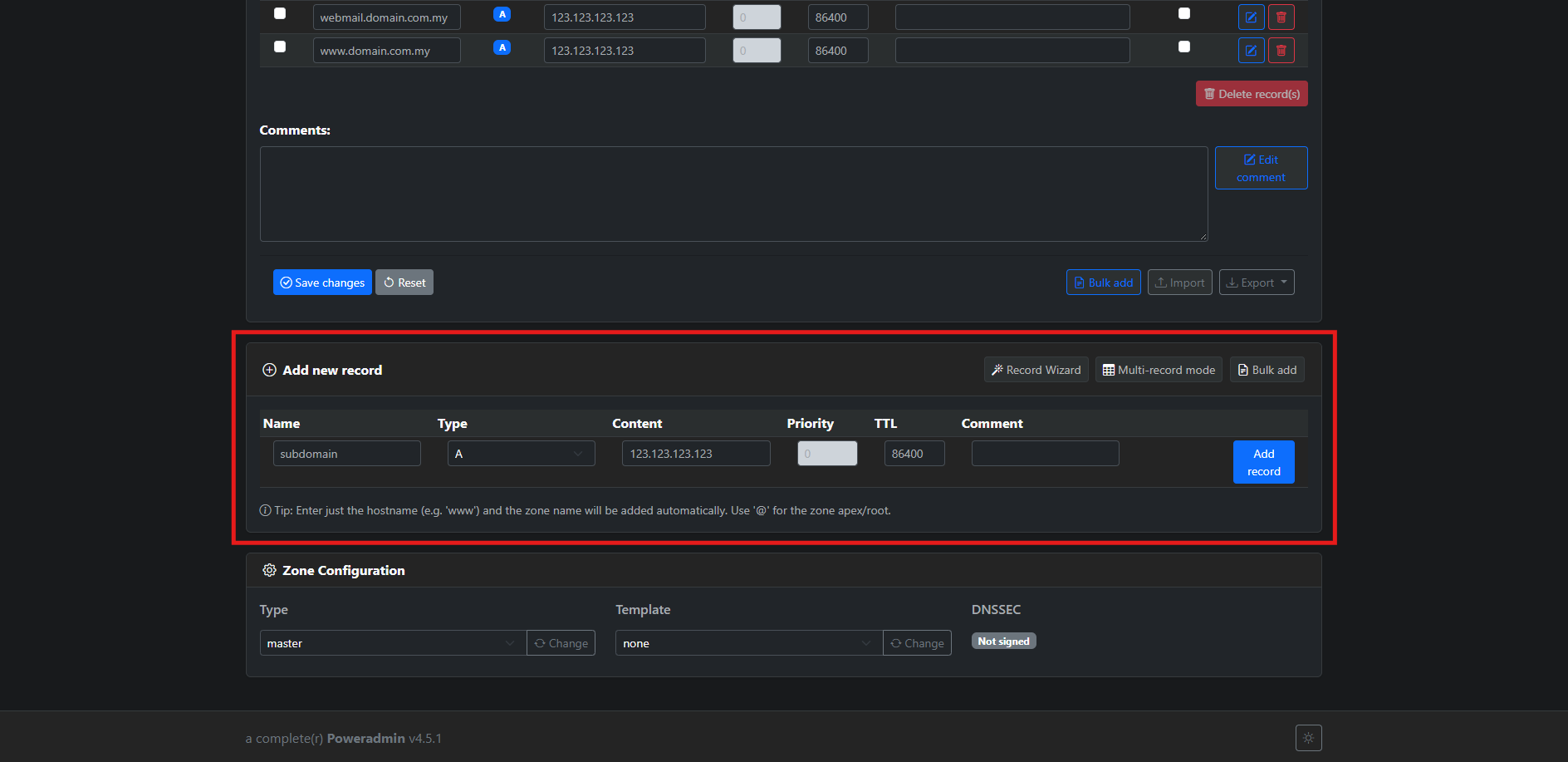
- To add: Scroll down and input your DNS record details. Click on Add record to add DNS records for the domain.
-
- To edit: Click Edit button beside the DNS records to edit the DNS records for the domain.
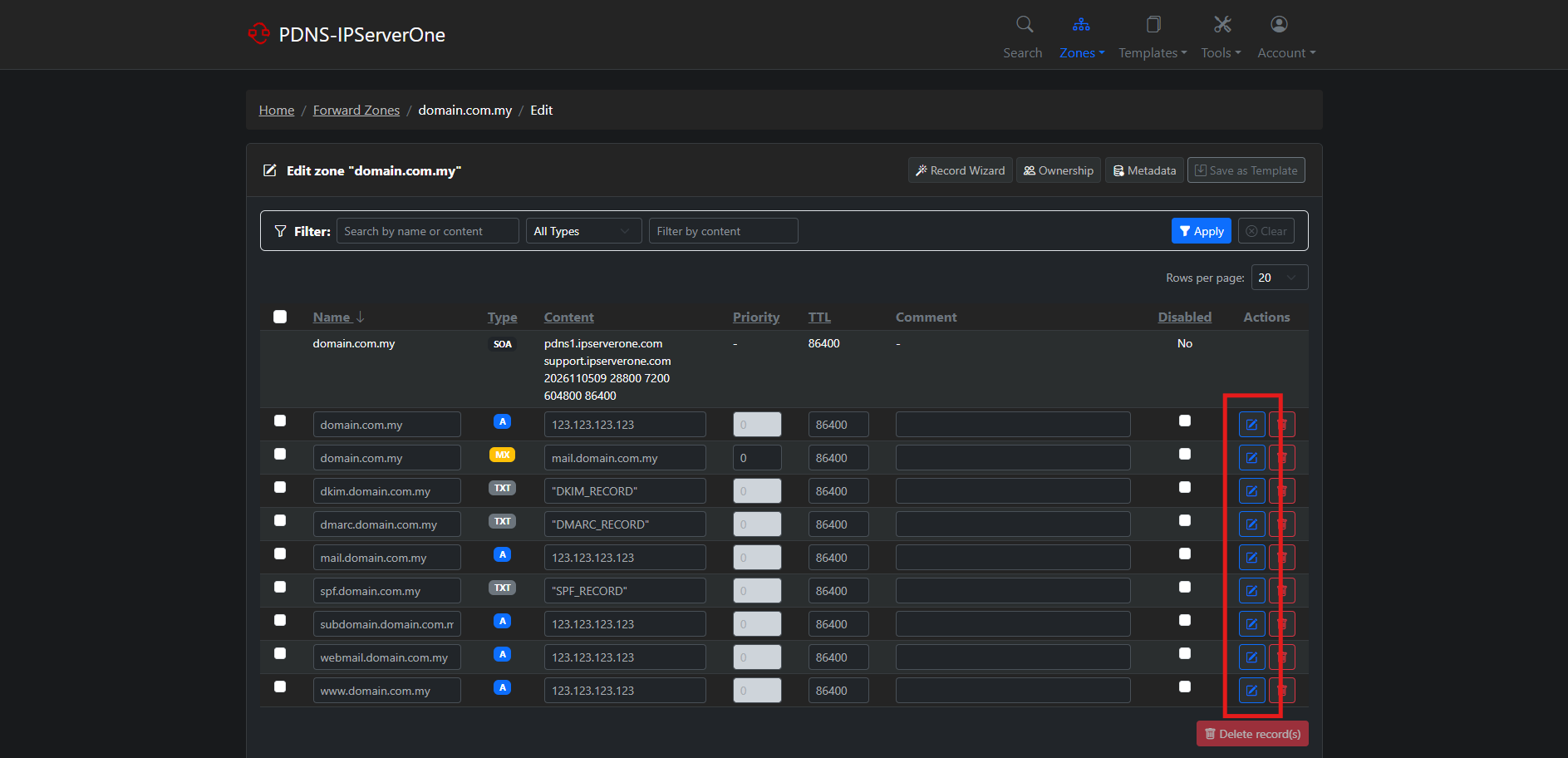
- To edit: Click Edit button beside the DNS records to edit the DNS records for the domain.
-
- To delete: Click Delete button beside the DNS records to delete the DNS records for the domain.
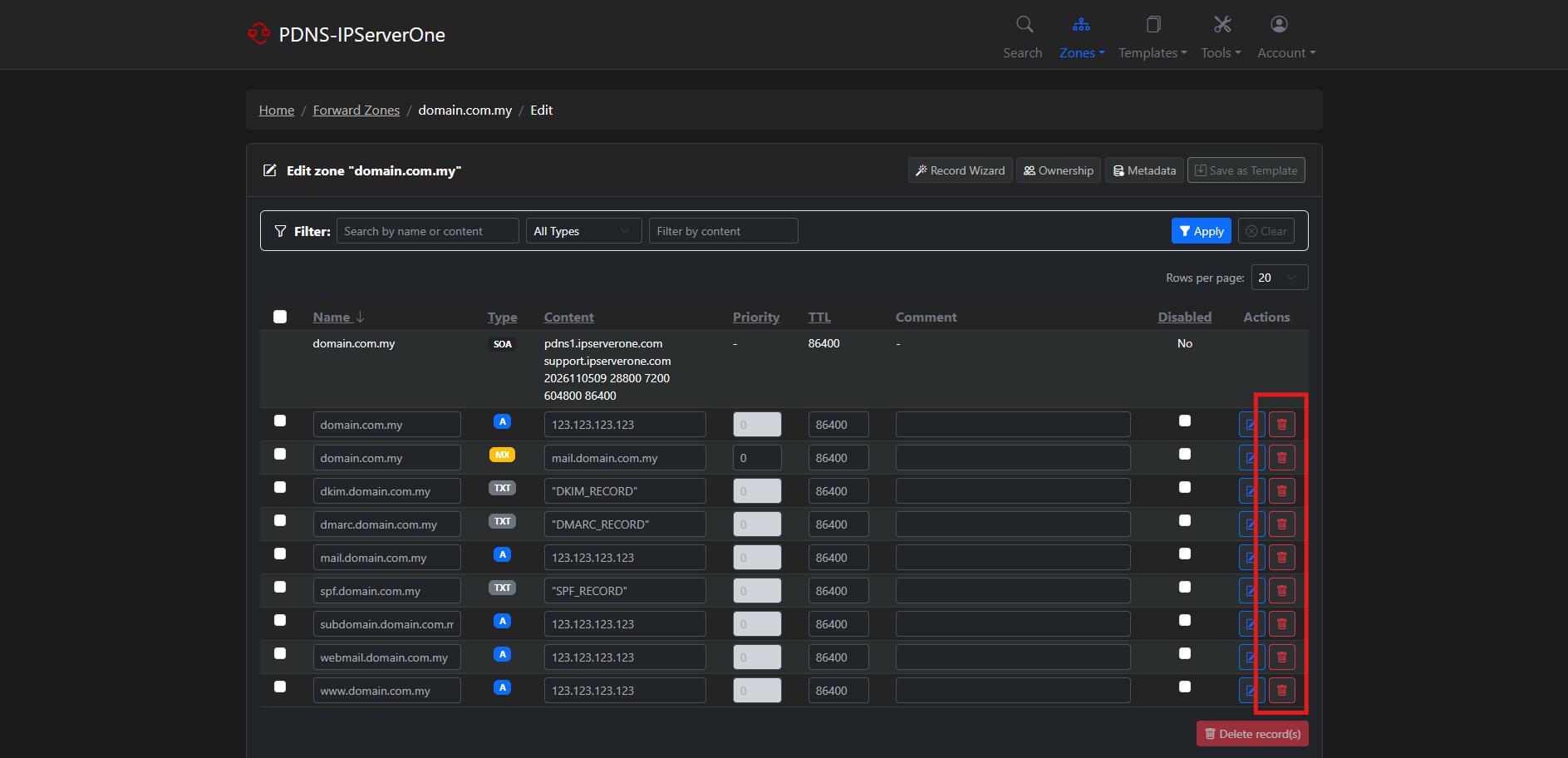
- To delete: Click Delete button beside the DNS records to delete the DNS records for the domain.
-
- To disable / enable: Click Checkbox beside the DNS records to temporary disable or enable the DNS records for the domain.
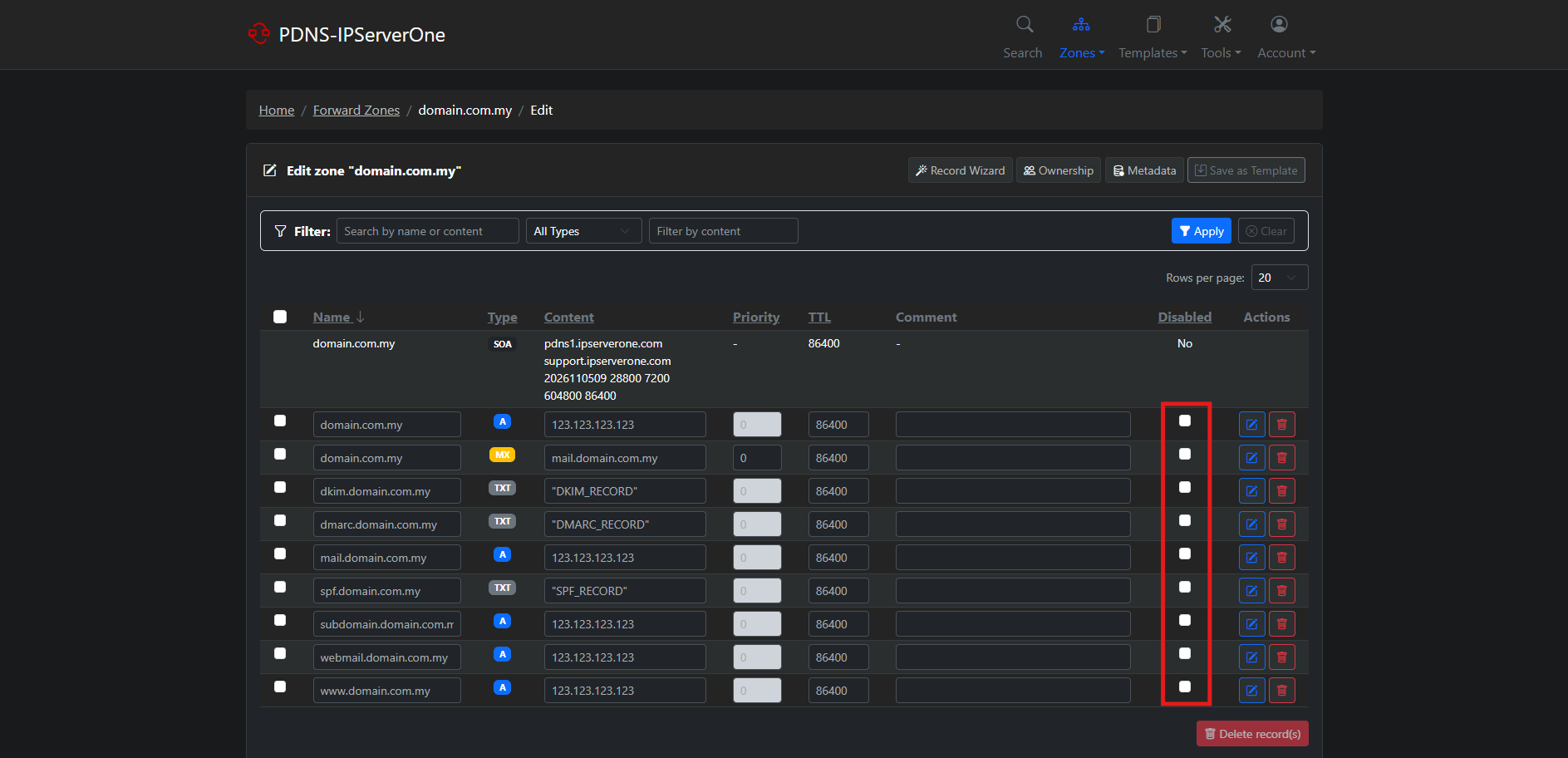
- To disable / enable: Click Checkbox beside the DNS records to temporary disable or enable the DNS records for the domain.
Type of DNS Record
There are several records that you will be able to add:
- A record – The ‘A’ stands for ‘address’. This is the most fundamental type of DNS record, as it indicates the IP address of a given domain.
- AAAA record – Similar to A record, but is used to resolve a hostname corresponding to an IPv6 address.
- CNAME record – A CNAME record can map the web address www.example.com to the actual website for the domain example.com.
- MX record – Tells the world which mail servers accept incoming mail for your domain and where emails sent to your domain should be routed. You can add multiple MX records.
- NS record – Also known as a Nameserver record.
- TXT record – Contains text information for sources outside your domain, such as SPF, DKIM, and DMARC records, or domain ownership verification.
- ALIAS record – Similar to CNAME, but allows a hostname to point to another hostname at the root of the domain.
Conclusion
By following this guidance, you can configure, update, and manage DNS records for your domain through the PDNS management panel, ensuring your domain points to the correct servers for your services.
If you have any questions or need assistance, feel free to reach out to our support team at support@ipserverone.com.
Article updated on 05 November 2026 by Johnny